With the Binance P2P Express mode, you can directly place an order by entering the fiat or crypto amount to spend and selecting the preferred payment method. Your order will be matched with the best available order on the P2P market.
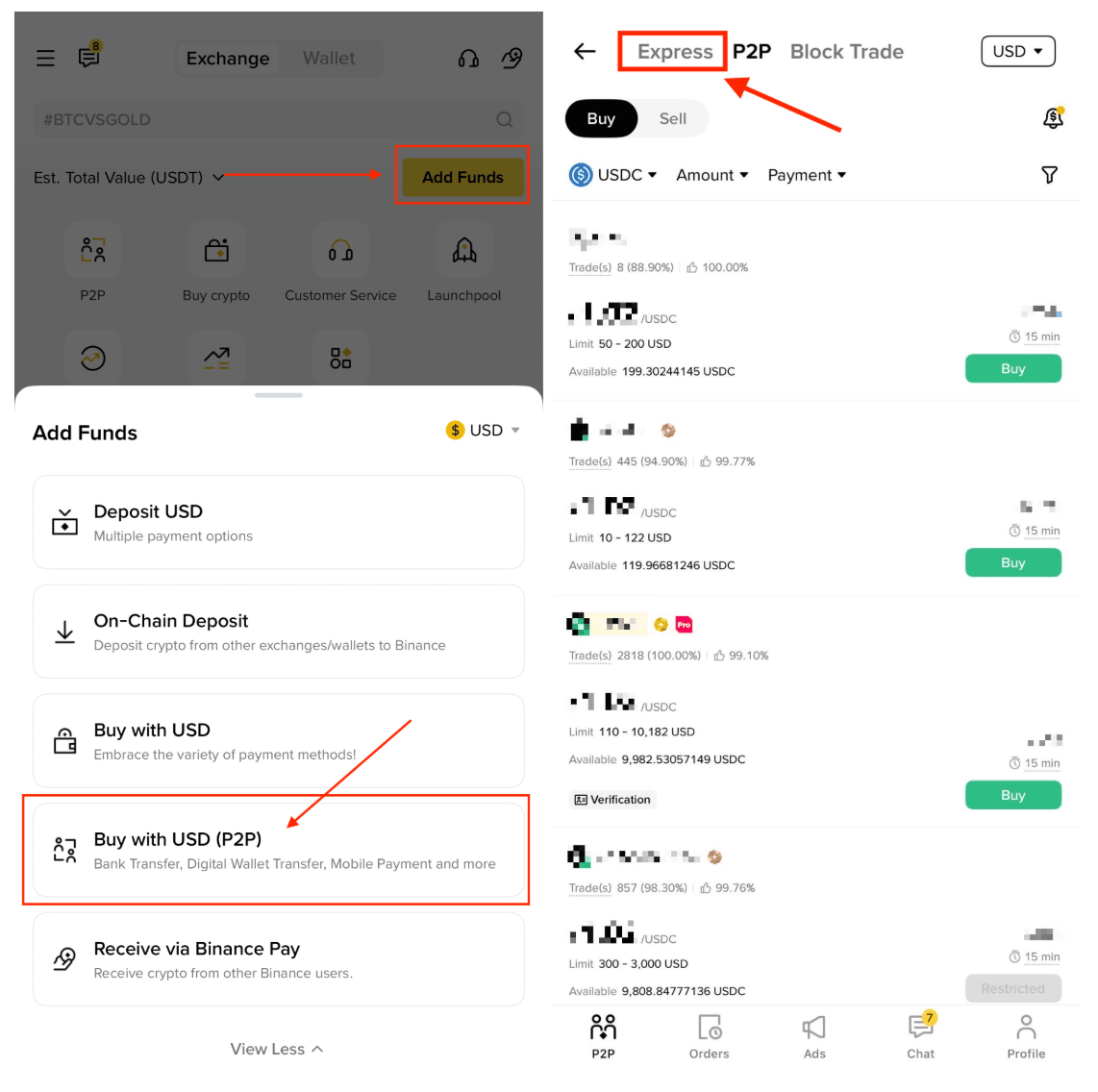
1. Log in to your Binance App and tap [Add Fund] - [Trade with P2P]. From the P2P platform, tap [Express] at the top of the screen.
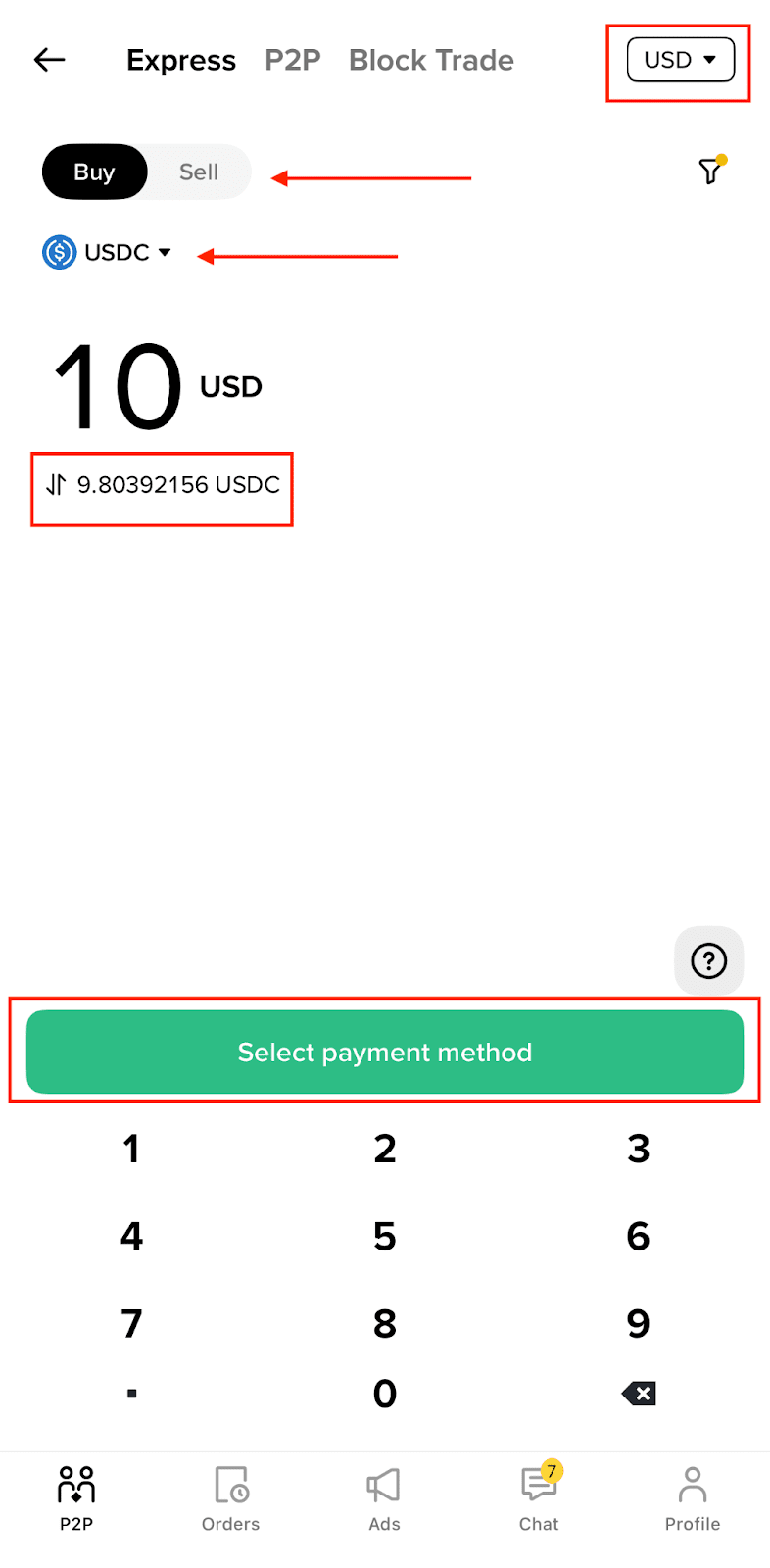
2. After switching to the Express Zone, select the fiat currency you wish to trade. Then, choose either [Buy] or [Sell] and select the cryptocurrency you want to trade. Tap the "Switch" icon to enter the amount of fiat or crypto you want to trade.
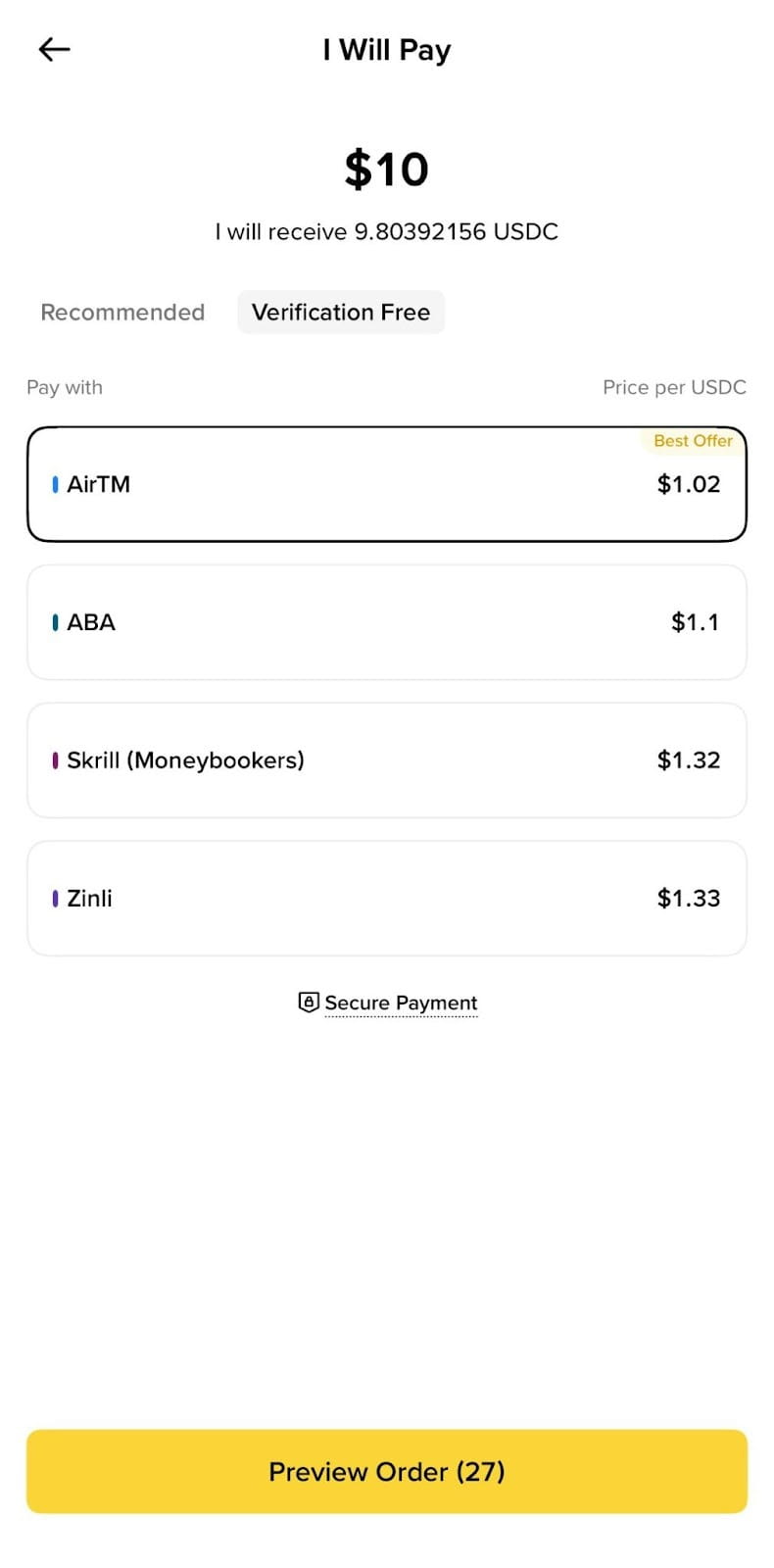
3. Tap [Select Payment Method] to choose your preferred payment method, then tap [Preview Order].
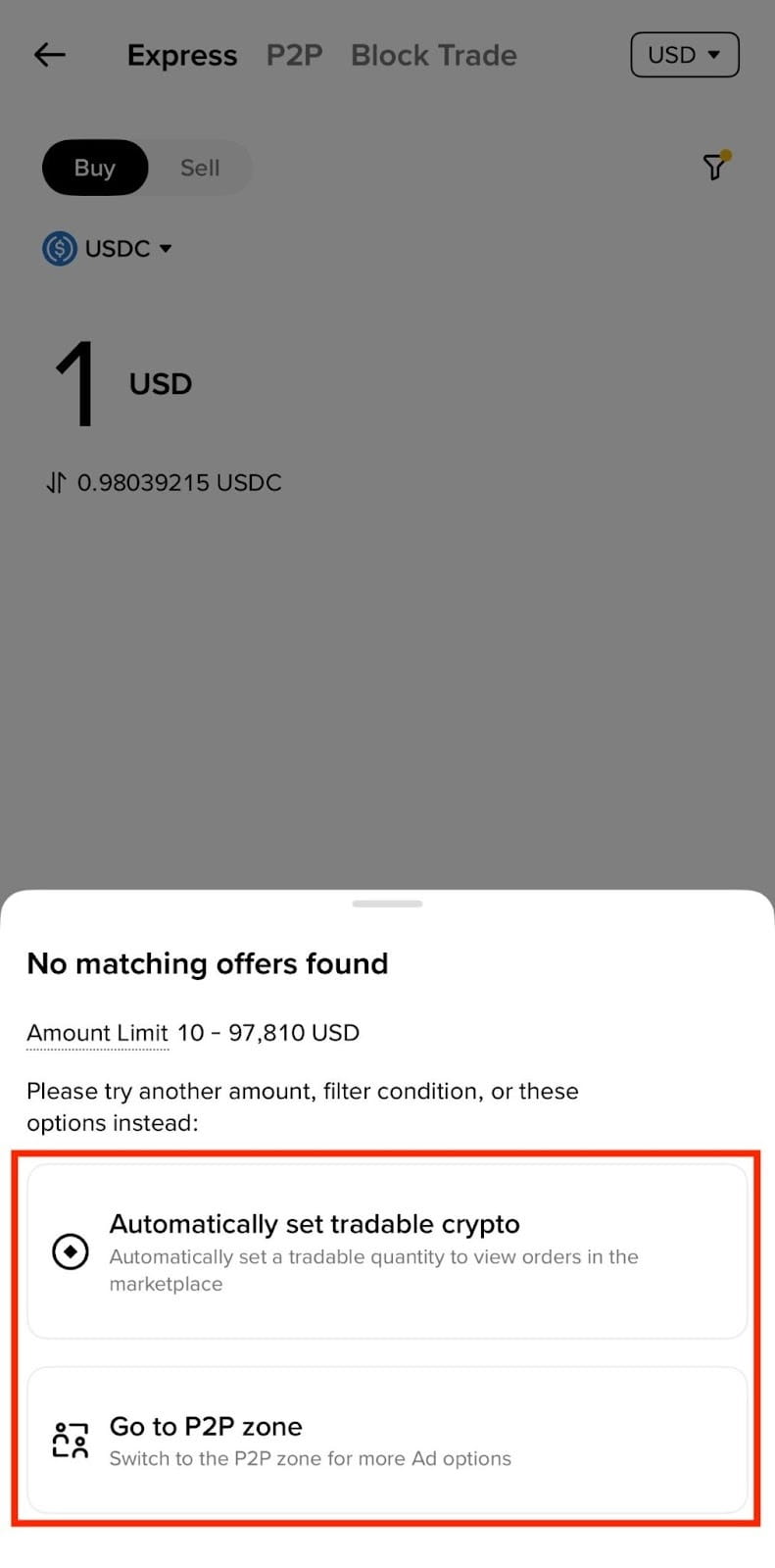
4. If you are not getting a matching payment method or advertisement for your trading amount, try switching to the P2P zone or, allowing the system to fill in the "tradable crypto amount."
Please note that you are not allowed to place more than two ongoing orders at the same time. You must complete the existing order before you can place a new order.
