Ready to put your $RIVER tokens to work? The River Protocol is a powerhouse for chain abstraction, and staking is the best way to get involved.
Here is your step-by-step guide to staking on river's app directly through your Binance Web3 Wallet. 🧵👇
1️⃣ Prepare Your Wallet
Ensure you are using the latest version of the Binance App.
Navigate to Wallets -> Web3.
Make sure you have $RIVER tokens ready (typically on the BNB Chain) and a small amount of BNB to cover network gas fees.
2️⃣ Access the dApp
In your Web3 Wallet, tap the Discover or DApps tab at the bottom.
Enter the official URL in the search bar: app.river.inc
Once the site loads, tap Connect Wallet and select Binance Web3 Wallet.
3️⃣ Navigate to the Staking Section
Once connected, look for the Staking or Governance tab in the River app menu.
Your available balance should now be visible on the dashboard.
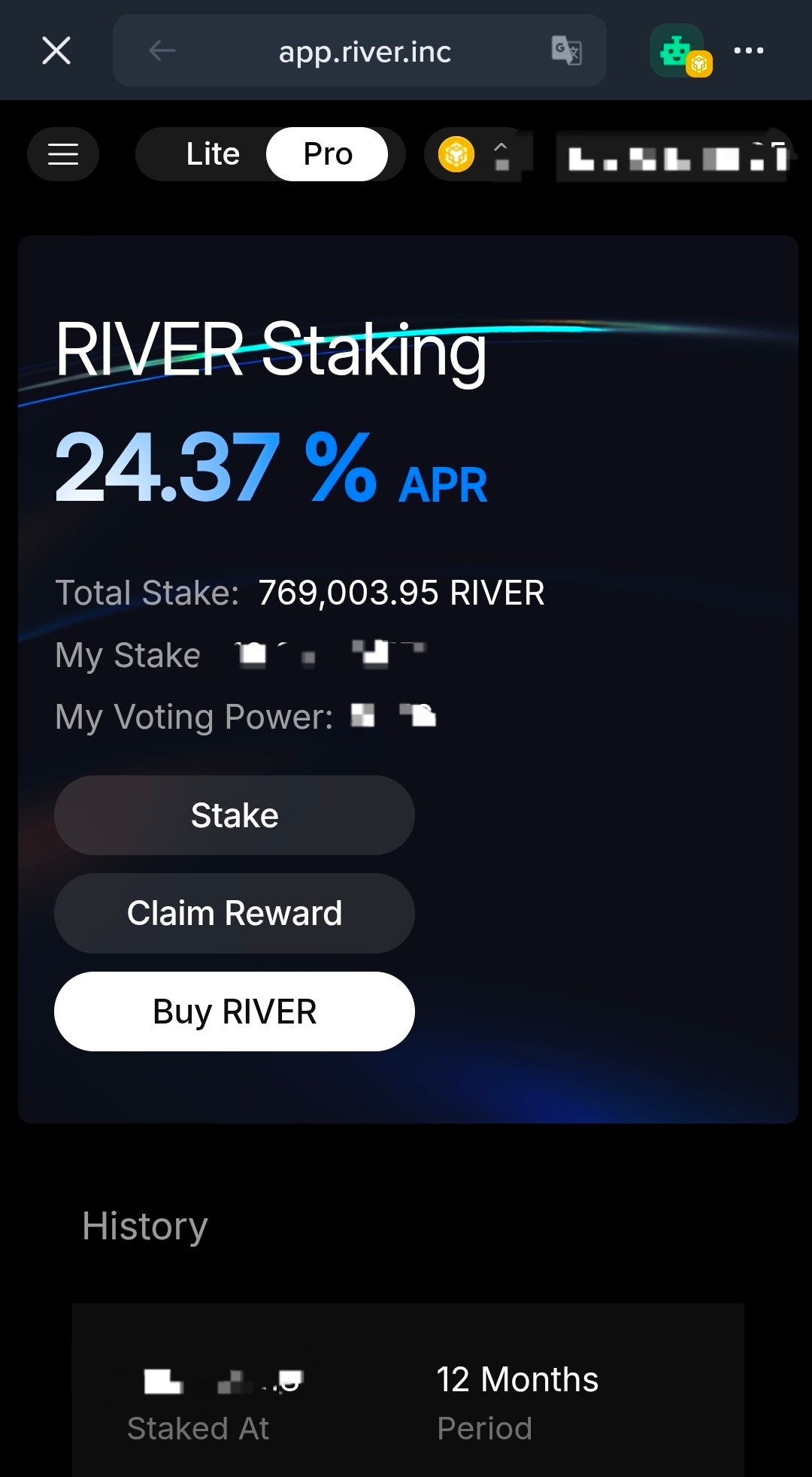
4️⃣ Stake Your Tokens
Enter the amount of $RIVER you wish to stake.
ℹ️ Pay attention to any lock-up periods. Usually, longer lock-ups grant a higher staking multiplier for rewards and voting power!
Click Approve to allow the protocol to interact with your tokens.
Finally, click Stake and confirm the transaction.
5️⃣ Sit Back and Earn
Once the blockchain confirms the transaction, your $RIVER is officially staked.
You can track your rewards and governance influence directly on the app.river.inc dashboard in Binance Web3 Wallet.
💡⚠️ Always double-check the URL to ensure you are on the official site and avoid phishing attempts.
#BinanceWeb3Wallet #River #Staking #DeFi #CryptoGuide