
Binance P2P is a platform where people can buy and sell cryptocurrency directly with each other using local payment methods. To make trading easier and faster, Binance offers a feature called P2P Express Mode. It also supports large trades (block trades) through the normal P2P marketplace.
Let’s understand both in very simple words.
What is P2P Express Mode?
P2P Express Mode is the quickest way to buy or sell crypto on Binance P2P.
Instead of choosing ads manually, you only need to:
Enter the amount you want to buy or sell
Select your payment method
Binance automatically finds the best available price and matches you with a reliable merchant.
Think of P2P Express like a taxi service:
You tell the app where you want to go (amount + payment method), and Binance
finds the best driver for you.
How to Switch to P2P Express Mode
Open your Binance App
Tap Trade → P2P
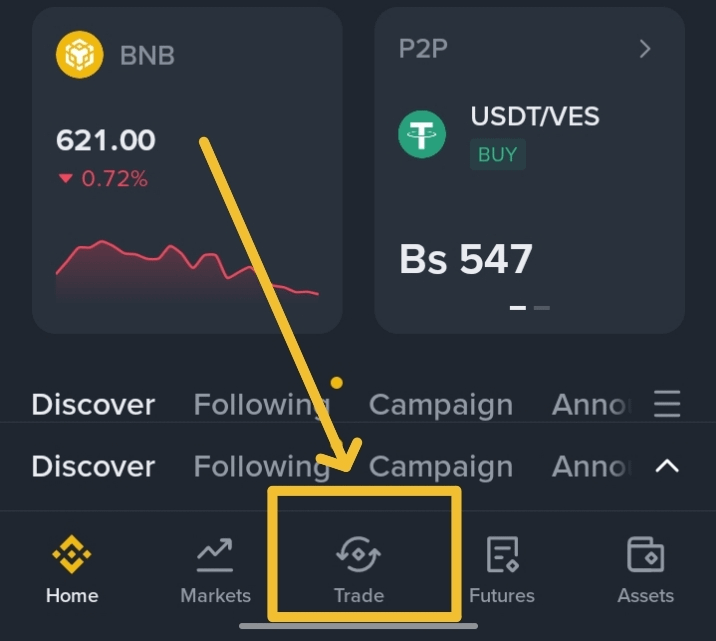
Open Binance app and then click on Trade 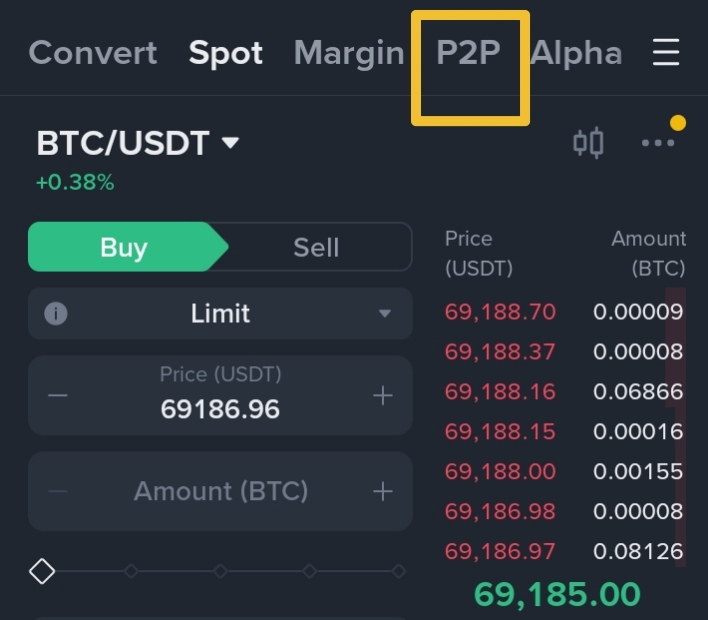
Click on P2P Tap P2P at the top and select Express and then Select Currency
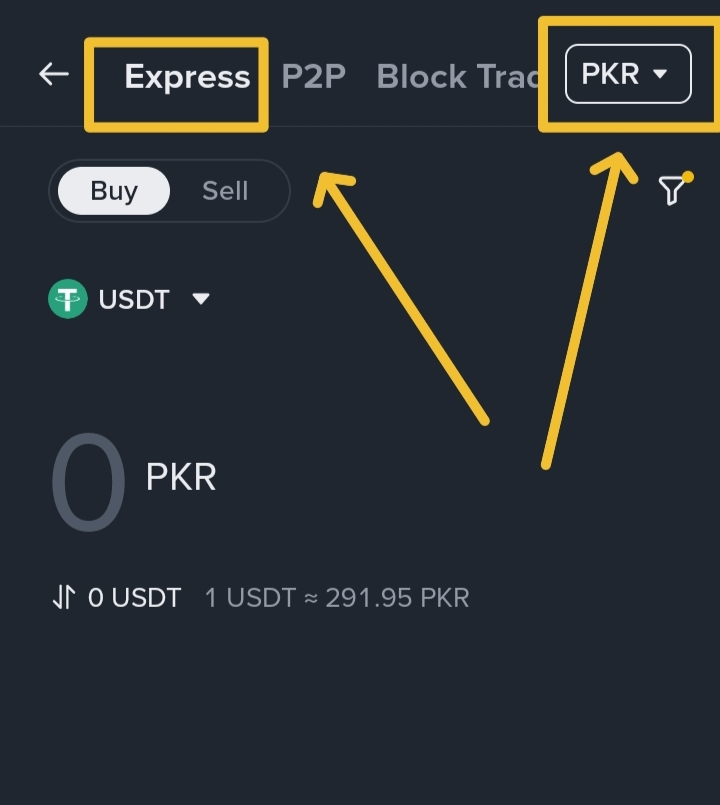
Tap Express and then select your currency You can switch back anytime to the normal P2P mode
Select Buy or Sell option and enter your amount
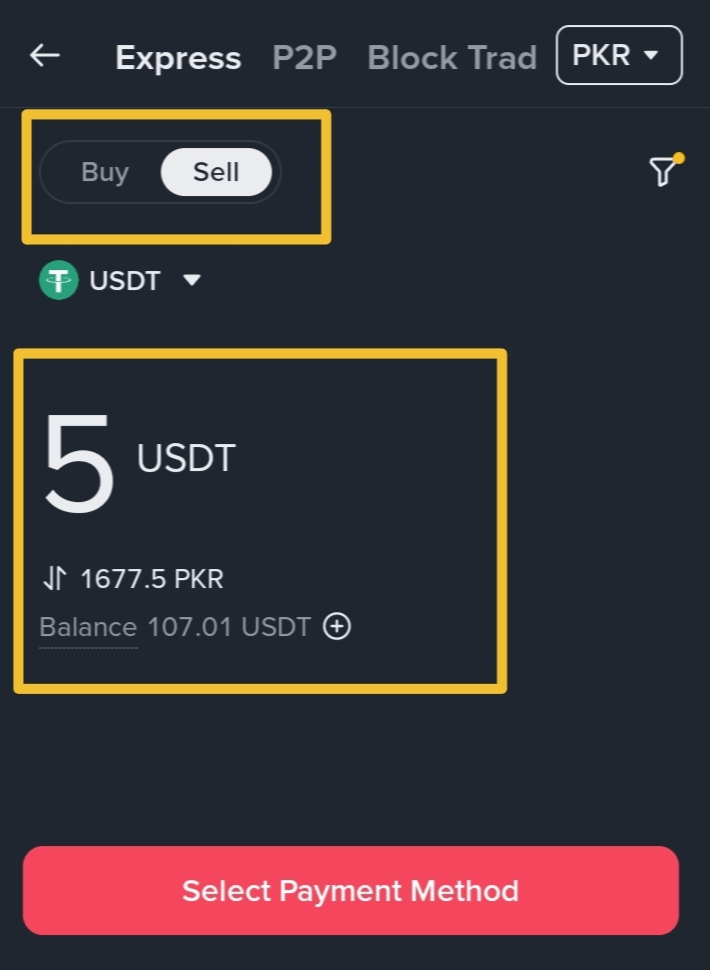
Select buy or sell option and select coin and Enter amount Select Payment Method and enter Bank Account details
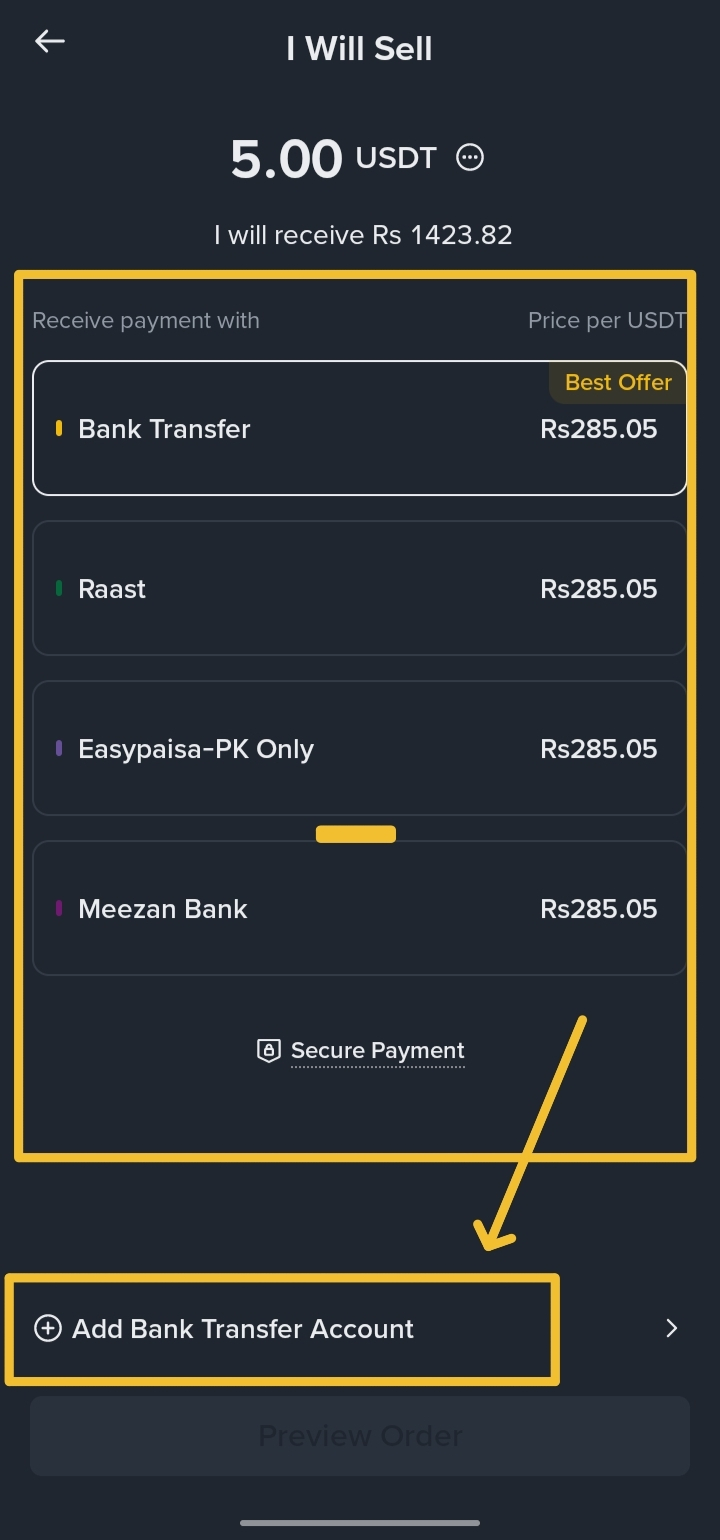
Select Method and add bank details Enter Bank Account Details
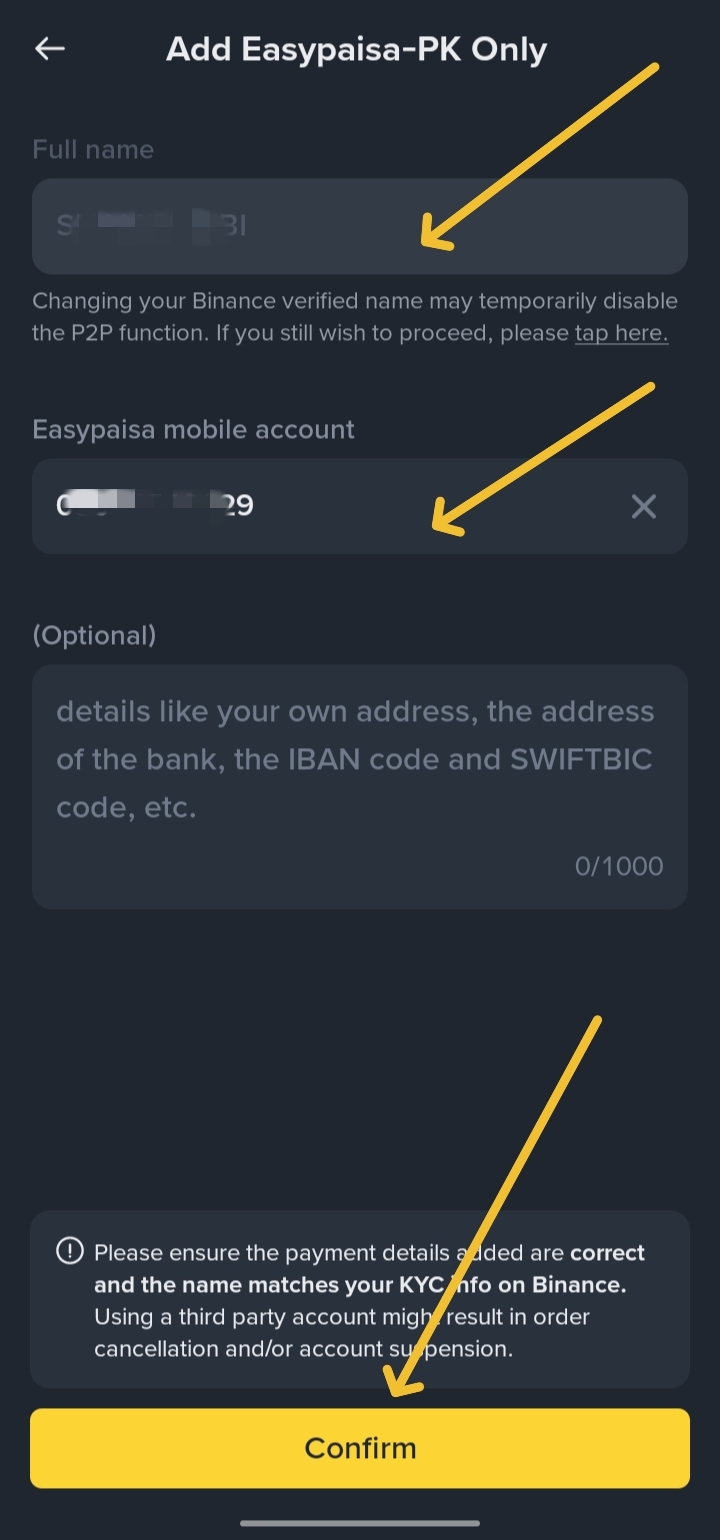
All Done, preview and see your order
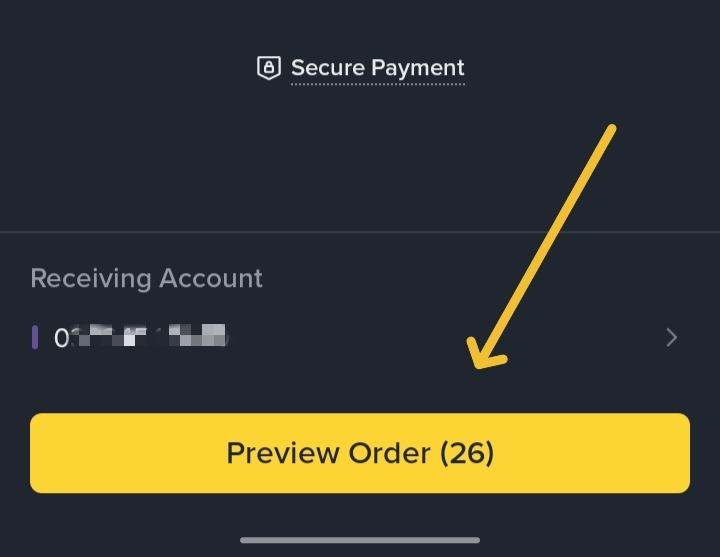
See your order
It only takes a few seconds and Binance suggest you the best results.
Why Use P2P Express Mode?
Advantages (Pros)
Very fast trading
Best available price automatically selected
Safe and simple for beginners
Trades with experienced merchants
No need to search ads manually
Limitations (Cons)
Limited payment methods
Limited order amount (depends on country and currency)
You cannot choose specific ads
Not suitable for very large trades
What if P2P Express Doesn’t Find a Match?
Sometimes you may face problems like:
No payment method available
Amount not supported
No suitable match found
In that case, Binance recommends switching to the normal
P2P marketplace, where you can:
Browse many ads
Choose your own price
Select your preferred merchant
Negotiate for large trades
Selling Crypto via P2P Express Mode
To sell crypto on P2P Express:
Binance automatically selects the best-priced ads
Only verified merchants with good prices appear in Express
To feature in P2P Express as a seller, you must:
Be a verified merchant
Offer competitive prices
Follow Binance trading rules
Understanding Prices and Large (Block) Trades
Prices on Binance P2P are set by users, so they may differ
slightly from the market price. This is normal.
For large trades (like 100,000 USDT or more):
The amount is locked from the counterparty for safety
Trades may take more time
Express Mode may not support such large amounts
It’s better to use the normal P2P marketplace for block trades
Large trades often need:
Direct negotiation
Careful price checking
Trusted merchants
Common Scams in P2P:
Fake Email:
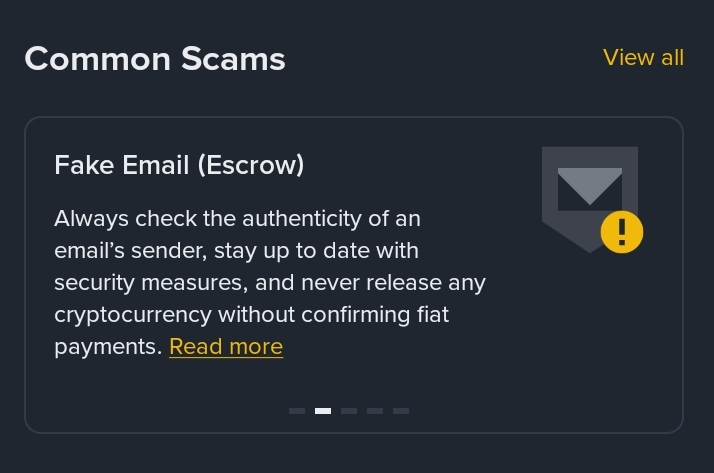
Fake Email Scams Fake Customer Support:
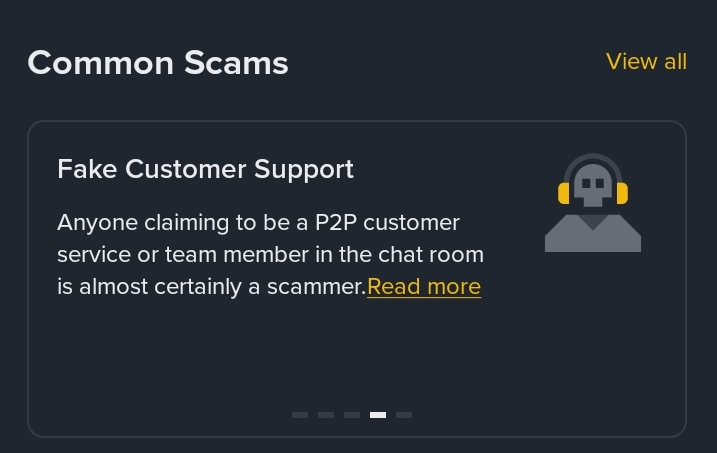
Fake Customer Support Scams Fake SMS:
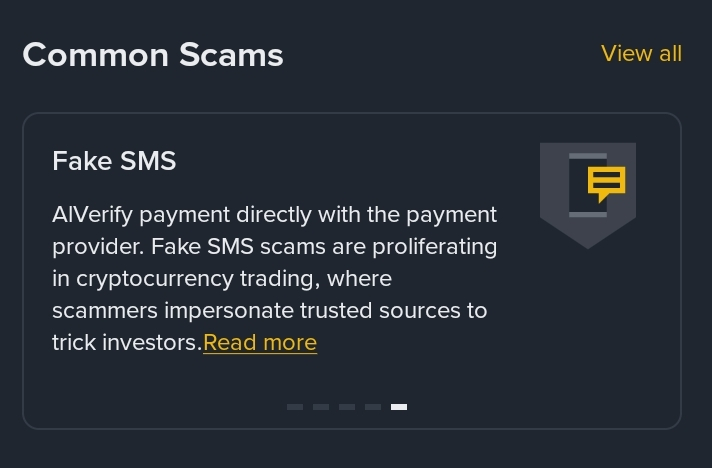
Fake SMS Scams
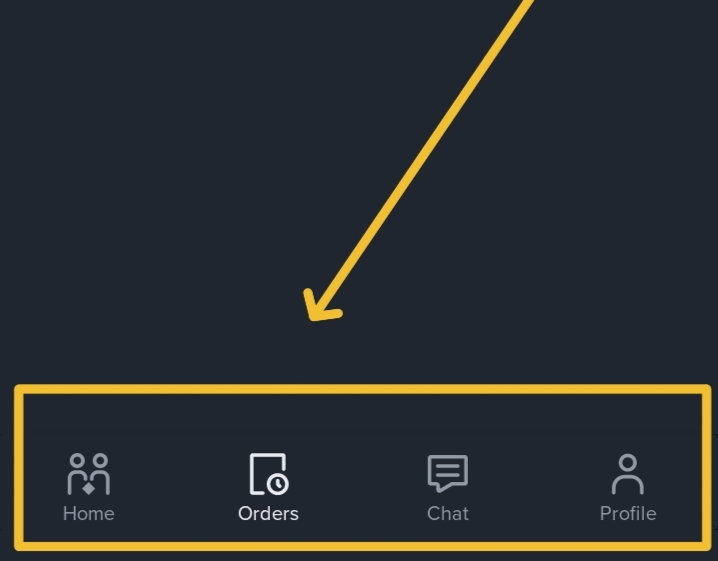
P2P other options:
Home Section: Select buy or sell options and make orders.
Order Section: You can track your order easily.
Chat Section: You can chat with that buyer or seller.
Profile Section: Easily can Manage your profile
Final Words:
Stay Safe, Stay Happy and Do Your Best. Good Luck 😊

