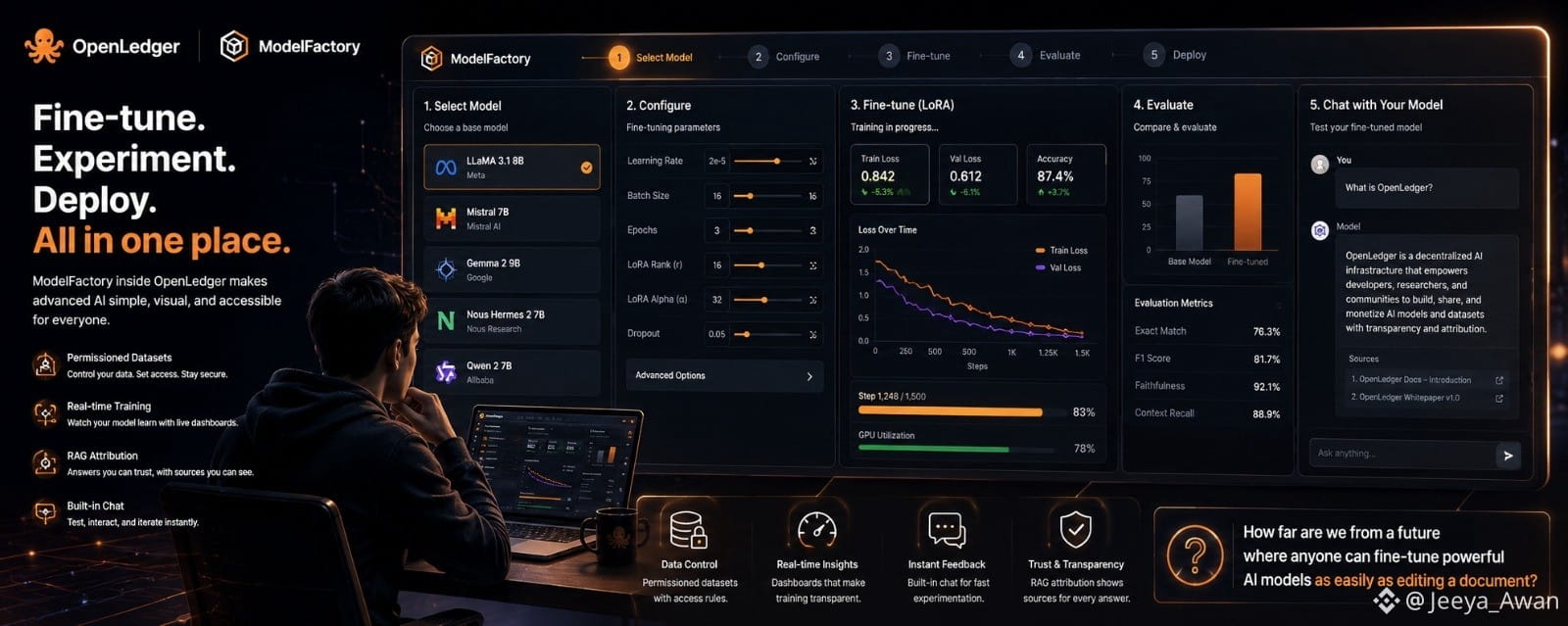
I first came across ModelFactory while exploring tools inside the OpenLedger ecosystem, and honestly, I wasn’t expecting much at the beginning. Most fine-tuning platforms I had seen before either felt too technical or required a lot of command-line setup that made them difficult to approach without strong engineering experience. But ModelFactory felt different from the start because it presented everything in a very visual and structured way.
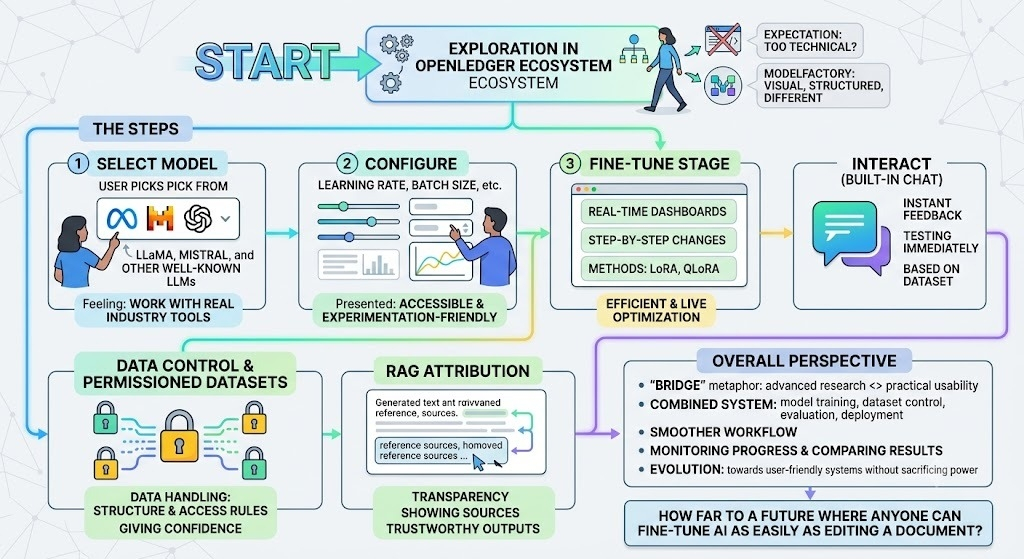
What immediately stood out to me was how simple the whole process felt. Instead of worrying about scripts or complex APIs, I could work through a clean interface where everything was already organized into steps. Selecting a model was the first part of the journey. I remember seeing options like LLaMA, Mistral, and other well-known LLMs, and it gave me a sense that I was working with real, industry-level tools rather than a simplified demo system.
After choosing a model, the next thing I interacted with was configuration. Normally, terms like learning rate or batch size can feel intimidating, but here they were presented in a way that actually made sense while experimenting. I didn’t feel like I had to be an expert to adjust them. Instead, I could try different settings and observe how they influenced the training process.
The fine-tuning stage was probably the most interesting part for me. Watching the model learn in real time through dashboards made the process feel alive. I could see changes happening step by step, especially when using methods like LoRA or QLoRA, which are designed to make training more efficient. It gave me a better understanding of how modern AI systems are optimized without needing massive computing resources all the time.
Another feature I personally found useful was the built-in chat interface. After training a model, I didn’t have to export it somewhere else just to test it. I could immediately interact with it, ask questions, and see how it responded based on the dataset I had used. That instant feedback loop made experimentation much faster and more meaningful.
One thing I appreciated was the focus on data control and permissioned datasets. In many AI tools, data handling often feels unclear, but here there was a stronger sense that datasets were managed with structure and access rules. This gave me more confidence in experimenting with different types of data without worrying about losing control over it.
I also noticed the RAG attribution feature, which was quite impressive. It didn’t just generate answers blindly; it also showed where the information was coming from. That level of transparency made the outputs feel more trustworthy, especially when working on research-based tasks or testing knowledge-heavy prompts.
From a broader perspective, ModelFactory felt like a bridge between advanced AI research and practical usability. It combined model training, dataset control, evaluation, and deployment into one system, which made the whole workflow smoother than jumping between different tools. Even things like monitoring training progress or comparing results felt more accessible than I expected.
Overall, my experience with ModelFactory inside the OpenLedger environment made me realize how quickly AI tooling is evolving toward user-friendly systems without sacrificing depth or power. It’s not just about building models anymore; it’s about making the entire process understandable and interactive for more people.
And now I keep wondering:
How far are we from a future where anyone, even without technical training, can fine-tune powerful AI models as easily as editing a document?