
I just completed the Dusk CreatorPad task on Asset Ownership Transfers: ZK-Enabled Seamless Handovers. They rolled out a new handover verification step last week that integrates smoother zk proofs. I went for this one because I've dealt with clunky asset swaps on other chains, and I wanted to test if Dusk really makes it feel effortless. From the start, I faced a small friction — the "Initiate Transfer" button wouldn't activate until I toggled the privacy mode twice, like it was glitching.
Does that extra toggle happen to you too, or is it just my setup?
What I Actually Did
I started on the asset dashboard after wallet connect, where a list of transferable items popped up. The "ZK Handover Simulator" option stood out with its simple icon, but the label "Shielded Ownership Proof" next to it felt vague at first — I wasn't sure if it meant full privacy or just a partial hide. I clicked through, and the screen shifted to a transfer preview pane that asked for recipient details without much fanfare.
One Thing That Worked Better Than Expected
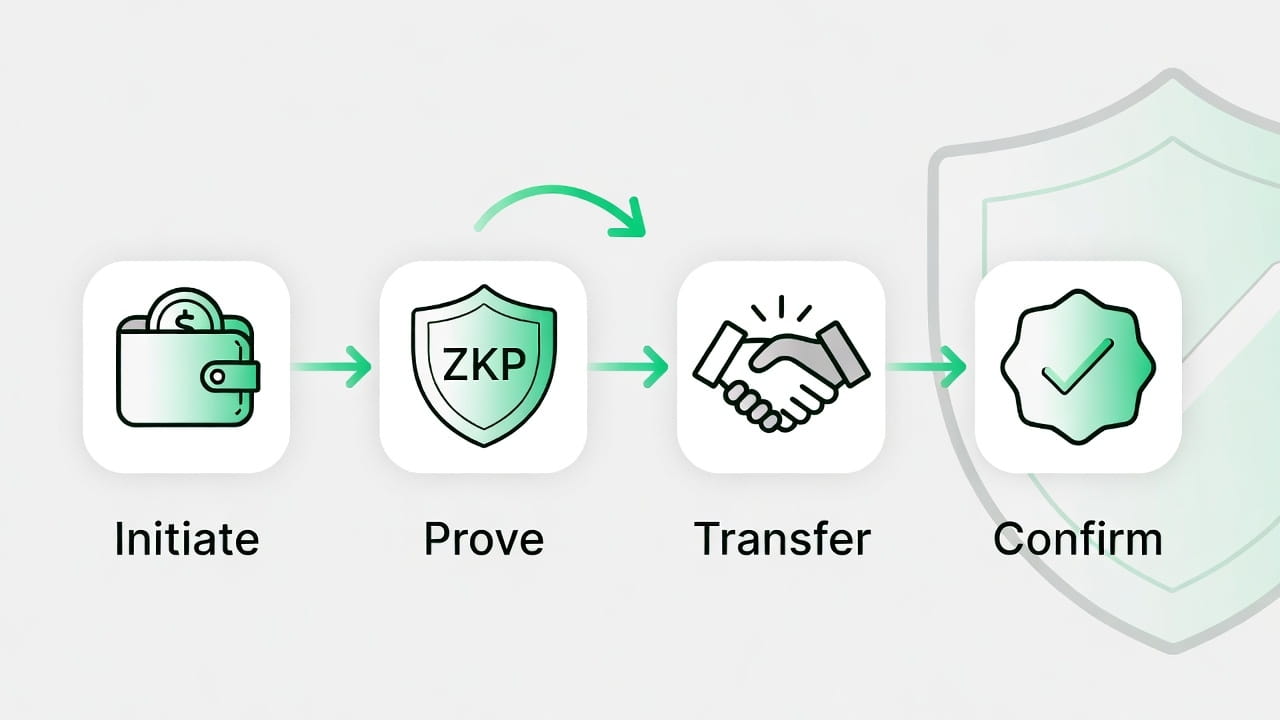
The zk-proof generation for the handover happened way quicker than I anticipated. After filling in the basics, hitting "Generate Proof" brought up a confirmation popup almost instantly, showing the ownership shift without any visible lag. As someone who juggles these tasks late at night, that speed meant I could wrap up without my coffee going cold — it kept the whole process feeling light instead of dragging.
Where I Got Stuck
I stalled out trying to figure the difference between "seamless handover" and a regular transfer. The task description mentioned zk-enabled privacy, but the on-screen options like "Enable Full Shielding" had a tooltip that explained it in terms that assumed you knew zk basics. I reread it a few times before it clicked, and I bet this slows down folks who aren't used to privacy layers — it's not obvious how the handover stays seamless under the hood.
Have you gotten tangled in those tooltips mid-task?
My Wrong Assumption
I figured the handover would require a double confirmation like most asset moves, so I sat there after the proof generation, expecting another popup. Nothing came, and the screen just updated to "Ownership Transferred" quietly. My bad came from habits on slower chains — I had to check the activity log to confirm it went through. Once I saw that, I relaxed and realized Dusk skips the extras for a reason. Kept me humble, reminding me not to overthink simple flows.
How This Changed My View
Doing this made me see Dusk leaning hard into practical zk uses, not just theory — they're aiming for transfers that feel as easy as handing cash but with real privacy baked in. The token's utility clicks more now; $DUSK isn't fluff when it powers these handovers without fees eating you alive. CreatorPad nailed the design by making you interact with the zk part hands-on, which beats passive reading any day.
Who This Is Actually For
This task fits users who already play with asset moves and appreciate the zk twist for privacy. If you're into experimenting with transfers without broadcasting everything, you'll dig it. But pure point-chasers or those new to zk might hit walls — the subtle privacy options can feel tricky if you're not familiar with why handovers need shielding in the first place.
One Practical Insight
The non-obvious bit I caught: timing your handover during quieter network hours makes the zk proof zip through even faster, like avoiding rush hour in a market crowd. It matters beyond points because it trains you to think about real-world efficiency in private deals, where a seamless shift can make or break trust. Have you tried queuing tasks like that for smoother runs?
The UX is slick overall, but it can still snag newcomers on the zk labels that don't spell everything out. And honestly, the real payoff is grasping the handover mechanics over climbing ranks — that sticks with you for actual use.
I learned that zk-enabled transfers turn asset ownership into something reliably private without the usual headaches. I'm mixed on Dusk — solid on privacy plays, but cautious until more tasks prove the seamlessness holds up.
How do these zk handover tasks play out for you — quick wins or hidden snags?
@Dusk #Dusk $DUSK
