
Creating a Binance account means registering with your region, completing identity checks, enabling strong security, and adding fiat or crypto so you can trade safely. 🔐
Open Binance and choose Sign Up. 📲
Select your country/region and register by email/phone. 🧾
Verify email/phone; set a strong password. 🔐
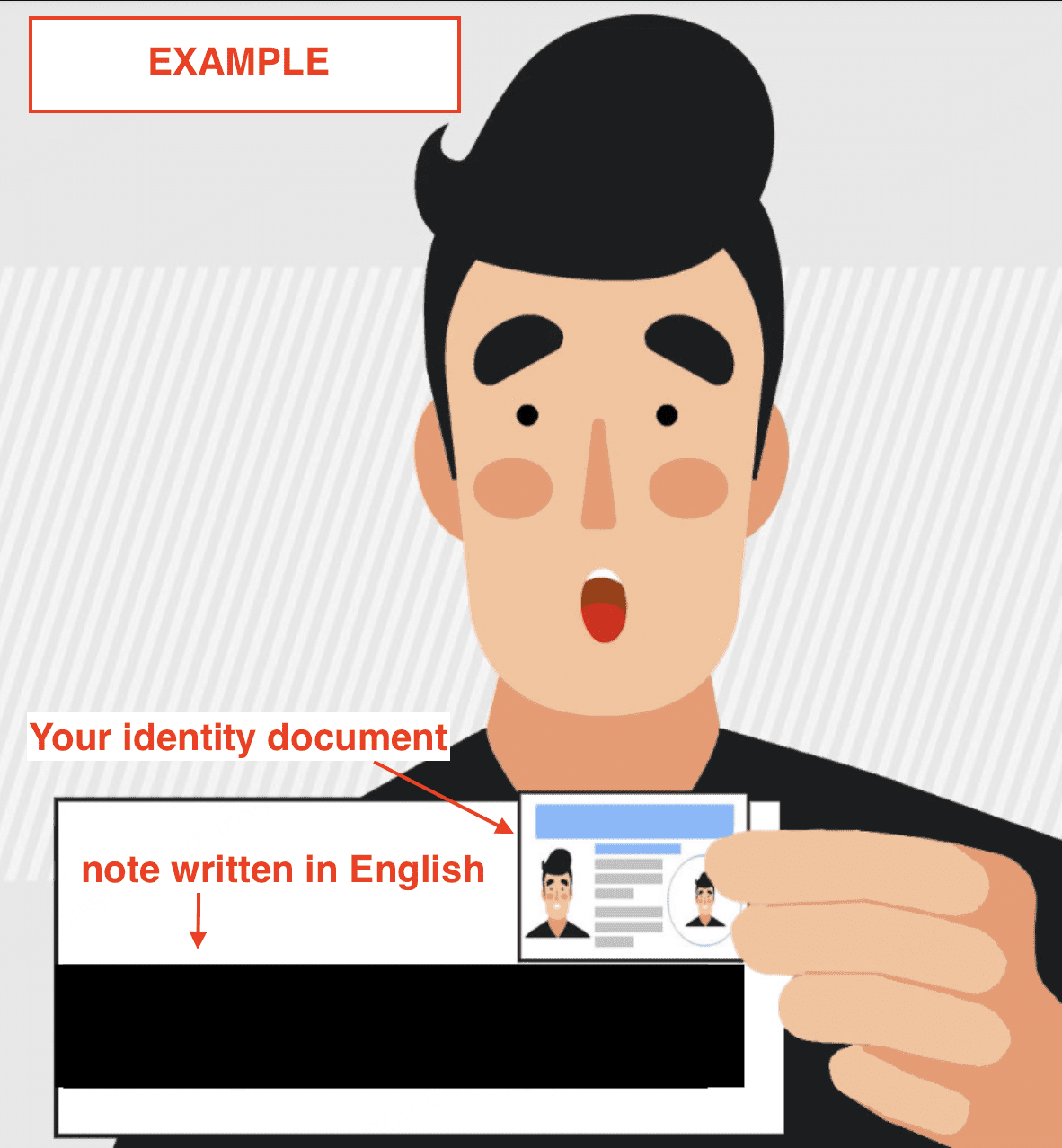
Complete Identity Verification (document + liveness; add address). 🪪
Turn on Authenticator 2FA + Anti-Phishing Code. ✅
Deposit (e.g., EUR via SEPA) or transfer crypto; confirm credit. 💱
Make a tiny test trade; review fees. 💹
Confirm the official app: iOS developer Binance Switzerland AG; Android official listing. 🧠
Country must match your documents; mismatches can trigger “withdraw-only.” ⚠️
Before funding: send a small test first; verify balance reflects correctly. 🧾
Use whitelist for withdrawals; avoid SMS-only 2FA. 🔐
Steps (Web) 💻
Create your account: go to https://www.binance.com → Sign Up → select country/region → register via email/phone. 📲
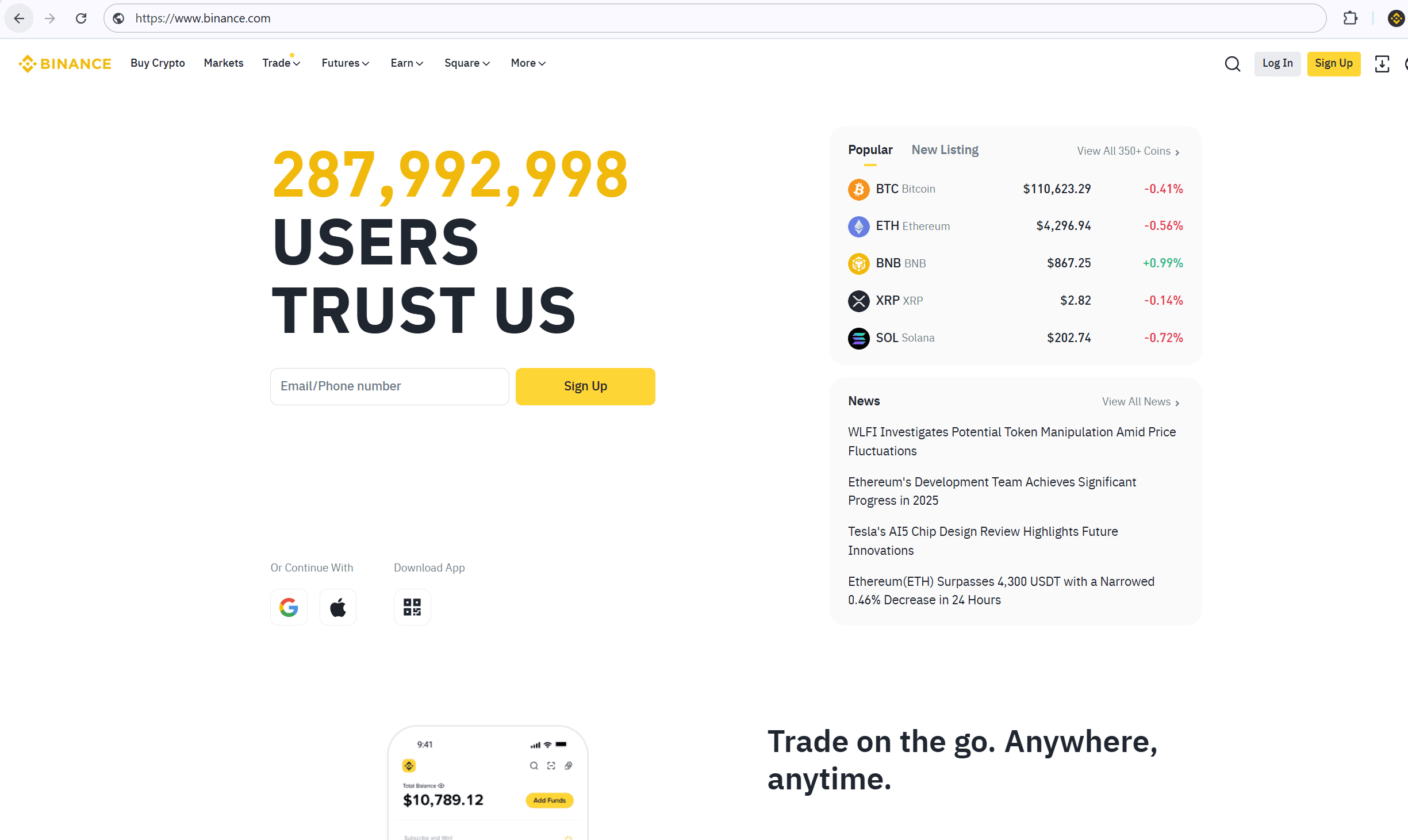
Verify contact: enter the OTP sent to email/SMS within the time window. ✅
Identity Verification: Profile → Identification → upload passport/national ID, complete liveness, then submit proof of address (recent bill/bank statement). 🪪
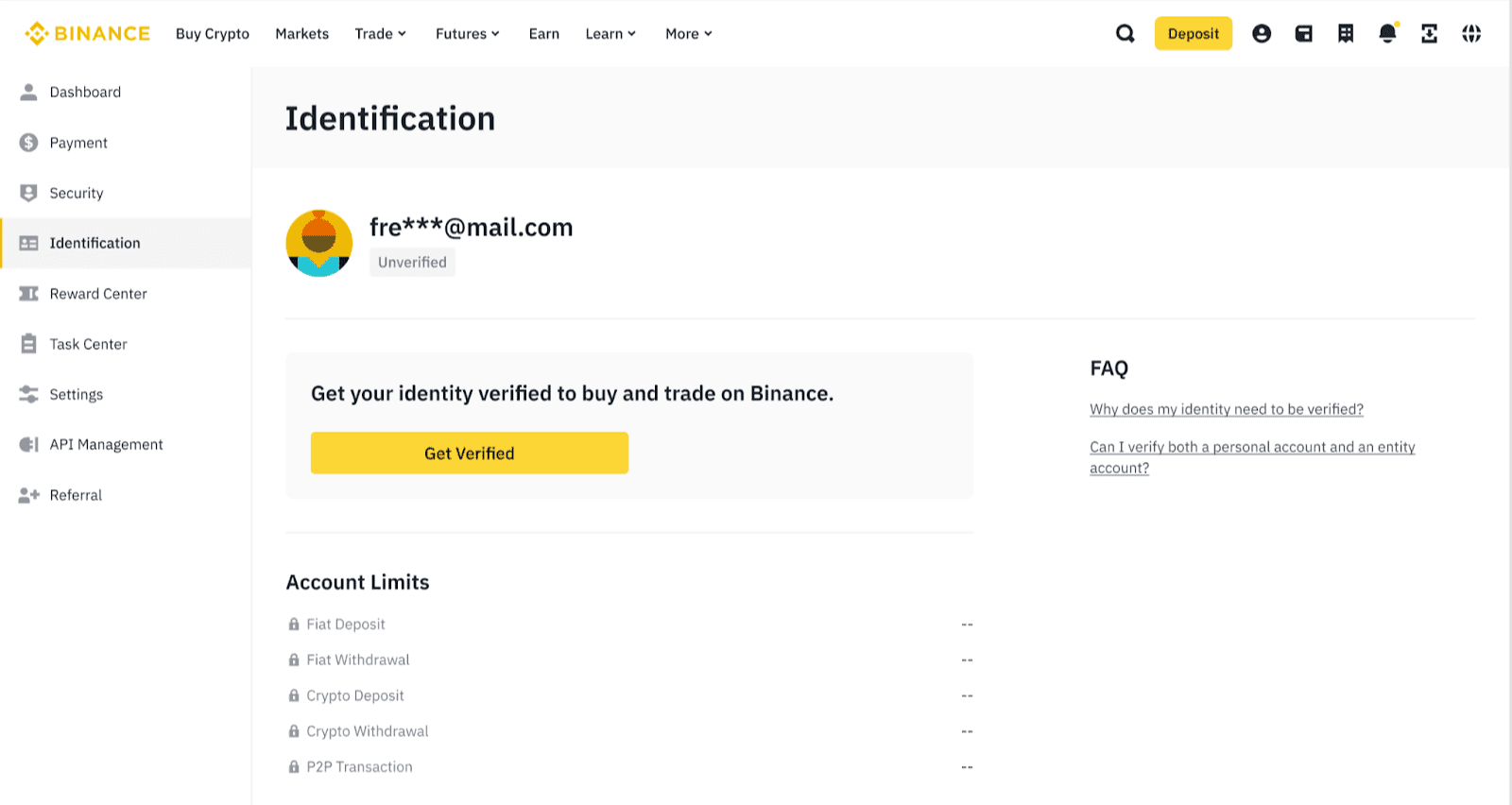
On Identification, submit ID + liveness, then upload Proof of Address with full name/address visible; reshoot if glare/cropping occurs. Secure your account: enable Authenticator 2FA, set an Anti-Phishing Code, and turn on Withdrawal Whitelist for your wallets. 🔐
Fund your account: Wallet → Deposit; pick your currency (e.g., EUR via SEPA) or transfer crypto. Start with a small amount; confirm credit before larger moves. 💱
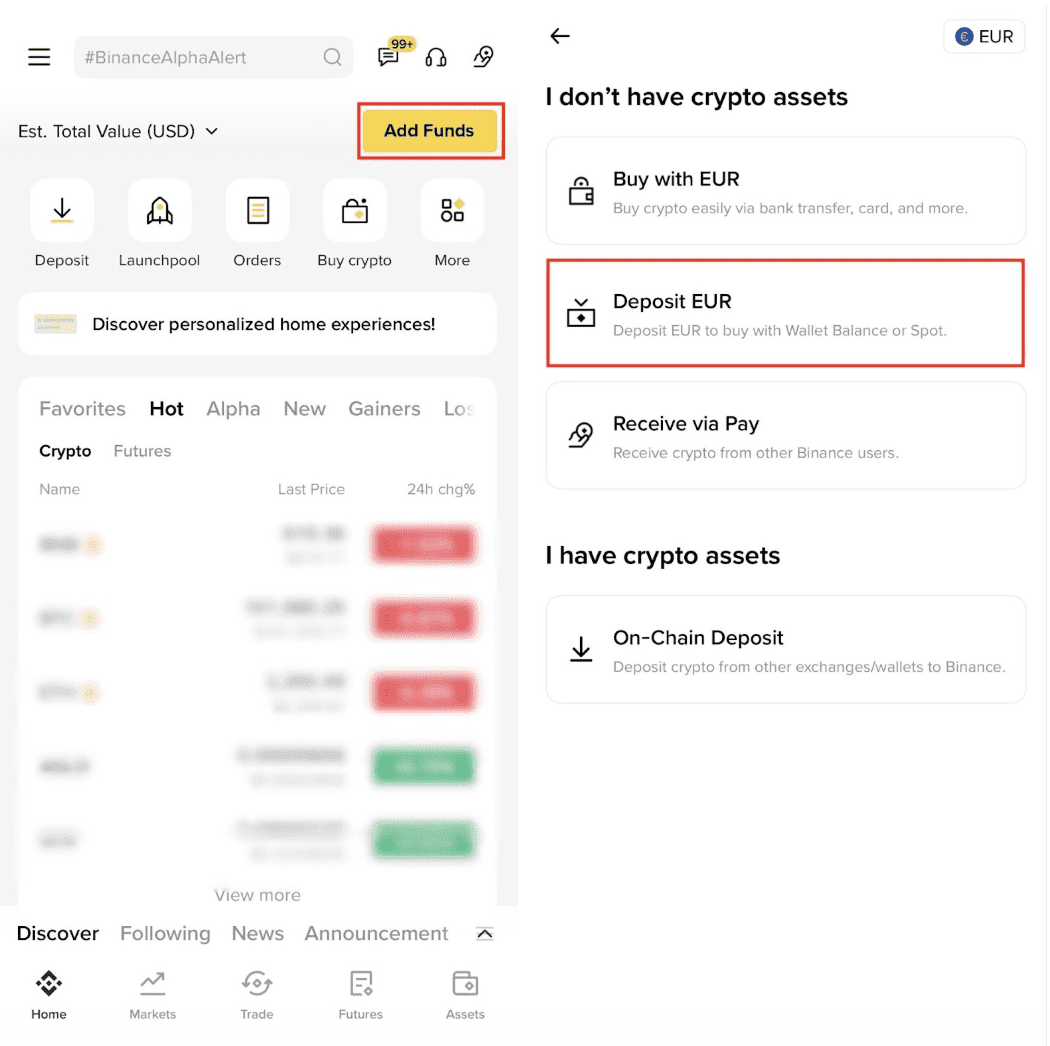
Copy IBAN/Reference (if shown) exactly; send a small test deposit and wait for credit before increasing the amount. First trade: use Convert for quick swaps or Spot for limit/market orders; review quoted fees before confirming. 💹
Turn on Authenticator 2FA and set your Anti-Phishing Code before depositing. 🔐
Steps (App) 📲
Install the official app: confirm developer name on iOS; use the official Binance listing on Google Play. 🧠
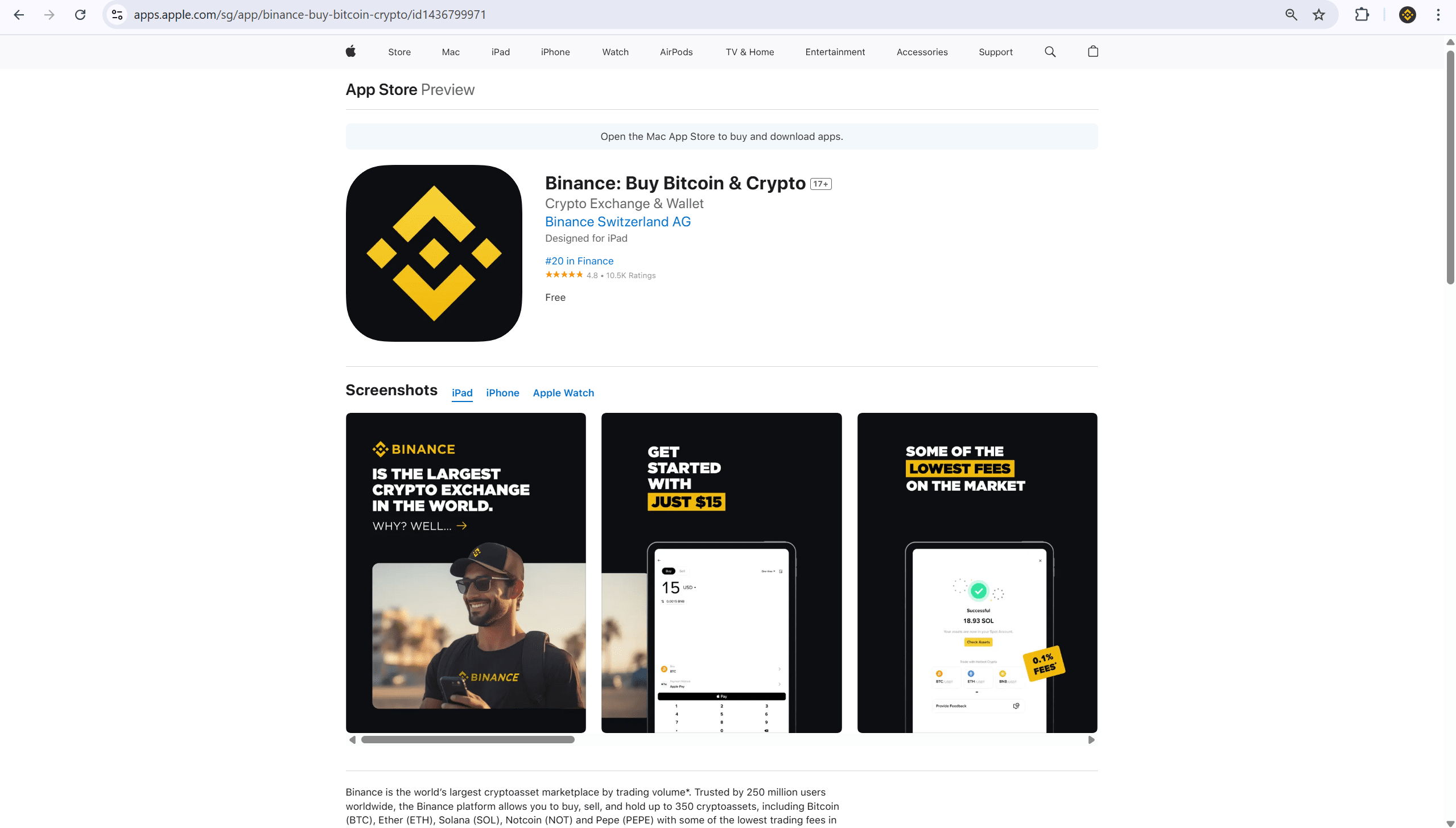
Verify developer = “Binance Switzerland AG” (iOS) or the official Binance listing before tapping Get/Install to avoid impersonators. Register with your region, email/phone, and a unique 12-character password (use a manager). 🔐
KYC: scan your ID on a plain background, show all corners, and complete the liveness check; upload address proof if prompted. 🪪
Deposit: Add Funds → Fiat/SEPA (where available) or Transfer Crypto; confirm balance. 💱
Make a €5–€10 test deposit-confirm it lands before larger transfers. ✅
Requirements & Eligibility 🧾
Age 18+; accurate country/region and legal name.
Acceptable ID (passport/national ID) and proof of address (recent).
Some rails require same-name bank accounts; third-party transfers are rejected in many regions.
Availability varies by region; check in-app tiles and notices.
Security (set on day one) 🔐
2FA hierarchy: Authenticator/App > SMS; store backup codes offline.
Anti-Phishing Code: forces official emails/SMS to display your tag—ignore messages without it. 🧠
Withdrawal whitelist: restricts withdrawals to saved addresses; add a lock period. ⛓️
Device hygiene: update OS, lock screen, and never store IDs/seed phrases in photos.
API: if needed later, start read-only, limit IPs, and rotate on anomalies.
Costs & Fees 💵
Spot baseline often ~0.10% maker / 0.10% taker at entry tier; VIP levels and paying with BNB may reduce costs.
Funding: bank transfers are typically cheaper than cards; always review the quote before confirming.
Network withdrawals: depend on blockchain conditions.
Fees last checked: Sep 2025.
Review your fee tier-opt into BNB fees only if it truly saves you money. 💹
Regional availability🌍
EEA: expect non-MiCA stablecoin pairs (e.g., USDT) to be unavailable; use USDC/EUR where listed.
EUR deposits: SEPA supported in many EU countries; exceptions apply—check your account panel.
Other regions: features/products vary; follow in-app eligibility notices.
Troubleshooting 🧰
“Withdraw-only” after sign-up → country/name mismatch; re-verify with exact details matching your ID and bank.
KYC selfie fails → remove accessories, use bright indirect light, show ID corners; try another device if needed.
Deposit not credited → confirm reference/IBAN (if applicable), banking hours, and processing windows; contact support with proof.
App look-alike → reinstall from the verified listing; set Anti-Phishing Code and ignore emails/SMS without it.
Finish setup today-secure it, verify, run a small deposit, then take your first trade. ✅
FAQ ❓
Do I need KYC to trade? Yes; most features require Verified status.
Which fiat rails can I use? Depends on region (e.g., SEPA in parts of EU); otherwise card/crypto transfer.
Why can’t I see some pairs? Listings depend on region; EEA users see MiCA-compliant options.
Is registration free? Yes; fees apply when you trade/withdraw.
COIN-GUIDE – Established May 2013. Compiled from official Binance Support/Announcements, app-store listings, and current funding guides; refreshed when policies or rails change.
Last verified (UTC): 2025-09
Disclaimer: Educational only. Availability, products, and fees vary by region and can change. Follow local laws and use strong security settings.