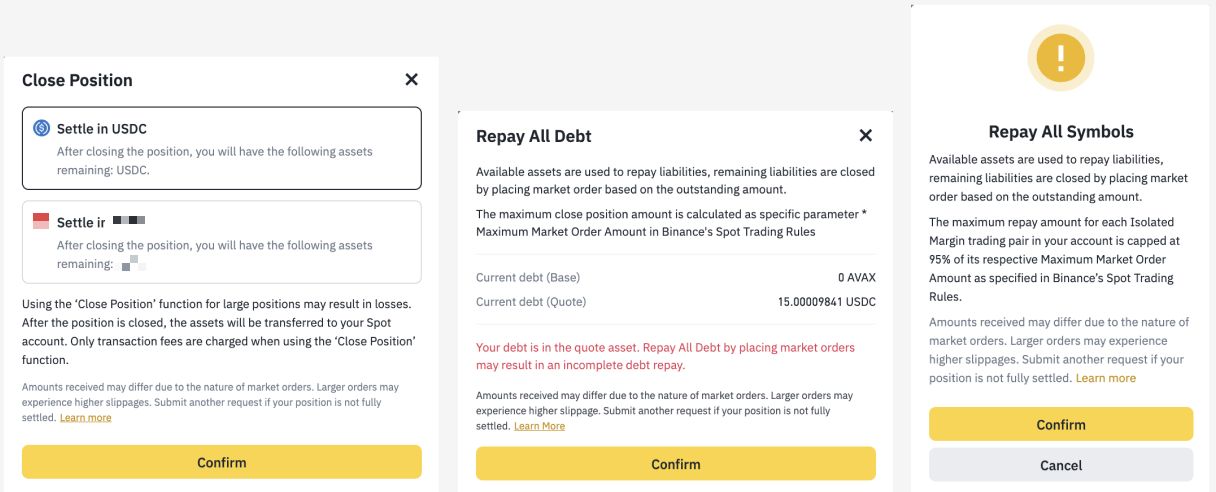
Disclaimer: Products and services referred to here may not be available in your region.
In this article, you will learn:
Close Position | Repay | Close All | Repay All | |
Scope | Single asset | Single asset | All positions | All positions |
Repayment included | Yes, if the selected asset has outstanding debt | Yes | Yes | Yes |
Repayment asset & amount | Full debt of the selected asset is repaid | User-specified asset and amount | All debts within the position are repaid | All debts within the position are repaid |
Repayment method | Repay debt directly using the selected asset; no other assets are sold | Sell the user-selected asset to repay | Assets with available balance repay directly; remaining debt is covered by selling other assets | Assets with available balance repay directly; remaining debt is covered by selling other assets |
Sells assets other than the selected one | No | Depends on user's choice | Yes | Yes |
Core objective | Close a single-asset position | Repay debt for a single asset | Exit all positions | Repay all debts without changing position structure |
Summary | Repay all debt of the selected asset (if any), and sells the specified quantity into the target asset | Sell the user-specified asset, then repays the specified amount of debt for the selected asset | Repay all debts across positions; any remaining assets are sold into the target asset | Repay all debts across the account |
In your Cross Margin account, you may request to:
Read through the individual segments below to understand each function better.
Please note that once "Close Position", "Close All Positions" or "Repay All Debt’"requests are submitted, you won’t be able to modify your positions until they are completed. There’s no guarantee in terms of the time needed to fully exit positions or sell the required amount of assets to fully repay debts due to varying market conditions and volatility. Larger market orders to sell assets using these functions may also experience greater price slippages and may result in losses.
The "Close Position" function allows you to fully or partially exit a single cryptocurrency position (with a position value greater than 10 USDT) in your Cross Margin account. Assets locked in open orders will not be included in such a request. Any outstanding debt for that cryptocurrency will be repaid and any remaining assets will be sold into your selected token using market orders. Standard trading fees apply.
Amount Limit:
Please note: The Maximum Market Order Amount may change from time to time due to market conditions.
The "Close Position" function allows you to fully or partially repay outstanding debt for a single cryptocurrency position below 0 USDT in value (negative positions). Assets locked in open orders will not be included in such a request. The system will prompt you with the order of assets to be sold via Market order or Convert function to repay the remaining debt, arranged in descending order. Standard trading fees apply.
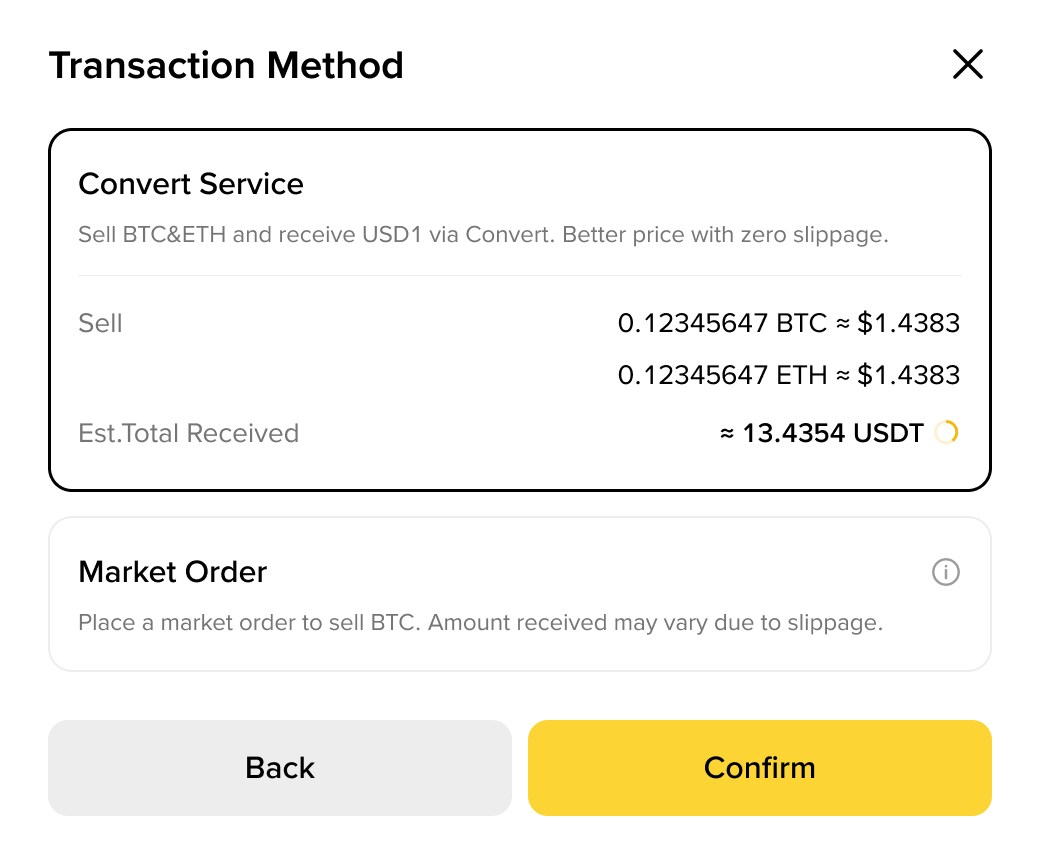
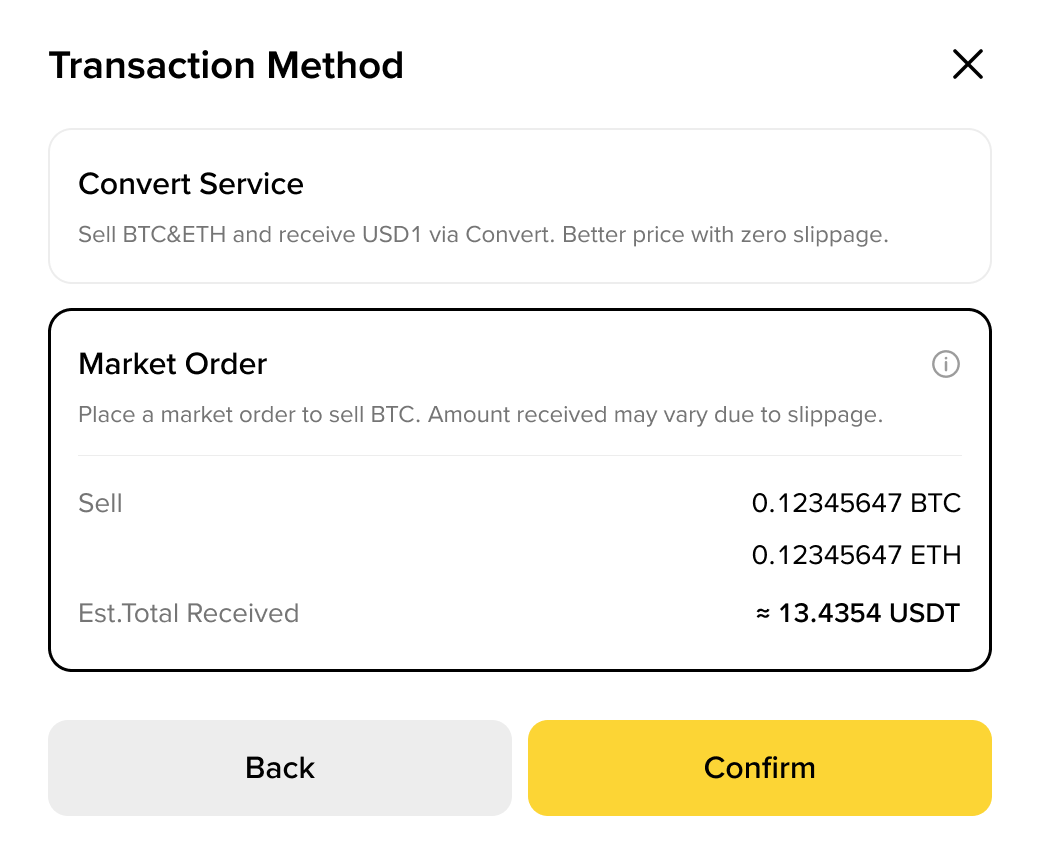
Starting from 17-06-2026, the Close Position function will enhance a “Convert” option. You can choose to use either Convert or Market order to close positions and repay debts.
The Convert function dynamically displays exchange rates based on multiple factors, including but not limited to current market conditions. As a result, the quoted rate for a Convert transaction may change in real time and may differ from prices available on other markets, including Binance Spot.
The quoted rate will be locked for a validity period for you to review and decide whether to confirm the transaction.
When the countdown expires, the system will automatically refresh the quote (up to 3 times) without any action required from you. If the automatic refresh limit is reached, you can click the [Refresh] button to manually obtain the latest quote.
In the following situations, only the Market order option will be available:
"Close Position" Amount Requirements (when position value is less than 0) when using Market order:
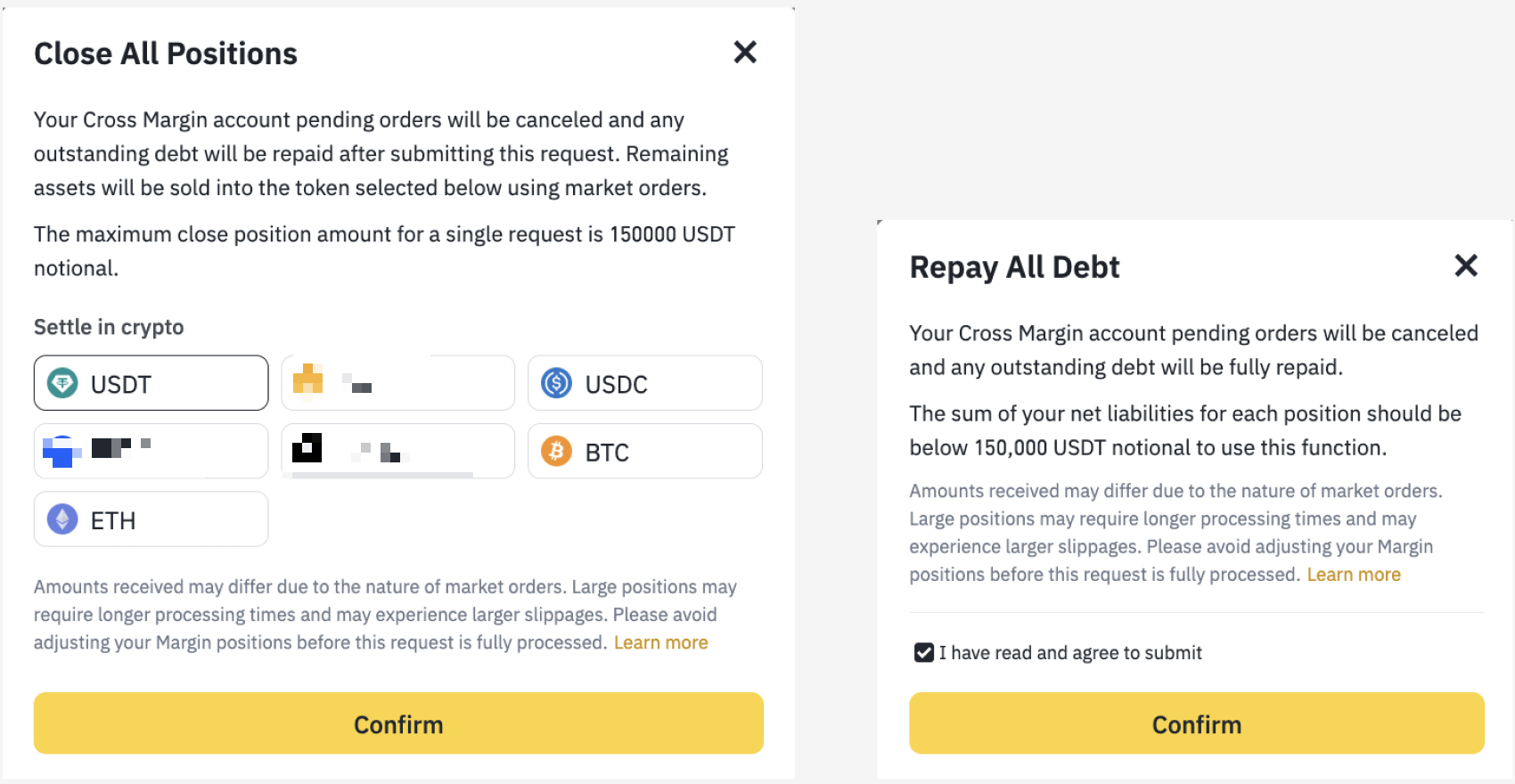
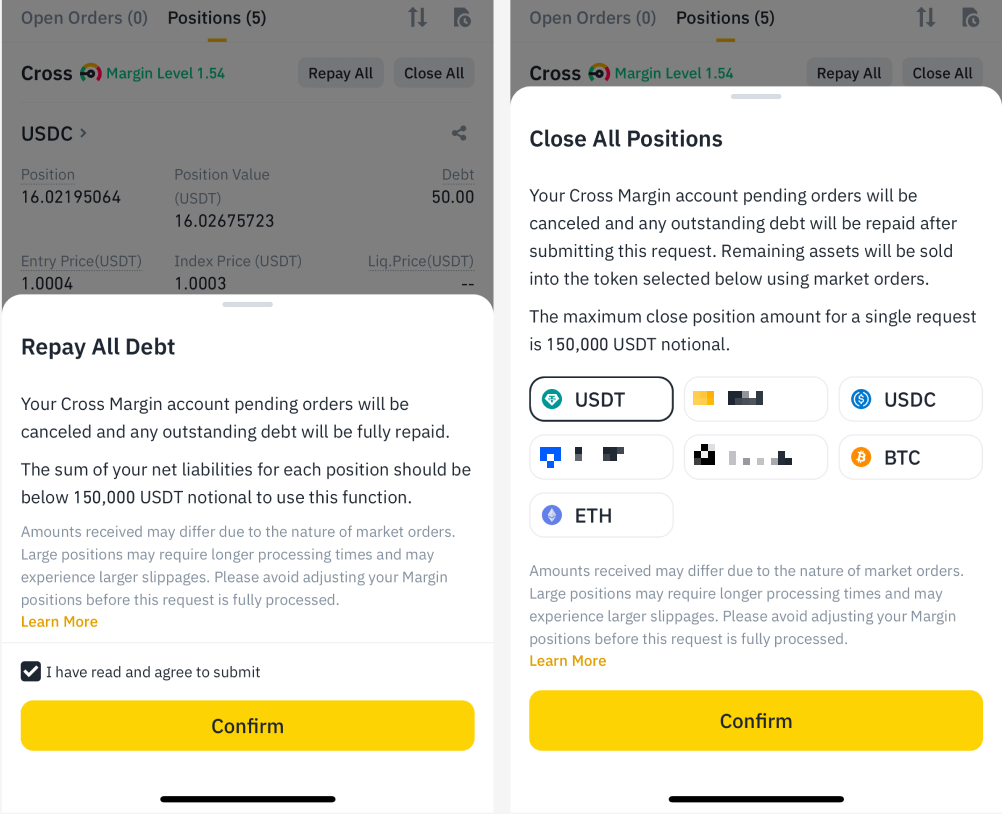
The "Close All Positions" function allows you to fully exit all Cross Margin positions. All open orders will be canceled. Any outstanding debt in your Cross Margin account will be repaid and any remaining assets will be sold into your selected token. Standard trading fees apply.
Amount Limit:
Large positions may require longer processing times and may experience larger slippages.
Please note: There may be a short delay before your request to Close All Positions starts running. Please avoid making changes (placing orders, transfers and borrow/repay requests) to your Margin Account before this request is fully completed, to avoid potential losses. Once the operation starts, these actions will be automatically suspended until the request is completed.
The "Repay All Debt" function allows you to cancel all pending Cross Margin orders and fully repay any outstanding debt across all positions in your Cross Margin account.
Amount Limit:
Large positions may require longer processing times and may experience larger slippages.
Please note: There may be a short delay before your request to Repay All Debt starts running. Please avoid making changes (placing orders, transfers and borrow/repay requests) to your Margin Account before this request is fully completed to avoid potential losses. Once the operation starts, these actions will be automatically suspended until the request is completed.
On Binance website:
1. Log in to your Binance account and go to [Trade] - [Margin]. Click [Cross] to switch to Cross Margin mode.

2. Scroll down to the [Positions] tab. Click [Close Position] next to the position you’d like to adjust.

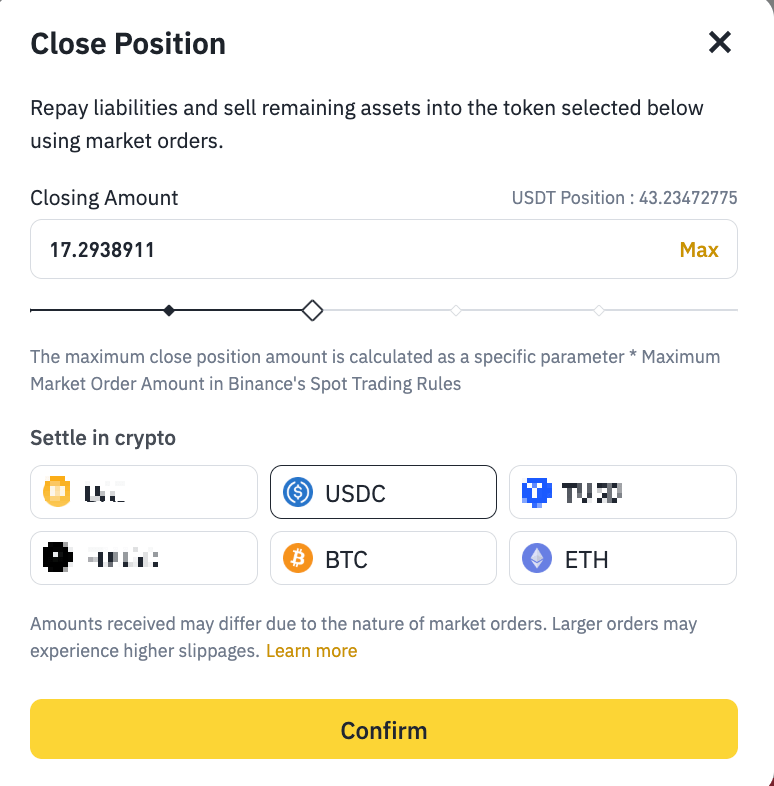
3. [Close Position] allows you to choose what percentage of your position you wish to close, as well as the stablecoin you’d like to sell your remaining assets to.
Scenario 1: "Close Position" for positions greater than 10 USDT in value
Scenario 2: "Close Position" for positions between 0 to 10 USDT in value
For positions between 0 and 10 USDT in value, please try BNB Convert.

Scenario 3: "Close Position" for negative positions
For negative positions, you’ll be prompted to rank, in descending order, which assets to sell first via Market orders or Convert to repay the debt.
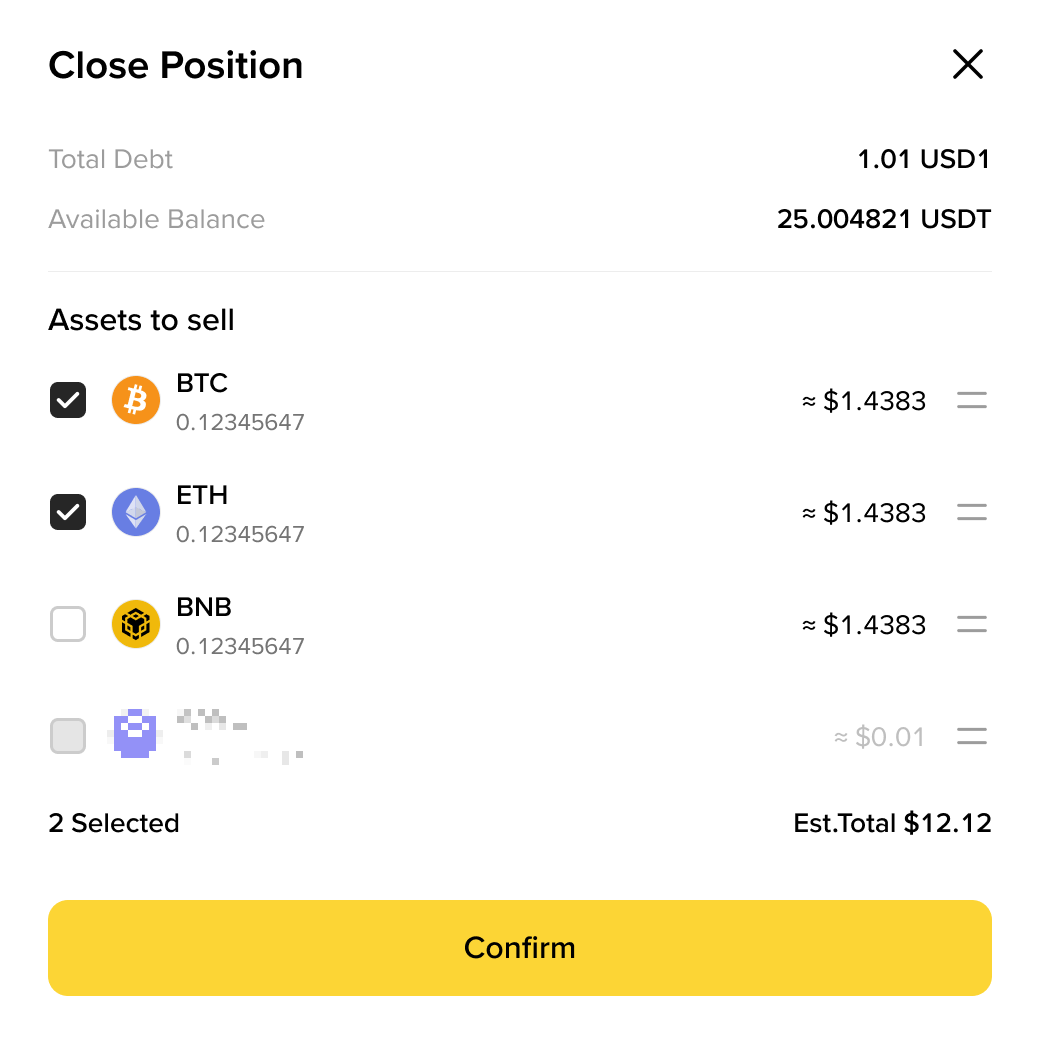
Choose Convert or Market order to close position.
On Binance App:
1. Log in to your Binance app and tap [Trade] - [Spot] and toggle on the [Margin] button. Select [Cross] to switch to Cross Margin mode.
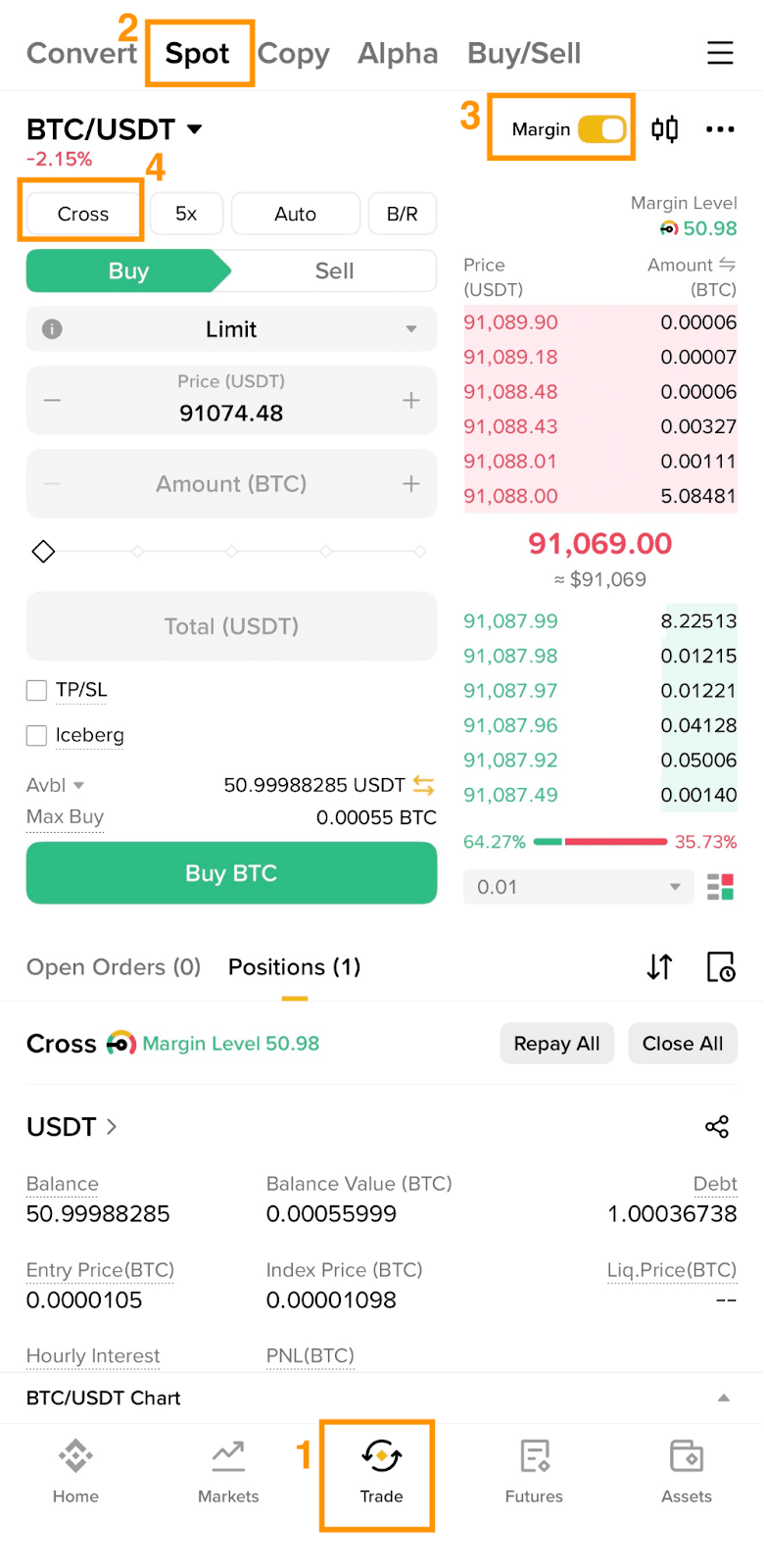
2. Scroll down to the [Positions] tab and tap [Close Position] for the position you’d like to adjust.

Scenario 1: "Close Position" for positions greater than 10 USDT in value
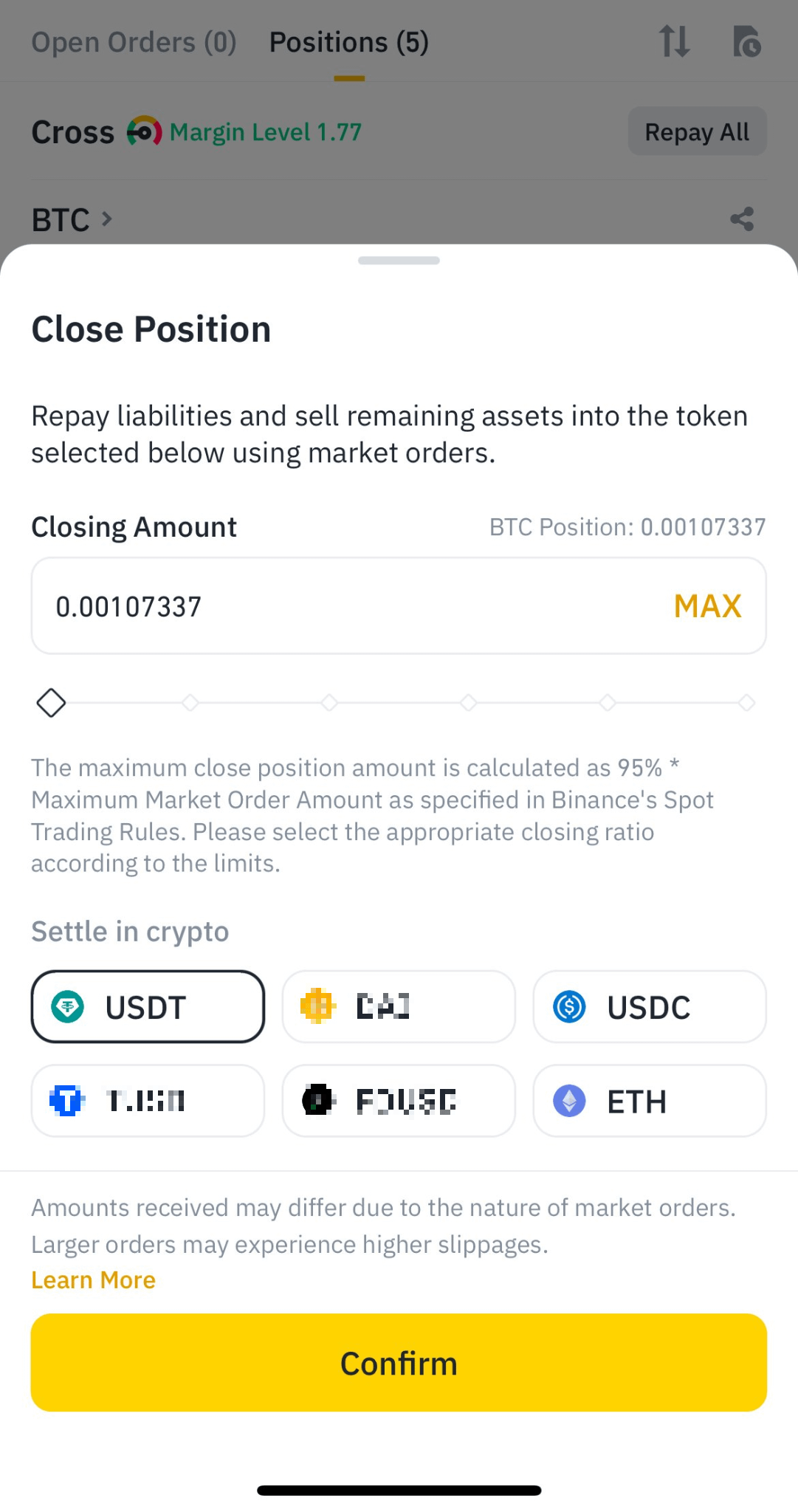
Scenario 2: "Close Position" for positions between 0 and 10 USDT in value
For positions between 0 and 10 USDT in value, please try BNB Convert.
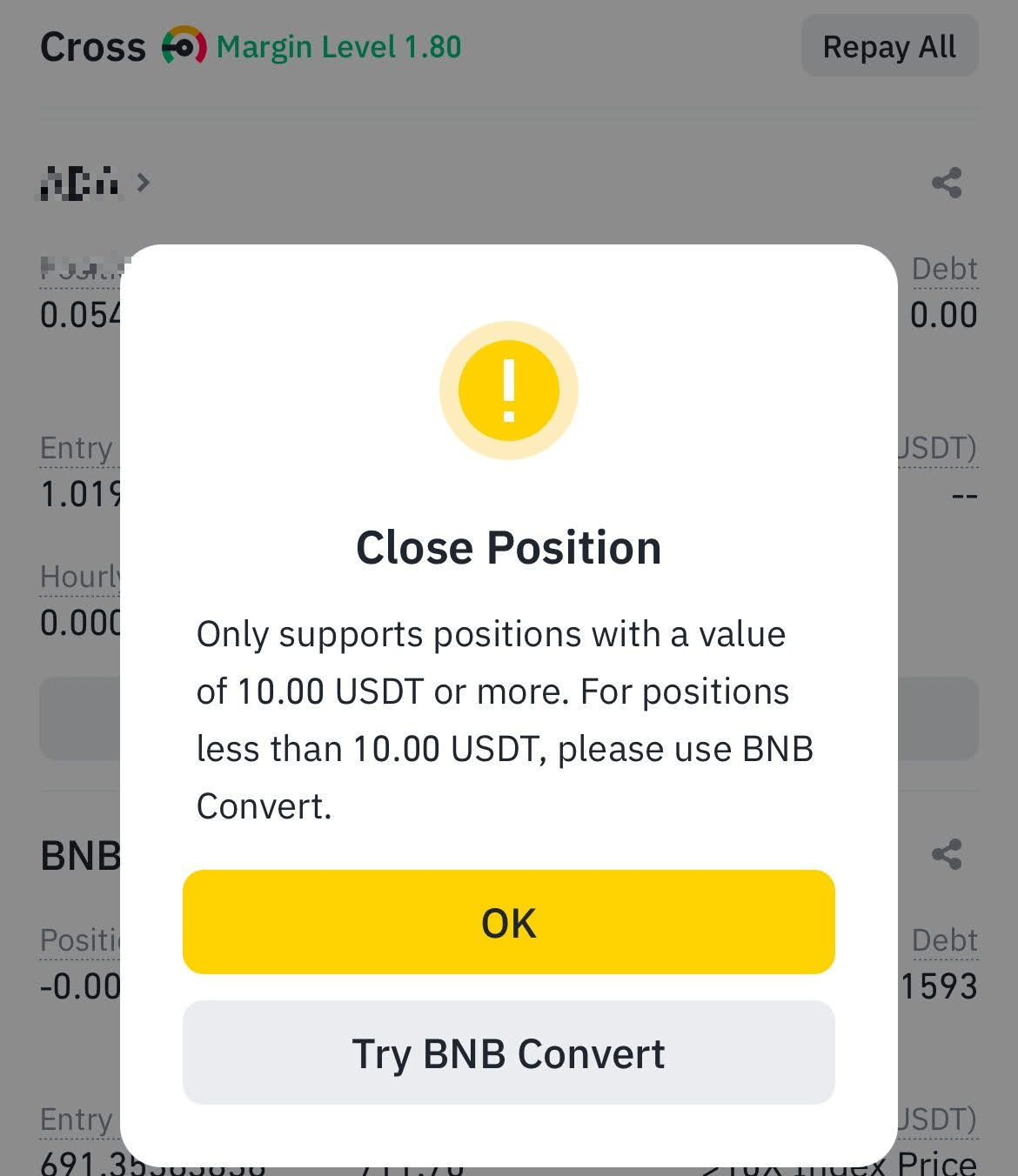
Scenario 3: "Close Position" for negative positions
For negative positions, you’ll be prompted to rank, in descending order, which assets to sell first via Market orders or Convert function to repay the debt.
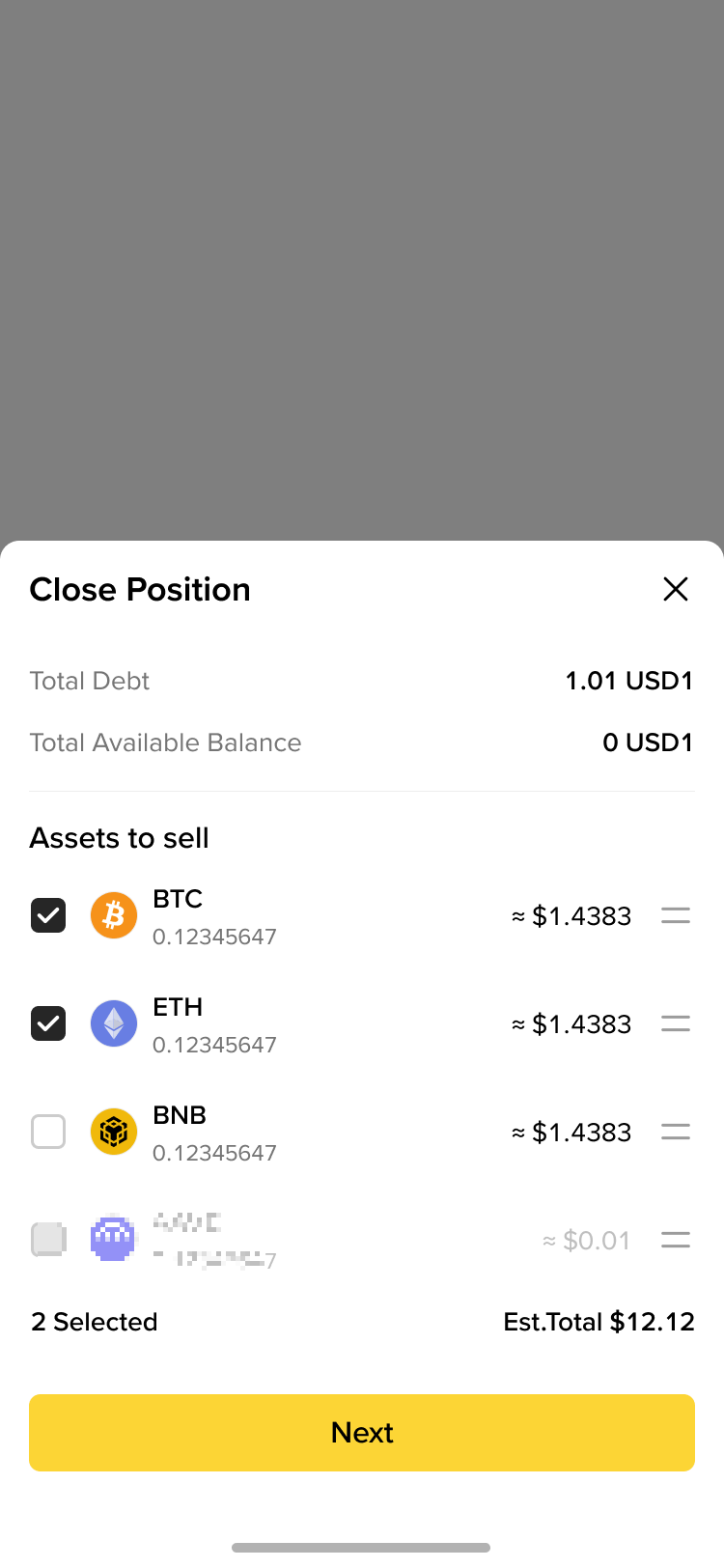
Choose Convert or Market order to close position.
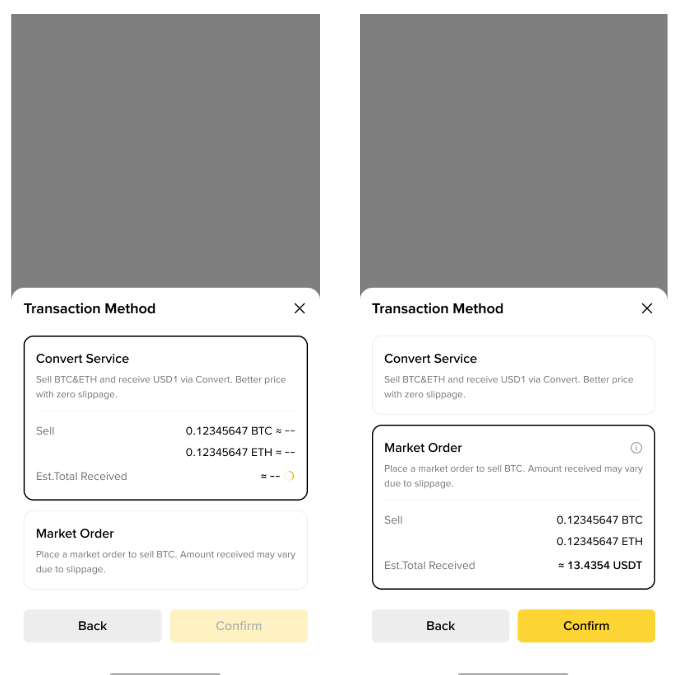
On Binance website:
1. Log in to your Binance account and go to [Trade] - [Margin]. Click [Cross] to switch to Cross Margin mode.

2. Scroll down to the [Positions] tab. Click [Close All] or [Repay All] to close or repay all positions.

On Binance App:
1. Log in to your Binance app and tap [Trade] - [Spot] and toggle on the [Margin] button. Select [Cross] to switch to Cross Margin mode.
2. Scroll down to the [Positions] tab and tap [Repay All] or [Close All] to repay or close all positions.

Yes, the "Close Position" function works while you are in withdrawal-only mode. If you intend to close a position larger than the Maximum Market Order Amount (Margin), you can click the button and then select the closing ratio multiple times to close the desired position amount. Any outstanding debt for that cryptocurrency will be repaid, and any remaining assets will be converted into your selected stablecoin via market orders. Standard trading fees apply.
Click to view the "Isolated Margin" tab on this page to learn more.
For more information on your Binance Margin account, visit the Margin Account Management FAQs page.