
Do you want to launch your own meme coin? What if it becomes popular? As long as you have a good idea, four.meme is deeply integrated with Binance, making it easy to create your own token. The price is only 0.005BN.
Want to give it a try? Can your token’s original shares multiply 1000 times by tomorrow?
Steps to operate:
√ Go to the official website (https://four.meme/zh-TW) which requires scientific internet access. The website is in traditional Chinese, but it does not affect usage.
√ Connect your wallet by clicking Connect Wallet, choose the wallet you are using (e.g., Binance Wallet) in the pop-up window, and authorize the connection (only grant 'Connect/Read Address' permission, do not sign any transactions you do not understand). You can simply scan the QR code on your Binance personal homepage.
√ Open 'Create Token', fill in the following fields on the Create Token page: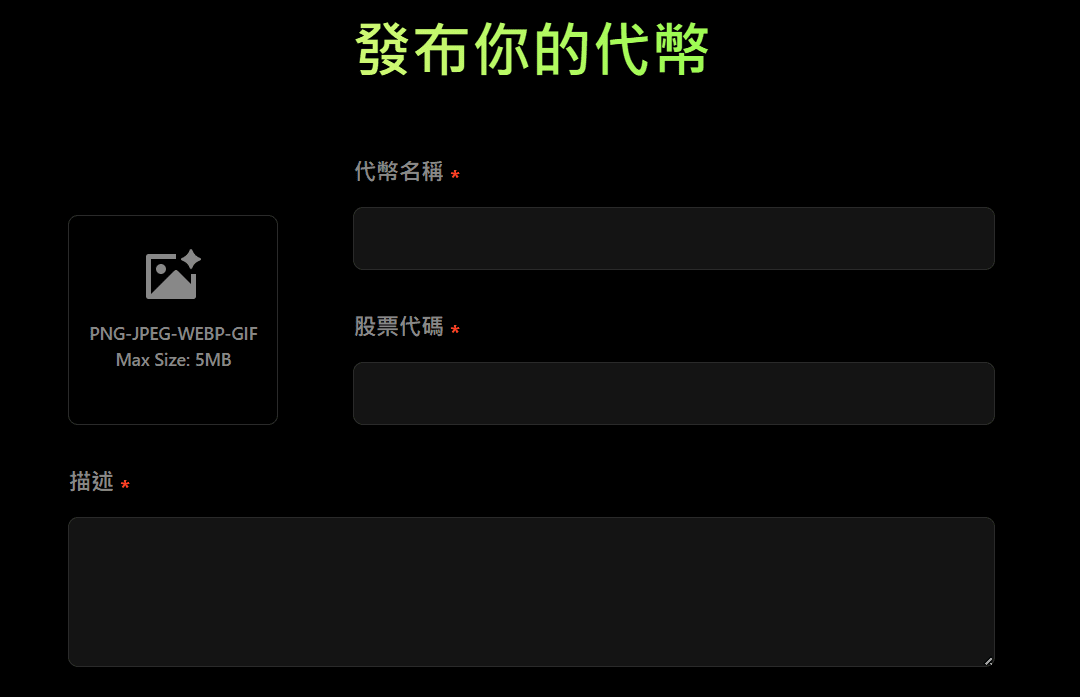
Token Name: Full name of the token (e.g., MyMemeCoin).
Ticker Symbol: Code (e.g., MMC).
Description: A brief introduction/overview.
Logo: Upload your icon (preferably square, compressed to a reasonable size).
Raised Token / Trading Pair: Choose which token to use as a pair in the internal pool (officially supports options like BNB, USDT, WHY, CAKE, etc.), that is, which token users trade against your token. We mainly click on BN.
Optional settings (recommended to fill in to control risk): Start Time (UTC): Set the start time for sales (recommended to leave a few minutes to a few hours buffer).
Attention: Before Launch, you can purchase a portion of the tokens in the same transaction, in case it skyrockets later, this will be the original share of the founder!!!
Next, it's simple, just click, click, click with your mouse.
Confirm and sign the transaction in the wallet (issue token).
Click Launch/Create (or the corresponding button on the page), the platform will send the deployment/issuance transaction to your wallet. In the wallet, you will see a transaction (showing Gas fee on-chain miner fee ≈ 0.005 BNB), confirm and sign.

Wait for the contract deployment to succeed → After checking the transaction confirmation on the token page, Four.meme will display your token on the platform (and provide the contract address/Token page link), you can copy the contract address and check the contract details on BscScan (total supply, token distribution, whether the contract source code is verified, etc.). (Be sure to verify the contract address on BscScan, do not trust addresses given casually on social media).
What is the name of your token? Promote it in the comments section.

