
Say no to blind signing! I'm gonna show you how to safely and securely reclaim the SOL from abandoned Solana accounts. Use trusted tools like GTokenTool, keep the trading preview open the whole time, and double-check key info line by line. If you stick to this principle, you'll ensure all your SOL comes back to your pocket without a hitch. This article will break down the core answer for you and guide you step by step through the whole process. Follow this rule strictly, and scammers won't even get close to your door.
First off, how much 'rental income' is sleeping in your Solana wallet?
Solana is different from Ethereum and BSC; it doesn't really have the concept of 'state leasing.' Instead, it uses a 'rent-free balance' mechanism. To put it simply, when you create an account on-chain to store data (like a token account for receiving USDC), the network requires you to deposit a certain amount of SOL as a 'deposit' for the space that account occupies. The minimum deposit is 0.00203928 SOL. As long as the account exists, this SOL is locked; once you actively close the account, the locked deposit will be refunded to you—that's the essence of 'reclaiming rent.'
What actions might quietly create token accounts for you?
First time receiving a certain SPL token (system automatically creates Associated Token Account, ATA)
Minting NFT collections
Participate in airdrop activities, authorize new tokens
Trading unfamiliar tokens on DEX
Once you sell or transfer a certain token, the account balance becomes zero, it turns into an 'abandoned account' - worthless for future use but still freezing your SOL. As long as you don't manually close it, that SOL will never come back by itself.
2. 'Blind signing' - a greedy black hole, the starting point for losing everything overnight.
In the past two years, countless users, in order to 'recover a few U of rent', randomly clicked on a link in the search engine, connected their wallets, and clicked 'Approve' all the way. As a result, the wallet was instantly emptied. This is a typical 'blind signing' attack.
So-called blind signing refers to users clicking 'Confirm' directly when the wallet pops up the signature request, without verifying, understanding, or being too lazy to look at the transaction details. Attackers will meticulously construct a transaction that mixes in:
A command to close a few accounts (making you think you're recovering rent)
A command to transfer all your SOL assets (hidden in complex nested calls)
A command that authorizes malicious scripts to use your tokens endlessly (malicious Approve)
Since Solana transactions can bundle multiple commands, one signature will execute all the above actions simultaneously. Thus, whether you can refuse blind signing directly determines whether you will 'recover rent' or 'hand over your entire fortune.'
3. Understanding GTokenTool - helping you lay out the transaction details 'in the sunlight'
GTokenTool is a tool focused on token account management and rent recovery in the Solana community, highly recognized for its security after extensive user validation over time. Its design logic is extremely restrained: it only calls Solana's official SPL Token Program to close accounts, absolutely avoiding any suspicious commands involving authorization or transfer.
Here are a few key reasons to choose GTokenTool:
Transaction is extremely clean: command only contains CloseAccount.
Completely transparent: before recovery, it clearly lists the amount of SOL locked in each account, and the wallet's pop-up simulation results can directly show 'Expected SOL balance increase.'
Supports batch processing: Select dozens or hundreds of accounts at once, combine them into a single transaction, and reduce network fee loss.
Proactive security reminders: The tool's page will repeatedly warn 'Please verify the domain', 'Do not blind sign', and guide you to enable transaction preview.
4. A step-by-step tutorial: Use GTokenTool to safely recover rent and firmly refuse blind signing.
Step 1: Connect your wallet
Open the GTokenTool official website, click 'Connect Wallet', and select wallets like Phantom, Backpack, or Solflare. When connecting, the wallet will request 'view accounts' permission, which is a normal read action and definitely does not involve transfer permissions.
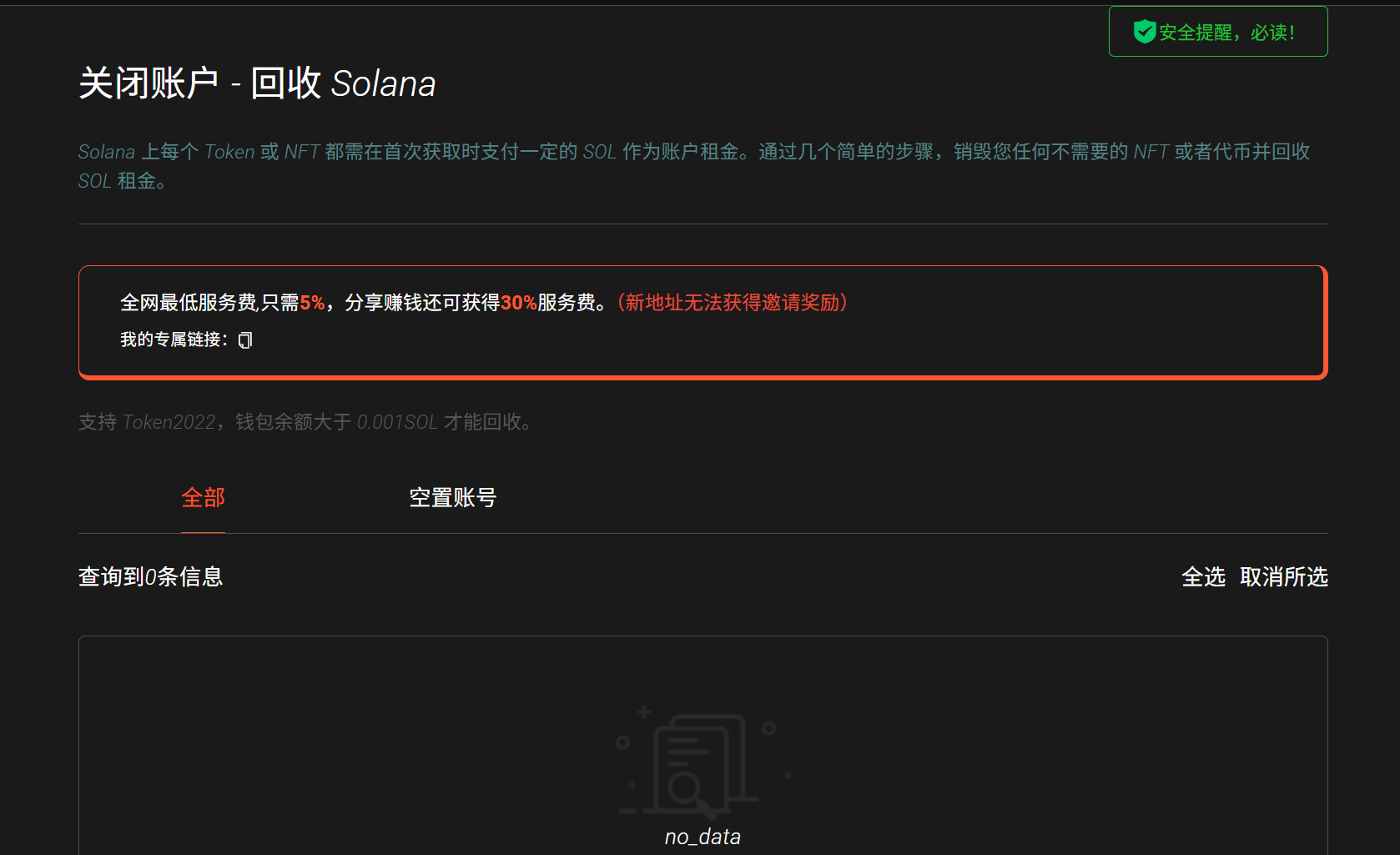
Step 2: Scan for abandoned accounts
After connecting, click 'Find Token Accounts' or 'Scan Junk Accounts'. GTokenTool will automatically retrieve all token accounts under your address and highlight abandoned accounts with a balance of 0, while also showing the amount of SOL locked in each account.
Step 3: Select the accounts to close. You can manually check them or just click 'Select All'. The tool will automatically calculate for you:
Total recoverable SOL: Amount × 0.00203928 SOL
Estimated transaction fee: Basic signature fee for one transaction + possible small priority fee.
Estimated net amount: Total recovery - network fees
Step 4: Generate transaction & refuse blind signing (the most critical step)
After clicking 'Close Selected Accounts', the wallet will pop up the transaction details. Make sure to force yourself to spend 30 seconds verifying each item:
① Check the simulation results (Simulation). Wallets like Phantom and Backpack will show 'expected balance change'. You should clearly see:
SOL balance: Increased, the increase amount is basically consistent with the total recovery you saw earlier (minus network fees).
Step 5: Sign and wait for confirmation
Once verified, click 'Approve/Sign'. A few seconds later, you'll see your SOL balance increase in your wallet. Congratulations, you've completed a fully controlled and extremely secure rent recovery.
Summary
Starting today, open your Phantom or Backpack, and take five minutes to follow the verification process in this article to close all those dozens of abandoned accounts. Watching your SOL balance genuinely increase by dozens of dollars, that sense of control is the best practice for you to 'refuse blind signing.'
Security is never a one-sided promise from a tool, but a conscious check before each signature. Recovering rent also means regaining absolute control over your assets.
