
Binance, as the world's largest cryptocurrency exchange, is the top choice for many newcomers to the crypto world. This tutorial will guide you through the registration process quickly and complete the essential KYC identity verification, allowing you to start trading in the shortest time possible!
💡 Introduction: Preparation and Points to Note
Before you begin the registration, please prepare the following information to ensure a smooth process:
Email address or mobile phone number (it is recommended to use a commonly used email)
Personal identification document (choose one: ID card, passport, or driver's license)
A mobile phone or computer with internet access (it is recommended to use the mobile app for KYC for a better experience)
⚠ Note: Be sure to register using the official website or app, and protect your account password. Enable two-factor authentication (2FA) to ensure asset security.
Step 1: Binance (Binance) Quick Registration Process (Completed in 1 minute)
The registration process for Binance is very simple, requiring only one step to complete the basic account setup.
1. Go to the registration page
Open the official Binance website https://www.binance.com/zh-CN/join?ref=ADNKDVXD or download the Binance app.
Click the 'Register' button and choose your preferred registration method:
Email/Phone: Enter your email or phone number, and set a strong password (including uppercase and lowercase letters, numbers, and symbols).
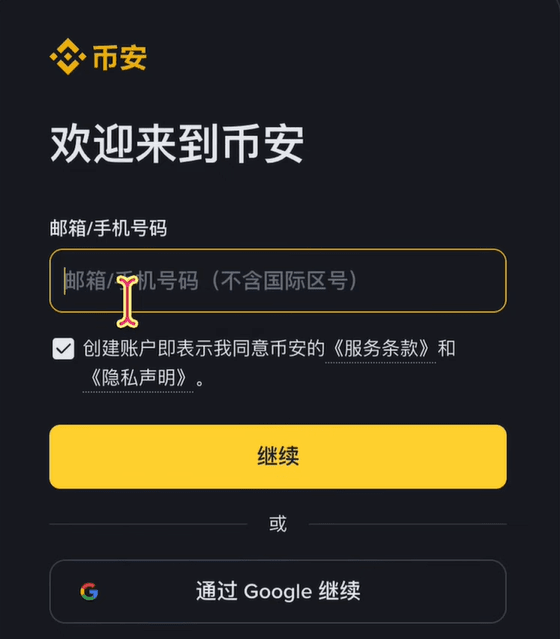
2. Verify your email or mobile number
After submitting the registration information, Binance will immediately send a 6-digit verification code to your email or phone.
Enter the verification code in the field and click 'Submit'.
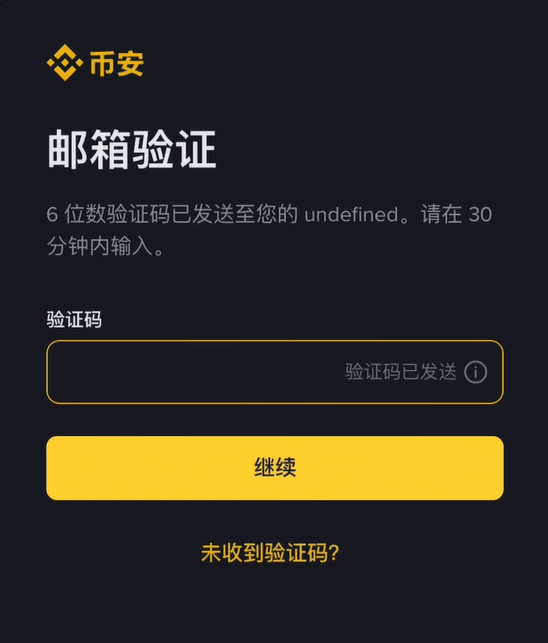
🎉 Congratulations! Your Binance account has been successfully created. At this point, you can log in, but to buy and sell cryptocurrencies, deposit, or withdraw, you must complete the next step of KYC identity verification.
Step 2: Essential KYC Identity Verification Account Opening Tutorial
KYC (Know Your Customer) identity verification is a necessary step for all compliant exchanges, aimed at ensuring trading security and complying with international anti-money laundering regulations. This step will affect your trading and withdrawal limits.
1. Start the verification process
Log in to your Binance account.
Find and click on the 'Identity Verification' or 'Verification' option in the homepage or personal center.
Select your nationality/residence (e.g.: China).
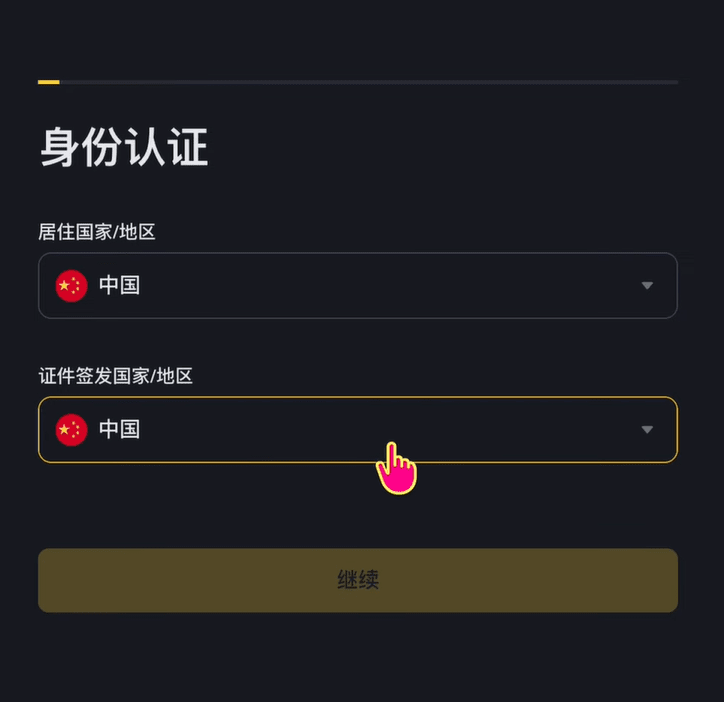
2. Fill in personal basic information
Follow the instructions to fill in your name, date of birth, residential address, and other basic information.
Please ensure that the information matches your identity document exactly.
3. Upload identity documents
Select the type of identity document you want to use (it is recommended to use an ID card or passport).
Follow the on-screen instructions to clearly take and upload:
Front side of the identity document
Back side of the identity document (if choosing ID card)
Hold the identity document and date (may be required in some regions)
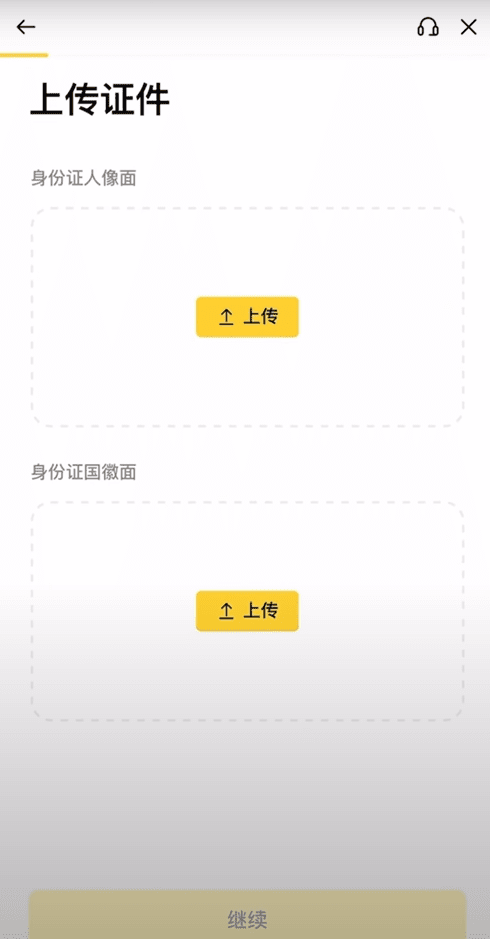
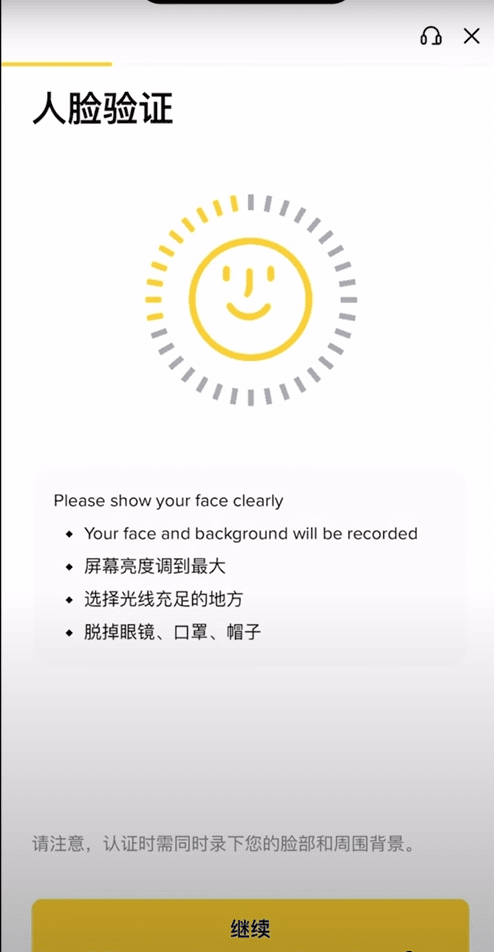
4. Face Recognition Verification (Liveness Check)
This is the most important step! Please ensure adequate lighting and a clean background.
Click to start, and the system will ask you to:
Place your face within the designated frame on the screen
Perform the specified actions (e.g.: nodding, shaking head, blinking, opening mouth, etc.)
5. Wait for review results
After submission, the system usually completes the review within a few minutes to several hours.
You will receive an email notification informing you of the successful verification or the need to resubmit data.
✨ Reminder: If your information is clear and the steps are correct, you should pass quickly! If you are asked to resubmit, please carefully check whether the uploaded photo is clear, complete, and without reflections.
📈 Summary: Next steps after account opening
Congratulations! After completing the KYC verification, you have officially become a Binance user and can start the following operations:
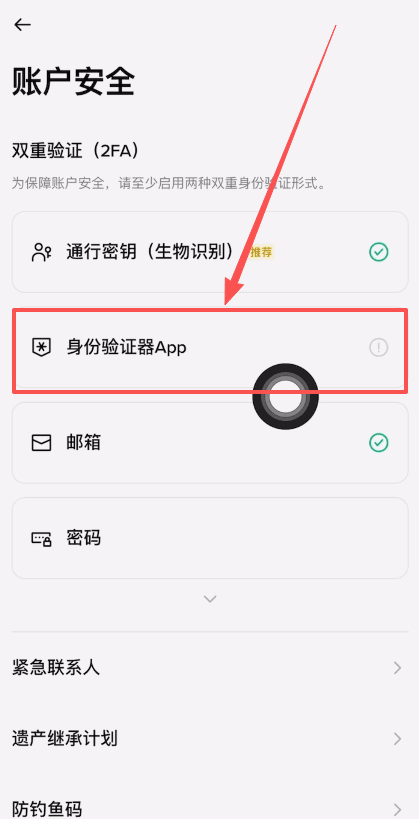
Set up two-factor authentication (2FA): This is the most important step to protect your assets, and it is recommended to bind Google Authenticator or mobile verification immediately.
Fiat deposit: Convert New Taiwan Dollars (or other fiat currencies) into stablecoins (e.g., USDT) through bank transfers or other methods to start trading.
Start trading: Explore diverse products such as spot, contracts, and wealth management.
Through this tutorial, you should have easily completed the registration and account opening process for Binance. We wish you smooth trading in the world of cryptocurrency!