
Since last year, major exchanges like Binance, Huobi, and MEXC have begun to phase out domestic users and closed the registration channel for Chinese users, making the registration threshold for exchanges significantly higher. Among these exchanges, Binance is the largest and also the most reliable.
By following the method in this article, you can successfully register a Binance account with a Chinese ID and pass KYC verification. The benefit of using a Chinese ID for KYC is that you can normally use RMB for C2C deposits and withdrawals, which is especially valuable in the current environment where deposits and withdrawals are becoming increasingly difficult. Also, for account security, please use your own ID for KYC; false KYC can trigger Binance's risk control, leading to account suspension.

Preparation
Since Binance's website cannot be accessed in the domestic network environment, you need to prepare scientific internet tools. Prioritize using Taiwan and Japan nodes.
It is best to use mainstream foreign email services, such as: Gmail, Outlook, AOL Mail
If you don't know what scientific internet tools to choose, you can try these: TAGInternet, AgentNEO
Binance account registration steps
It is recommended to use a computer for the registration process
Step 1
Click to open the Binance registration page: https://www.binance.com/zh-CN/join?ref=RFHBT7IA
After the page opens, click [Register via email/phone number]
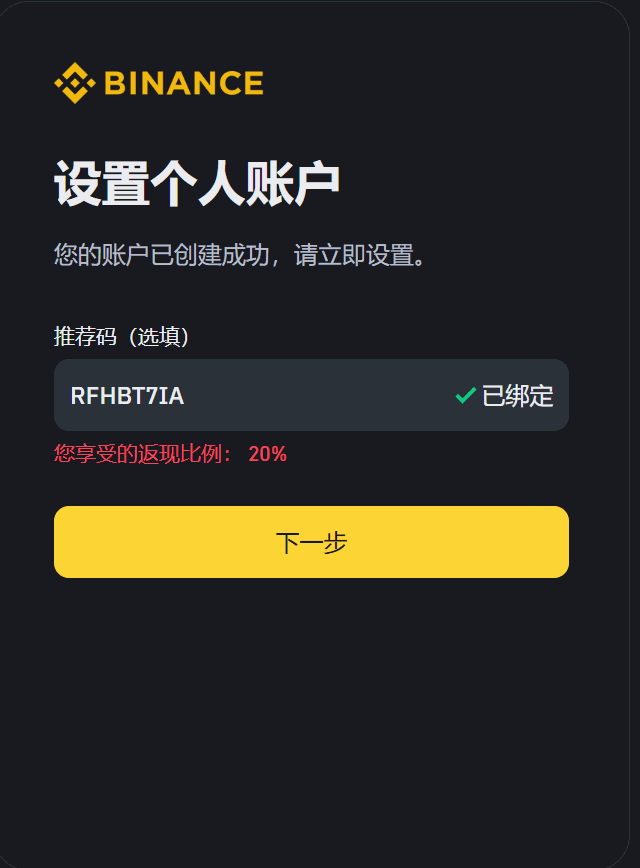
Or fill in the invitation code to register and receive commission rebates: RFHBT7IA

Step 2: Choose to register with email
After filling in the email and password, click the register button, and then your email will receive a verification code.
Enter the verification code received via email and click the submit button to complete registration:

Step 3: KYC verification
After verifying your email, the next key is to complete KYC to normally use Binance's functions.
Click the 'Go to Verify' button in the image below to enter the KYC verification process:

If you do not see the certification guidance button above, it means Binance has adjusted the page UI, and you can directly visit Binance's identity certification page to complete the subsequent KYC certification as prompted.
Step 4: Change residence to China
Once you enter the KYC verification process, the first step is to change your residence to China.
Once you click continue here, you cannot manually change your residence anymore, so be careful not to select incorrectly.

If you are directly visiting the Binance identity certification page, what you see will look similar to the example below, and you also need to change your residence to China:

Step 5: Fill in KYC information
After completing the previous steps, start filling in the personal information required for KYC, confirm your nationality as China, and make sure your name matches your ID card or passport.
After clicking continue here, your name can no longer be manually changed. If you fill it out incorrectly, you need to contact Binance customer service for modification.

After filling in your name, click continue, select the type of document according to the page prompt, and then use your computer's camera to take a photo of the document and submit it.

After uploading the ID photo, Binance will ask you to take a selfie with your computer's camera or the Binance mobile app to check if it is really you for KYC.
If your computer does not have a camera, Binance's webpage will prompt you to complete face authentication using the mobile APP. You can download the mobile APP from Binance's official website: https://www.binance.com/zh-CN/download
Do not download from unknown sources, as it may pose security risks.
For iOS users, you need to first register a non-mainland China Apple account, and then log in to the App Store with this overseas Apple account to download the Binance APP. If you don’t know how to register or find it troublesome, you can buy one directly on Taobao by searching for "overseas account" and privately messaging the seller that you need an overseas Apple account.
Those with strong hands-on skills can refer to the video https://www.youtube.com/watch?v=4JlYReFhJcw to register an overseas Apple account by themselves.

After correctly submitting all the KYC information, if the verification of the information goes smoothly, in most cases, you will receive an email confirming verification within a few hours, and then you can happily deposit and withdraw RMB and trade on Binance.
Note: If you quickly receive an email stating that verification failed, please check if you mistakenly uploaded the front and back sides of your ID card. This reason for failure is very common; just adjust the order and re-upload the ID card photo.