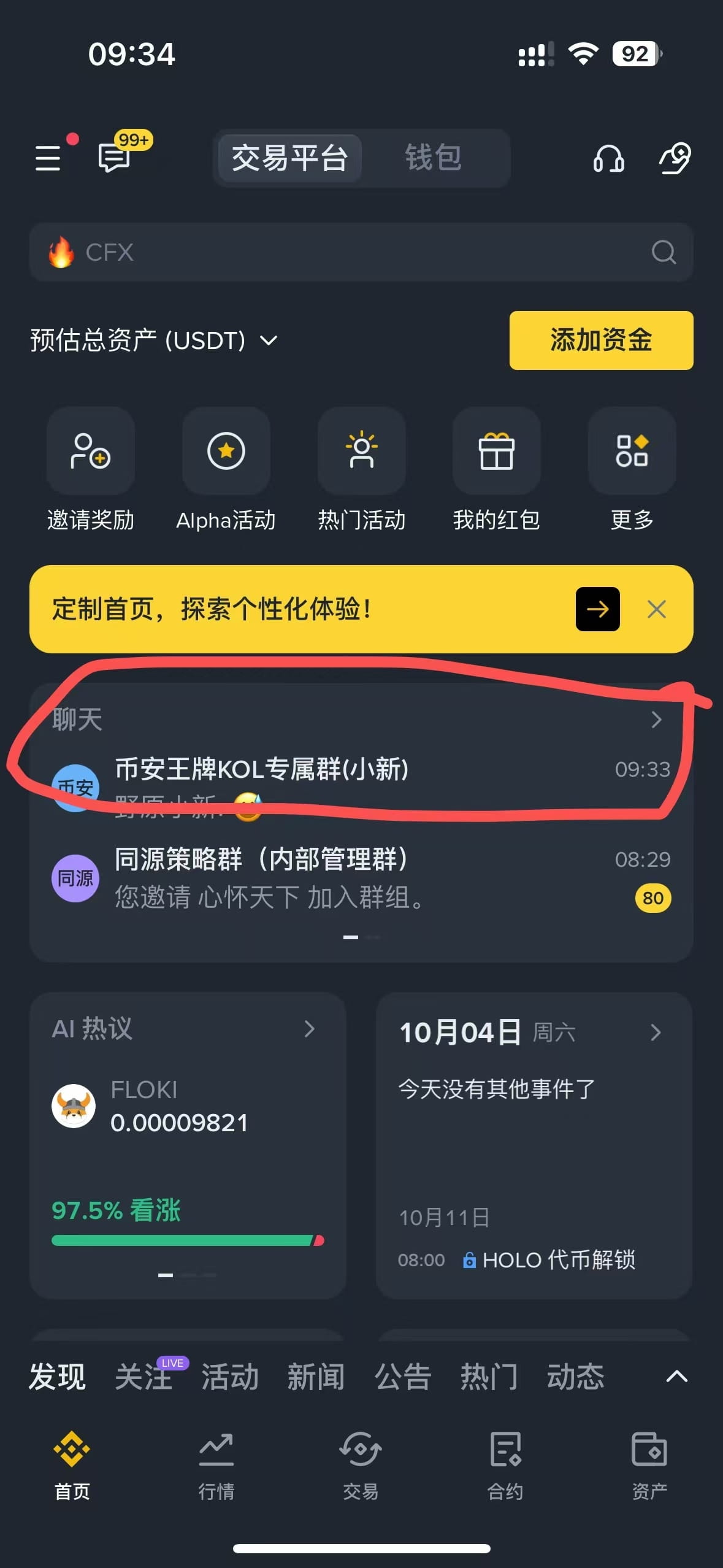
The Binance homepage can now add the chat room section!!
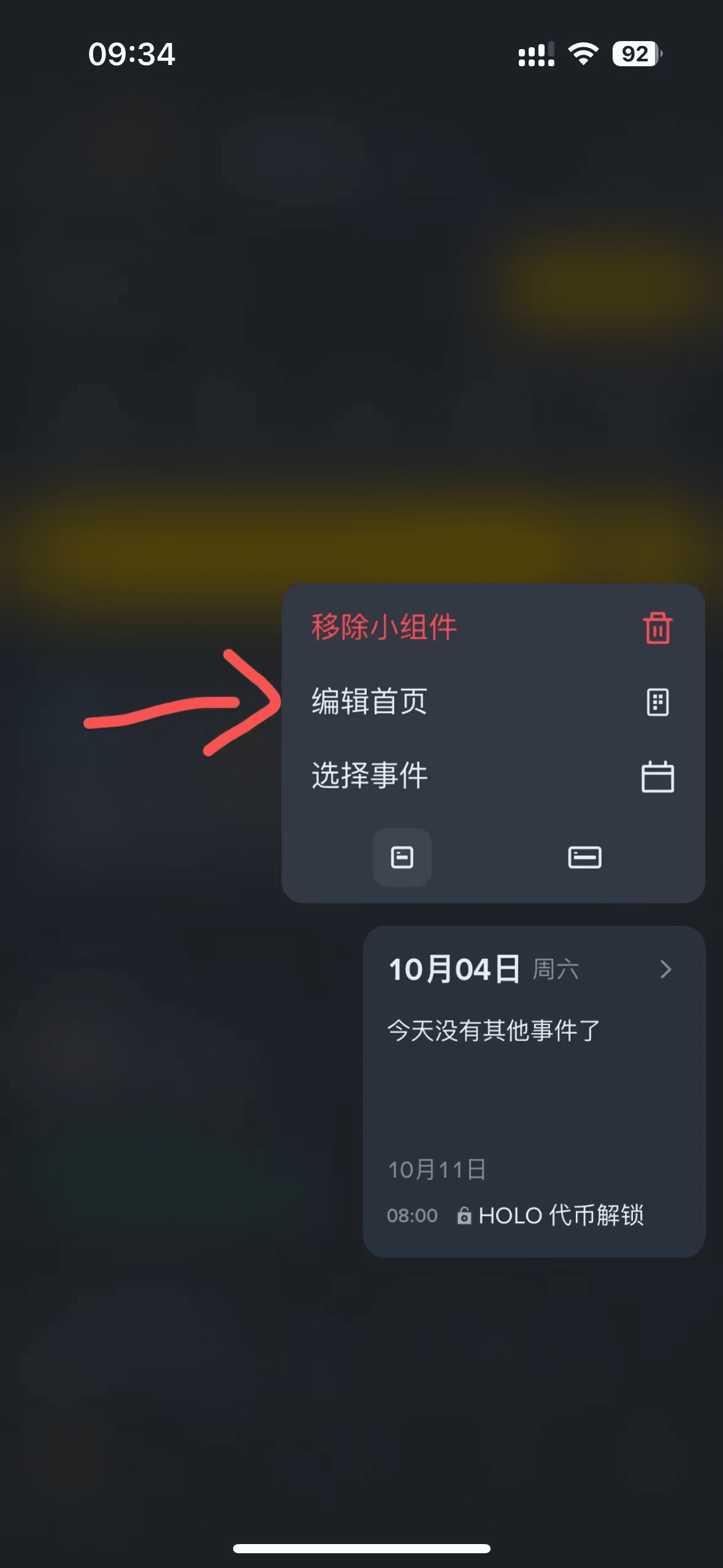
1. Press and hold the recommended section on the homepage, a menu bar will appear → Click to edit the homepage
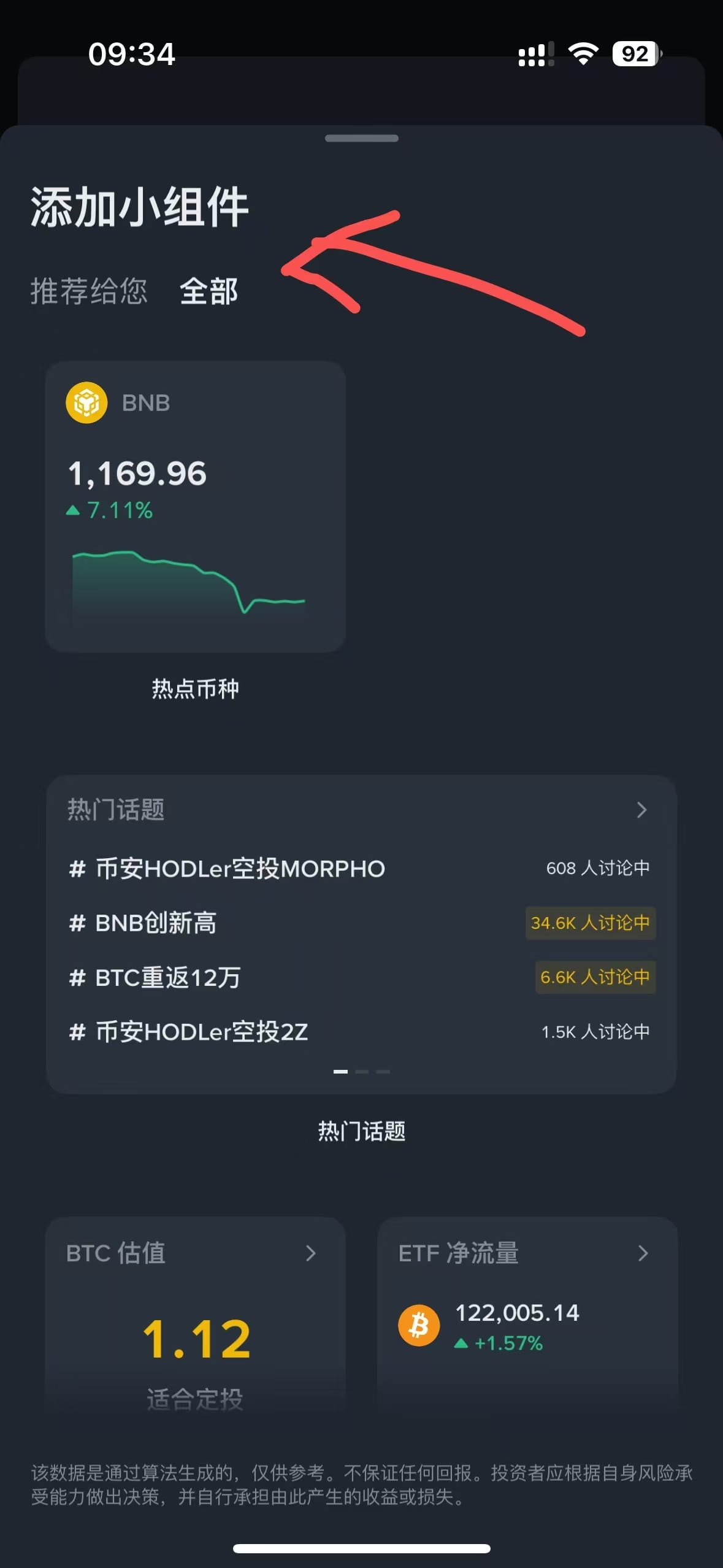
2. Click the yellow plus sign at the bottom~~ to enter the interface where modules can be added
3. Select to add the chat room module
4. You can search for friends using the Binance ID number: for example, my ID number is my referral code~~
You can search 1068237774 to add as a friend and use the chat function to chat
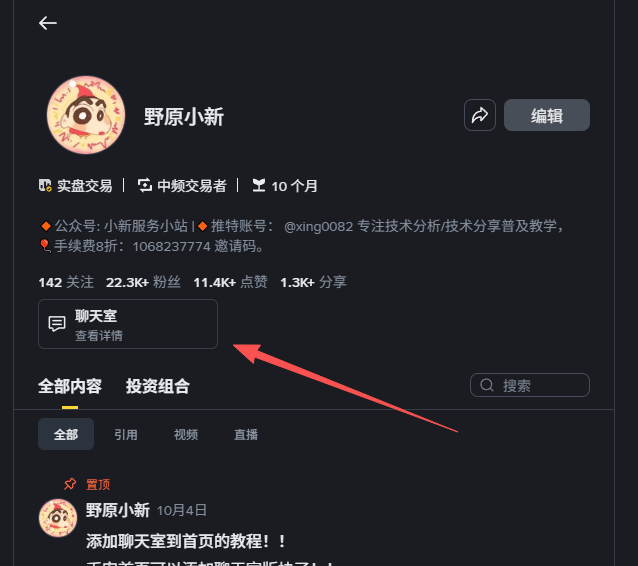
You can also click the chat room entry below the personal profile to join the chat room
1. Press and hold the recommended section on the homepage, a menu bar will appear → Click to edit the homepage
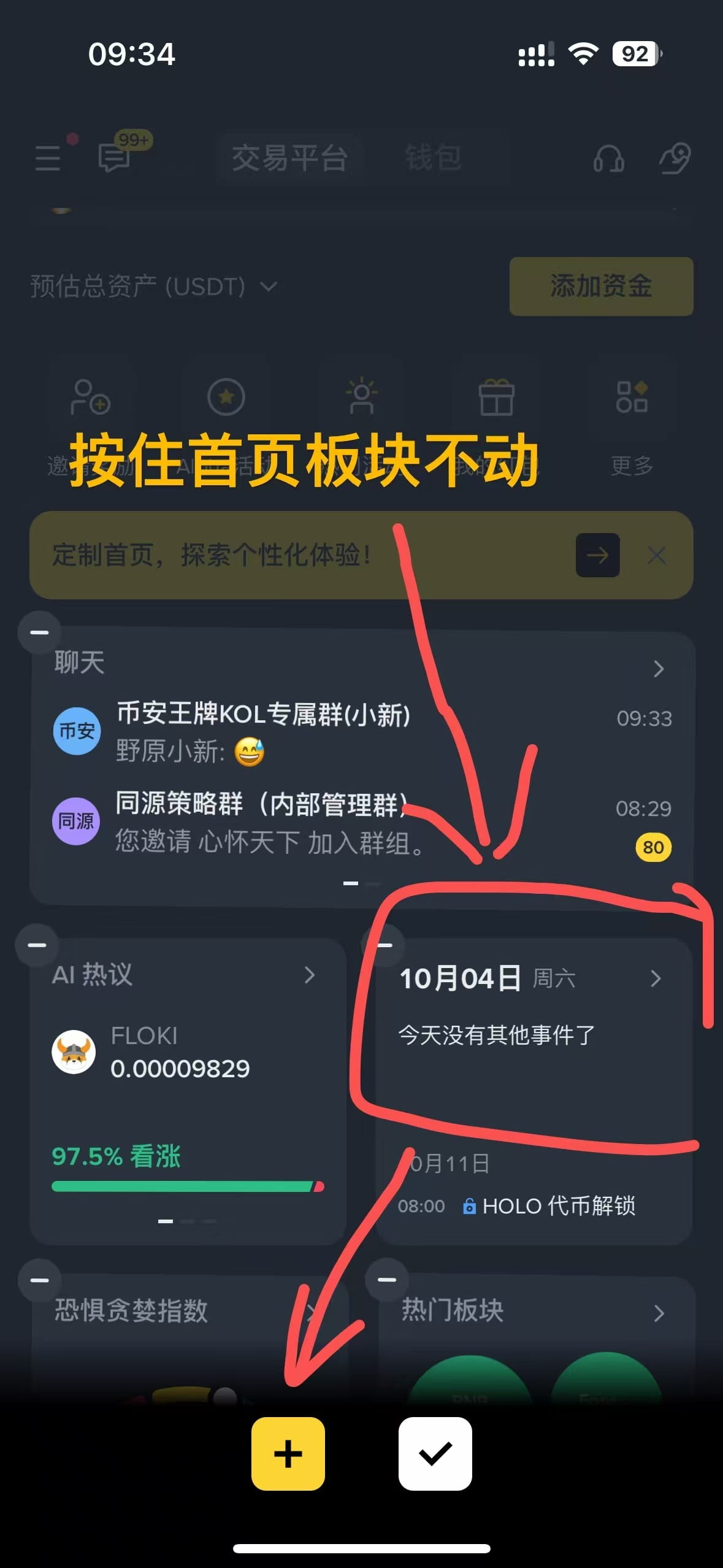
Click to edit homepage
3. Select to add chatroom module