This page is for general information and educational purposes only. It does not constitute legal terms or any form of legal agreement between you and Binance. It should not be construed as financial, legal or other professional advice. The information on this page may be outdated. For legal terms applicable to Spot Trading Services, please refer to the Terms of Use, the Exchange Rules and the Clearing Rules. Additional terms and conditions will also be set out in the Spot Copy Trading Services Terms (as applicable to Spot Copy Trading Services).
Disclaimer: In compliance with MiCA requirements, unauthorized stablecoins are subject to certain restrictions for EEA users. For more information, please click here.
Binance offers different order types in spot trading. You can use them to set your trading strategies and trade efficiently. Let’s look at the common order types in Binance Spot Trading.
Differences between each order type:
| Parameter | Market Order | Limit Order | Conditional Order (Stop, Trailing Stop, OCO, OTOCO) |
| Executed Price | Best current market price | Specified limit price or better | Depends on order type (market or limit) |
| When It Executes | Immediately | Executes only at your specified price (limit price) or better (buy ≤ limit / sell ≥ limit). |
2. The order will fill immediately or when price reaches the limit price again |
| Pros | Fast execution | Control over execution price | Flexible, allows advanced strategies, risk management, and automation |
| Cons | Price uncertainty, due to slippage or volatility | May not execute if price never reaches limit | More complex to set up, execution not guaranteed if conditions not met |
| Best Use Situation | When you want to buy or sell immediately regardless of price | When you want to buy or sell at a specific price or better | When you want to automate trades, manage risk, or use advanced order strategies |
A market order lets you quickly buy or sell an asset at the best current price.
Below is an example of how to place a market order:
| By Amount | By Total | |
| Step 1 | Enter the amount, e.g., 10,000 USDC | Enter the total amount, e.g.,1 BTC |
| Step 2 | Click [Buy] | |
| Result | Immediately buy 10,000 USDC worth of BTC | Immediately buy 1 BTC |
| Filled Price | Best Market Price Available | |
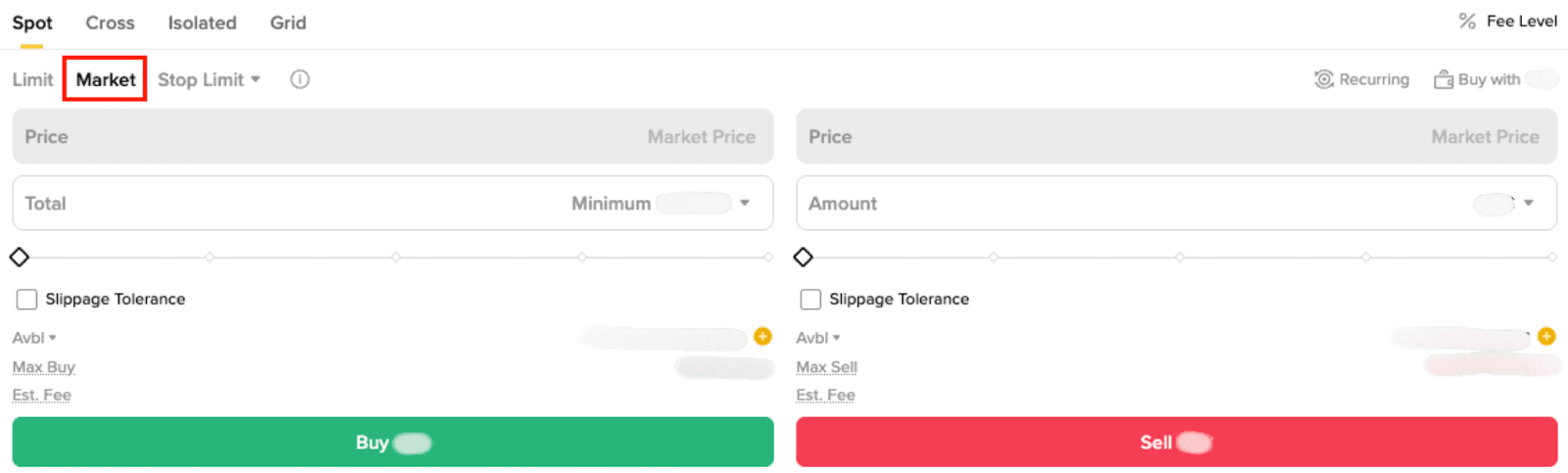
For more information on how to place a market order, please refer to What is Market Order and How to Place It.
A limit order:
Below is an example of how to place a limit order:
Buy Order | Sell Order | |
Step 1 | Enter the buy price, e.g., $60,000 | Enter the sell price, e.g., $60,000 |
Step 2 | Enter the amount, e.g., 1 BTC | |
Step 3 | Click [Buy] | Click [Sell] |
Market Movement | Market Price reaches $60,000 | |
Result | Buy 1 BTC with $60,000 or lower | Sell 1 BTC with $60,000 or higher |
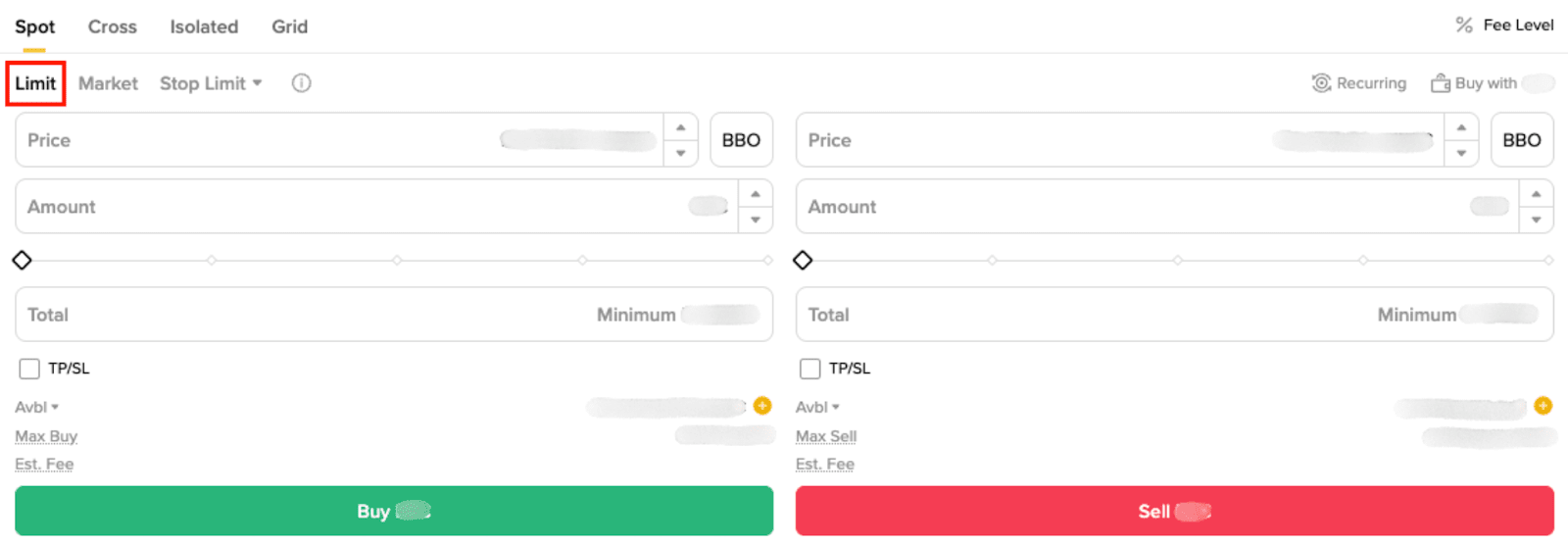
To learn more about limit orders, please refer to What Is a Limit Order.
A stop-limit or stop-market order:
Below is an example of how to place a stop limit order and a stop market order:
Stop-Limit Buy | Stop-Market Buy | |
Step 1 | Enter a stop price, e.g., $60,000 | Enter a stop price, e.g., $60,000 |
Step 2 | Enter a limit price, e.g., $60,500 | N/A |
Step 3 | Enter the amount, e.g., 1 BTC | |
Step 4 | Click [Buy] | |
Market Movement | Market Price reaches $60,000 | |
Progress 1 | The order is triggered, and a limit order is placed | The order is triggered, and a market order is placed |
Result | Buy 1 BTC with price $60,500 or lower | Buy 1 BTC with best available market price |
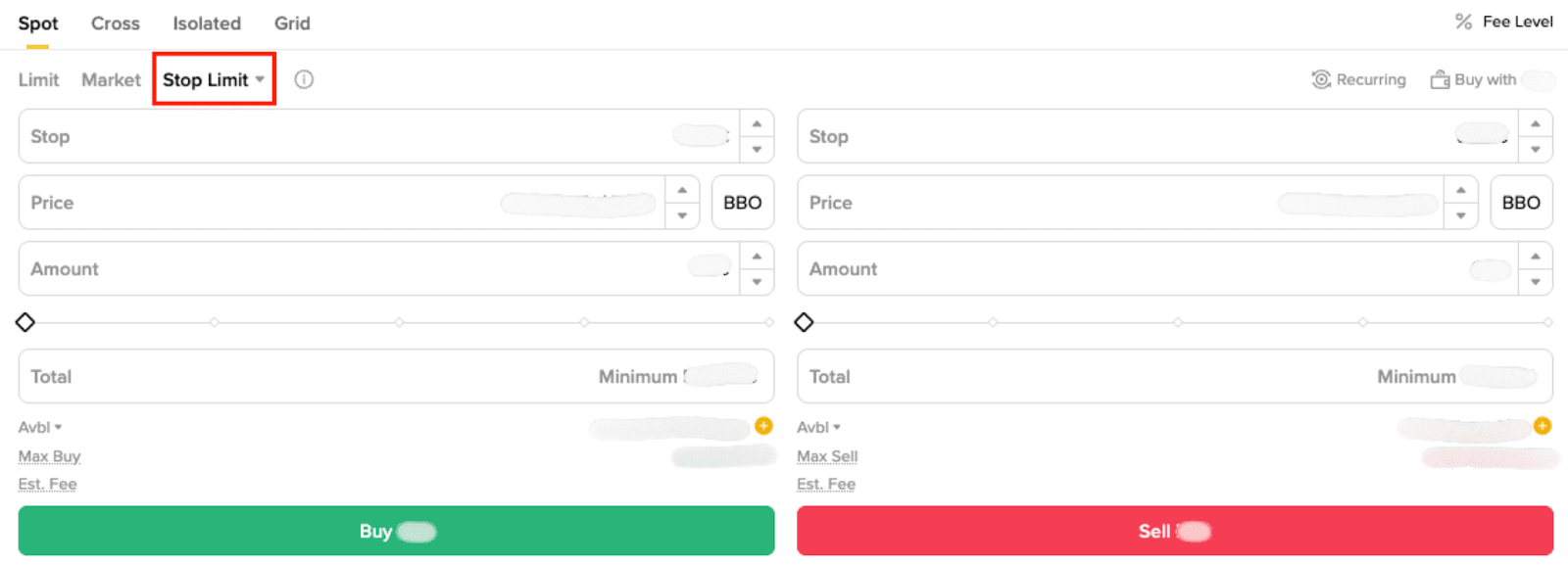
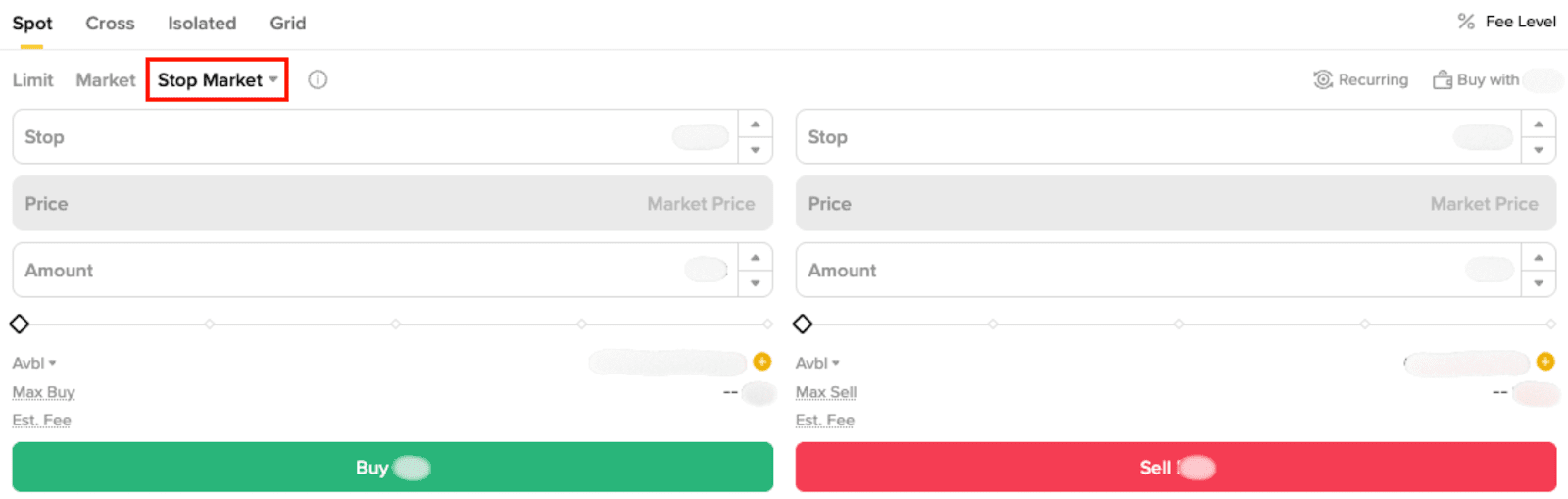
To learn more about stop-limit and stop-market orders, please refer to:
A One Cancels the Other (OCO) order combines a limit and stop-limit order. You place two orders simultaneously, but as soon as one is triggered, the other order is canceled. Therefore, only one of the orders can be executed.
For example, BTC is at $40,000. You can use an OCO order to buy 1 BTC when the price reaches $39,000 or sell it when the price rises to $41,000. One of the orders will be executed first, meaning the second one is automatically canceled.
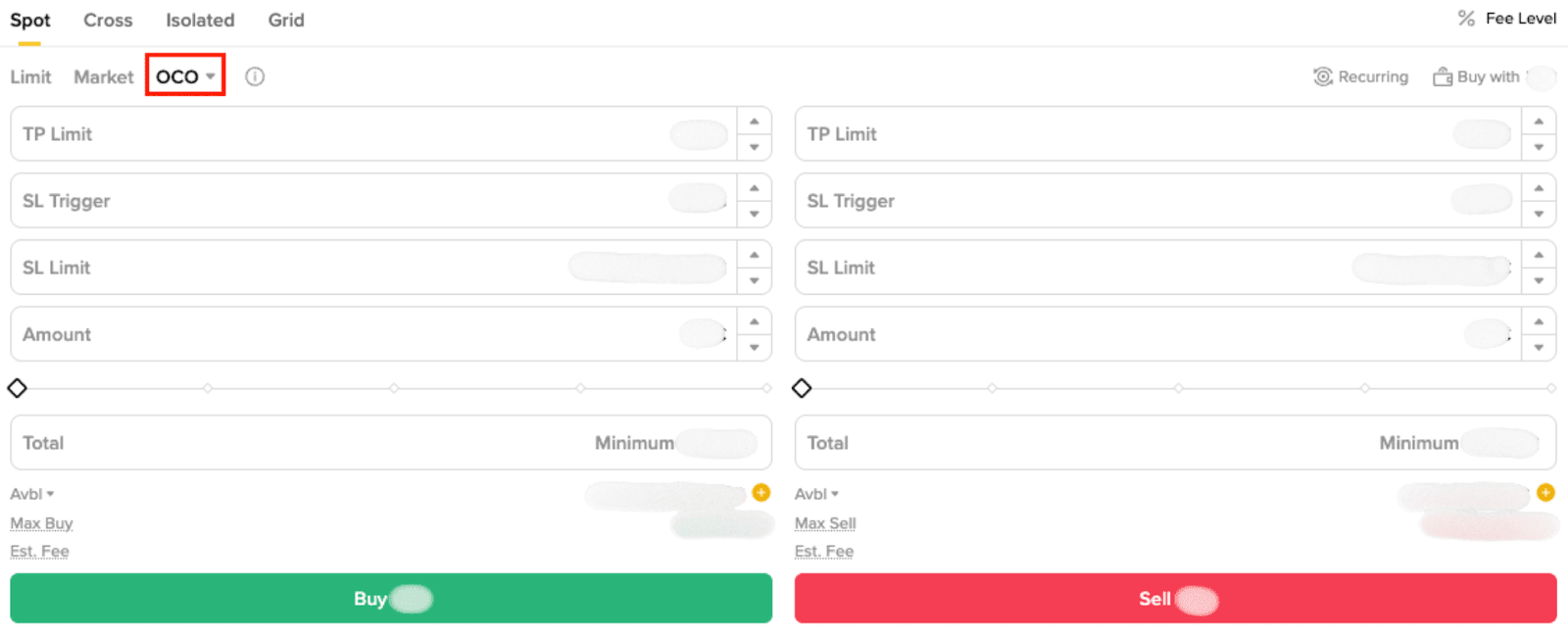
To learn more about OCO orders, please refer to What Is an OCO Order.
A trailing stop order lets you place a pre-set order at a specific percentage away from the market price. It is especially useful when the market swings, which can help you limit the loss and protect gains when a trade does not move in a favorable direction.
Please note that the trailing stop order does not move back in the other direction. When the price moves in the opposite direction by a specified percentage, it will close or exit the trade at market price.
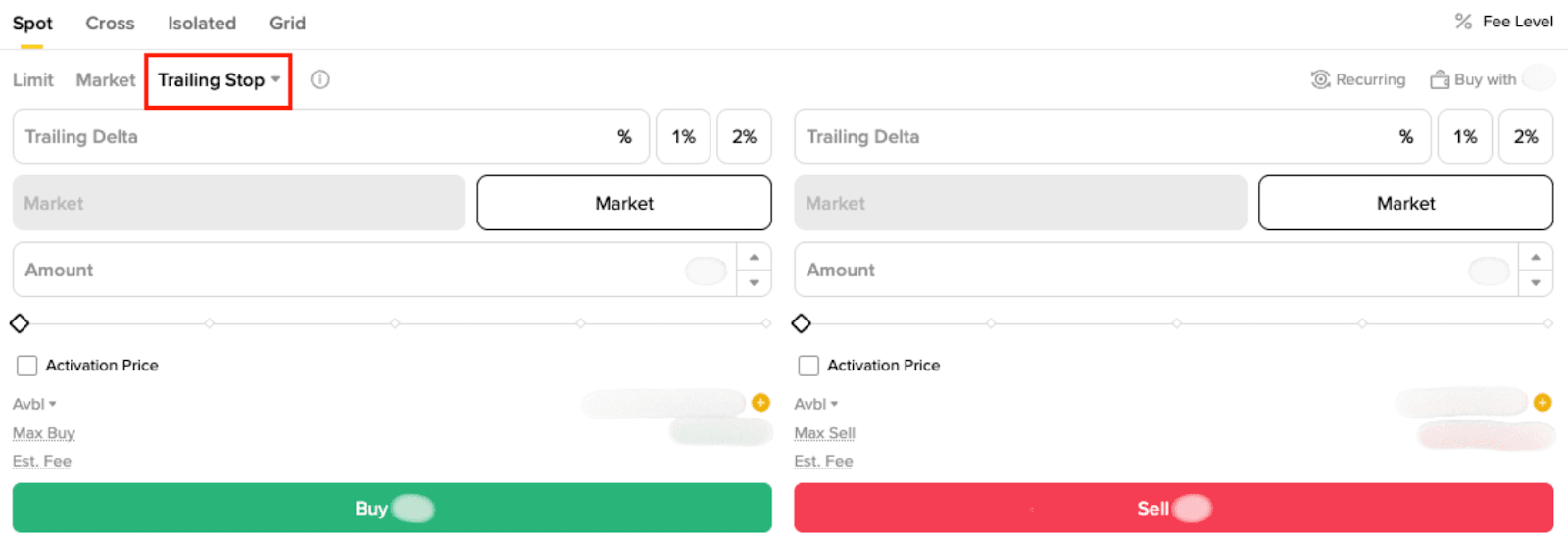
For more information on how to place a trailing stop order, please refer to How to Use Spot Trailing Stop Order.
A 'One Triggers the Other' (OTO) or 'One-Triggers-a-One-Cancels-the-Other' (OTOCO) order is a type of trade execution strategy where the placement of one order automatically triggers another. Using this strategy, a trader can effectively place primary and secondary orders. When the conditions for the primary order are met, the secondary order is initiated, allowing for seamless, automated trading. This sophisticated strategy manages trading risk and saves time.
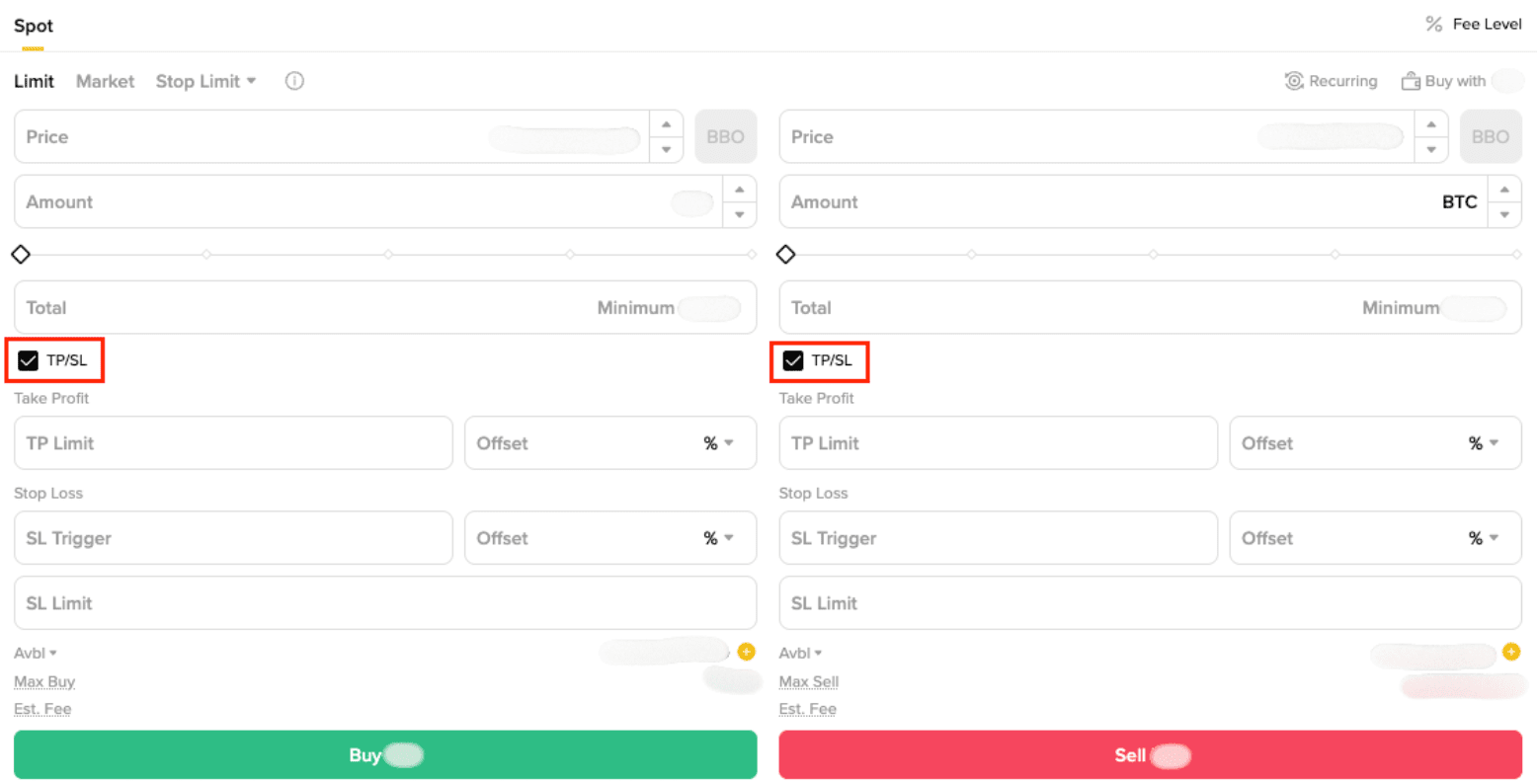
For more information on how to place an OTO or OTOCO order, please refer to Binance OTO (One-Triggers-the-Other) & OTOCO (One-Triggers-a-One-Cancels-the-Other) Order.
A BBO (Best Bid Offer), also known as the best buy price, is a type of limit order that allows traders to quickly set a limit price at either the 1st position or any position up to the 5th position on the buy side or the sell side of the order book. This provides flexibility to align orders with key levels of market depth. This can potentially result in a better counterparty price and faster order execution. When placing an order, a BBO order automatically adjusts to the price at the user-specified position in the order book.
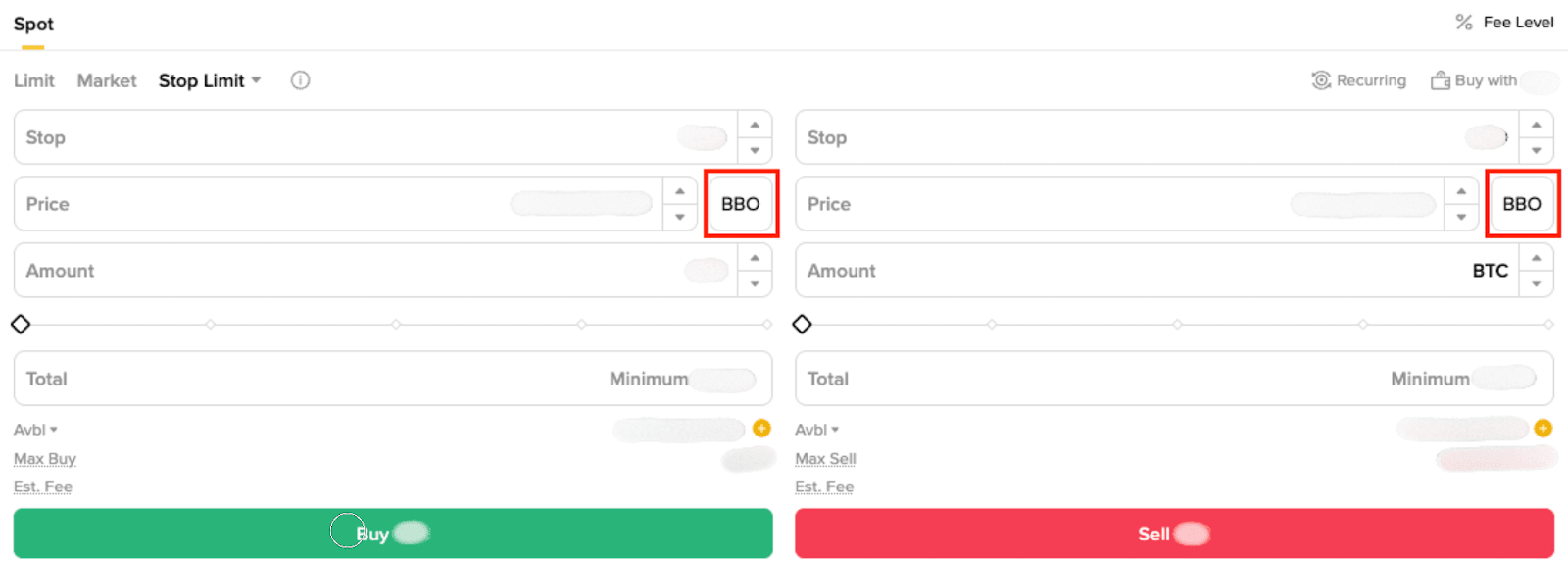
For more information on how to place a BBO order, please refer to What Is a Spot BBO Order and How to Use It.
A Spot TWAP (Time-Weighted Average Price) order is a trading strategy used in spot markets to execute large orders gradually over a specified time period. Instead of placing a single large order that could significantly impact the market price, a TWAP order breaks the total quantity into smaller, evenly distributed trades executed at regular intervals. This approach helps achieve an average execution price close to the market’s average price over the time window, minimizing market impact and reducing the risk of price slippage. Spot TWAP orders are particularly useful for traders who want to buy or sell large amounts of cryptocurrency on the spot market without causing sudden price fluctuations.
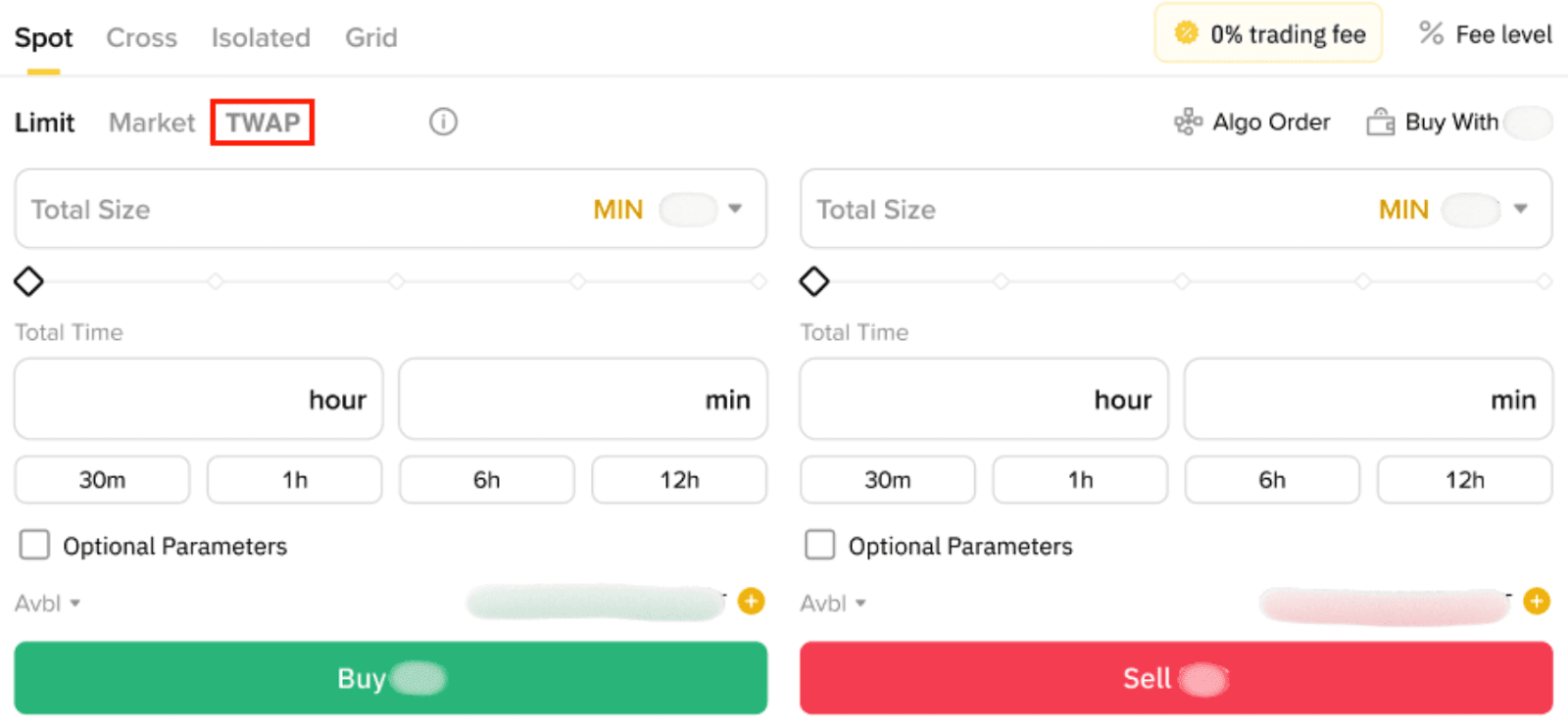
For more information on how to place a TWAP order, please refer to What Is a Spot TWAP Order and How to Use It.
