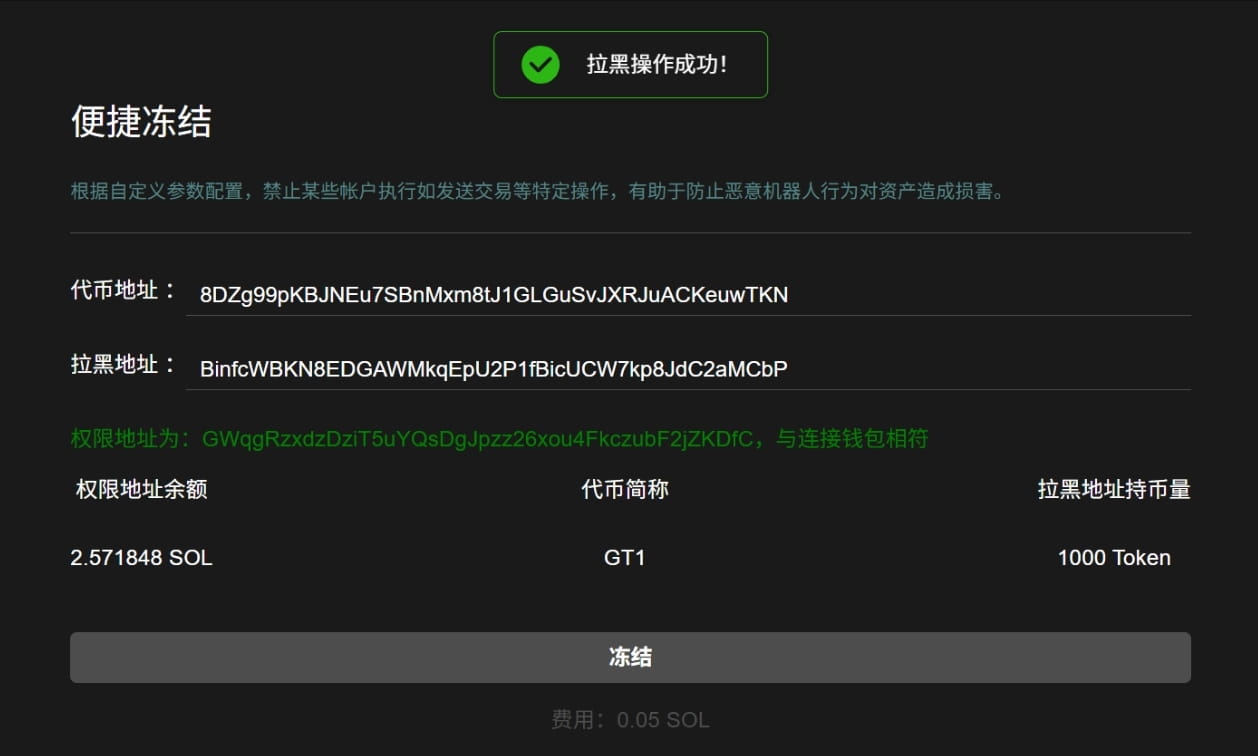
Configure based on custom parameters to prohibit certain accounts from performing specific operations such as sending transactions, which helps prevent malicious bot behavior from harming assets.
Preparation Items
1. A computer or a mobile phone
2. Solana wallet (Phantom wallet installation tutorial)
3. Token address and the wallet address to be blacklisted
4. Please ensure that the wallet is connected with sufficient SOL
Specific operation process for Solana Quick Freeze
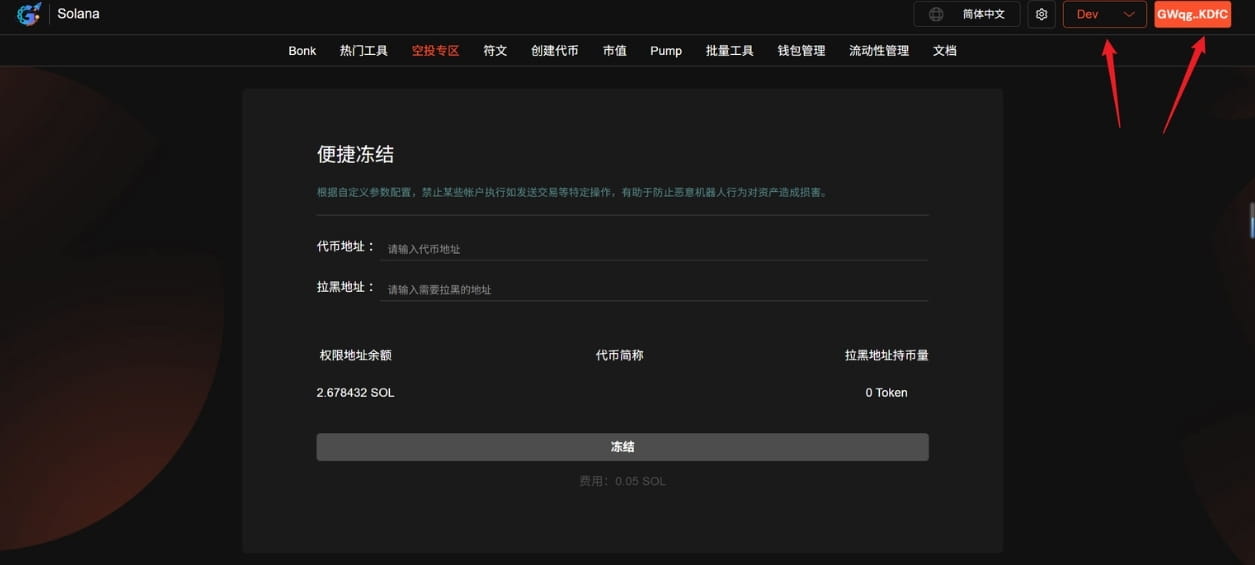
1. Connect wallet
Go to the Solana Quick Freeze page of GTokenTool, click 'Connect Wallet' in the upper right corner and select the Main network. This is a demonstration using the test network.
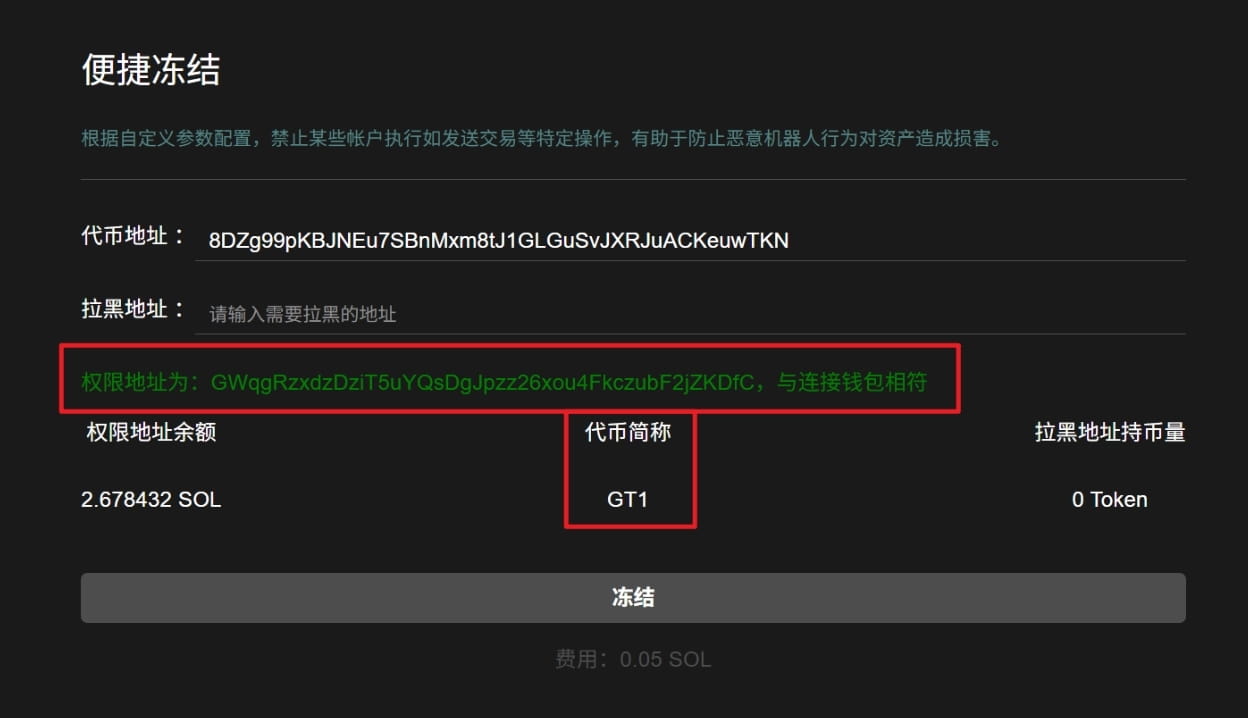
2. Enter the token address
After entering the token address, it will display the token abbreviation and whether the permission address matches the connected wallet.
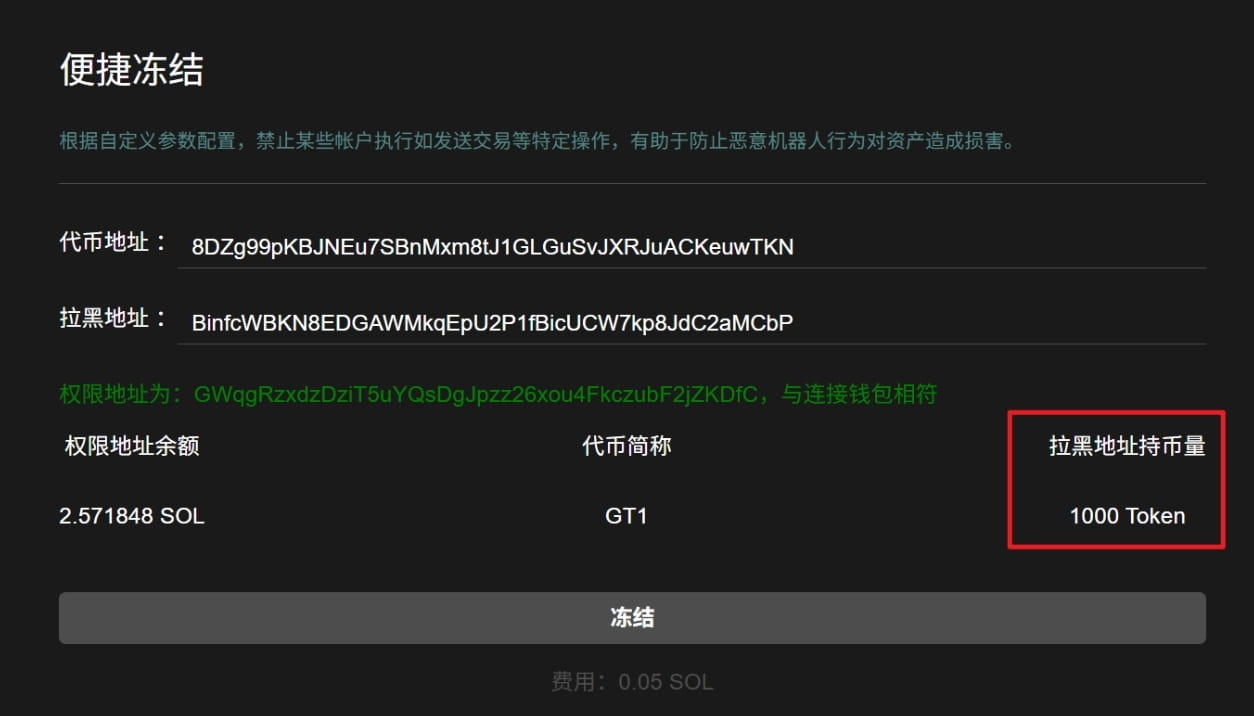
3. Enter the address to be blacklisted
After entering the address to be blacklisted, the amount of cryptocurrency held at that address will be displayed.
4. Click 'Freeze'
After the wallet pops up, click 'Confirm'; a success message will pop up after freezing successfully.