This page is for general information and educational purposes only. It does not constitute legal terms or any form of legal agreement between you and Binance. It should not be construed as financial, legal or other professional advice. The information on this page may be outdated. For legal terms applicable to Spot Trading Services, please refer to the Terms of Use, the Exchange Rules and the Clearing Rules. Additional terms and conditions will also be set out in the Spot Copy Trading Services Terms (as applicable to Spot Copy Trading Services).
Disclaimer: In compliance with MiCA requirements, unauthorized stablecoins are subject to certain restrictions for EEA users. For more information, please click here.
The Spot Scaled Limit Order Feature enables users to break down large spot trades into multiple smaller sub-orders, which are executed in stages according to preset conditions. This method minimizes the market impact and trading costs typically associated with placing a single large order. By allowing trades to be managed in alignment with market price fluctuations, it offers users increased flexibility to adapt their trading strategies effectively.
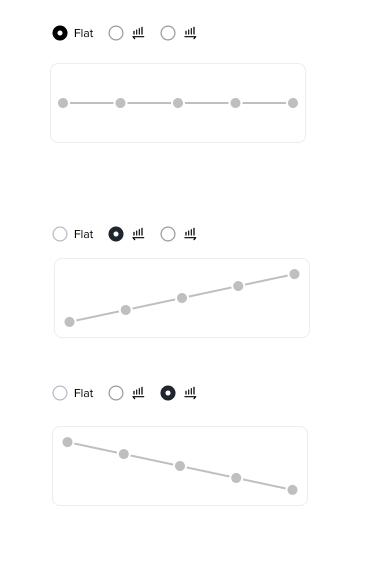
Examples:
Let’s look at examples for different Spot Scaled Limit Order Feature order types:
| Base/Quote Example | ||||
Lowest Price | Highest Price | Size (Token Quantity) | Number of Orders | Order Type |
20,000 | 30,000 | 0.5 | 5 | Fixed |
Order Number | Price | Order Quantity |
1 | 20,000 | 0.1 |
2 | 22,500 | 0.1 |
3 | 25,000 | 0.1 |
4 | 27,500 | 0.1 |
5 | 30,000 | 0.1 |
(...)
| Base/Quote Example | ||||
Lowest Price | Highest Price | Size (Token Quantity) | Number of Orders | Order Type |
20,000 | 30,000 | 0.5 | 5 | Ascending |
Order Number | Price | Order Quantity |
1 | 20,000 | 0.03 |
2 | 22,500 | 0.07 |
3 | 25,000 | 0.10 |
4 | 27,500 | 0.13 |
5 | 30,000 | 0.17 |
(...)
| Base/Quote Example | ||||
Lowest Price | Highest Price | Size (Token Quantity) | Number of Orders | Order Type |
20,000 | 30,000 | 0.5 | 5 | Descending |
Order Number | Price | Order Quantity |
1 | 20,000 | 0.17 |
2 | 22,500 | 0.13 |
3 | 25,000 | 0.10 |
4 | 27,500 | 0.07 |
5 | 30,000 | 0.03 |
1. Log in to your Binance account and go to the spot trading page.
2. Select [Scaled Limit Order Feature] in the order type section, fill in the order details, and click the [Preview] button to review them. After verifying the accuracy of the order feature details, click [Confirm] to submit the order.
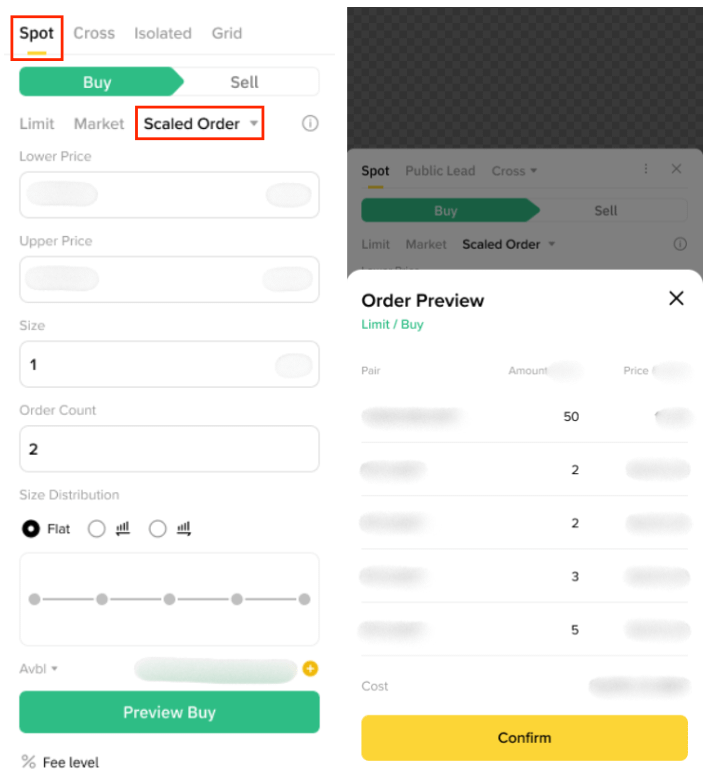
3. After the order is successfully placed, you can find the order details in the [Open Order] section. Please note that since Spot Scaled Limit Order Feature sub-orders are regular limit orders, they will be displayed just like standard limit orders.
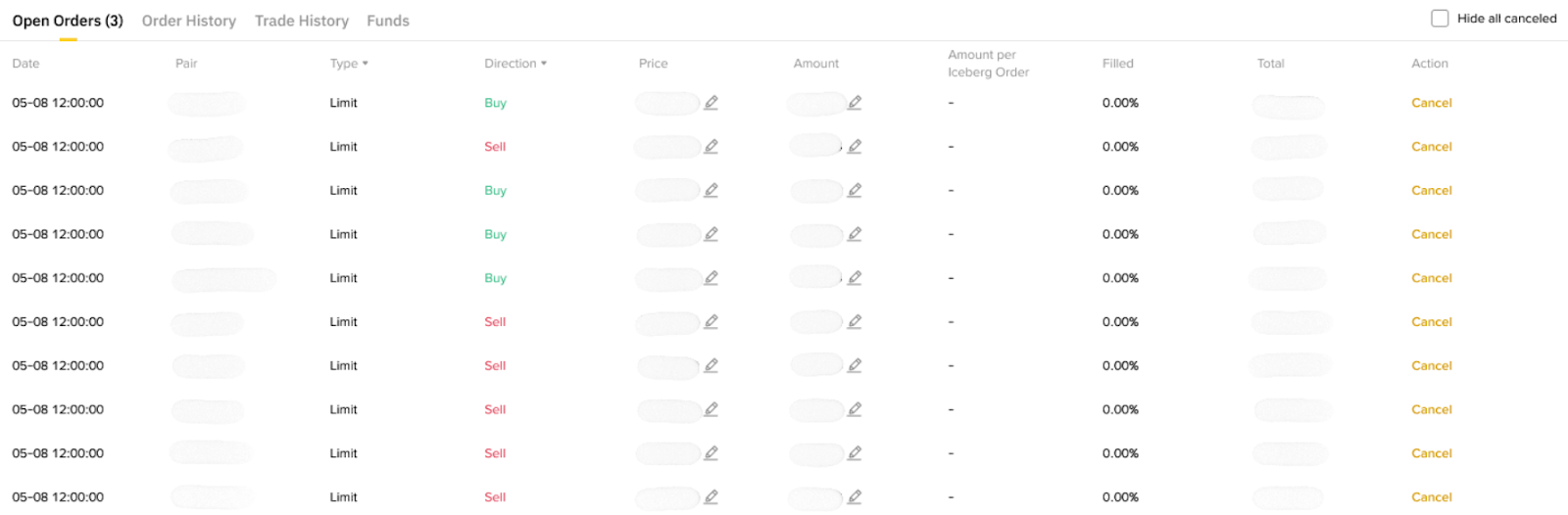
Yes, you can still cancel the complete Spot Scaled Limit Order Feature or individual sub-order(s) before they are executed.
Yes, you can modify a Spot Scaled Limit Order Feature from the open orders section.
Currently, the feature is supported only in Spot Trading and is not available for Spot Copy Trading or Demo Trading.
The Spot Scaled Limit Order Feature supports limit orders only.
Upon cancellation, the executed portion remains unchanged, while the unexecuted portion will not be processed.
Yes, it supports the BNB fee discount.
The balance remains in your Spot Account after the order is placed.
Since the Spot Scaled Limit Order Feature places standard limit orders, you can view the Spot Scaled Limit Order Feature order(s) by:
The Spot Scaled Limit Order Feature is currently in grayscale mode and is only accessible on the latest app version. It will be rolled out to all users gradually. Please make sure you’ve updated your Binance App to the latest version.
