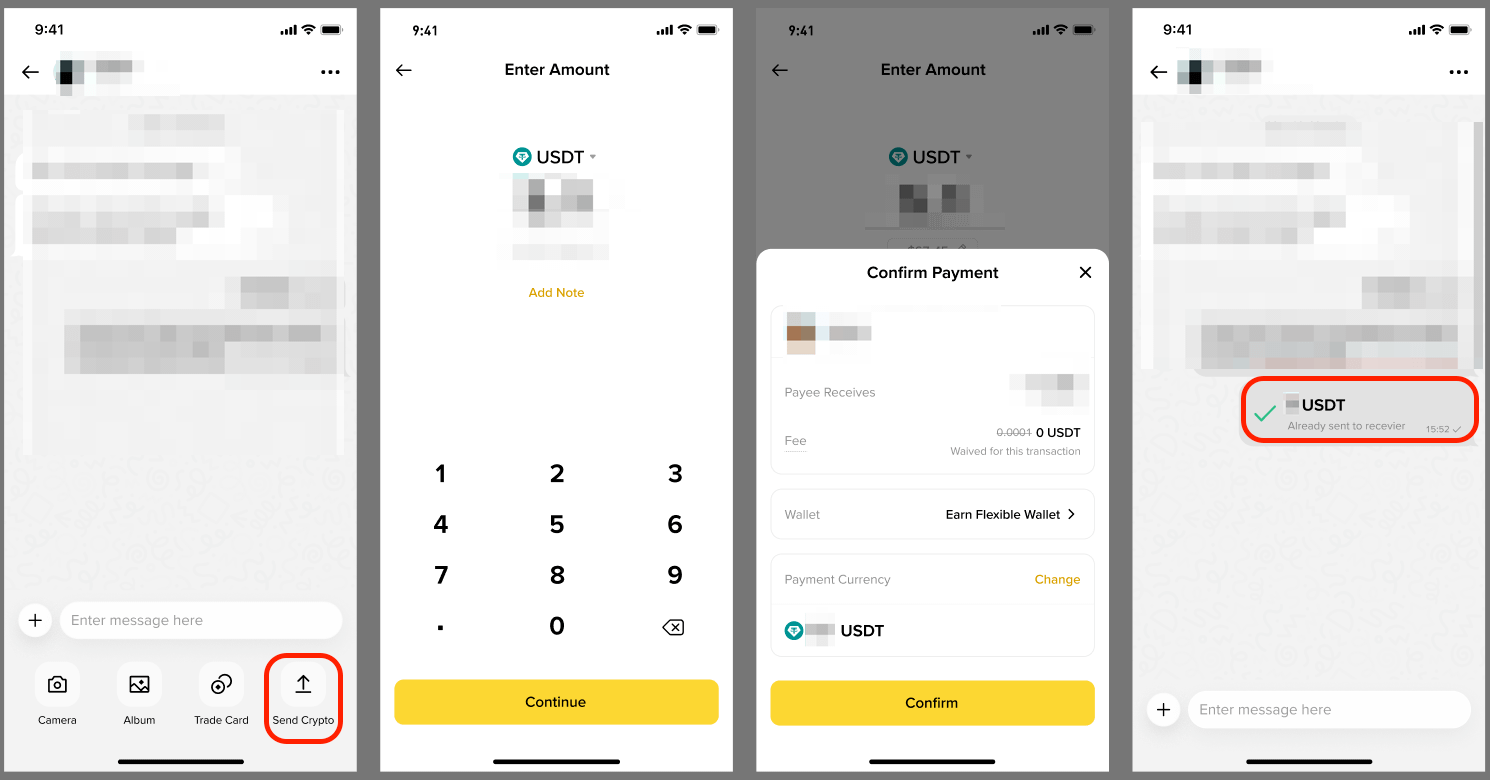
Binance Chat is an all-in-one social communication feature that creates a seamless closed-loop experience that integrates trading and social networking. It supports both one-to-one chats and group chats. You can connect with other Binance users, exchange thoughts, share trading strategies and real-time portfolios, and even transfer funds with just one tap.
1. Download Binance App or update to the latest version.
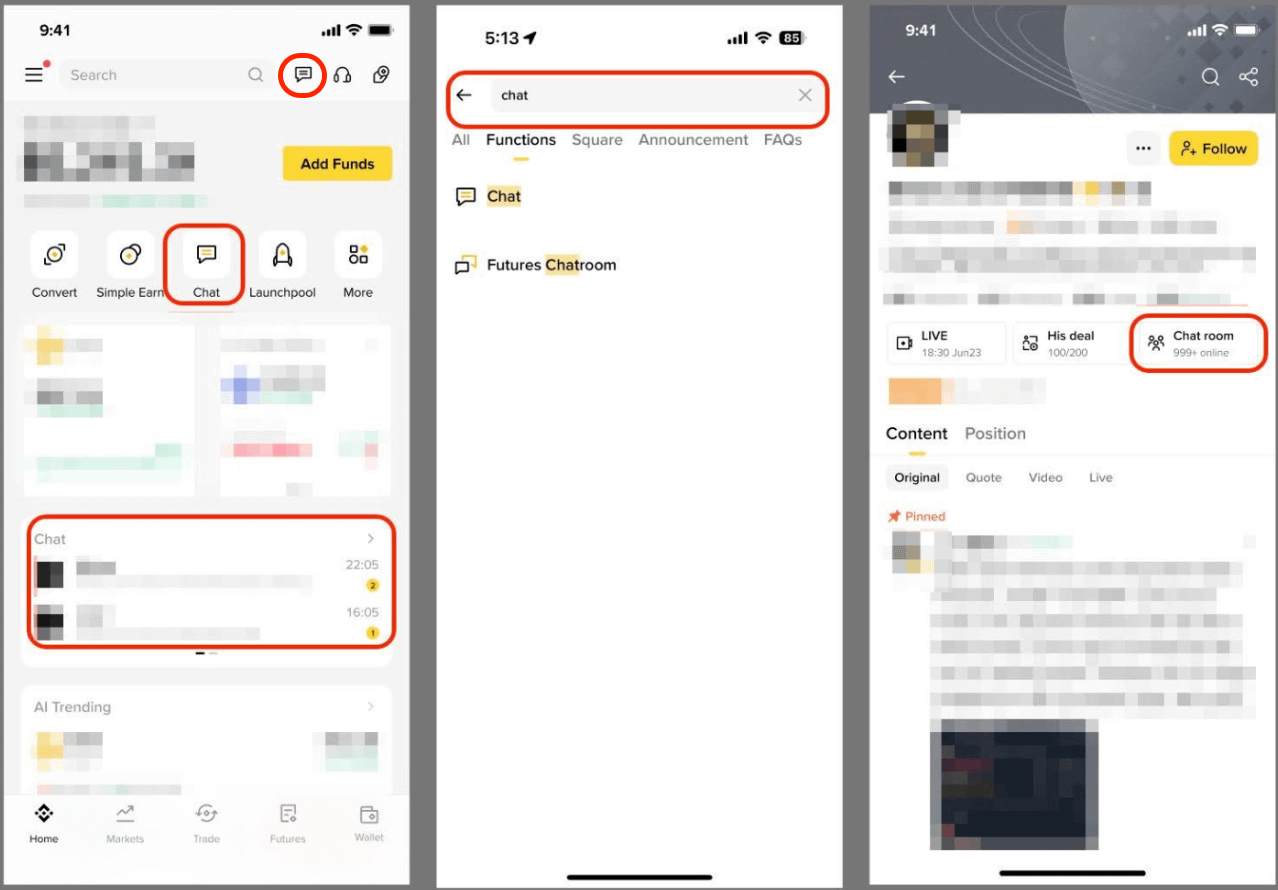
2. Log in to your Binance account and complete identity verification to access Chat through any of the following ways:
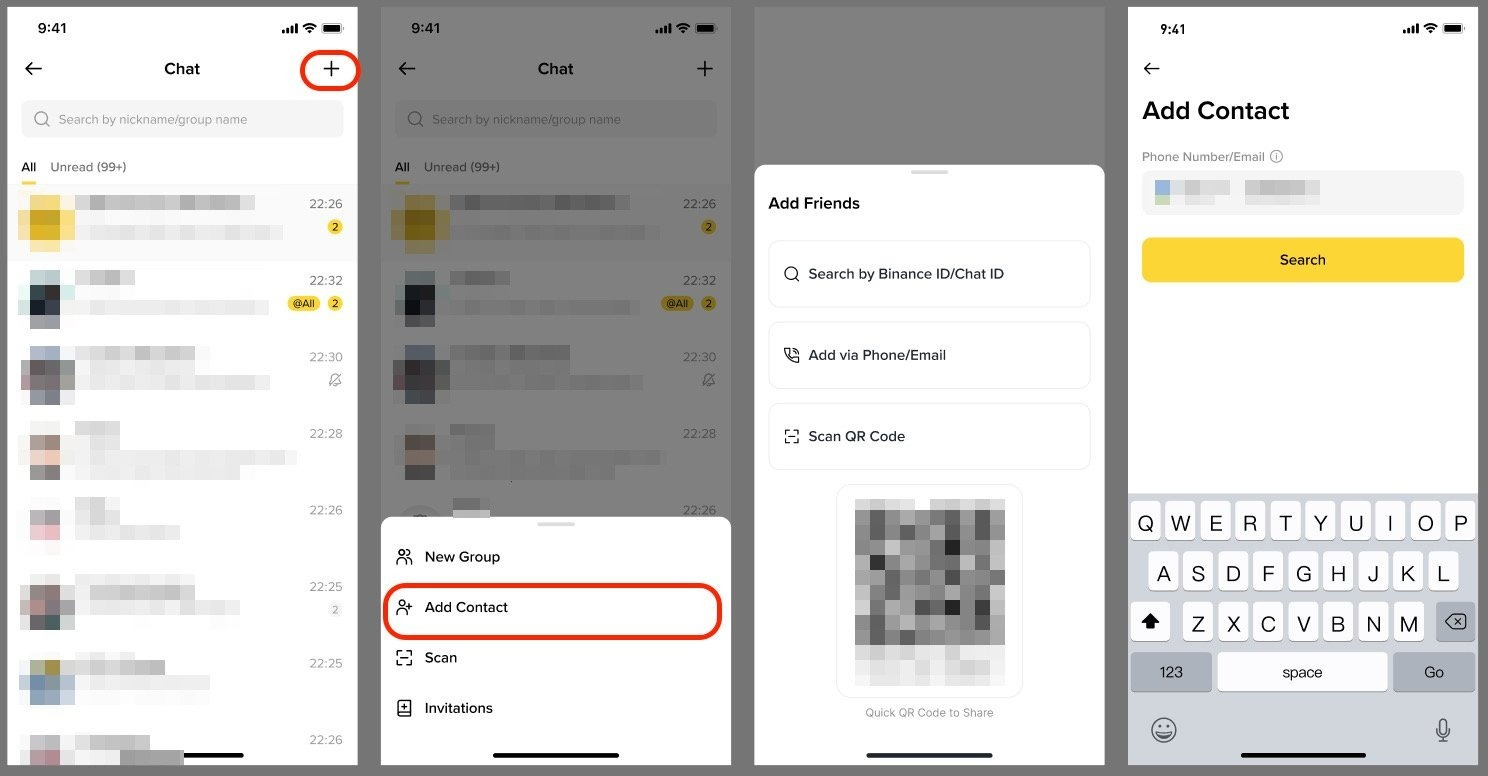
1. Tap [+] at the top right of the chat page and tap [Add Contact].
2. You can add friends by:
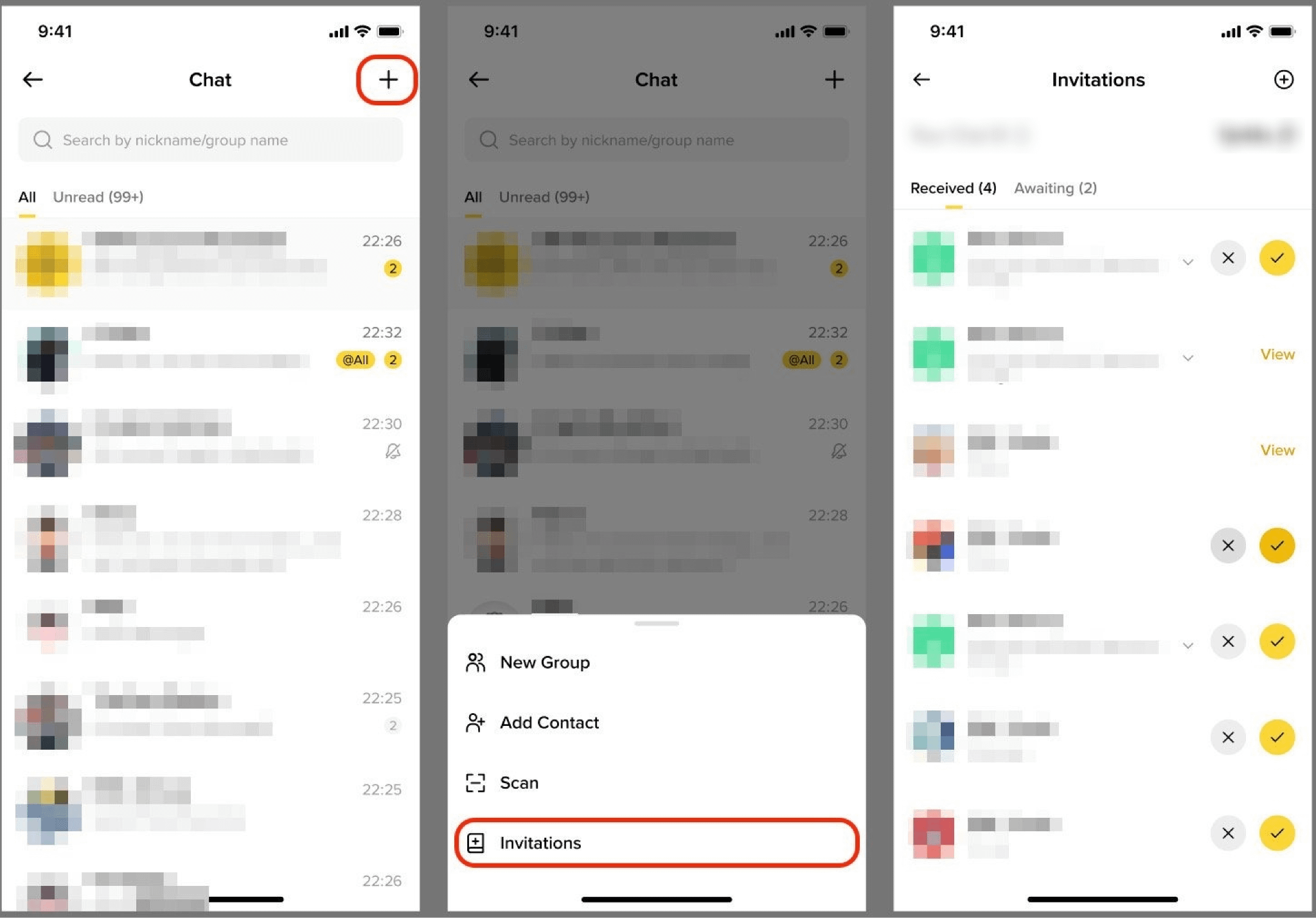
1. Tap [+] - [Invitations].
2. Accept or ignore the requests. Once accepted, you can start private chats or make transfers immediately.
Currently, the group chat creation feature on Binance Chat is available to creators with 1,000 or more followers on Binance Square.
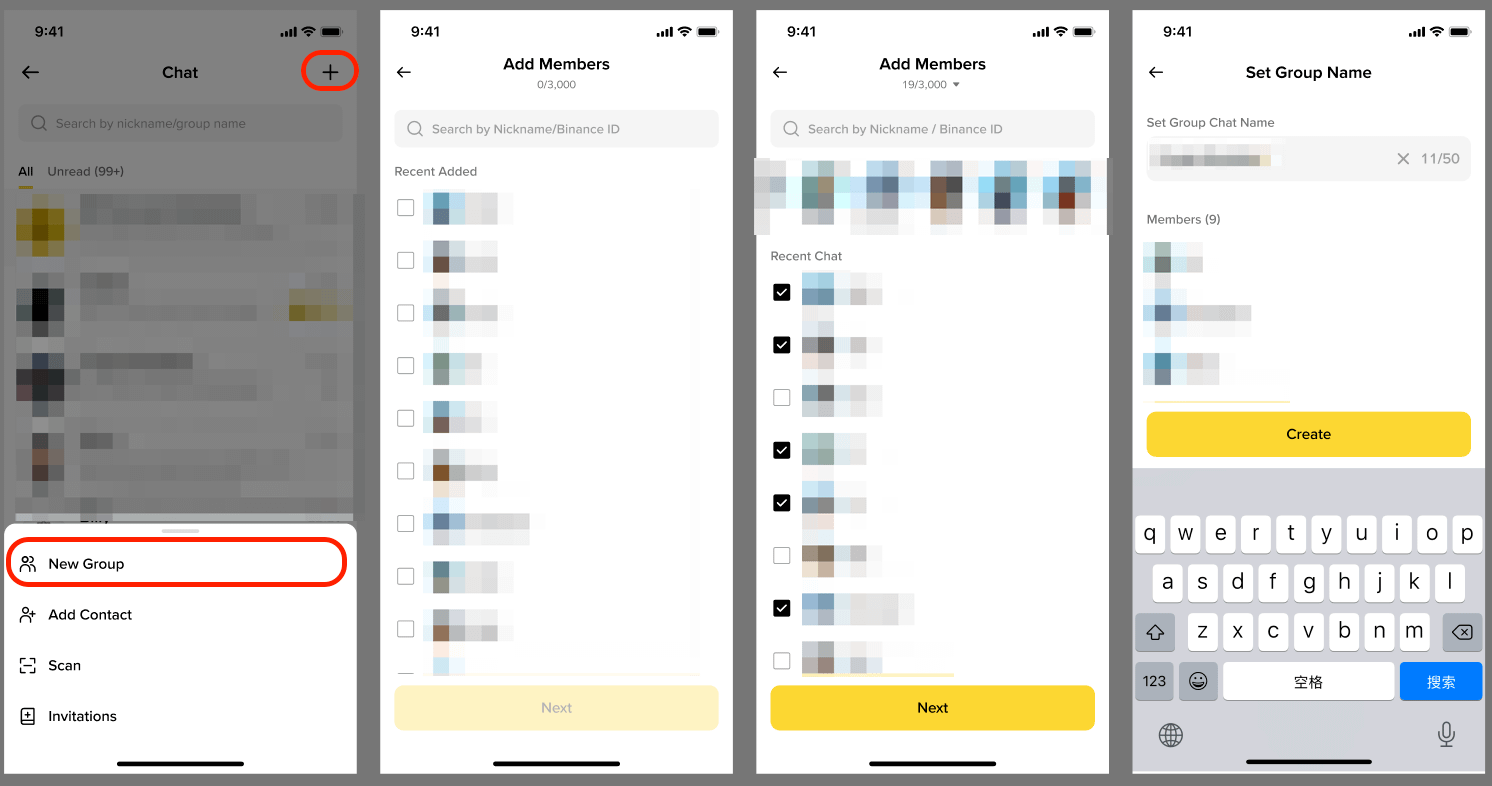
Go to Binance Chat, tap [+] - [New Group], choose members to add, set a group chat name and select [Create].
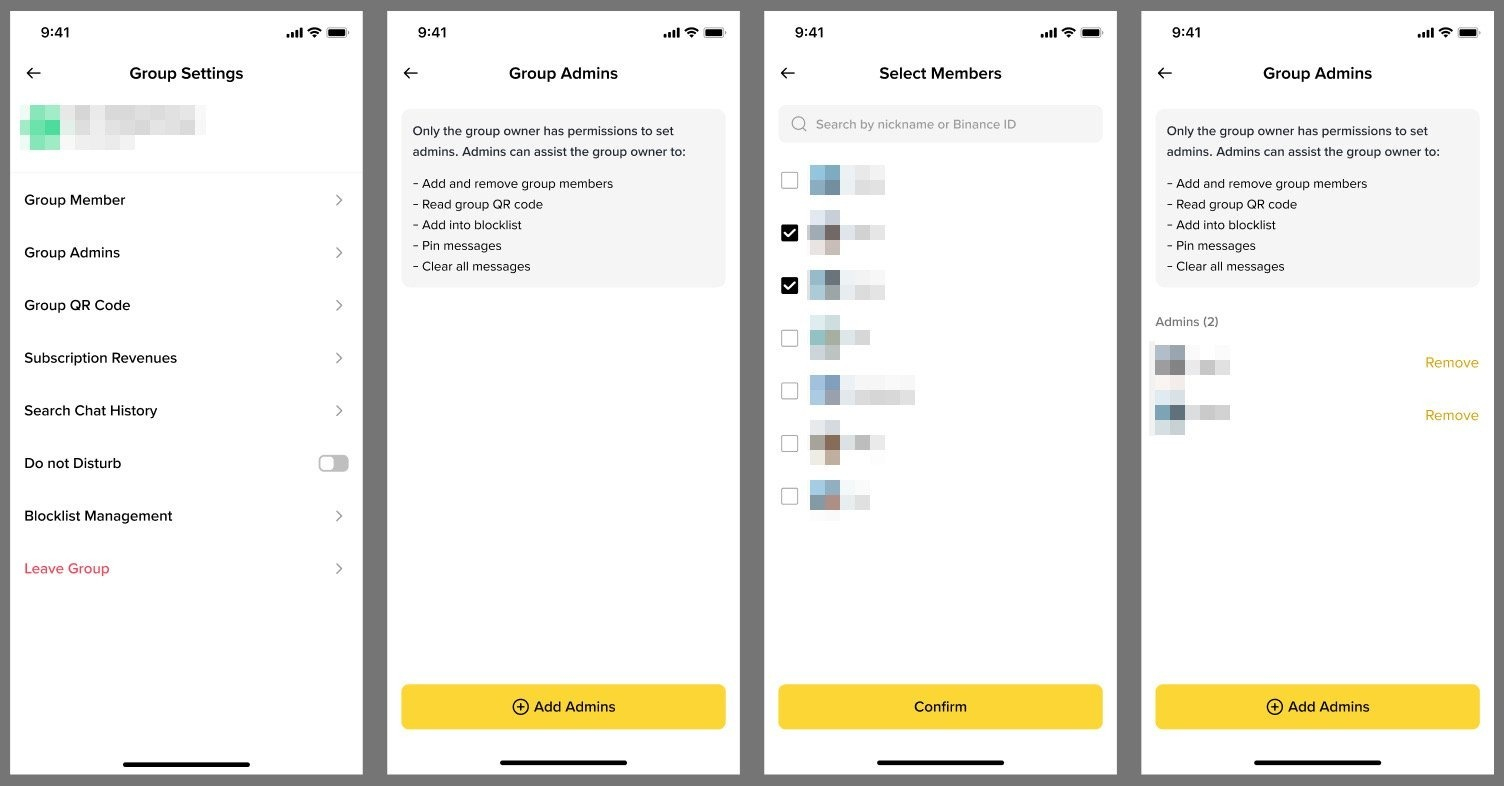
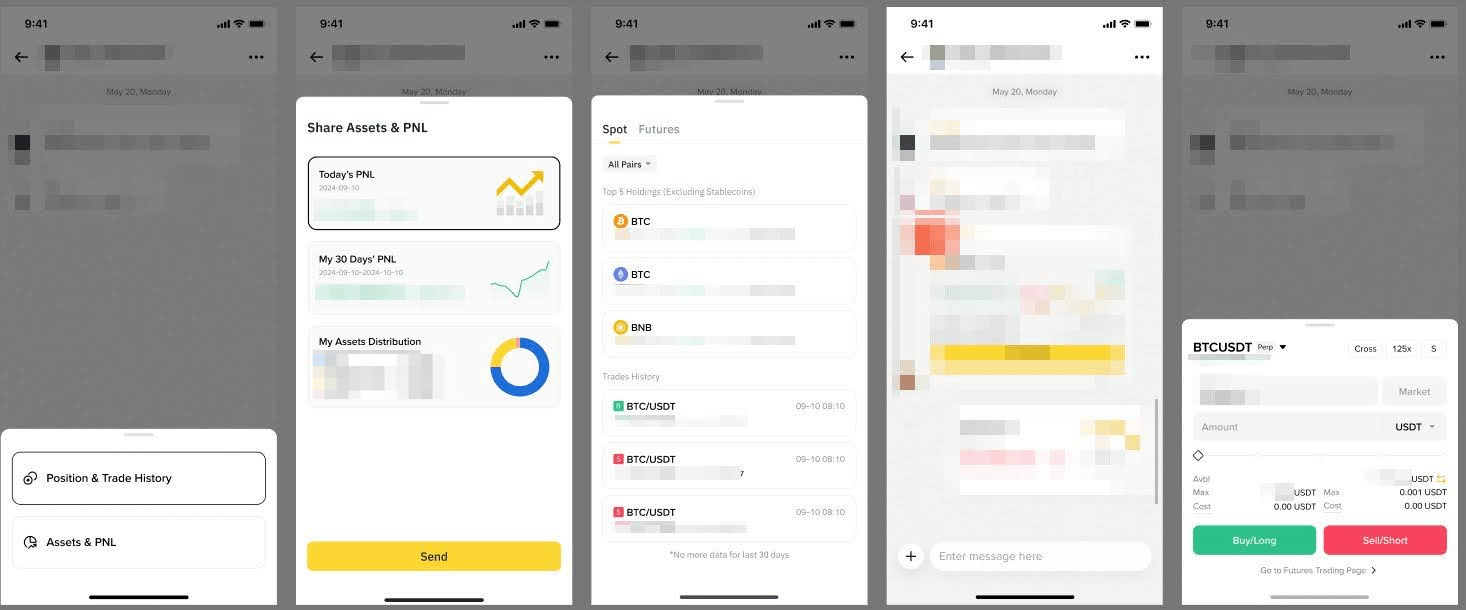
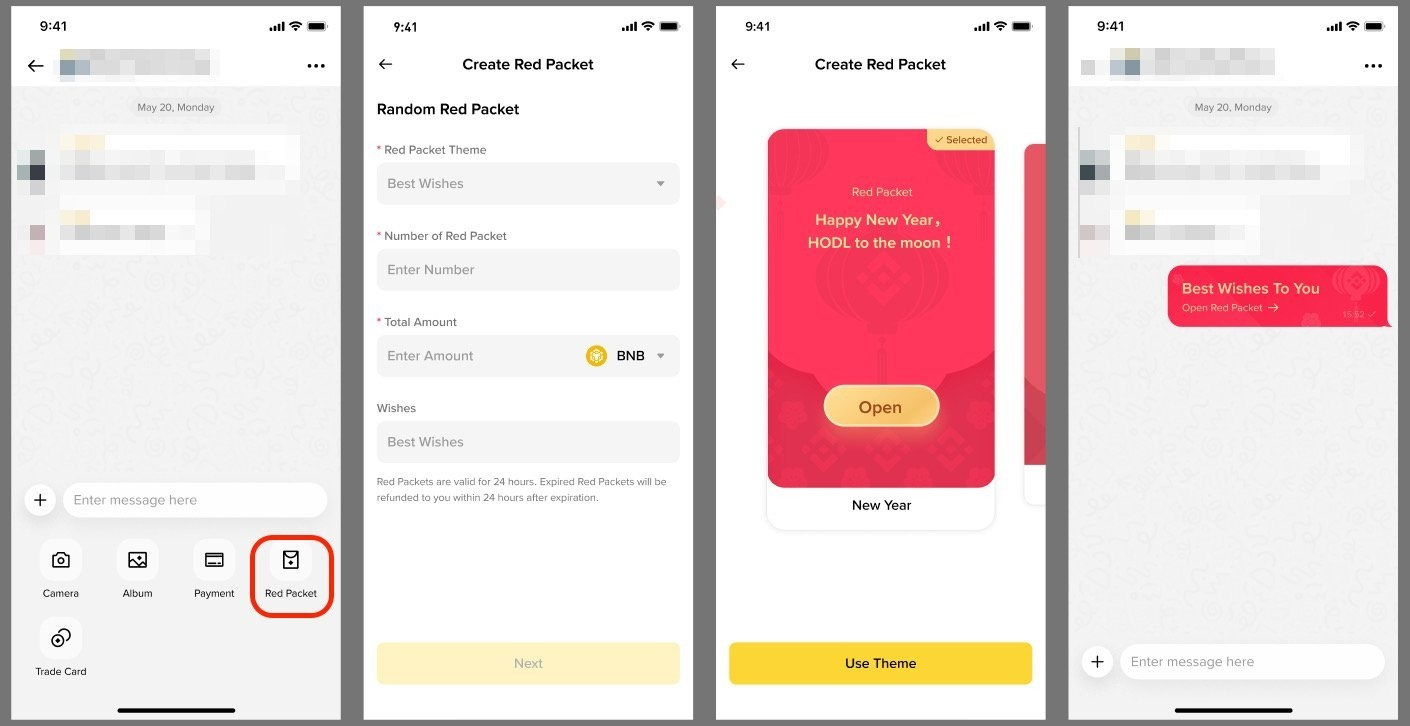
Key features of group chats include:
Possible reasons you can’t see Binance Chat on the Binance Square page:
Enter a chat (friend or group) and scroll up or down to view historical messages and transfer records.
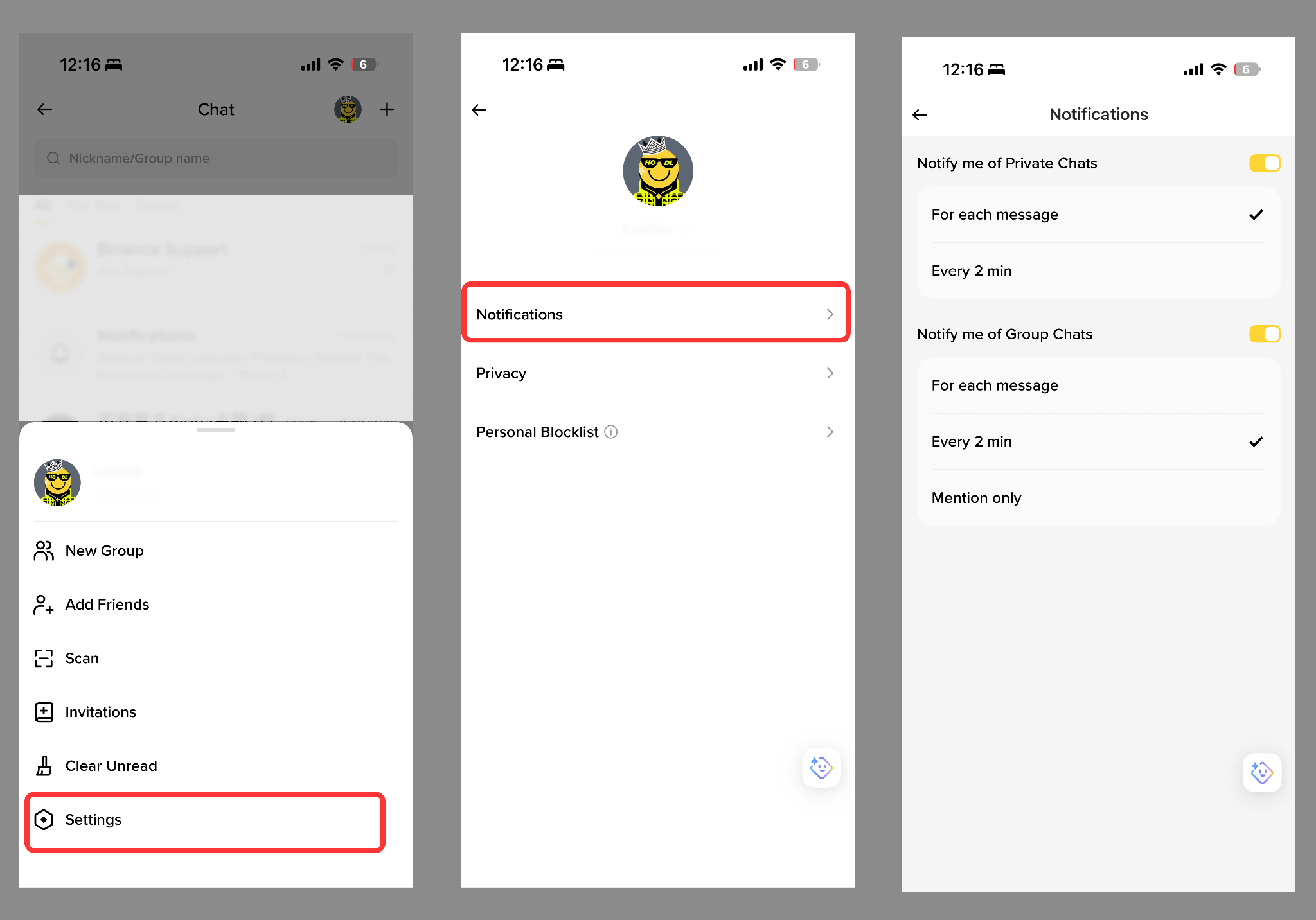
Go to Binance Chat and tap [Profile] - [Settings] - [Notifications].
Tap on a friend’s profile picture in the chat window to go to their profile page. Go to [Notes] and enter a custom nickname or label.
A Subscription Group is a paid group chat within Binance Chat where the group owner can charge members a subscription fee to support long-term, high-quality community operations. Currently, only users with more than 10,000 followers on Binance Square are eligible to create Subscription Groups.
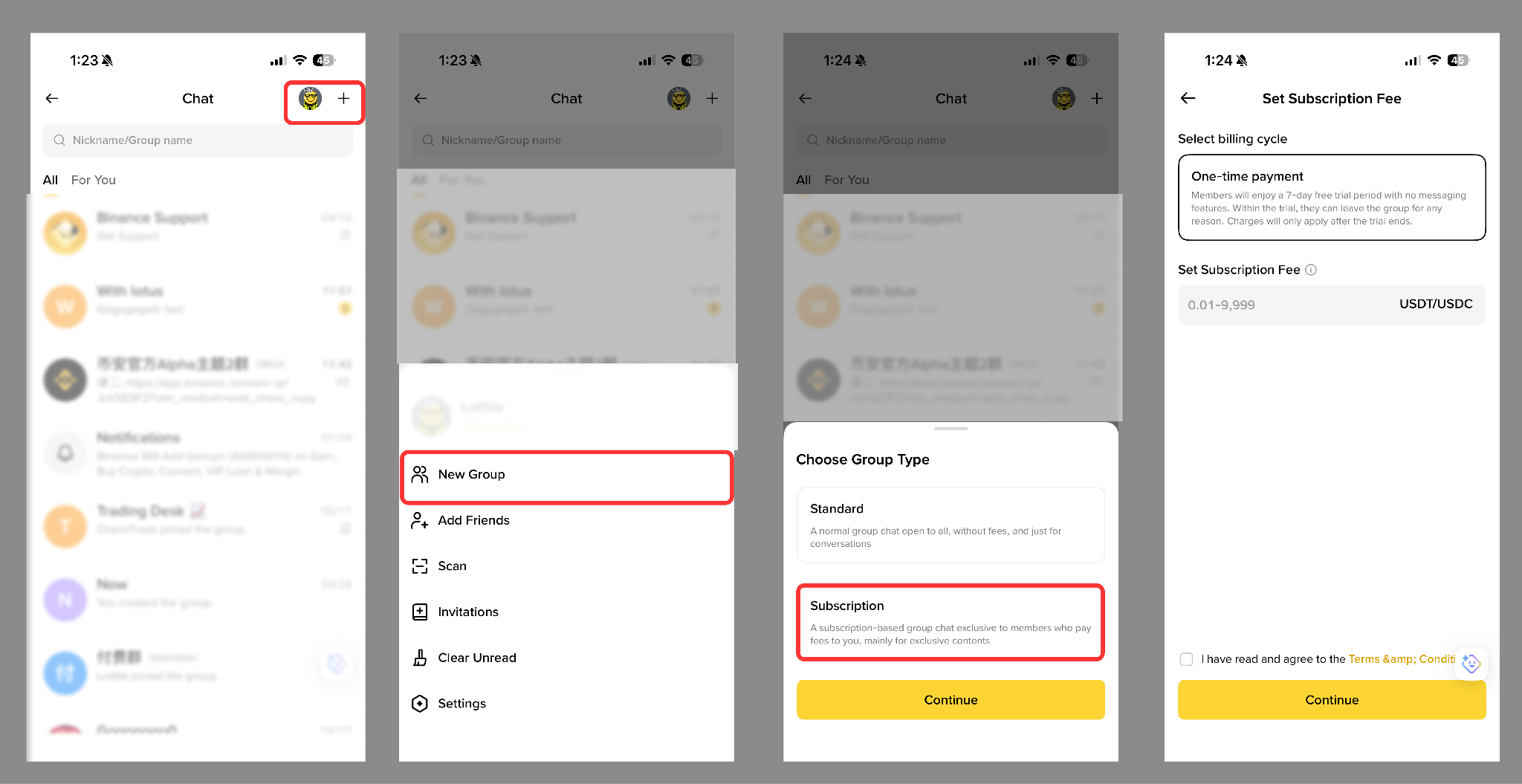
1. Open the Binance App and go to [Binance Chat].
2. Tap [+] in the top-right corner.
3. Select [New Group] - [Subscription] - [Continue].
4. Set the billing cycle and subscription fee, then tap [Continue].
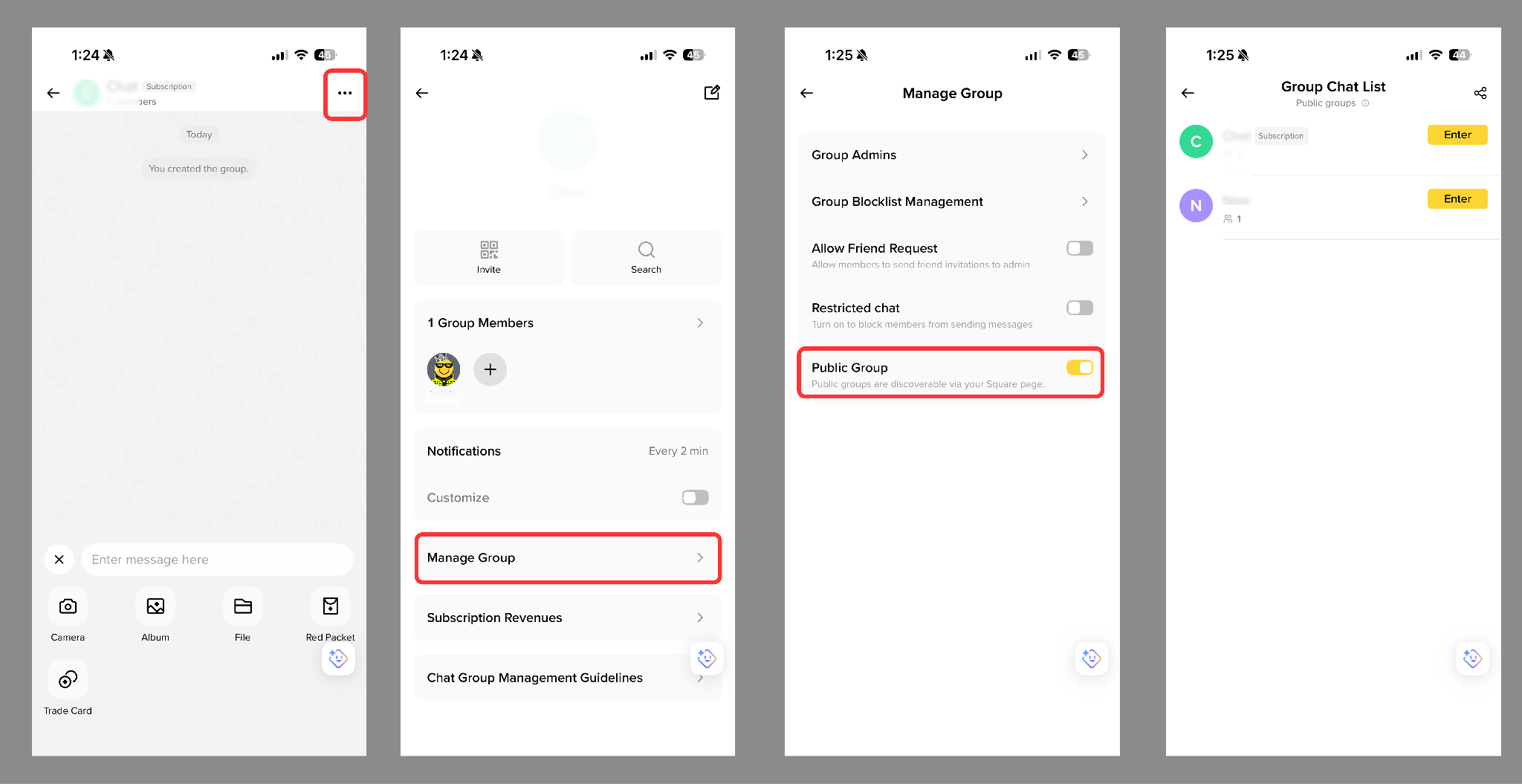
5. Once completed, the Subscription Group will appear in your chat list. To change settings go to [...] - [Manage Group]. Set it as a [Public Group] to display it on your Binance Square profile.
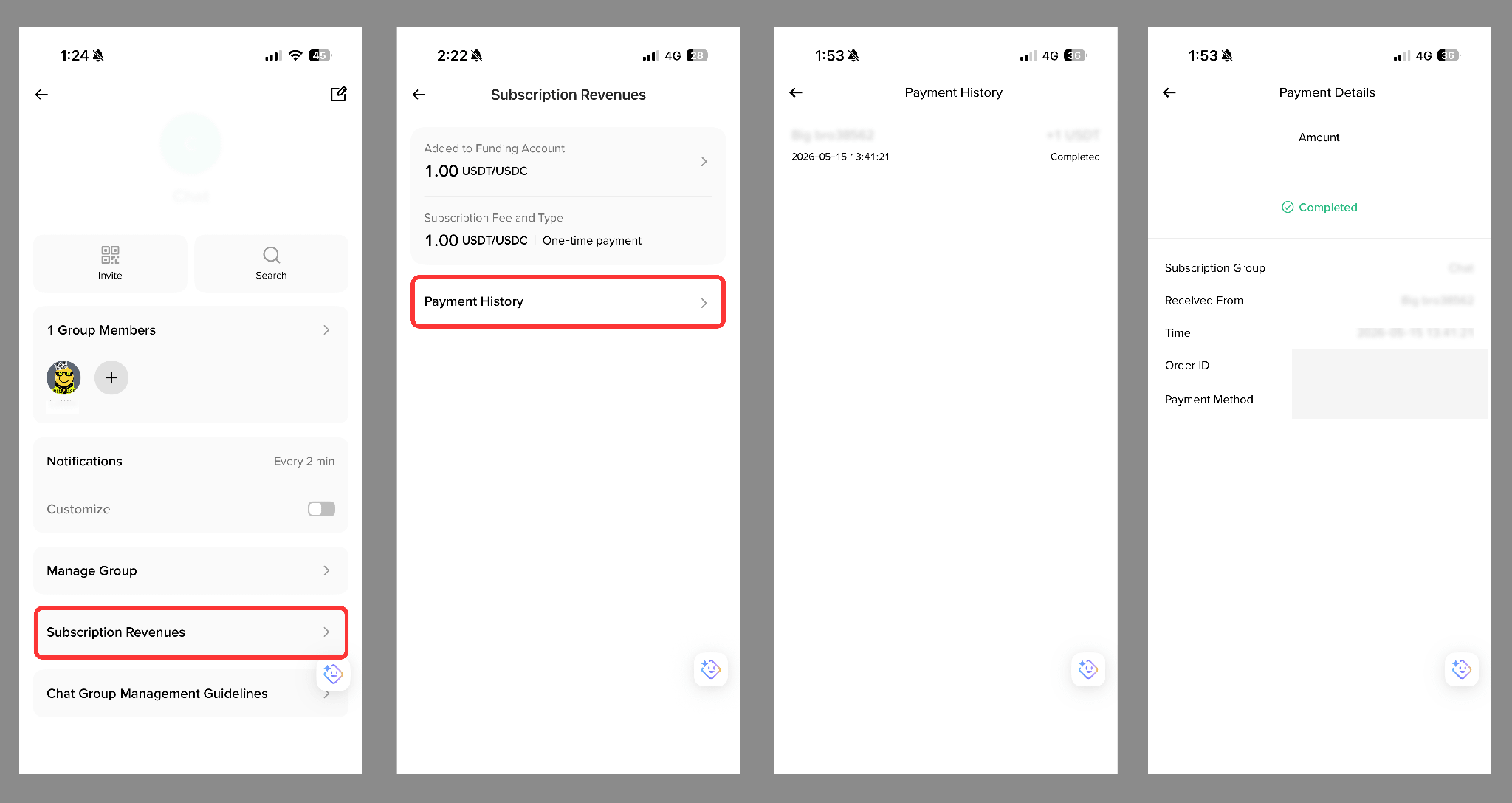
Go to your Subscription Group, tap [...] - [Subscription Revenues] to view:
Group chat owners can generate a shareable link or QR code to invite users. If the group chat is set as “Public”, it’ll also be displayed on the owner’s Binance Square profile page.
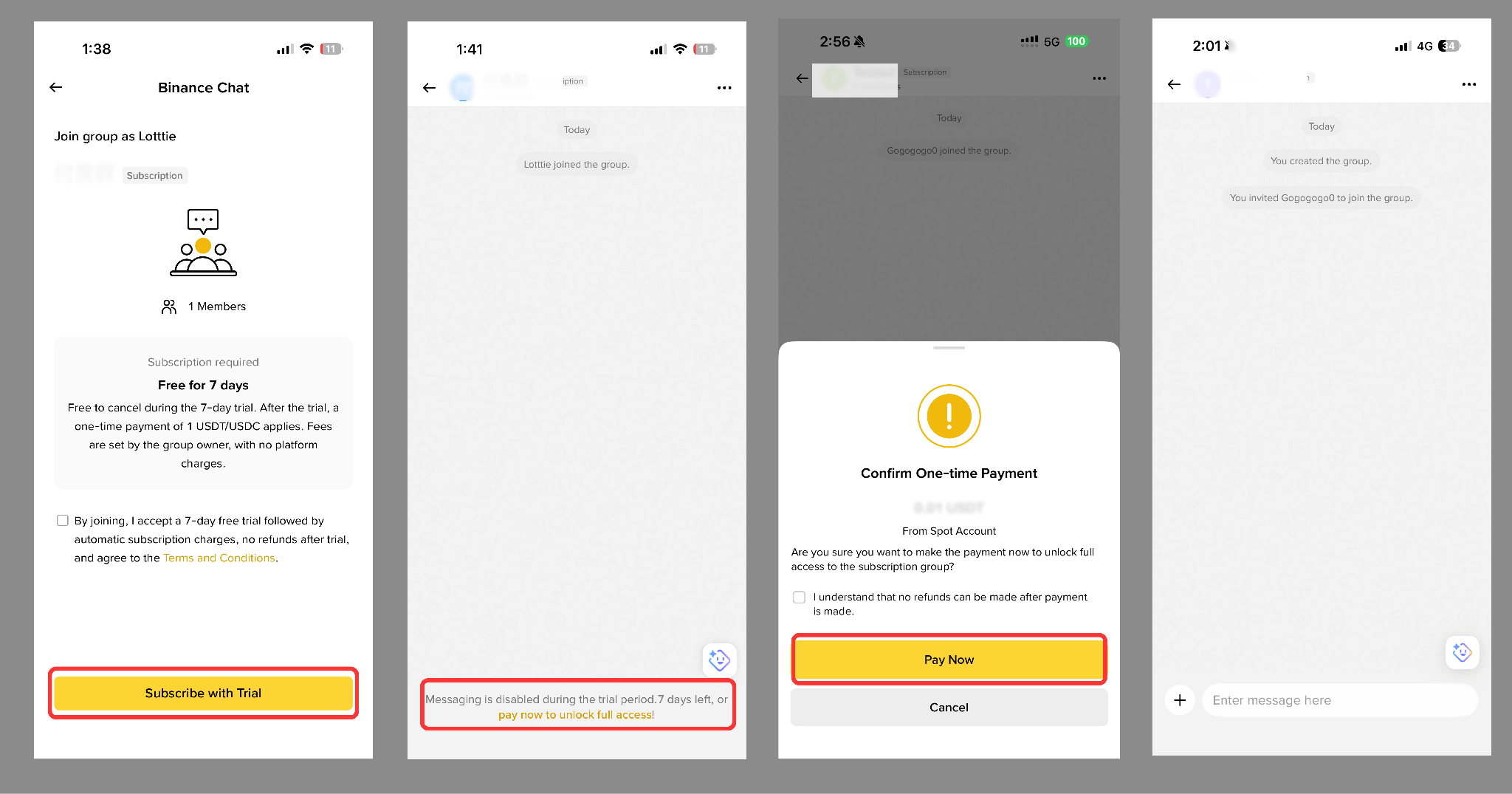
Subscription rules vary depending on how a user joins:
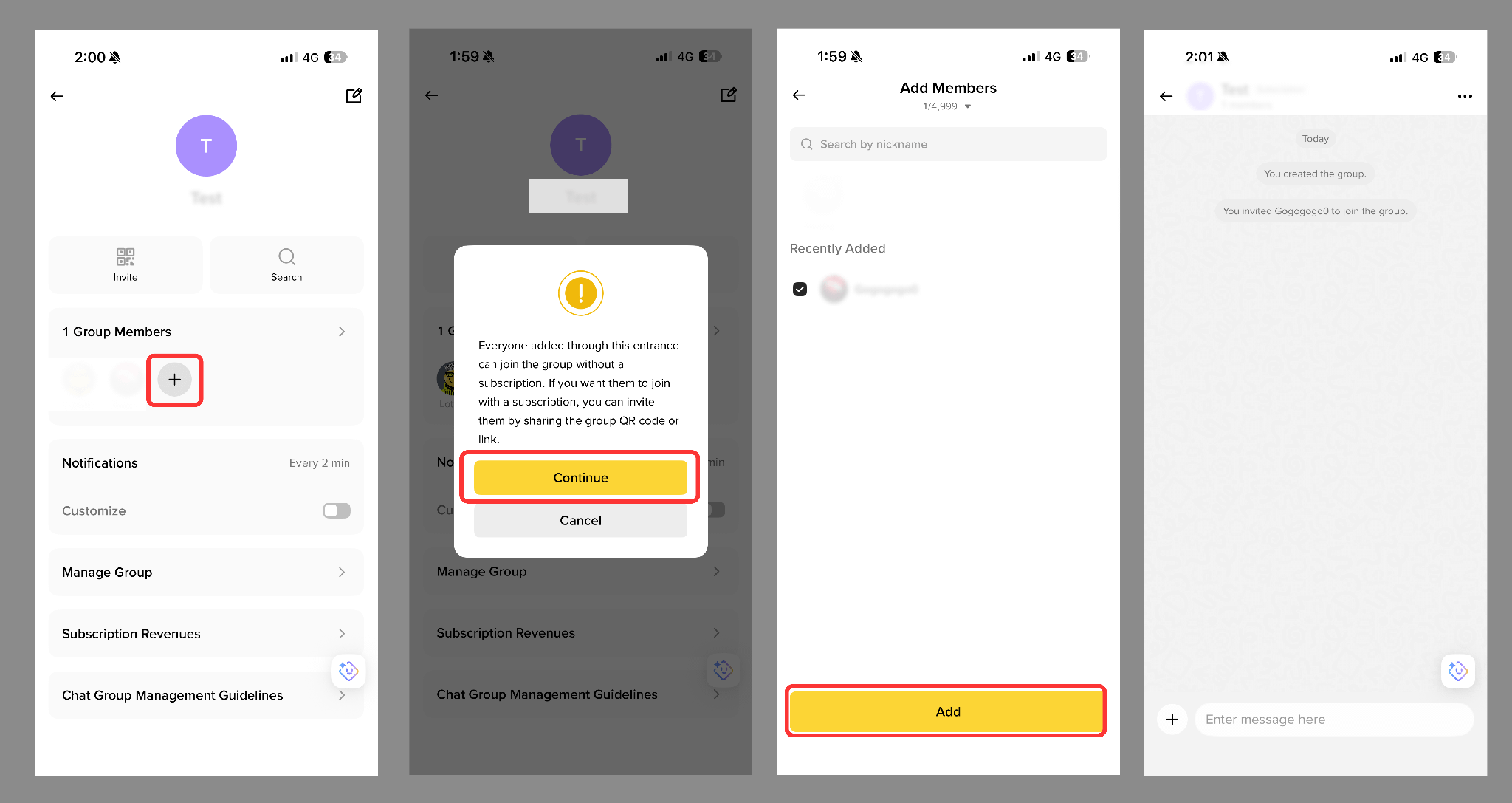
All Subscription Groups support a 7-day free trial:
For more details, please refer to the Binance Chat Subscription Group Guide.
