Binance Square adalah pusat berita dan analisis kripto berkualitas tinggi, tetapi bergerak sangat cepat. Jika Anda mengandalkan pencipta terbaik untuk wawasan penting, melewatkan pos kunci bisa berarti melewatkan peluang pasar.
Panduan Cepat 5 Langkah untuk Mengaktifkan Notifikasi Pencipta
Ketuk Ikon Profil Anda (Lite) atau Ikon Menu/Profil (Pro) di sudut kiri atas.
Ketuk Ikon Pengaturan (ikon engsel) di sudut kanan atas layar Akun.
Pilih Preferensi Notifikasi.
Pilih Kotak (di bawah Grup Notifikasi Aplikasi).
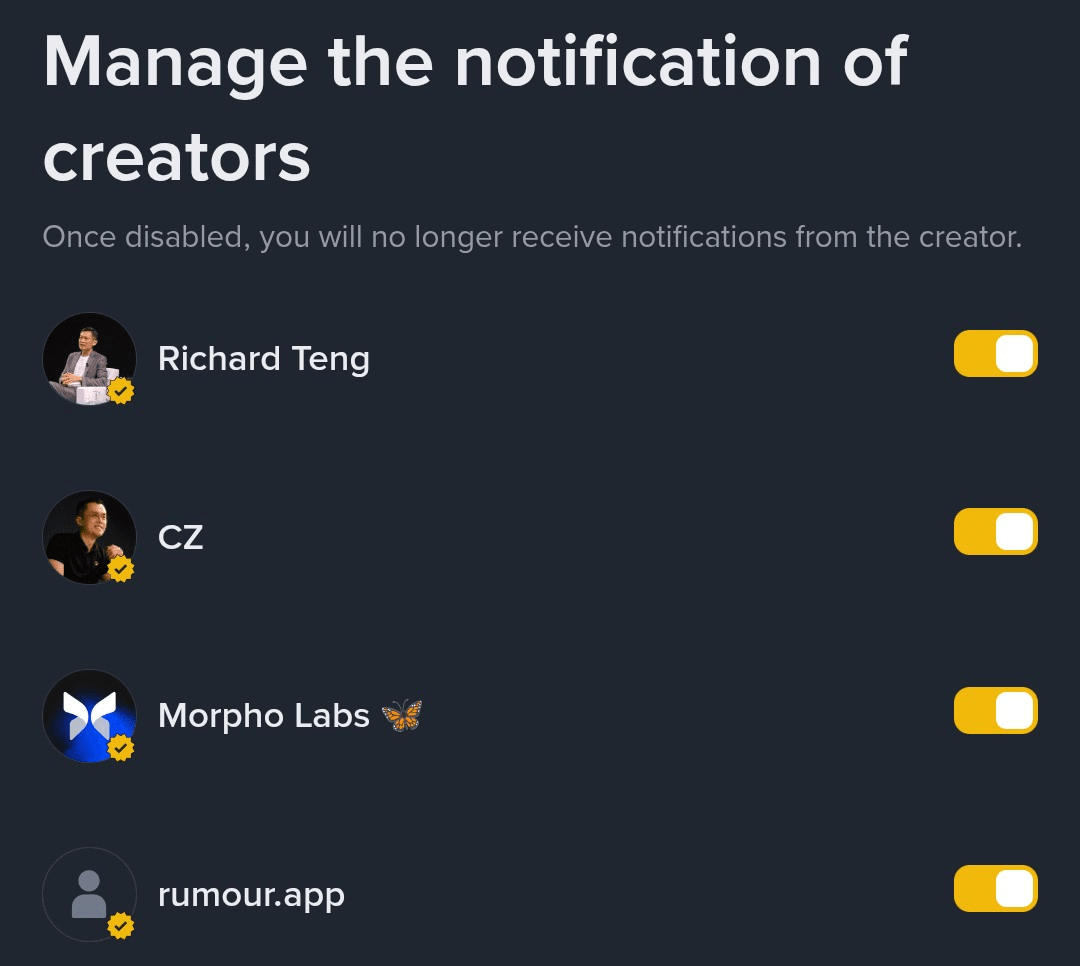
Ketuk Kelola notifikasi pencipta (di bawah Notifikasi Konten).
Tindakan Akhir: Di layar terakhir, pastikan toggle kuning dalam posisi AKTIF di samping kreator yang ingin Anda ikuti dengan dekat!
Ubah aplikasi Binance Anda menjadi aliran informasi waktu nyata untuk mendapatkan keunggulan kompetitif.
#WriteToEarnUpgrade #BinanceSquareTips