
How to Buy @Quack AI Official $Q on PancakeSwap
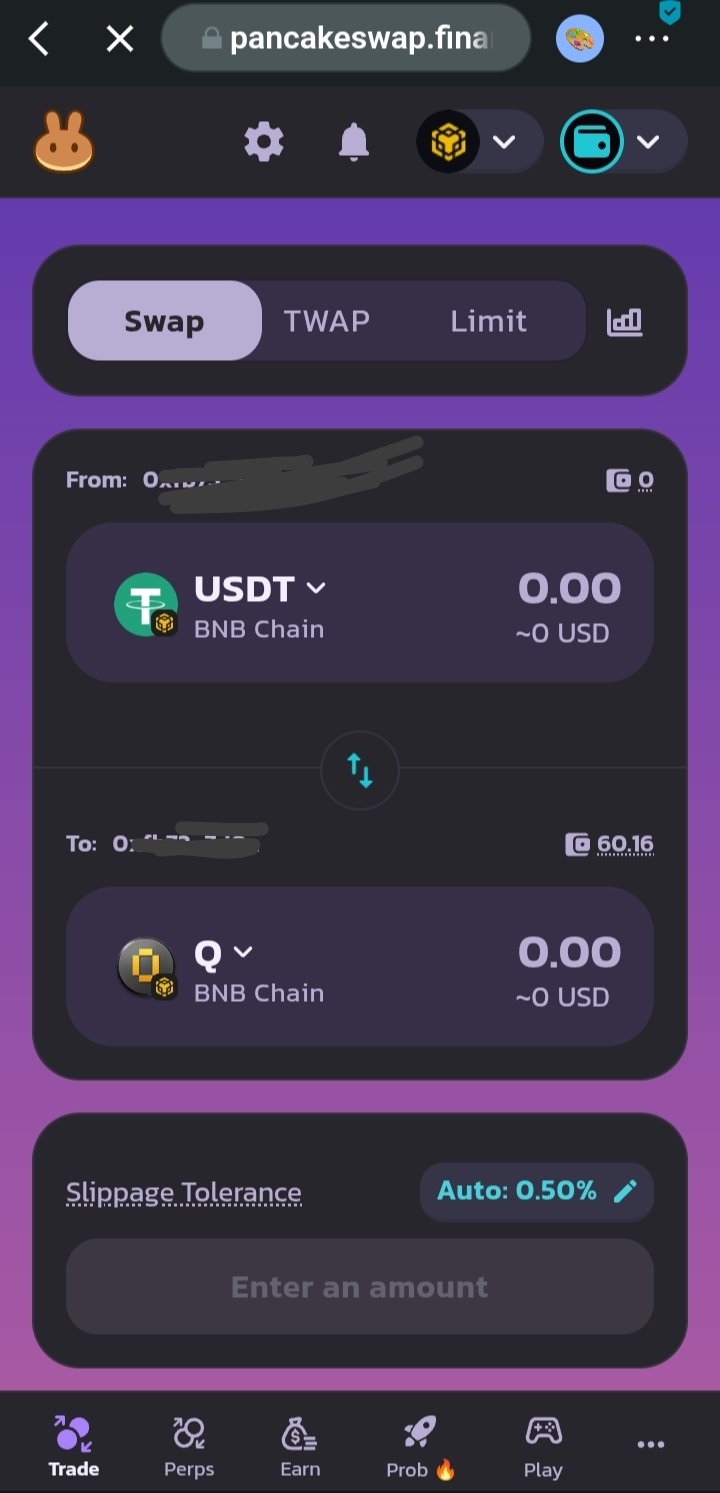
Step 1. Set up your wallet
Install a Web3 wallet like Trust Wallet or Bitget wallet and make sure BNB Smart Chain is active. Keep a little BNB for transaction fees.
Step 2. Fund your wallet
Deposit or transfer USDT or BNB into your wallet so you can swap for $Q .
Step 3. Go to PancakeSwap
Open PancakeSwap in your wallet browser and connect your wallet.
Step 4. Swap for $Q
Select the token you’re paying with (USDT or BNB), then choose $Q as the token you want to receive.
Enter the amount, review details, and confirm the swap.
Done ✅ buying $Q
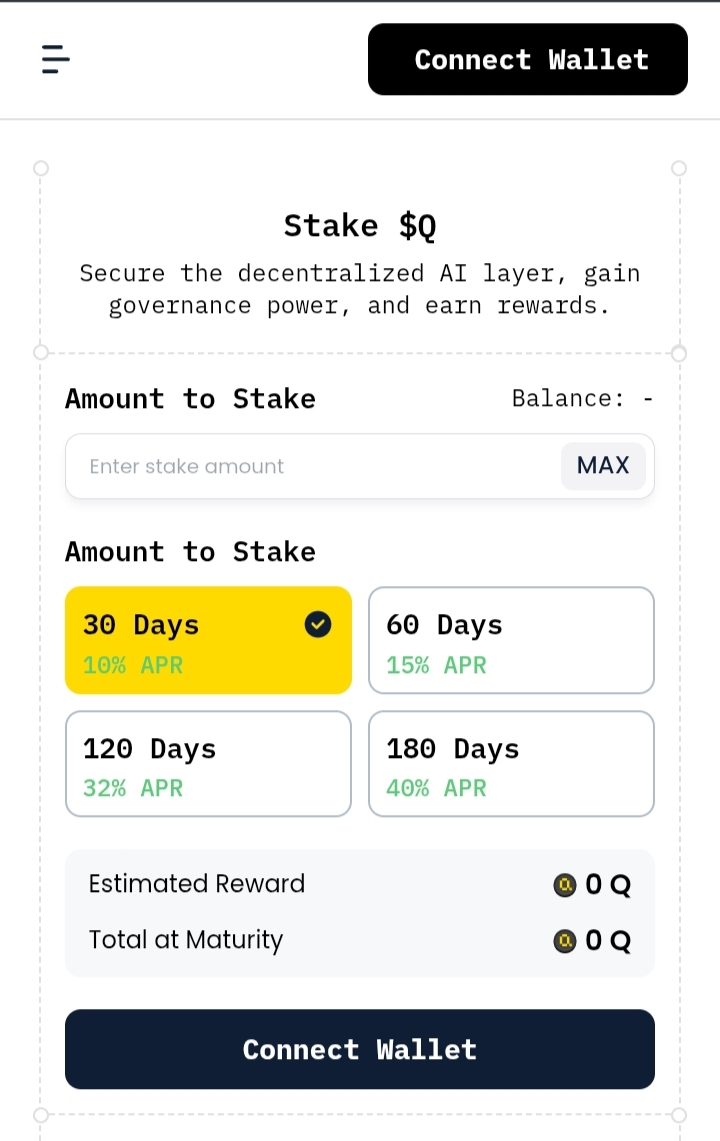
To Stake $Q
Step 1. Visit QuackAI staking page: Go to the official QuackAI app and open the Stake $Q section.
Step 2. Connect wallet: Connect the same wallet holding your $Q tokens.
Step 3. Choose staking period: Select your preferred lock period (30, 60, 120, or 180 days). Longer periods usually offer higher rewards.
Step 4. Enter amount & stake: Input how much $Q you want to stake and confirm the transaction.
You’re now earning rewards ✅
Benefits of Staking $Q
• Earn passive rewards while holding your tokens
• Support and secure the QuackAI ecosystem
• Gain governance influence in the network
• Take advantage of higher returns with longer staking periods
• Helps reduce circulating supply, supporting long-term ecosystem growth
Staking turns holding $Q into an active way of growing your position while contributing to the ecosystem’s future.