
#TrumpNewTariffs #BTCMiningDifficultyIncrease #HarvardAddsETHExposure
Pubblicato il 2020-01-03 14:17
Aggiornato il 2026-01-02 11:32
Avviso: Questa pagina FAQ è solo per informazioni generali e scopi educativi. Non costituisce termini legali o alcuna forma di accordo legale tra te e Binance. Non dovrebbe essere interpretata come consulenza finanziaria, legale o di altro tipo professionale. Le informazioni su questa pagina potrebbero essere obsolete. Per i termini legali applicabili ai Servizi di Trading di Futures e Opzioni, si prega di fare riferimento ai Termini di utilizzo, alle Regole di scambio (inclusi i Procedimenti di scambio) e alle Regole di clearing (inclusi i Procedimenti di clearing) che entreranno in vigore il 5 gennaio 2026. Ulteriori termini e condizioni saranno anche specificati nelle Specifiche del contratto applicabili al contratto di derivati pertinente.
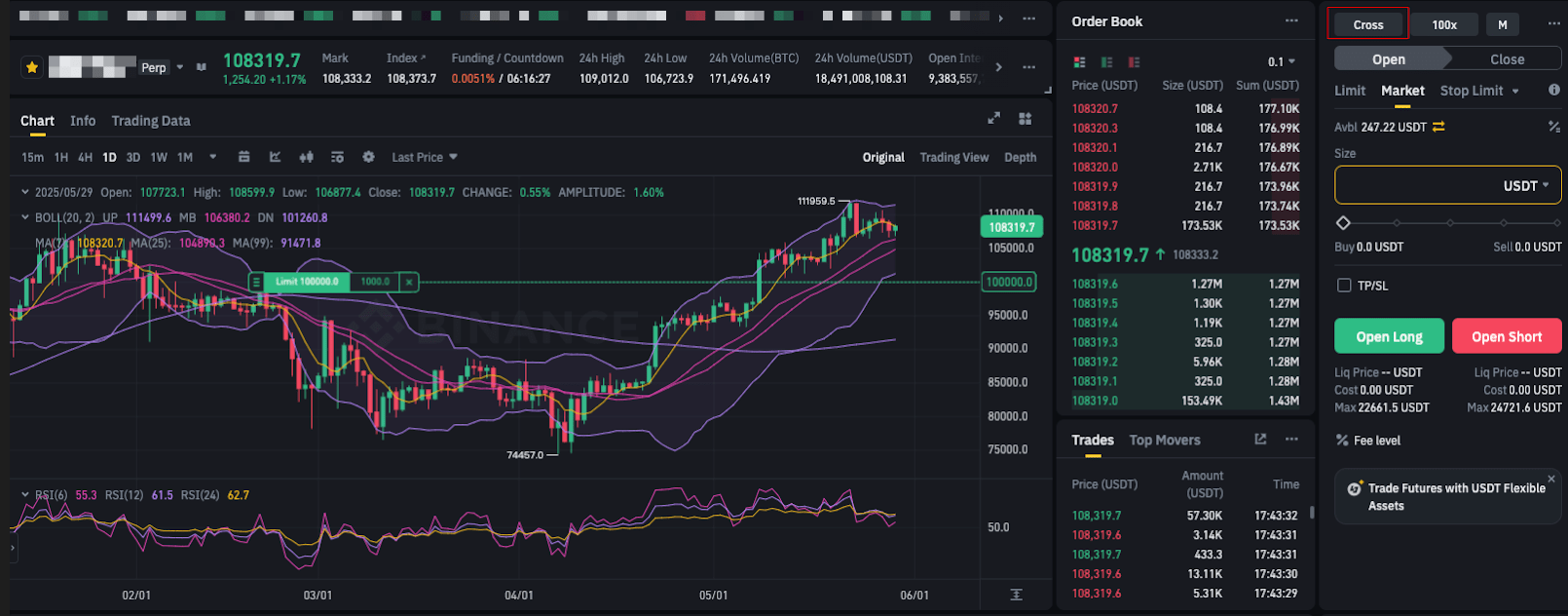
1. Vai all'interfaccia di trading Futures e clicca [Cross] in alto a destra.
2. Verrà visualizzata una schermata di conferma. Seleziona la modalità di margine di tua scelta e clicca [Conferma].
Si prega di notare:
Cambiare la modalità di margine si applicherà solo al contratto selezionato.
La modalità Cross Margin condivide il tuo saldo di margine tra tutte le posizioni aperte dello stesso tipo di asset, ad esempio, se hai selezionato la modalità Cross Margin sul BTCUSD Perpetual, le posizioni aperte del BTCUSD Perpetual condividono il saldo di margine solo di BTC.
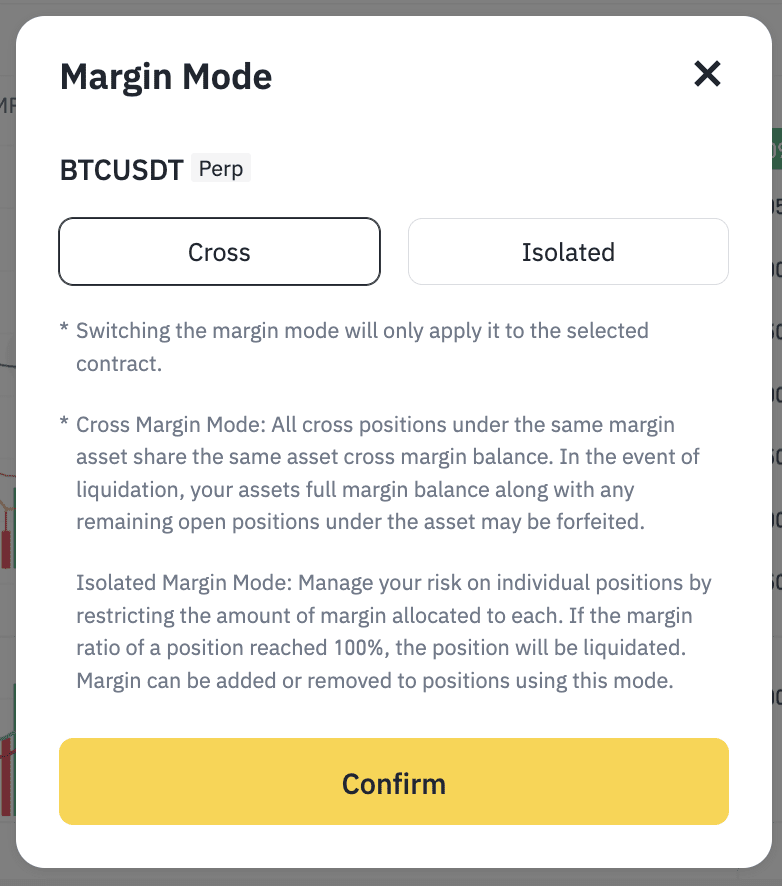
3. Puoi ripetere i passaggi sopra per passare tra le modalità Cross Margin e Isolated Margin. Assicurati di aver selezionato la modalità di margine preferita prima di aprire ordini o entrare in posizioni.
Note importanti:
Tutti i contratti e le posizioni sono impostati per impostazione predefinita sulla modalità Cross Margin;
Cambiare la modalità di margine si applicherà solo al contratto selezionato;
Assicurati di aver selezionato la modalità di margine preferita prima di aprire ordini o entrare in posizioni;
Non ti è permesso cambiare la modalità di margine se hai ordini o posizioni aperte;
Nella modalità Cross Margin, il tuo margine può essere condiviso solo con lo stesso tipo di asset. Ad esempio, tutti gli USDC nel conto Futures USDⓈ-M possono essere utilizzati per tutti i contratti con margine in USDC, tutti i BTC nel conto Futures COIN-M possono essere utilizzati per tutti i contratti basati su BTC (inclusi perpetui e di consegna).