Disclaimer: In compliance with MiCA requirements, unauthorized stablecoins are subject to certain restrictions for EEA users. For more information, please click here.
Disclaimer: This FAQ Page is for general information and educational purposes only. It does not constitute legal terms or any form of legal agreement between you and Binance. It should not be construed as financial, legal or other professional advice. The information on this page may be outdated. For legal terms applicable to Futures and Options Trading Services, please refer to the Terms of Use, the Exchange Rules (including the Exchange Procedures) and the Clearing Rules (including the Clearing Procedures) which come into effect on 5 January 2026. Additional terms and conditions will also be set out in the Contract Specifications applicable to the relevant Derivatives contract.
Conditional order is a new order category in Binance Futures. It includes stop limit, stop market, and stop BBO orders. You can access these orders under [Trailing Stop] on the Futures trading page.
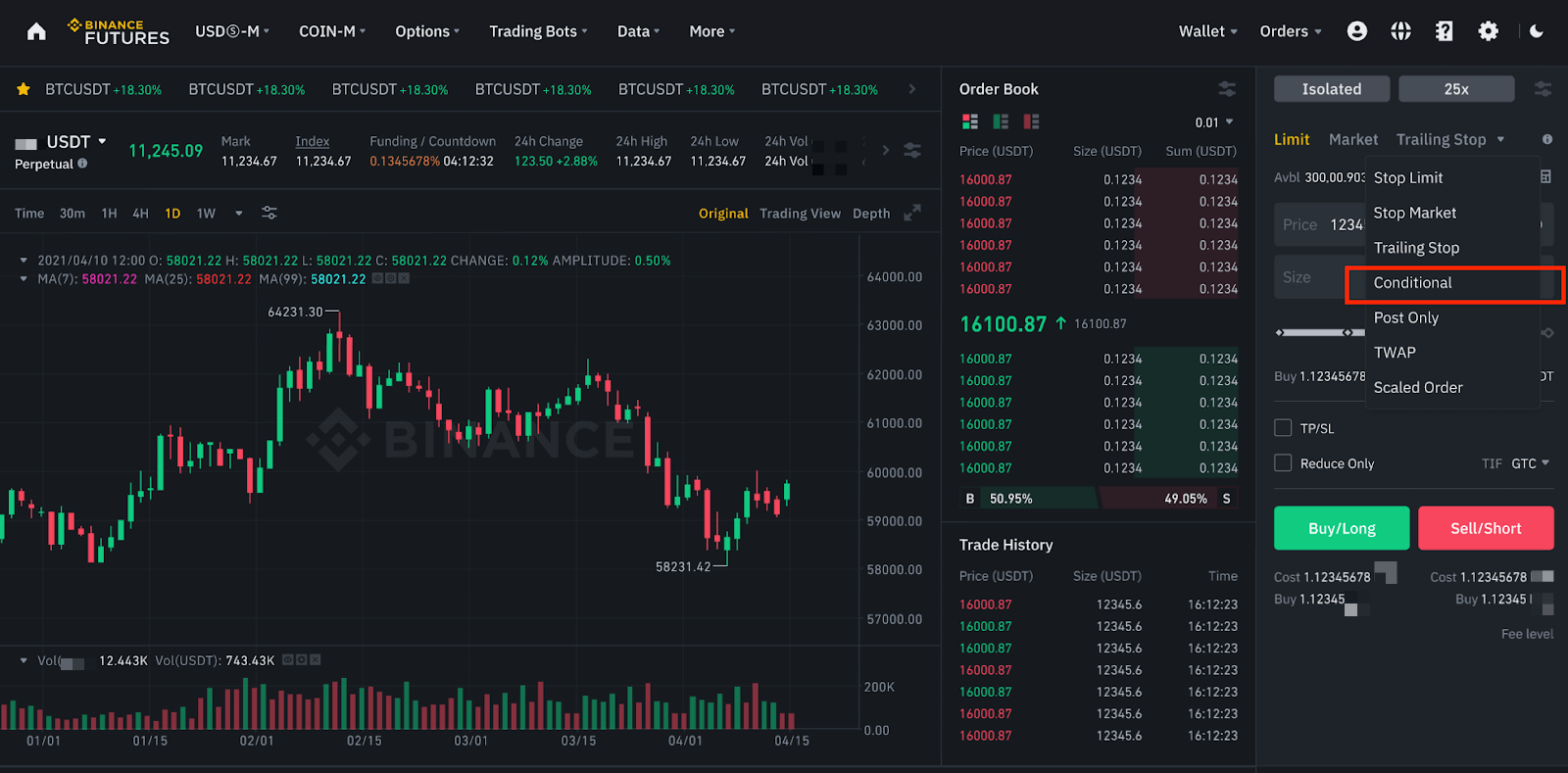
1. Firstly, selecting [Conditional Order] allows you to set the order type and trigger price.

For example:
To create a stop limit buy order of 500 USDT with the stop price of Mark Price ≥1,000 and a limit price of 1,005 USDT:
2. After successfully creating a conditional order, it will appear in the [Open Orders] - [Conditional] tab. If the conditional order is triggered but remains unfilled, it will move to the [Basic] tab.
3. To cancel the conditional order, click [Cancel All] and select [Conditional Orders]. Please note that this will cancel all conditional orders.

| Conditional Order | Basic Stop Order | |
| Open Order Display | Once created under the [Conditional] tab, the order moves to the [Basic] tab upon triggering and remains unfilled. | Under the [Basic] tab |
| Max. Limits for Open Orders | 200 open orders per account | 10 open orders per account |
| TP/SL Strategy | Not supported at this phase | Supported |
| Margin Check | No margin check when placing conditional orders. | Always has margin check when placing stop orders. |
| Cancel All | Conditional orders for all symbols will be canceled. | When selecting [Hide Other Symbols], basic orders for this symbol will be canceled. |
Please Note:
