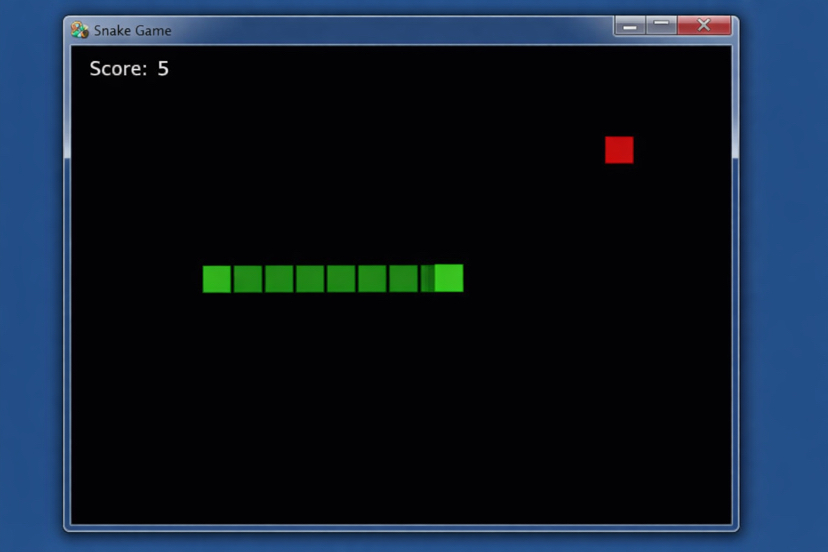
✅ Krok 1: Zainstaluj Pygame
Otwórz terminal / wiersz poleceń i uruchom:
pip install pygame
✅ Krok 2: Pełny działający kod gry w węża
Skopiuj to do pliku o nazwie snake_game.py:
import pygame
import random
import sys
# Inicjalizuj pygame
pygame.init()
# Rozmiar ekranu
SZEROKOŚĆ = 600
WYSOKOŚĆ = 400
ROZMIAR_KLOCKA = 20
ekran = pygame.display.set_mode((SZEROKOŚĆ, WYSOKOŚĆ))
pygame.display.set_caption("Gra w węża")
# Kolory
CZARNY = (0, 0, 0)
ZIELONY = (0, 255, 0)
CZERWONY = (255, 0, 0)
BIAŁY = (255, 255, 255)
zegarek = pygame.time.Clock()
czcionka = pygame.font.SysFont("Arial", 25)
def rysuj_węża(snake):
for block in snake:
pygame.draw.rect(screen, GREEN, (block[0], block[1], BLOCK_SIZE, BLOCK_SIZE))
def wiadomość(text):
msg = font.render(text, True, WHITE)
screen.blit(msg, [WIDTH // 6, HEIGHT // 3])
def gra():
snake = [[100, 100], [80, 100], [60, 100]]
direction = "RIGHT"
food = [random.randrange(0, WIDTH, BLOCK_SIZE),
random.randrange(0, HEIGHT, BLOCK_SIZE)]
wynik = 0
game_over = False
while not game_over:
screen.fill(BLACK)
for event in pygame.event.get():
if event.type == pygame.QUIT:
pygame.quit()
sys.exit()
if event.type == pygame.KEYDOWN:
if event.key == pygame.K_UP and direction != "DOWN":
direction = "UP"
elif event.key == pygame.K_DOWN and direction != "UP":
direction = "DOWN"
elif event.key == pygame.K_LEFT and direction != "RIGHT":
direction = "LEFT"
elif event.key == pygame.K_RIGHT and direction != "LEFT":
direction = "RIGHT"
head = snake[0].copy()
if direction == "UP":
head[1] -= BLOCK_SIZE
elif direction == "DOWN":
head[1] += BLOCK_SIZE
elif direction == "LEFT":
head[0] -= BLOCK_SIZE
elif direction == "RIGHT":
head[0] += BLOCK_SIZE
# Sprawdź kolizję ze ścianą
if head[0] < 0 or head[0] >= WIDTH or head[1] < 0 or head[1] >= HEIGHT:
game_over = True
# Sprawdź kolizję z samym sobą
if head in snake:
game_over = True
snake.insert(0, head)
# Sprawdź kolizję z jedzeniem
if head == food:
wynik += 1
food = [random.randrange(0, WIDTH, BLOCK_SIZE),
random.randrange(0, HEIGHT, BLOCK_SIZE)]
else:
snake.pop()
# Rysuj jedzenie
pygame.draw.rect(screen, RED, (food[0], food[1], BLOCK_SIZE, BLOCK_SIZE))
# Rysuj węża
rysuj_węża(snake)
# Wyświetl wynik
score_text = font.render(f"Wynik: {score}", True, WHITE)
screen.blit(score_text, [10, 10])
pygame.display.update()
clock.tick(10)
screen.fill(BLACK)
wiadomość("Koniec gry! Naciśnij Q, aby zakończyć lub C, aby zagrać ponownie")
pygame.display.update()
while True:
for event in pygame.event.get():
if event.type == pygame.QUIT:
pygame.quit()
sys.exit()
if event.type == pygame.KEYDOWN:
if event.key == pygame.K_q:
pygame.quit()
sys.exit()
if event.key == pygame.K_c:
gra()
gra()
🎮 Jak uruchomić
python snake_game.py
🎯 Sterowanie
⬆ Strzałka w górę
⬇ Strzałka w dół
⬅ Strzałka w lewo
➡ Strzałka w prawo
🚀 Następny poziom (opcjonalne ulepszenia)
Ponieważ interesujesz się grami blockchainowymi, następnie możemy:
✅ Dodaj zapisywanie wyniku do bazy danych
✅ Przekształć na wersję Play-to-Earn
✅ Dodaj symulację logowania do portfela
✅ Dodaj tryb wieloosobowy
✅ Przekształć na wersję webową dla integracji z Solana