Suspicious Login Alerts: What That Notification Means & What To Do Next
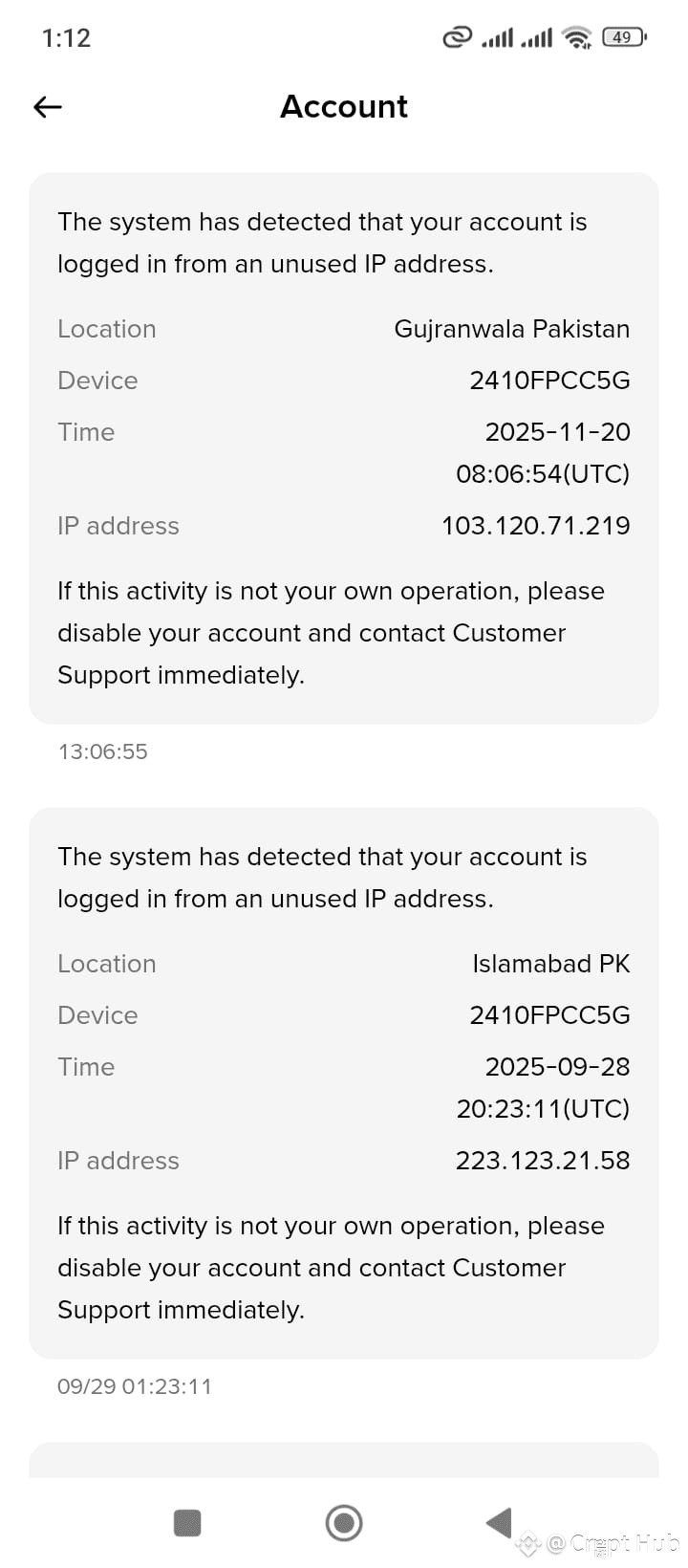
Hey there! 📱 If you’ve just seen a screenshot like the one shared – showing two “Account” alerts about log‑ins from unfamiliar IP addresses – here’s a quick rundown of what’s going on and how to handle it.
What the message is telling you
The notifications say:
> *“The system has detected that your account is logged in from an unused IP address.”*
*Details given:* Location, Device ID, Timestamp (UTC), and the IP address.
*Action recommended:* _“If this activity is not your own operation, please disable your account and contact Customer Support immediately.”_
In the attached image, there are *two* such alerts:
1. *Gujranwala, Pakistan* – IP *103.120.71.219* – Timestamp: *2025‑11‑20 08:06:54 UTC*
2. *Islamabad, PK* – IP *223.123.21.58* – Timestamp: *2025‑09‑28 20:23:11 UTC*
Possible scenarios
- *Legitimate login you forgot*: Maybe you or someone you gave access to used the account from those locations/devices.
- *Potential breach*: If you haven’t logged in from Gujranwala or Islamabad (or don’t recognize the device ID “2410FPCC5G”), it could be unauthorized access.
Immediate steps to secure your account
1. *Check the details*: Verify whether the locations and times match your own activity.
2. *Change your password*: Pick a strong, unique one – preferably with 2‑factor authentication (2FA) enabled.
3. *Log out remotely*: Most platforms let you sign out of all devices from the security settings – do this ASAP if anything looks fishy.
4. *Reach out to support*: Follow the prompt – contact customer support with the alert details; they can guide you on further verification.
5. *Review recent activity*: Look through the account’s activity log (if available) for any other unusual actions (e.g., changes to email/phone, unfamiliar transactions).
6. *Enable extra security*: Activate 2FA if you haven’t already – adds a crucial layer of protection.
Preventive tips
- *Use strong passwords*: Mix letters, numbers, symbols – avoid easily guessable info.
- *Regularly audit log‑ins*: Familiarize yourself with typical access locations/devices; flag anything odd promptly.
- *Be cautious with links & apps*: Phishing attempts often try to harvest credentials – double‑check URLs and never share codes.
- *Update your recovery options*: Ensure your email/phone tied to the account are secure and up‑to‑date.
Bottom line
Those alerts are your system’s way of flagging potentially risky activity – better safe than sorry! If anything feels off, act fast: secure your account, alert support, and tighten up your security settings.
Stay safe online! 🚨