The Binance Wallet is a digital wallet designed for users who want direct access to decentralized finance and on-chain trading without relying on traditional intermediaries. It combines convenience with strong security systems and is available in two forms: a mobile version inside the Binance app and a web version for desktop users.
Security is one of its main priorities. The mobile wallet uses Multi-Party Computation (MPC), while the web version relies on Secure Auto Sign (SAS) operating inside a Trusted Execution Environment (TEE). These technologies reduce the risks associated with single-key storage and manual transaction approvals.
With the Binance Wallet, users can perform cross-chain swaps, access Binance Bridge, explore decentralized applications (DApps), interact with DeFi protocols, and analyze their on-chain portfolios. All of this is supported by 24/7 customer service.
What Is the Binance Wallet?
The Binance Wallet is a self-custody cryptocurrency wallet integrated directly into the Binance ecosystem. It allows users to manage digital assets while interacting with decentralized systems rather than relying on centralized exchanges.
The mobile version focuses on simplicity and accessibility. It enables users to store assets, swap tokens across blockchains, access DeFi services, and create a wallet without handling traditional seed phrases.
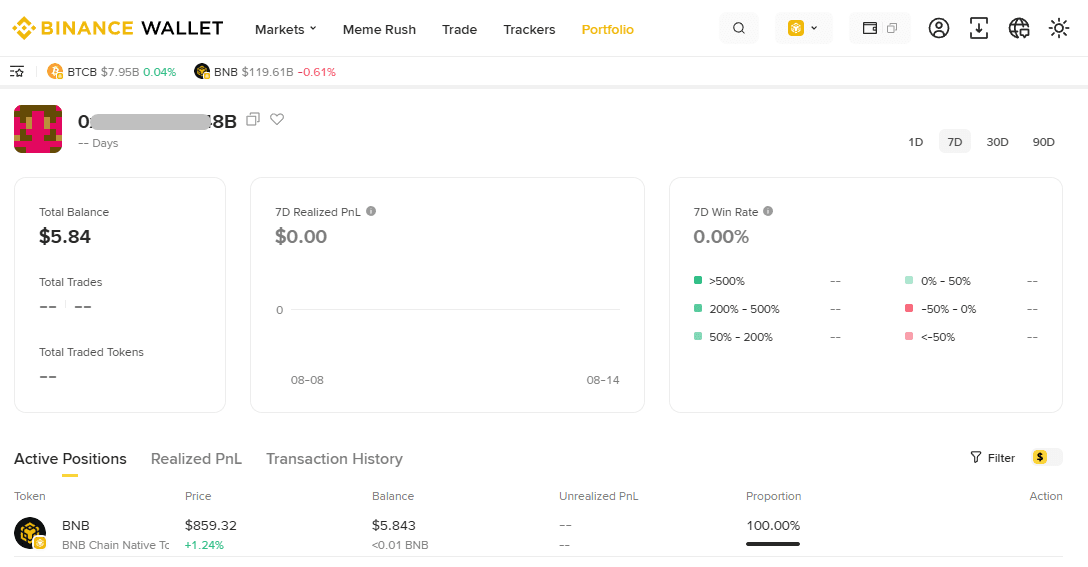
The web version, known as Binance Wallet (Web), is built for speed and data-rich trading. It offers advanced features such as real-time token tracking, portfolio analytics, and social trading updates, making it more suitable for active on-chain traders.
How Does the Binance Wallet Work?
Mobile Wallet Security: MPC
The mobile version of the Binance Wallet uses a system called Multi-Party Computation (MPC). Instead of storing a private key in one place, MPC divides access into multiple encrypted components.
Three key-shares are created:
One is stored inside your wallet
One is stored in cloud storage
One is stored on your device
These shares are protected by a recovery password that only the user knows. This structure eliminates a single point of failure and reduces the risk of total loss if one part is compromised.
Web Wallet Security: SAS
The web version uses Secure Auto Sign (SAS), a system designed to make on-chain trading faster while maintaining security.
SAS works inside a Trusted Execution Environment (TEE), which is an isolated hardware-based system operated by a trusted cloud provider. This environment ensures that private keys are never exposed, even during automated signing.
With SAS, users do not need to manually confirm every transaction through the mobile app. Instead, they can authorize sessions that last for seven days. Each new order renews the session automatically, or users can reauthorize it manually.
Key Features of the Binance Wallet
1. Easy to Use
The Binance Wallet is designed for fast setup and minimal complexity.
On mobile, users can create a wallet within seconds directly from the Binance app. There is no need to manually store seed phrases or private keys.
On the web, existing users can log in simply by scanning a QR code from their Binance app. No separate registration is required.
2. Convenience
The wallet is directly connected to Binance Bridge and other service providers. This allows users to swap tokens across different blockchains at competitive rates.
Users can also:
Explore decentralized applications (DApps)
Access DeFi platforms
Generate yield
The web version includes:
Trending token lists
Binance Alpha tokens
Meme Rush insights
Detailed token charts
Wallet trackers
Social trading updates
Portfolio and position management tools
3. Security
Security is built into every layer of the Binance Wallet.
The system warns users about:
Incorrect addresses
Potentially malicious smart contracts
Risky tokens or blockchains
Mobile security relies on MPC, which distributes key custody.
Web security relies on SAS inside a TEE, which isolates private keys and allows secure delegation of signing rights.
4. Self-Custody
Both versions of the wallet provide full control over digital assets. Access is protected through encryption and user-defined passwords. Binance does not hold your funds.
This means responsibility lies entirely with the user.
5. Customer Support
Users have access to 24/7 customer support on both mobile and web platforms.
How to Use the Binance Wallet
You can access the Binance Wallet through the Binance mobile app or through the Binance Wallet Web platform.
Mobile Version
1.Log in to your Binance account.
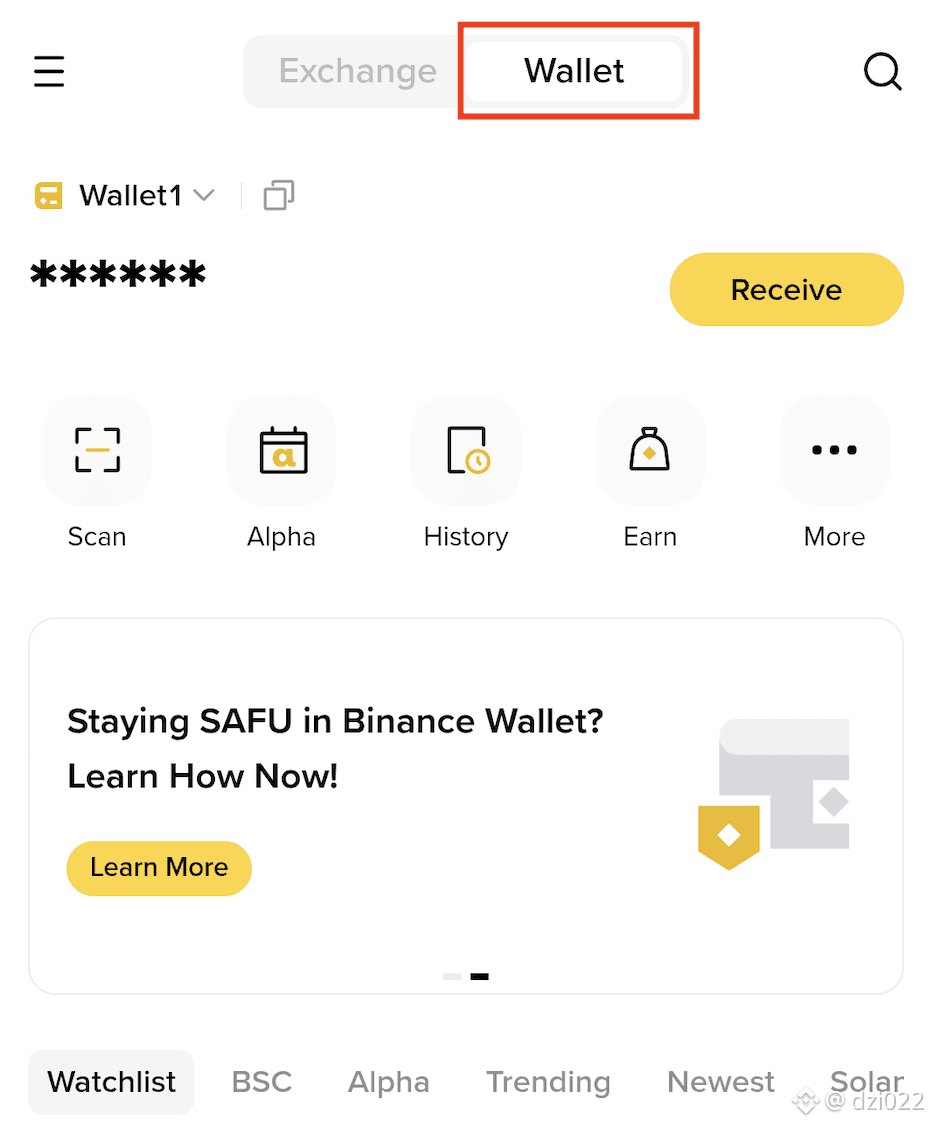
Tap on [Wallet] at the top of the screen.
Select [Create Wallet] or [Import Wallet].
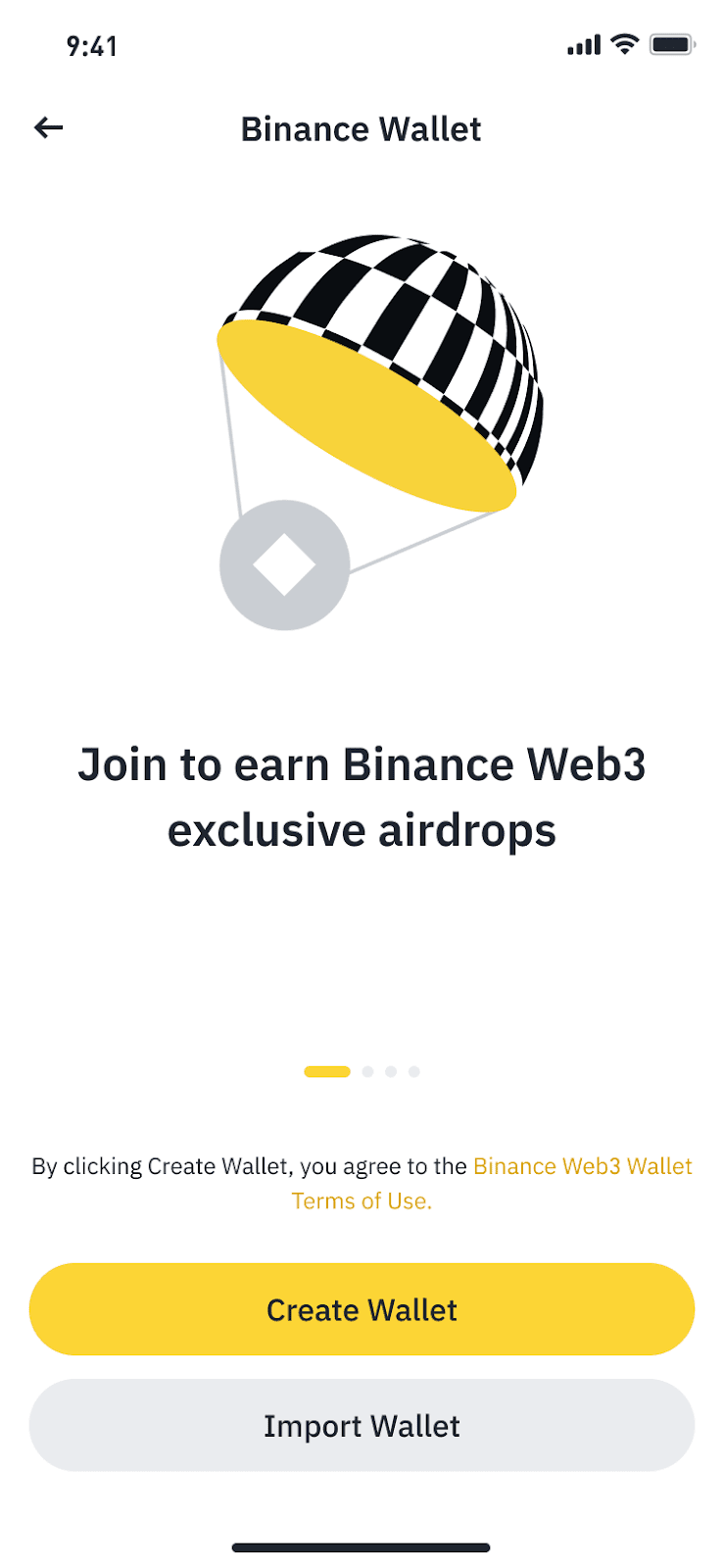
Back up your wallet and set your recovery password before using it.
For detailed backup instructions, users should review Binance’s guide on keyless address backups.
Web Version
Log in to your Binance account.
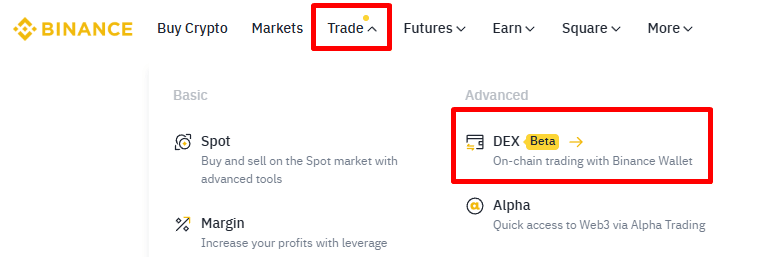
Navigate to [Trade] > [DEX] from the top menu.
Use your Binance mobile app to enable Secure Auto Sign (SAS).
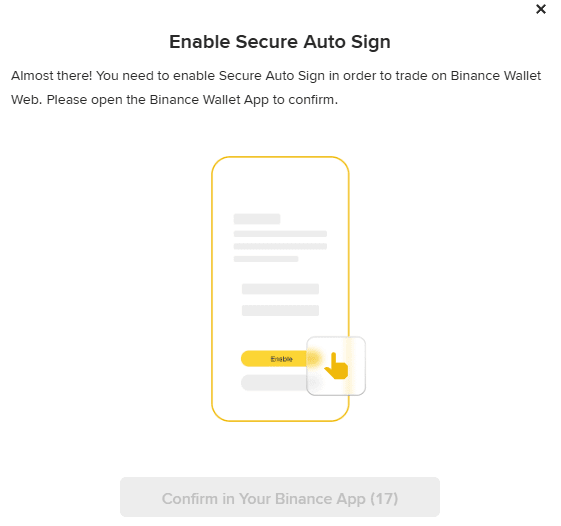
Once authorized, you can begin using the Binance Wallet Web.
SAS sessions last for seven days and automatically renew with trading activity. If the wallet is inactive for seven days, reauthorization will be required.
Optional: Trading Fee Discount With Referral Code
When setting up your Binance Wallet, users can optionally apply a referral code to receive a discount on trading fees.
If you want to get a 10% trading fee discount, simply visit https://web3.binance.com/en/referral and enter my referral code C17IW2HQ when the pop-up window appears.
Once activated, the discount will be applied automatically.
Important Notice
On-chain trading carries higher risks than centralized exchange trading. Transactions are irreversible, and users interact directly with smart contracts.
Before using the Binance Wallet, users should carefully review the Terms of Use and fully understand the risks involved.
Disclaimer
The Binance Wallet is an optional product. It is the user’s responsibility to decide whether it is suitable for their needs.
Binance is not responsible for the use of third-party applications embedded in the wallet and holds no liability for disputed transactions. Users should always conduct their own research.