


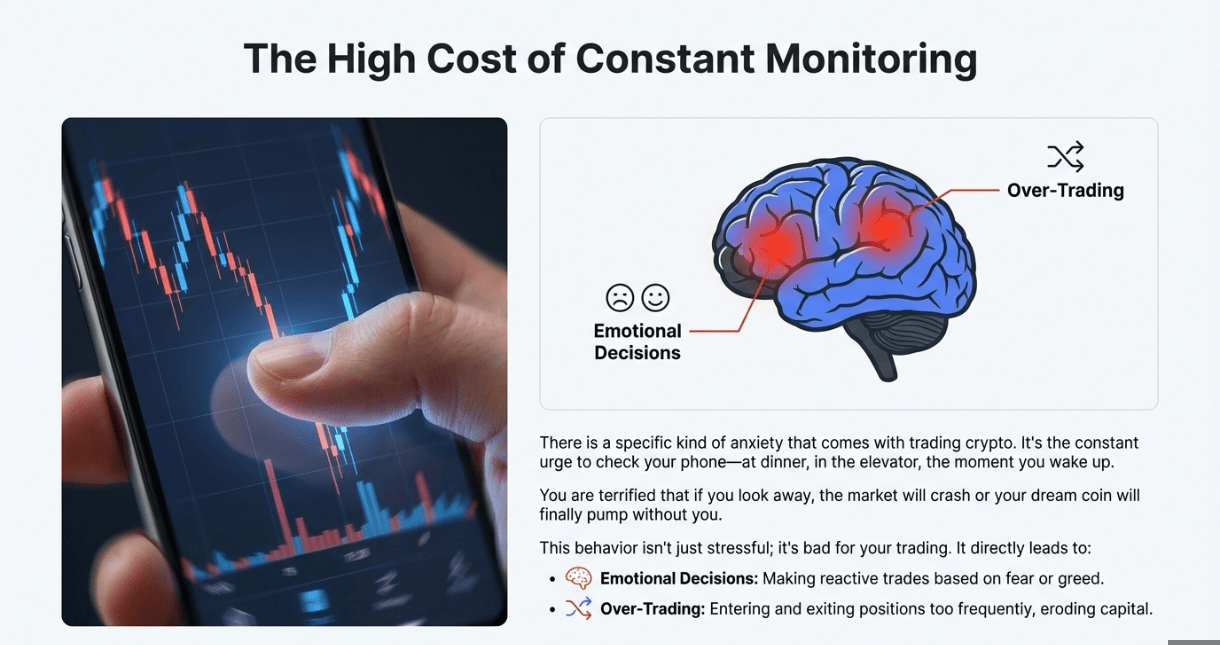
There is a specific kind of anxiety that comes while you trade crypto. It’s the constant urge to check your phone or your device. You check it at dinner, you check it in the elevator, you check it the moment you wake up and the list goes on . You are terrified that if you look away for one hour, the market will crash or your dream coin will finally pump without you (can feel you 😭) .
This behavior isn't just stressful, but it's bad for your trading. It leads to emotional decisions and "over-trading" , which leads to many wrong decisions taking and overall damage to your mental health bit by bit.
The solution is simple, free, and built right into your Binance app: Price Alerts. By setting up a proper alert system, you can stop staring at charts and let the market come to you. This guide will show you exactly how to set them up in seconds, so you can reclaim your time without sacrificing your gains.
II. What Are Price Alerts?
A Price Alert is a digital "tripwire." You tell the Binance App: "If Bitcoin hits $95,000, send a push notification to my phone immediately."
Until that specific price is hit, the app stays silent. You don't need to check the chart because you know, with 100% certainty, that your target hasn't been reached yet.
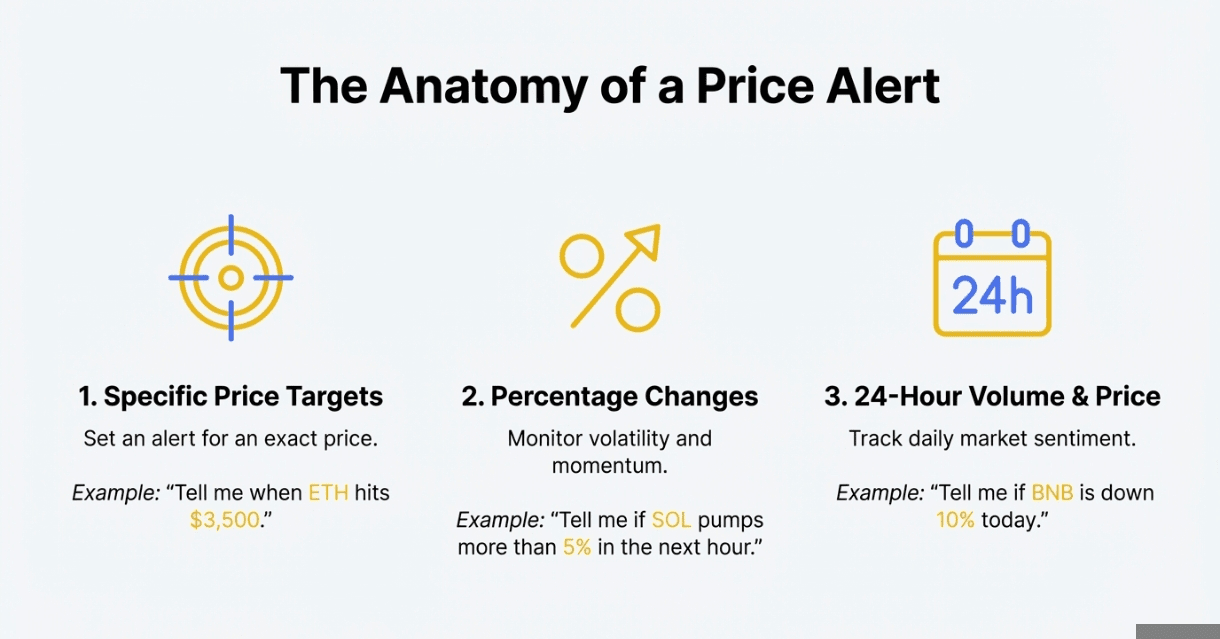
You can set alerts for:
Specific Prices: "Tell me when ETH hits $3,500."
Percentage Changes: "Tell me if SOL pumps more than 5% in the next hour."
24-Hour Changes: "Tell me if BNB is down 10% today."
III. Why You Should Use Them
Alerts are not just for convenience; they are a risk management tool. There're lots of benefits of using the alerts other than just resting your mind.
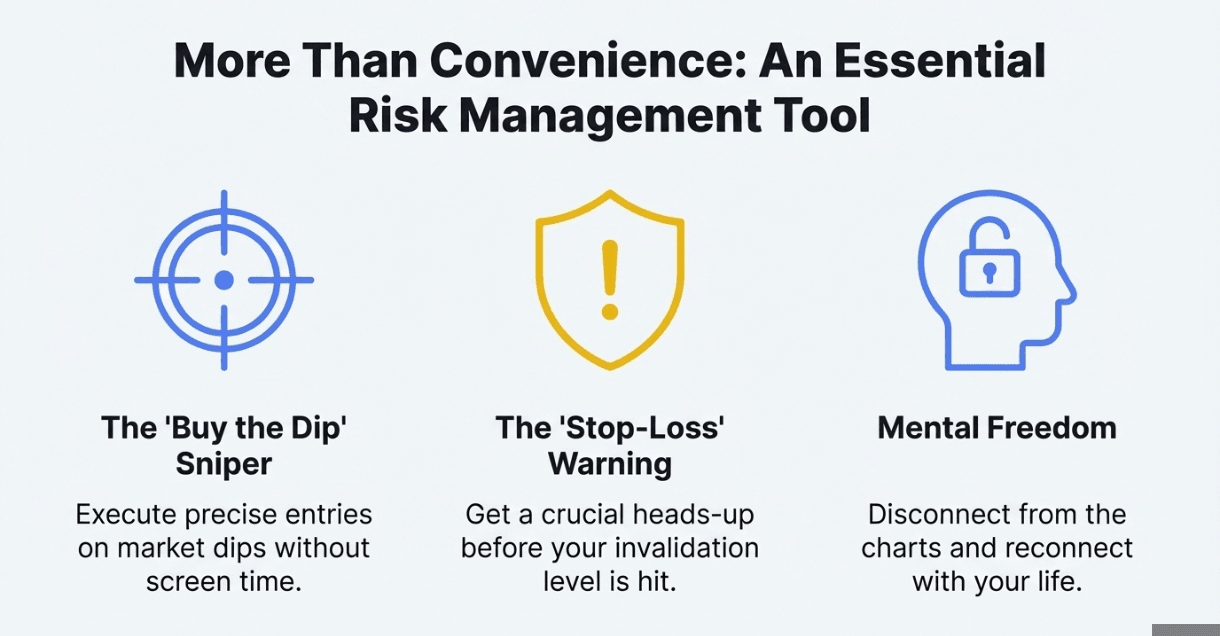
The "Buy the Dip" Sniper: Instead of staring at the screen waiting for a dip, set an alert for your "dream entry price." If the market crashes while you are sleeping, your phone wakes you up, you buy the bottom, and go back to sleep.
The "Stop-Loss" Warning: Even if you have a hard Stop-Loss set, you might want a "pre-warning." If your invalidation level is $58,000, set an alert at $58,500. This gives you time to assess the situation before your trade is closed out.
Mental Freedom: The biggest benefit is psychological. Knowing that you will be notified allows your brain to disconnect from the market. You can focus on your work or family, knowing you haven't missed anything.
IV. How to Set Up Price Alerts
Setting this up takes less than 30 seconds. Here is the exact process for the Binance App
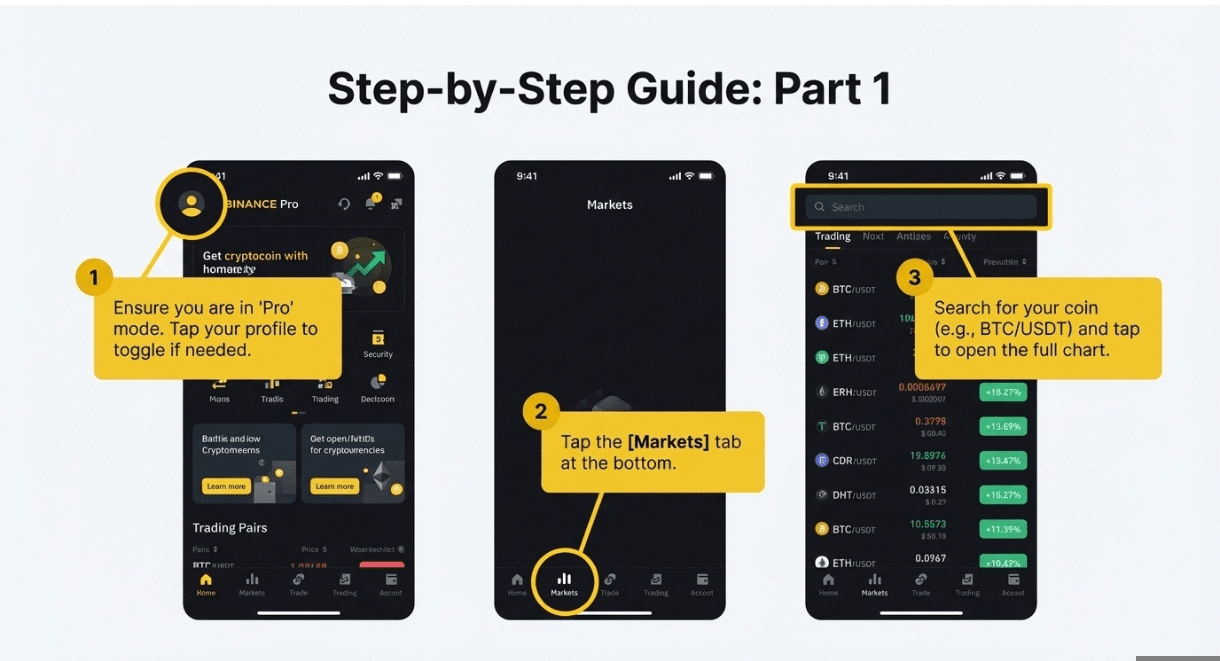
Open the App: Log in and ensure you are on the "Pro" version (toggle in your profile settings if needed).
Go to Markets: Tap the [Markets] tab at the bottom or search for your coin directly (e.g., BTC/USDT).
Open the Chart: Tap on the trading pair to open the full price chart.
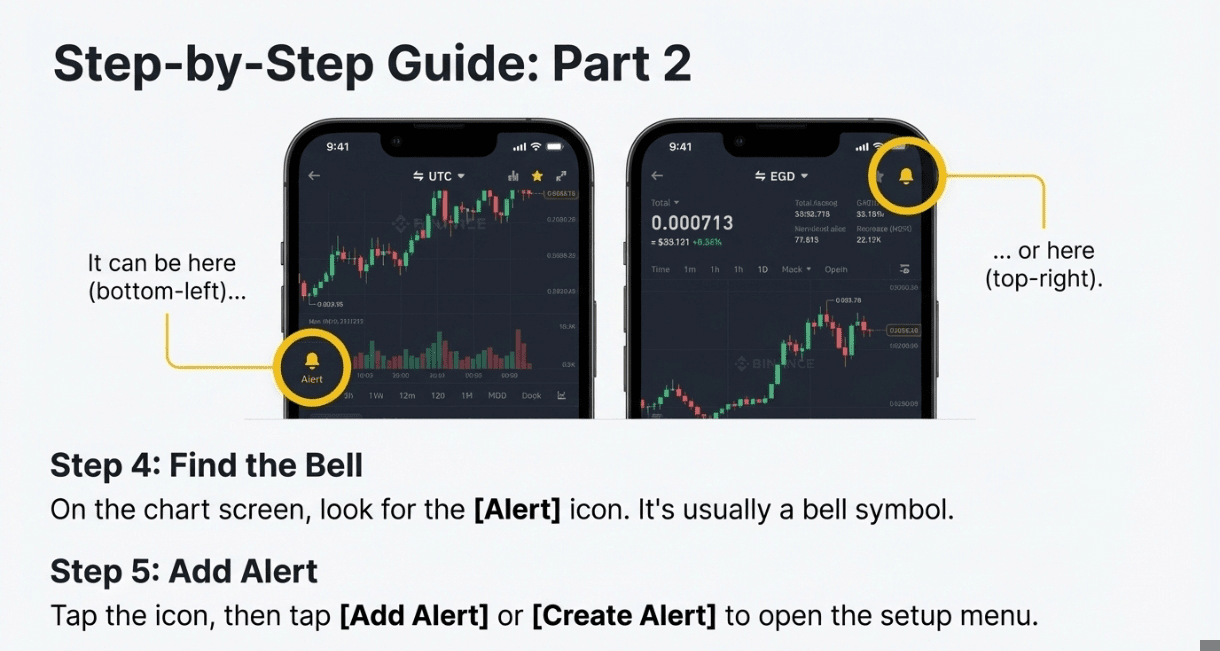
Find the Bell: Look for the [Alert] icon.
Note: On most versions, this is a Bell Icon located in the bottom-left corner of the screen (next to the "Buy/Sell" buttons) or sometimes in the top-right corner.
5. Add Alert: Tap [Add Alert] or [Create Alert].
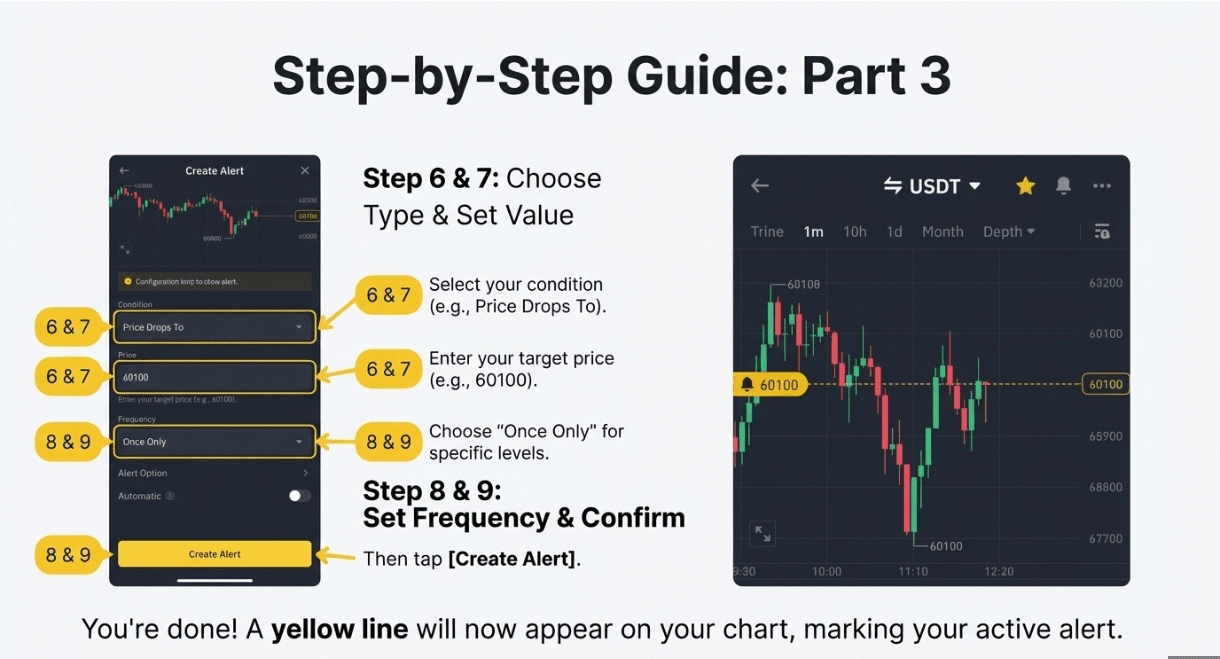
6. Choose Your Type:
Price Rises Above: For profit targets.
Price Drops To: For buying dips or stop-loss warnings.
Change Is Over: For catching volatility (e.g., "Price rises by 5%").
7. Set the Value: Enter your target price (e.g., 95000).
8. Frequency: Choose "Once Only" (standard) or "Once a Day."
9. Confirm: Tap [Create Alert].
You are done. You will now see a yellow line on your chart indicating exactly where your alert is set.
V. Pro-Tips for "Smart" Alerts
Don't Set Exact Numbers: If you want to buy at $60,000, set your alert at $60,100. This gives you a "heads up" moment to open the app and prepare before the price actually hits your level.
Use Distinct Sounds: In your phone's notification settings, you can often customize the sound for Binance. Make it loud. A generic "ping" might be a text message; a loud alarm means money.
The "Volatility" Trap: Be careful with "Percentage Change" alerts on volatile meme coins. If you set "Alert me if price changes 2%," your phone will buzz every 3 minutes. Stick to major price levels for high-volatility assets.
Always remember these are our preference, you may not find it attractive, so you can obviously use your strategy which suits you best.


