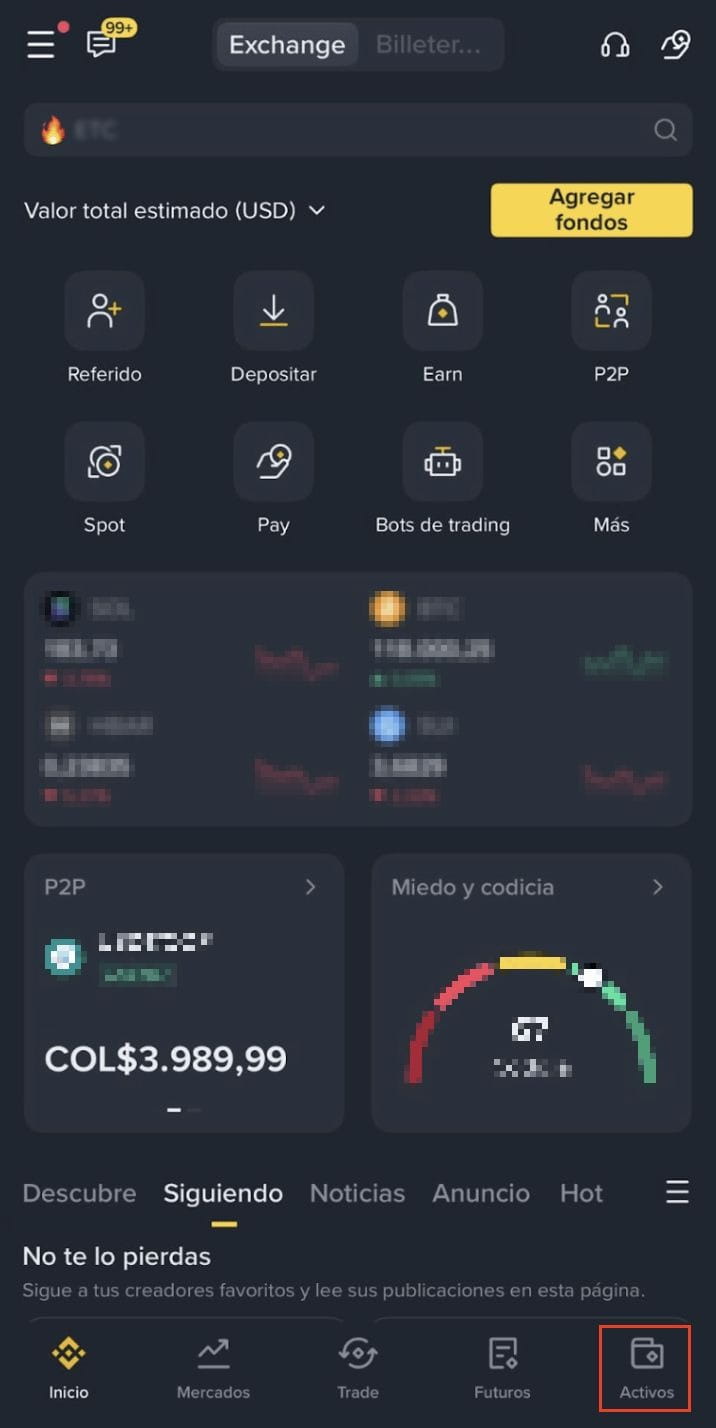
1. Log in to your Binance app and tap [Assets].
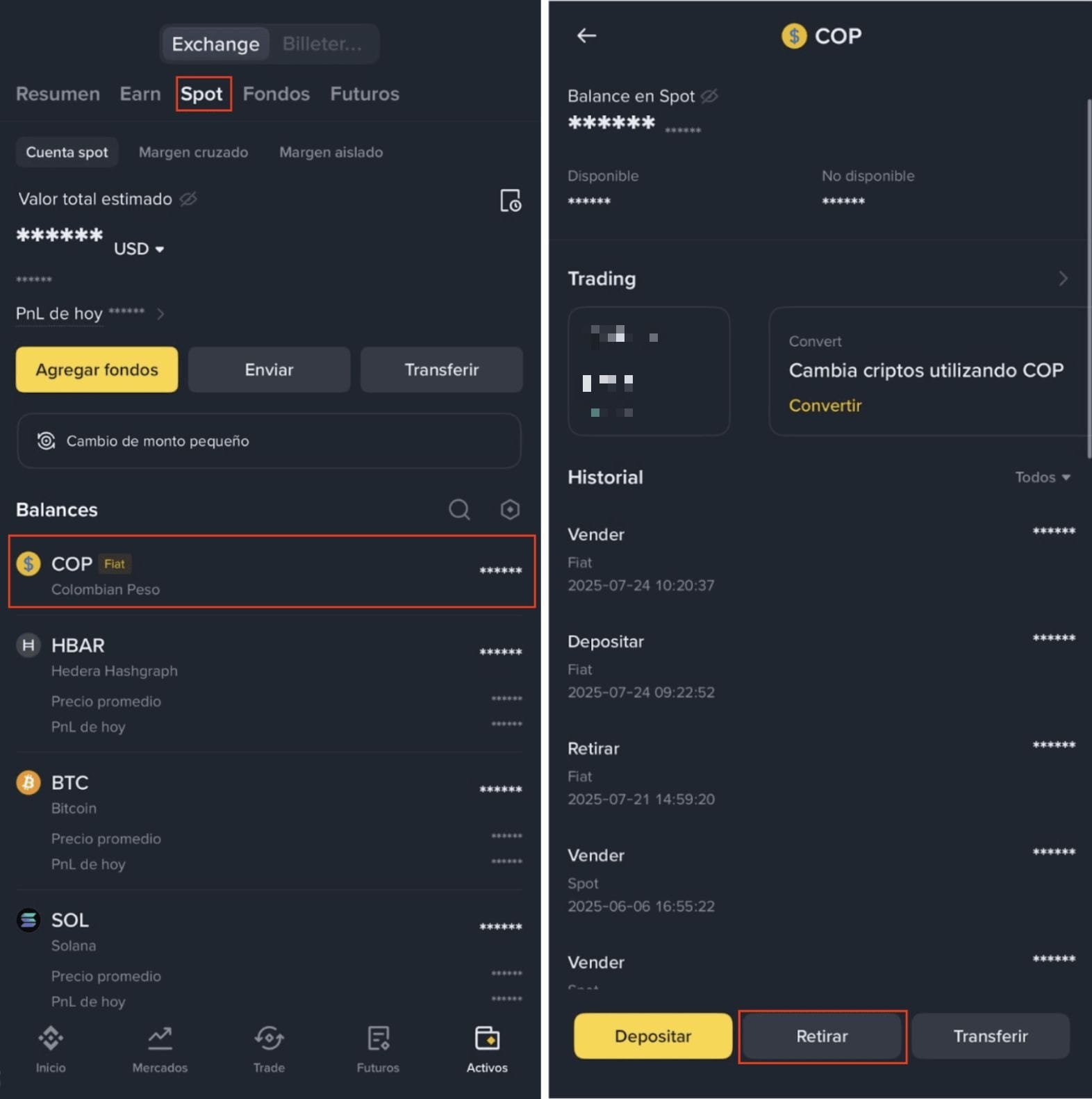
2. Go to your [Spot]. Tap [COP] - [Withdraw].
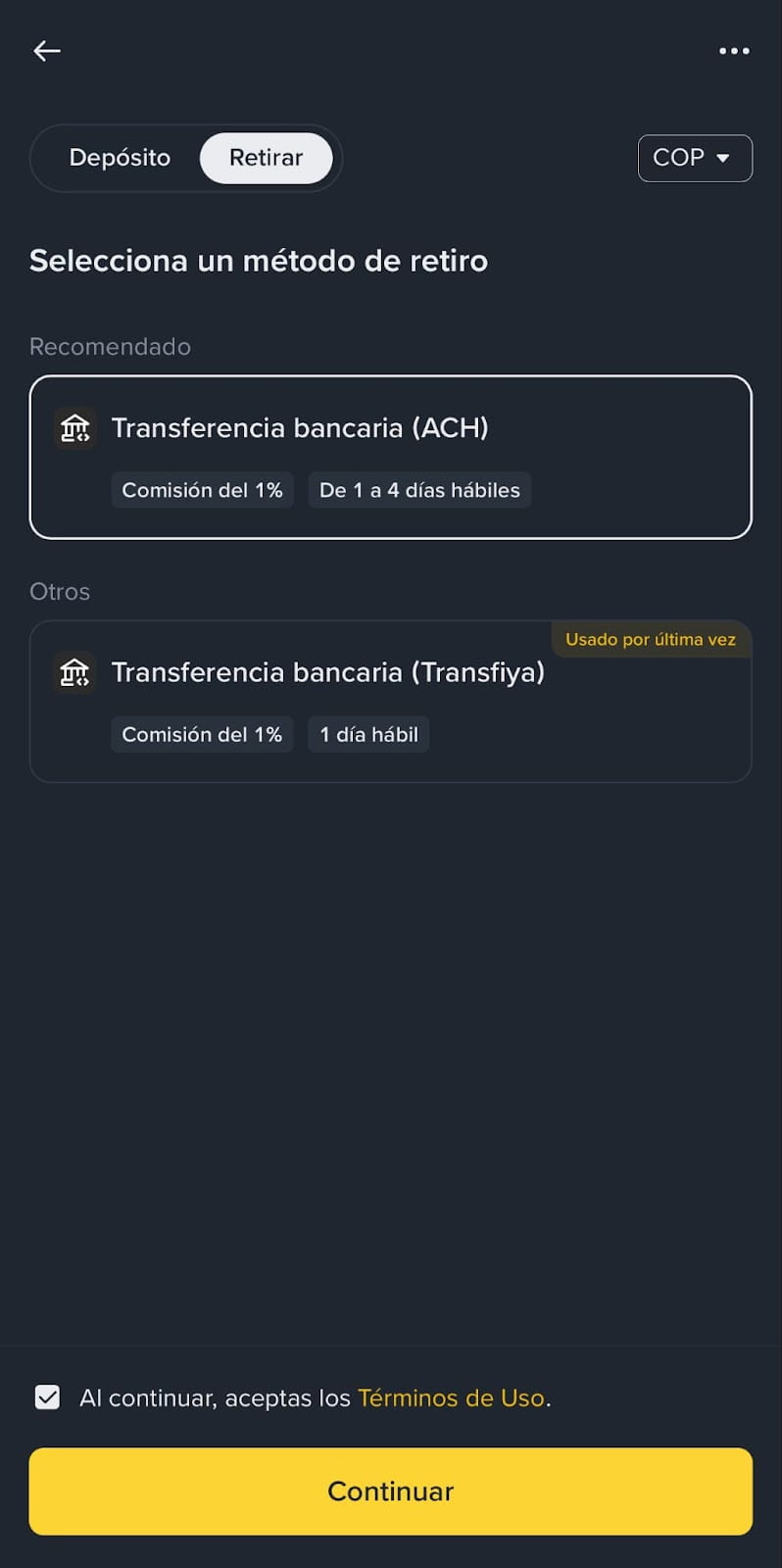
3. Please note that processing time varies depending on the payment method:
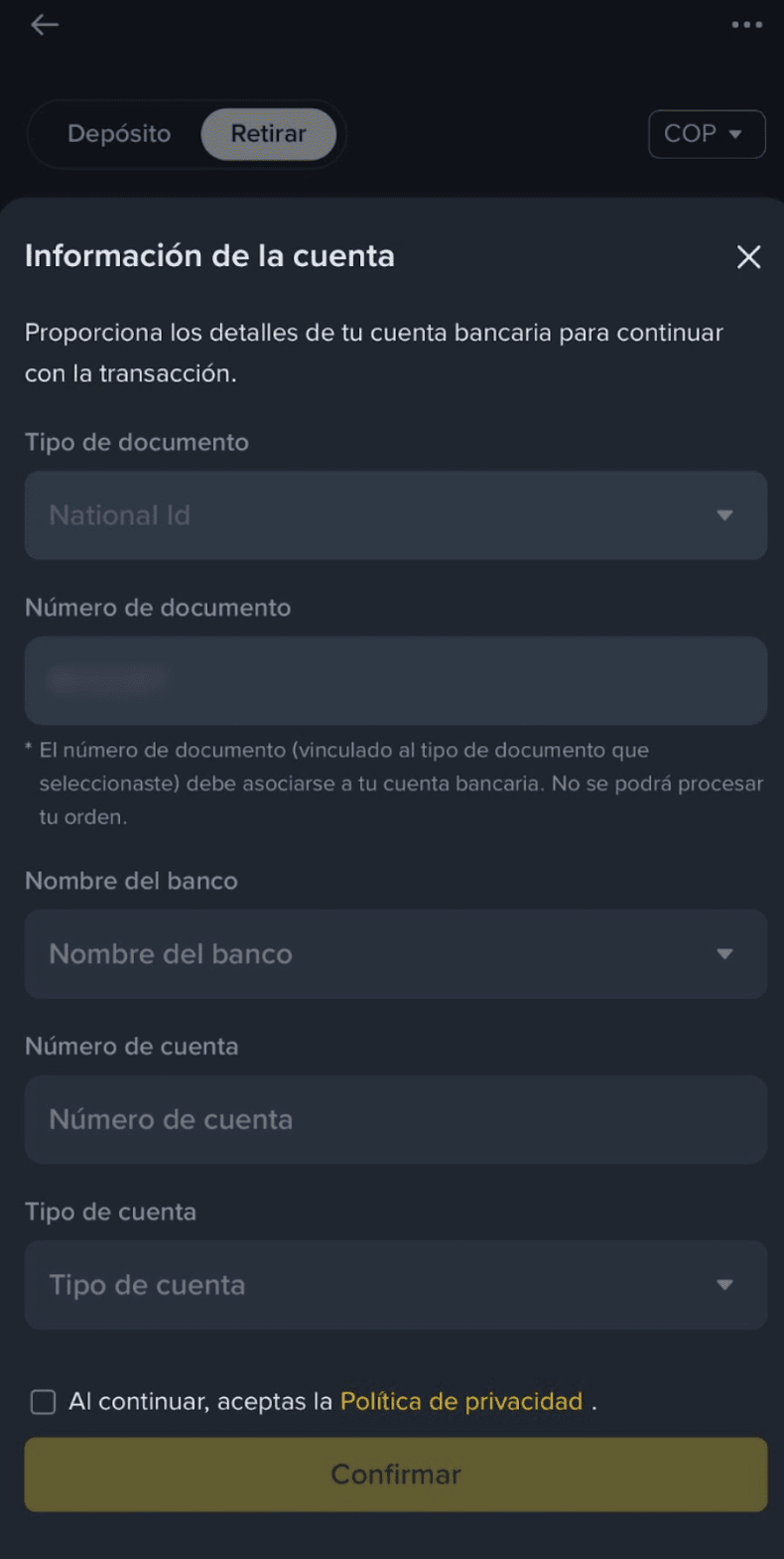
4. If it’s your first time withdrawing COP on Binance, please register your personal and banking information to proceed.
5. Enter the amount you want to withdraw. Make sure it does not exceed your available balance.
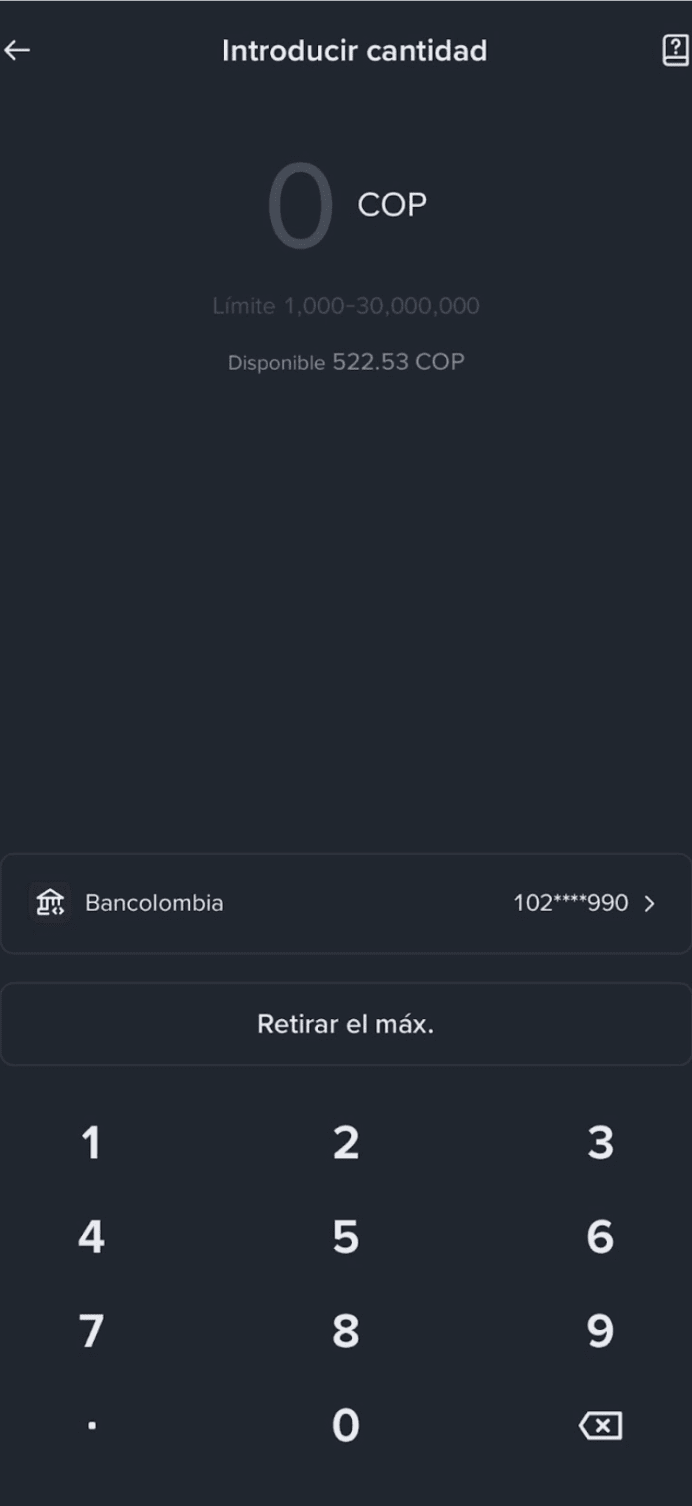
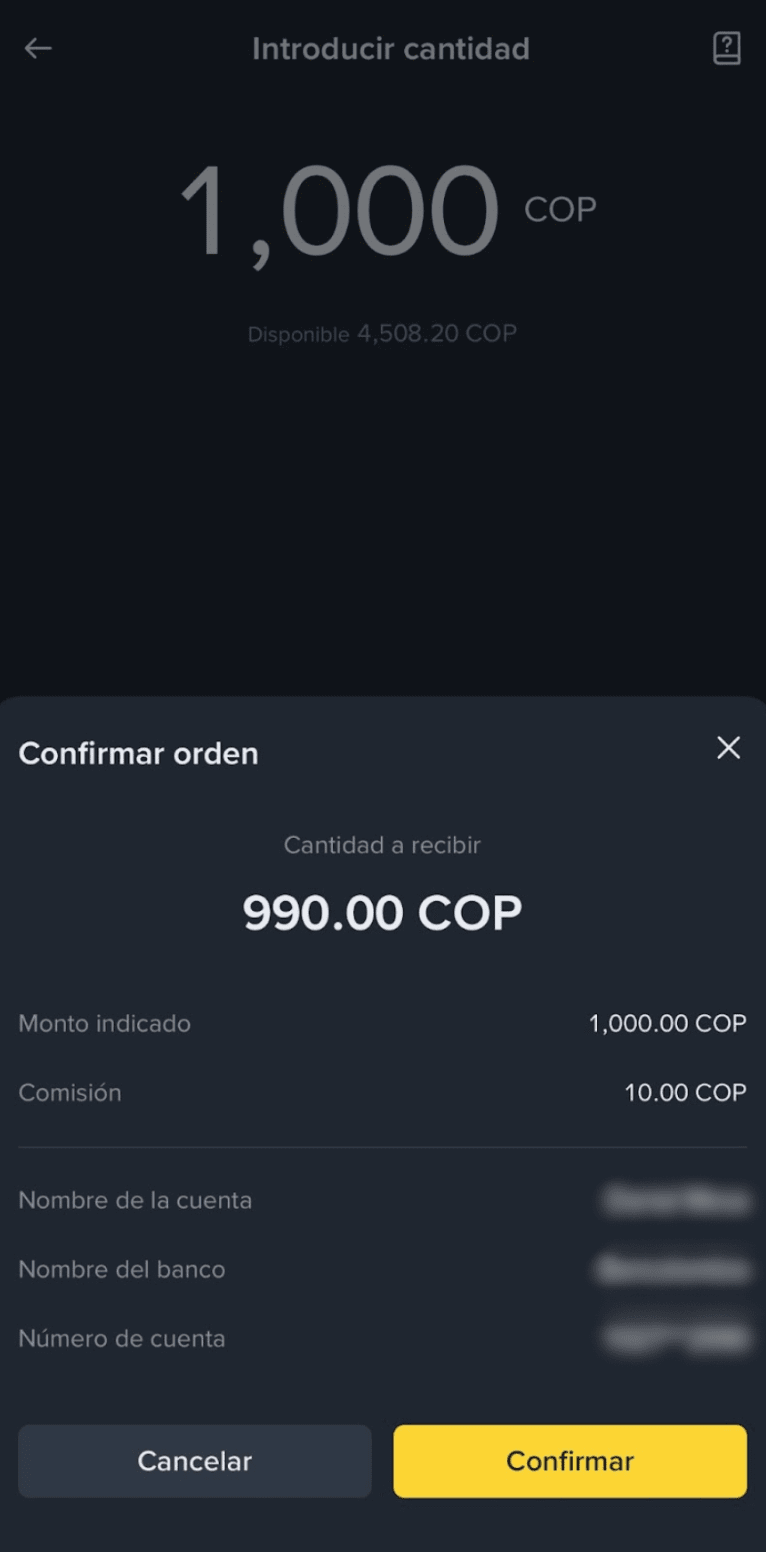
6. Confirm the order details and the banking information carefully. Tap [Confirm] to continue.
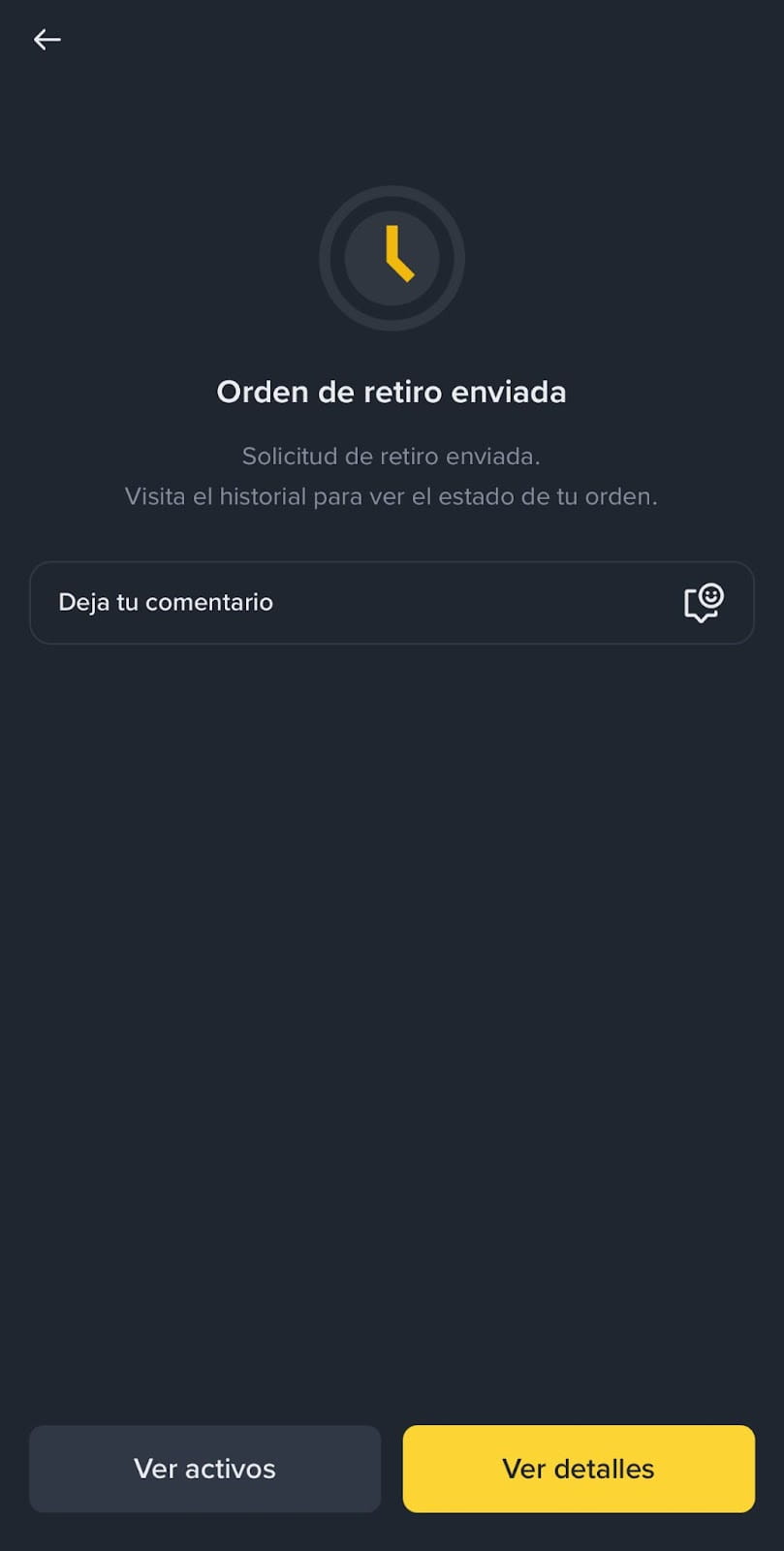
7. You’ll see a withdrawal confirmation. The status is pending as it may take between 1 and 4 business days to complete.
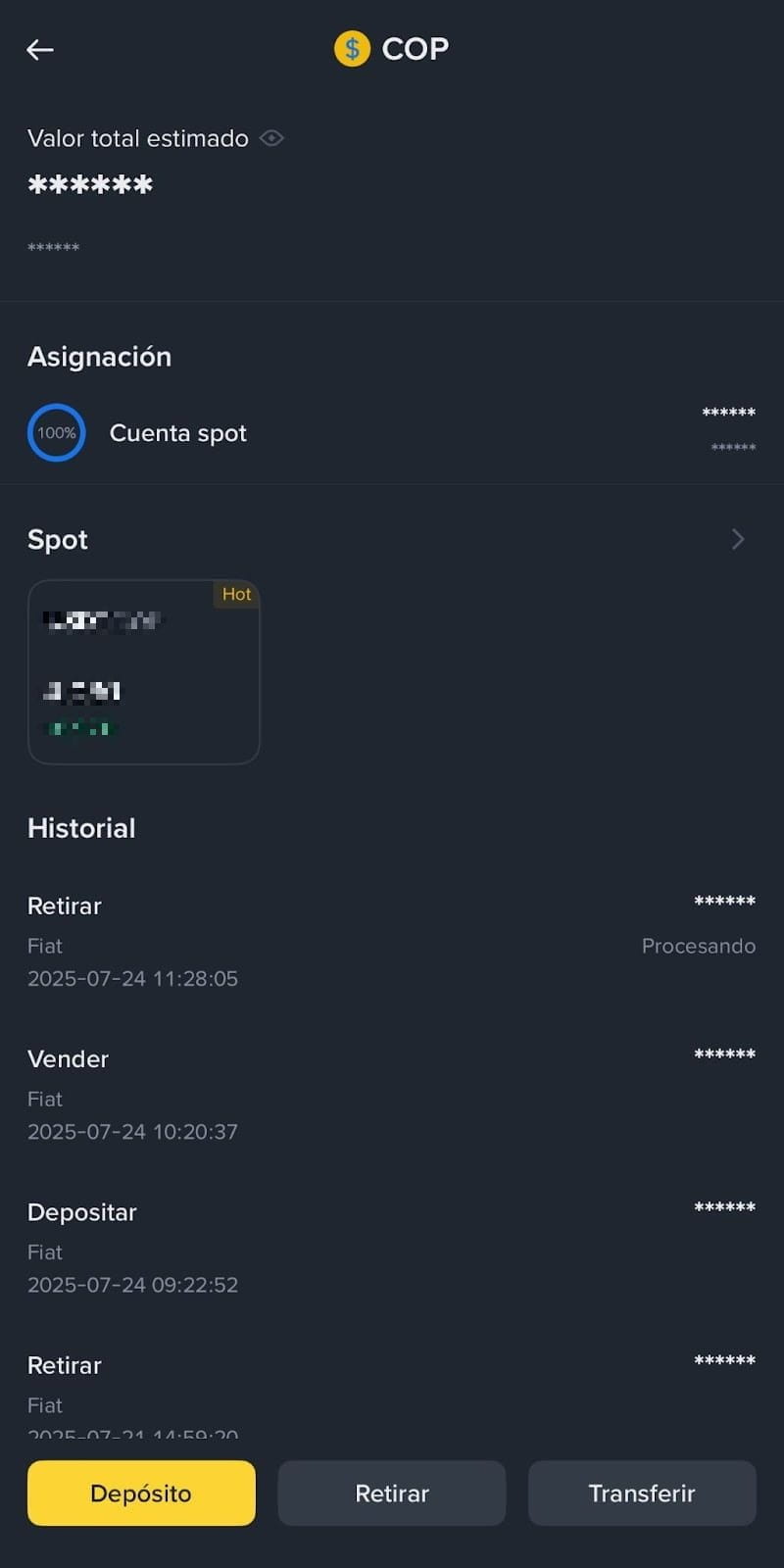
8. You can check the status of withdrawal in your transaction history.
To learn more about buying crypto on Binance, please refer to the Buy Crypto (Fiat/P2P) page.
