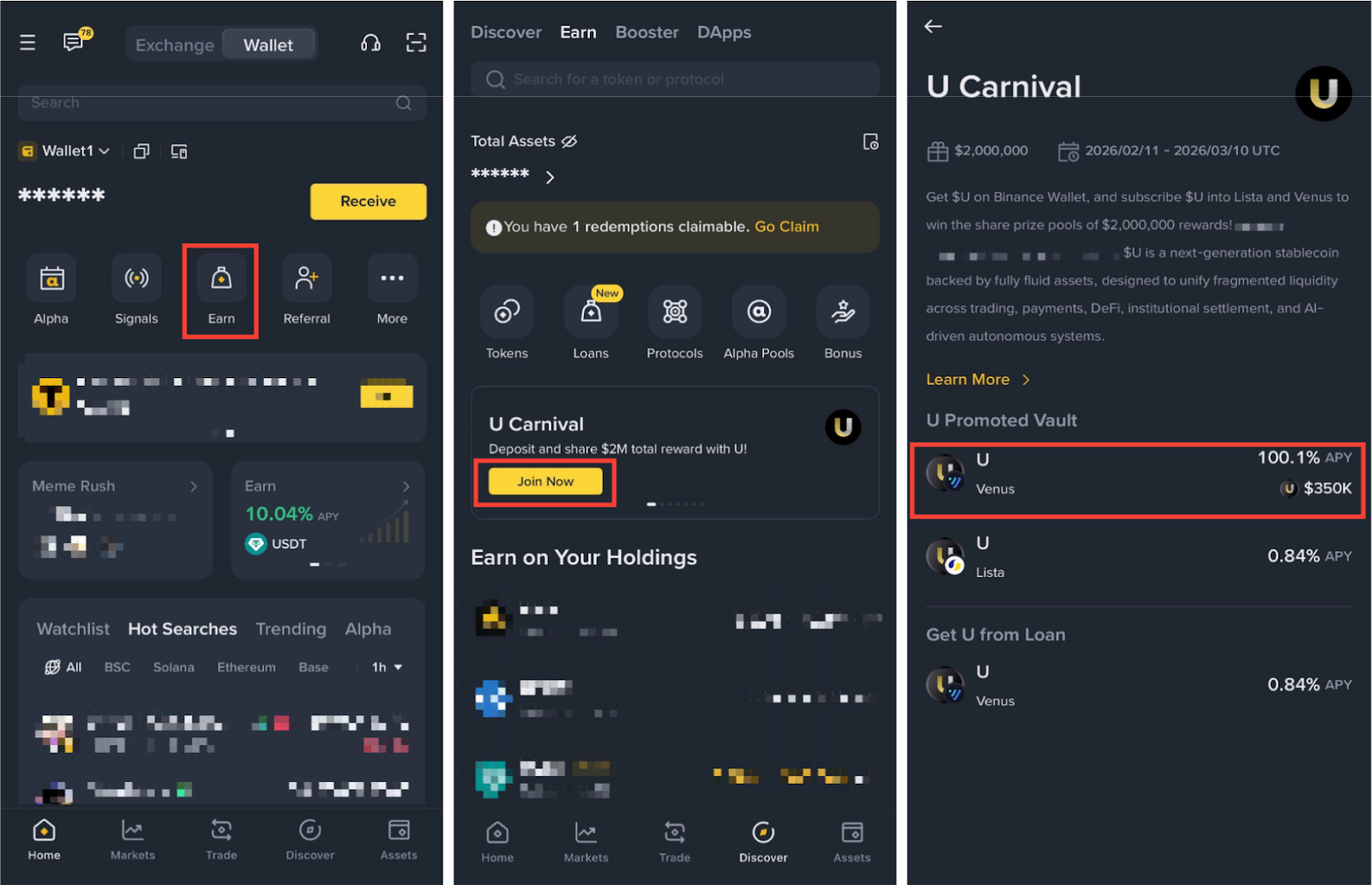
Please Note: For a limited-time period, you can participate in the U Carnival exclusive campaign by subscribing U in the Binance Wallet U promoted Vault. Eligible users could share a total of $2,000,000 in rewards. For more information, please visit the campaign page.
There are three ways to get U on your Binance Wallet:
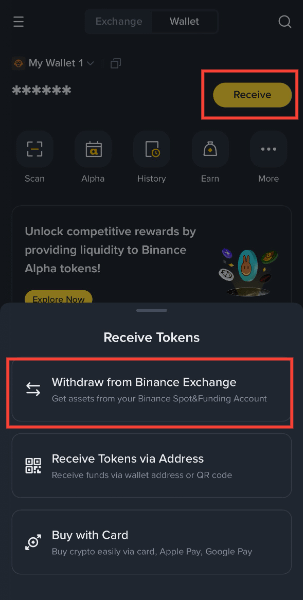
1. By transferring from the Binance Exchange to the Binance Wallet using the [Receive] button on the Binance Wallet homepage.
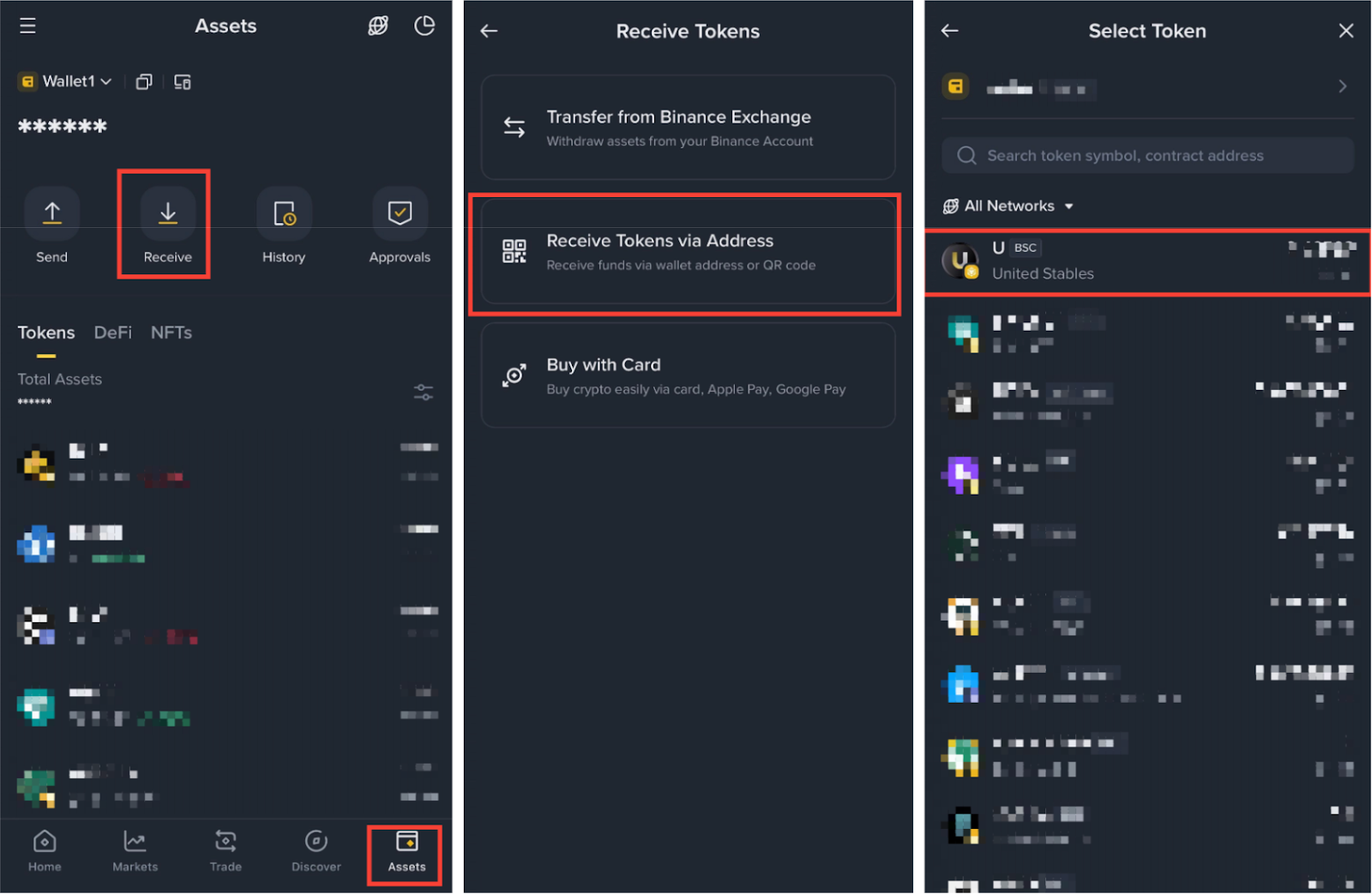
2. By sending assets from an external wallet to your Binance Wallet using the [Receive] button in the [Assets] - [Receive Tokens via Address] - [U].
For more details, please refer to How to Send and Receive Tokens on Binance Wallet.
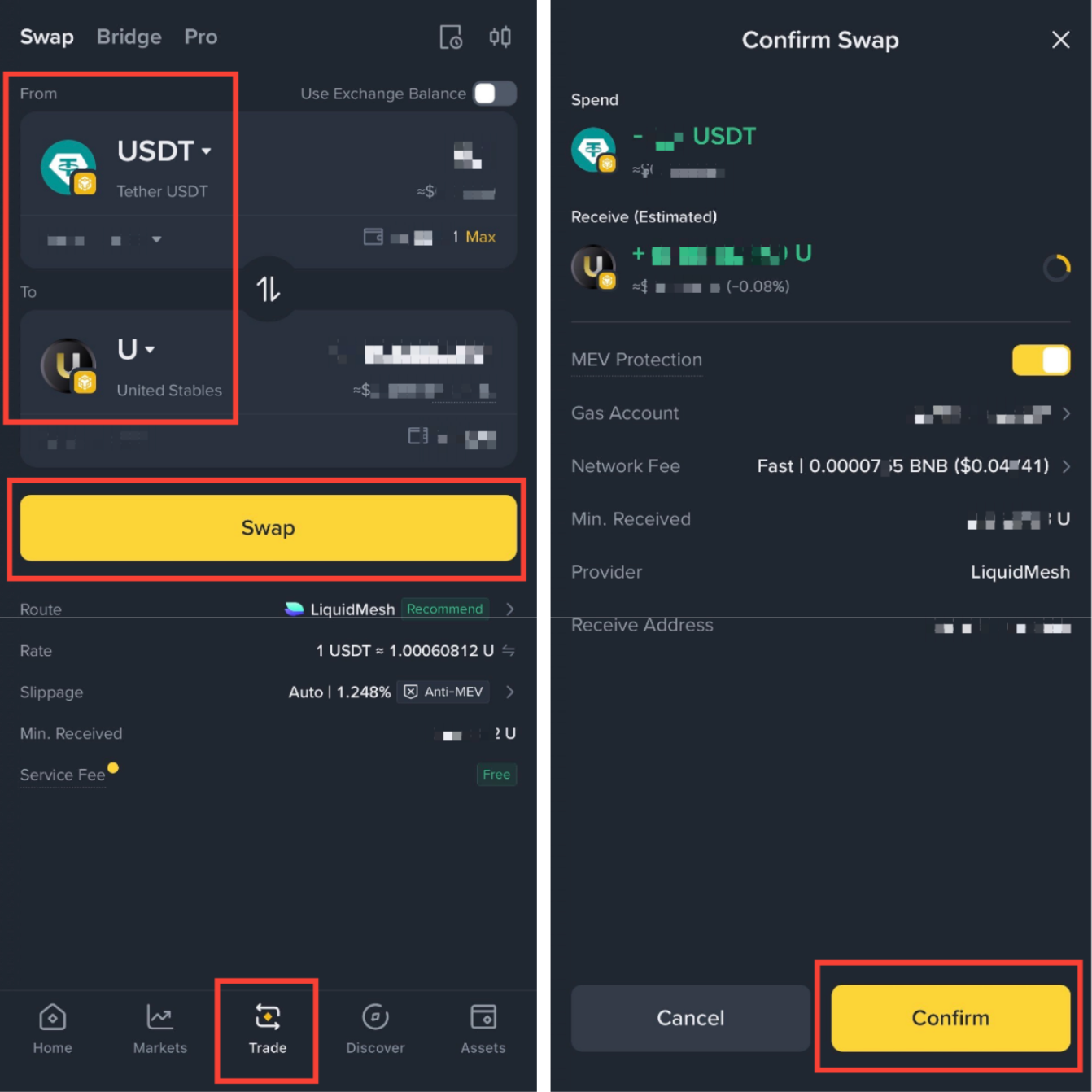
3. By swapping U from other assets via Binance Wallet Swap page.
For more details, please refer to What Is Binance Wallet Swap.
Go to [Trade] on Binance Wallet and ensure the path from the token of your choice to U, enter the amount you’d like and tap [Swap] - [Confirm]. Once complete, you’ll see U tokens in your Wallet.
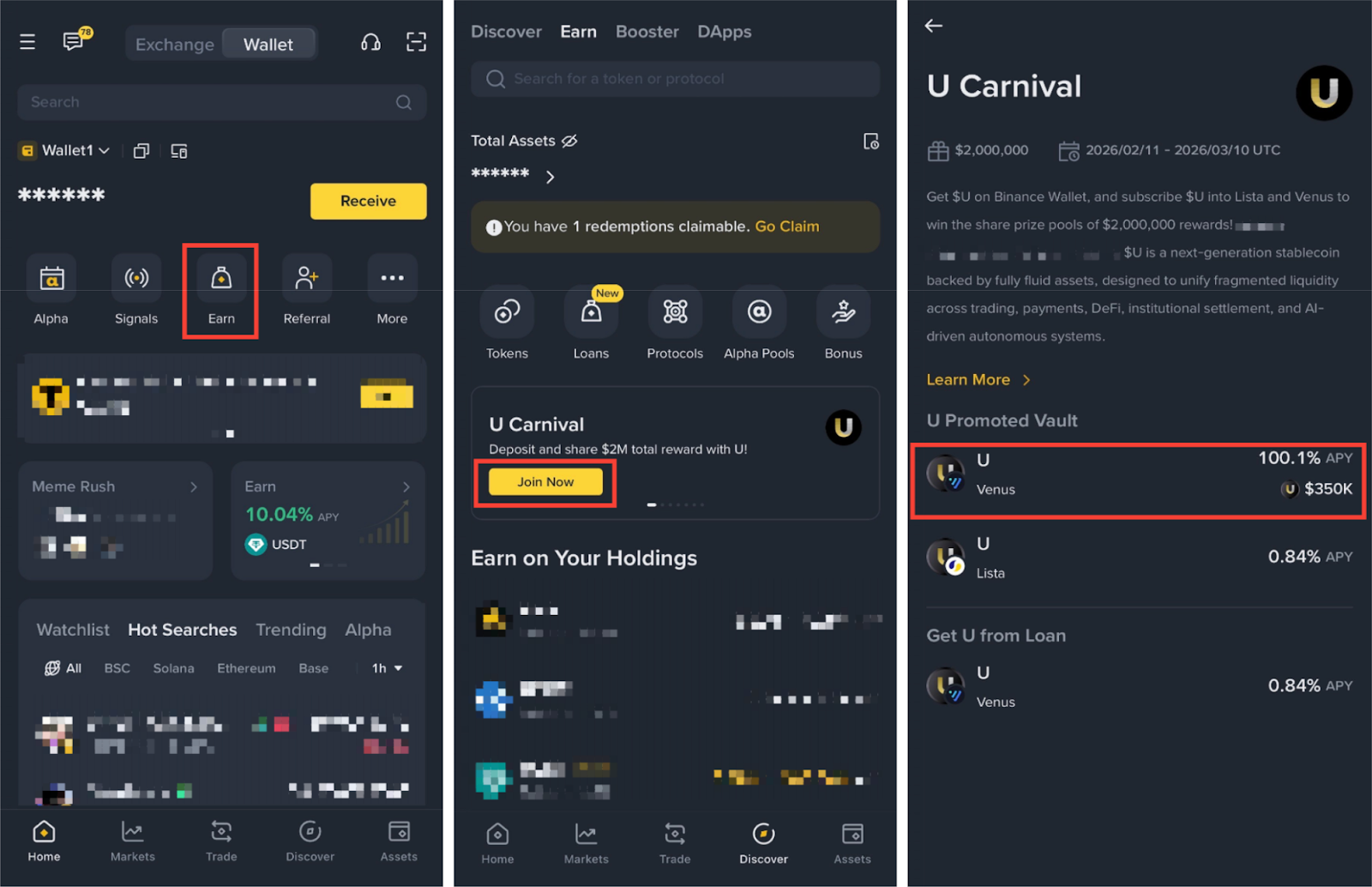
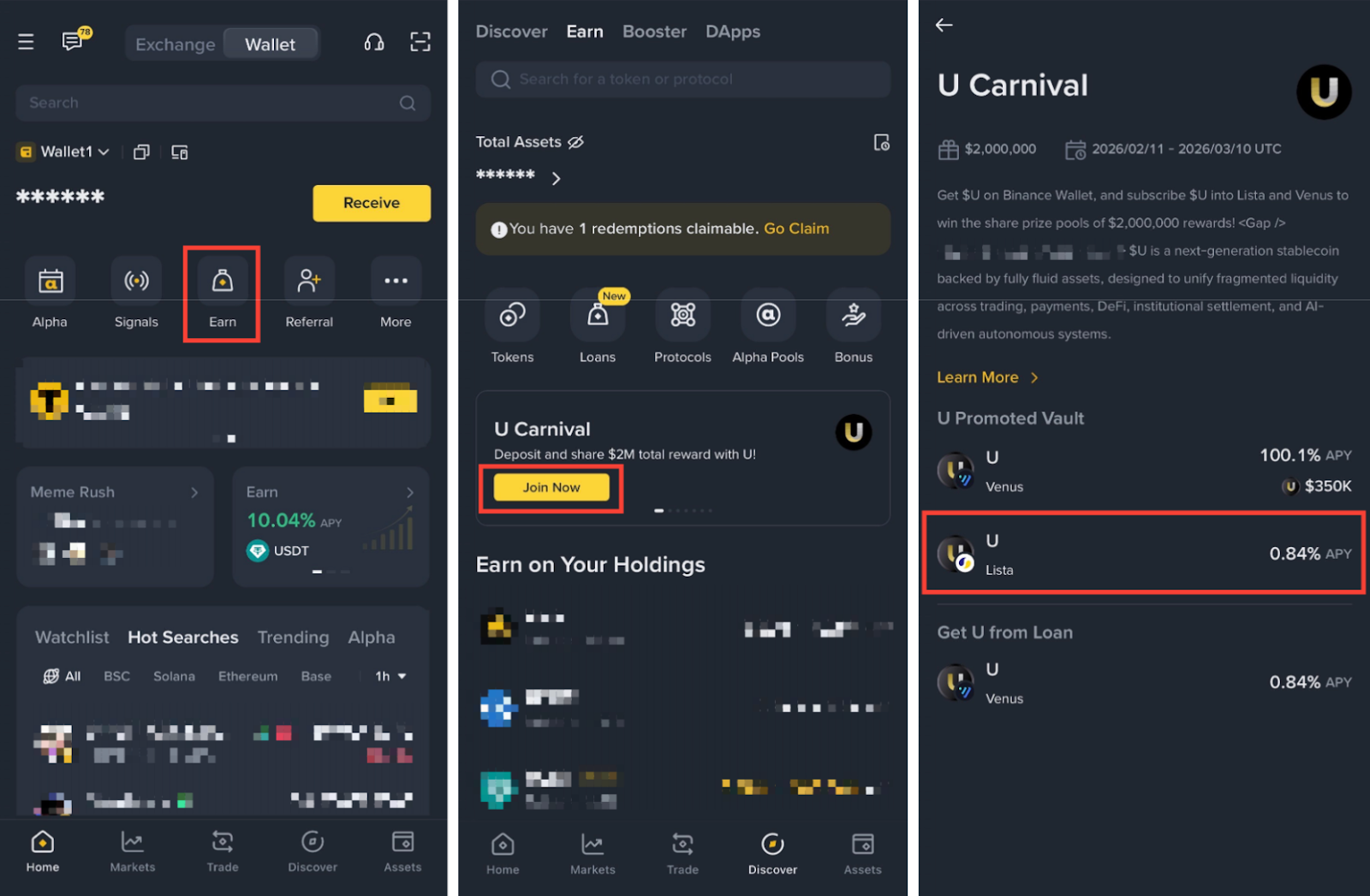
1. Go to [Earn] - [Join Now] on the U Carnival banner. Tap [U Venus].
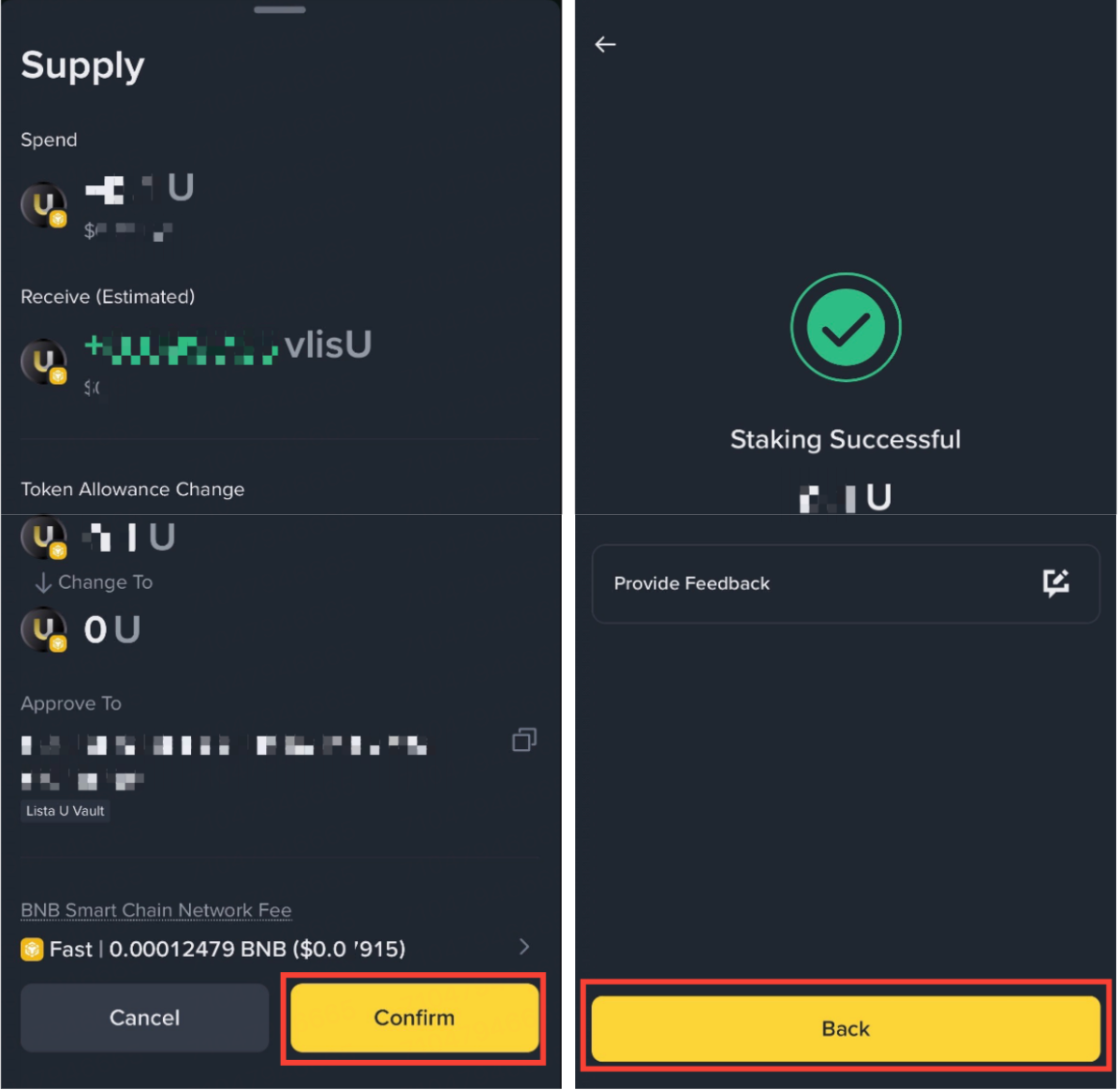
2. Tap [Supply Now] on the Venus U subscription interface. Enter the amount to subscribe. Review estimated daily yield and gas fee, then tap [Next] - [Approve U] - [Confirm].
Please note: The minimum stake amount to be eligible for the campaign rewards is 100 U.
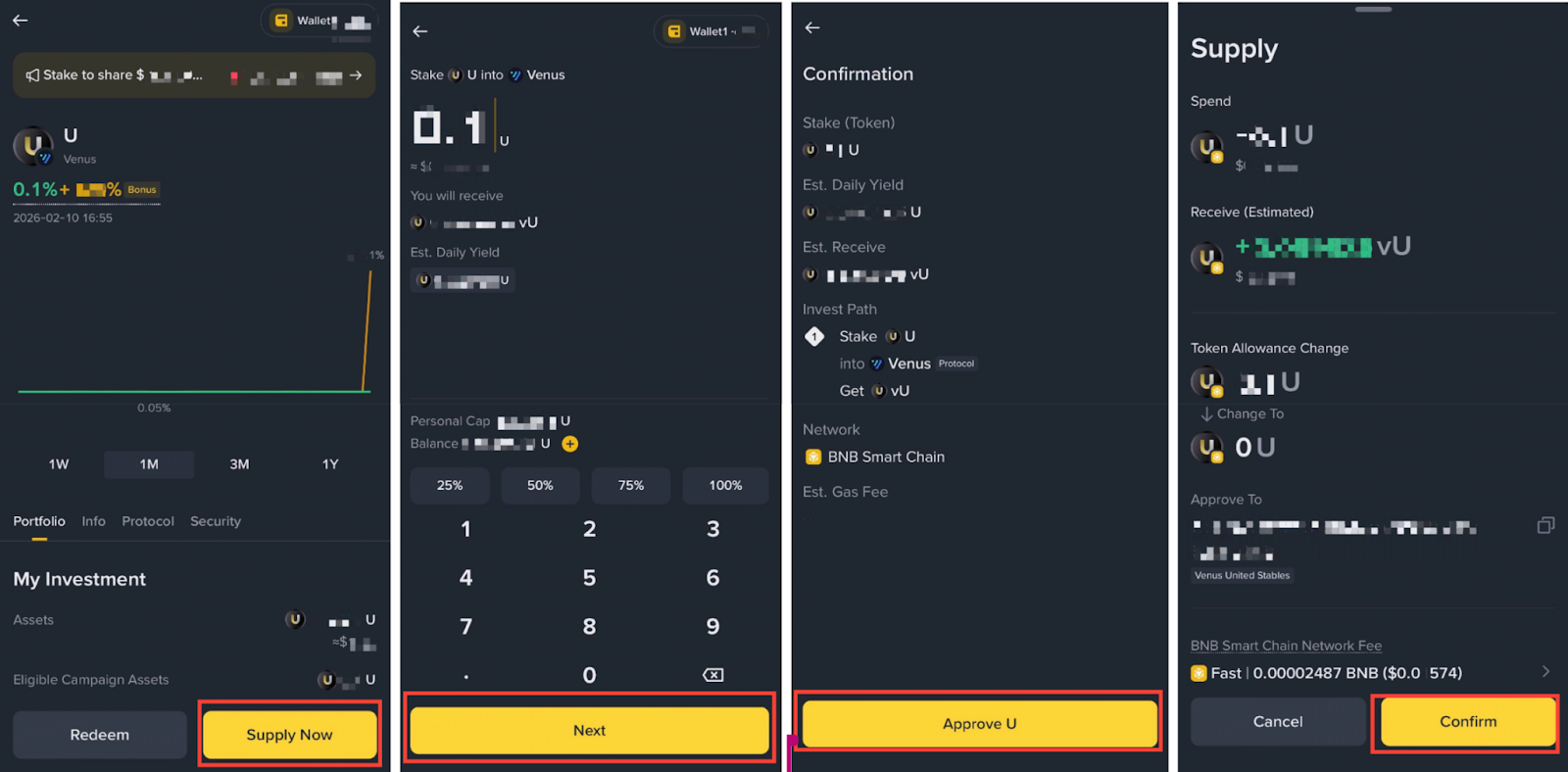
Please note: You must have at least 0.0002 - 0.001 BNB (~$0.02- 0.1) to cover the gas fees for depositing.
3. Once complete, you’ll see a “Staking Successful” page with transaction details and the vU token in your Binance Wallet.
1. Go to [Earn] - [Join Now] on the U Carnival banner. Tap [U Lista].
2. Tap [Deposit Now] on the Lista U subscription interface. Enter the amount to subscribe. Review estimated daily yield and gas fee, then tap [Next] - [Approve U] - [Confirm].
Please note: The minimum stake amount to be eligible for the campaign rewards is 100 U.
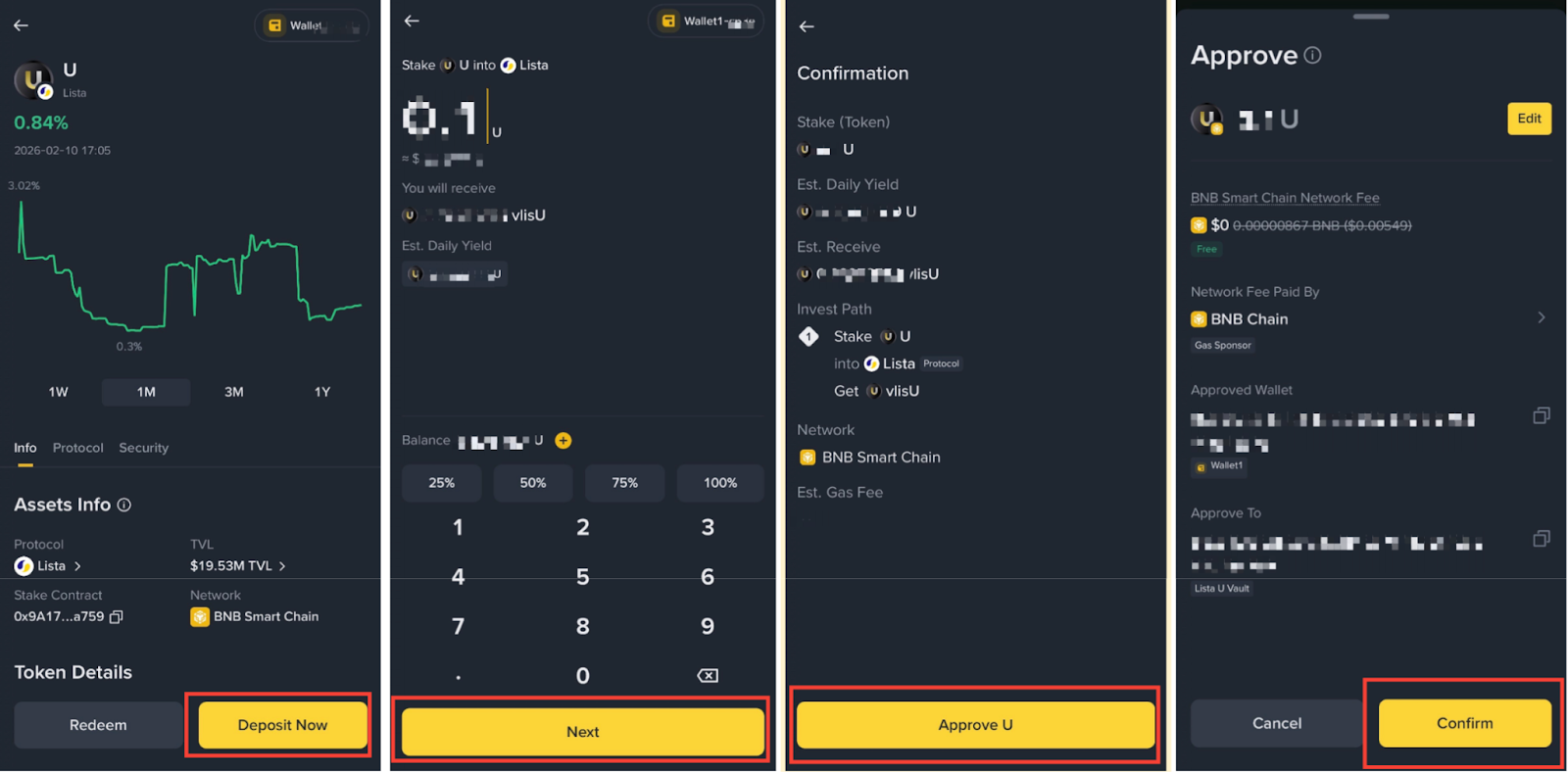
Please note: You must have at least 0.0002 - 0.001 BNB (~$0.02- 0.1) to cover the gas fees for depositing.
3. Tap [Confirm] on the Supply Contract Call page. Once completed, you’ll see a “Staking Successful” pop-up with transaction details and the vlisU token in your Binance Wallet.
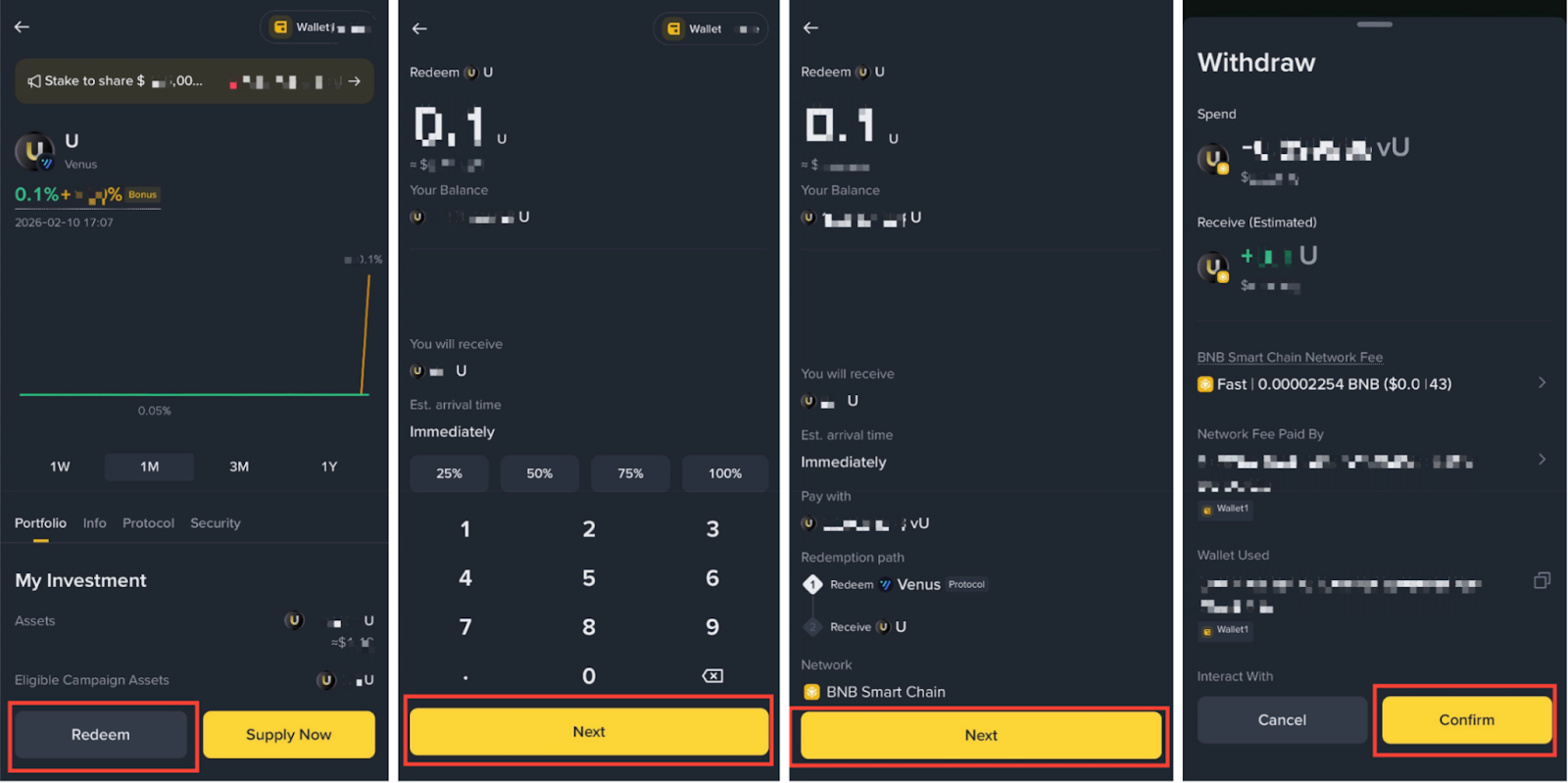
1. Go to [Earn] - [Join Now] on the U Carnival banner. Tap [U Venus].
2. Select [Redeem], enter the amount of U to withdraw and tap [Next] - [Next] - [Confirm].
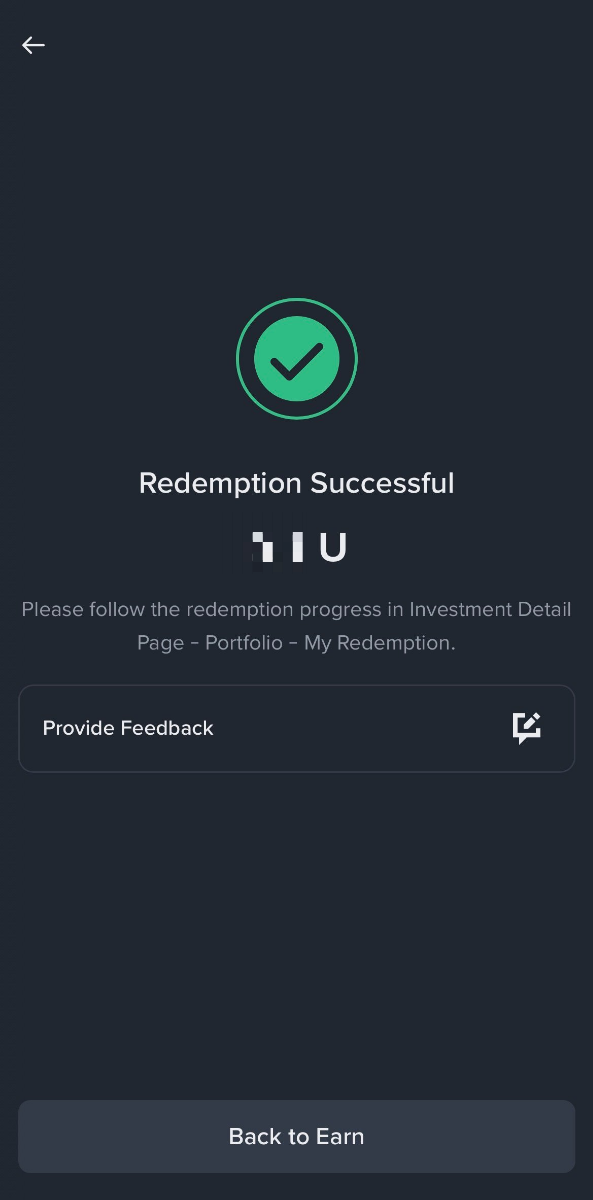
3. Once the withdrawal has been processed, you’ll see a “Redemption Successful” page and U will be returned to your Binance Wallet instantly.
Please note:
1. Go to [Earn] - [Join Now] on the U Carnival banner. Tap [U Lista].
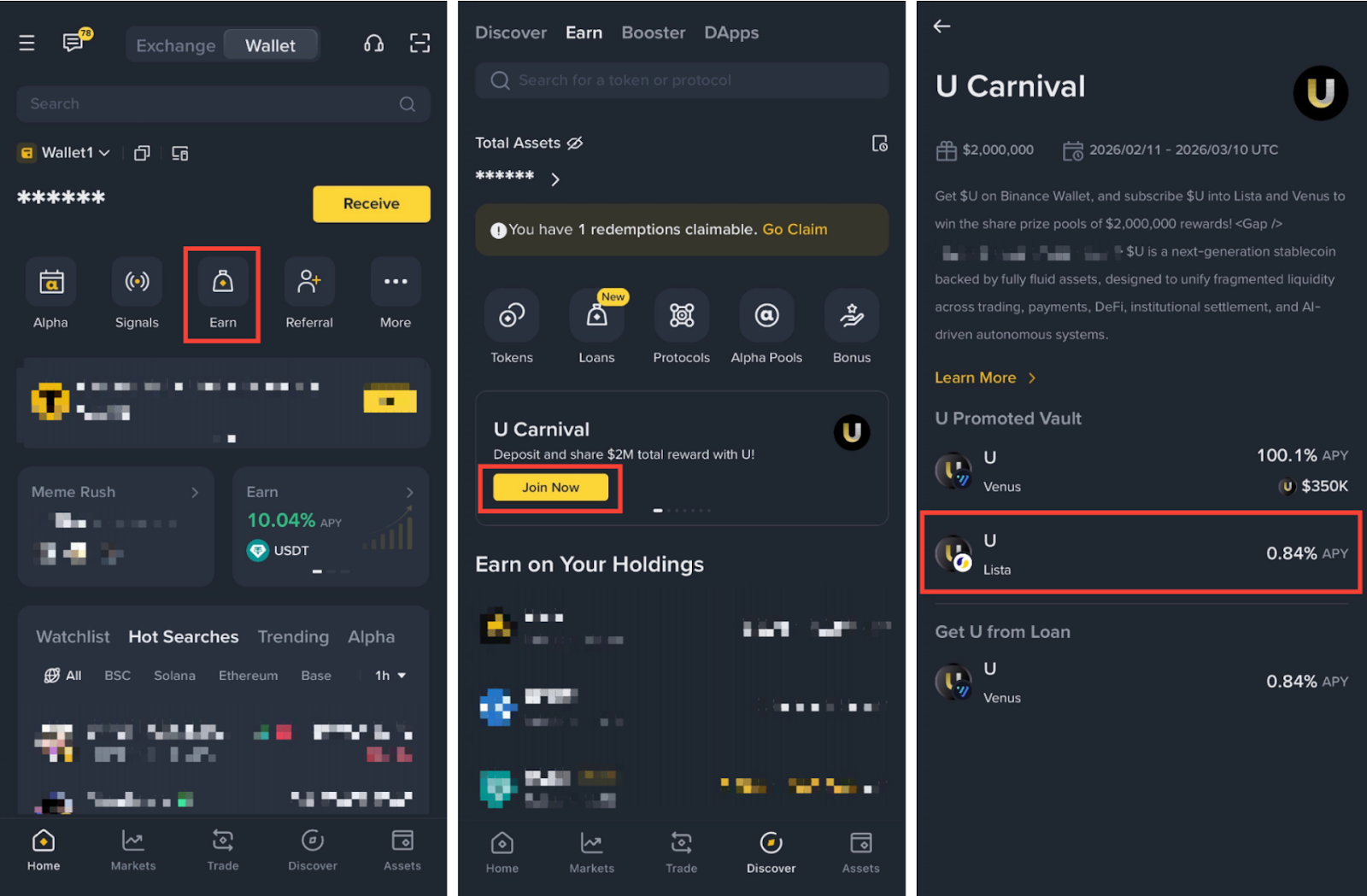
2. Select [Redeem], enter the amount of U to withdraw and tap [Next] - [Next] - [Confirm].
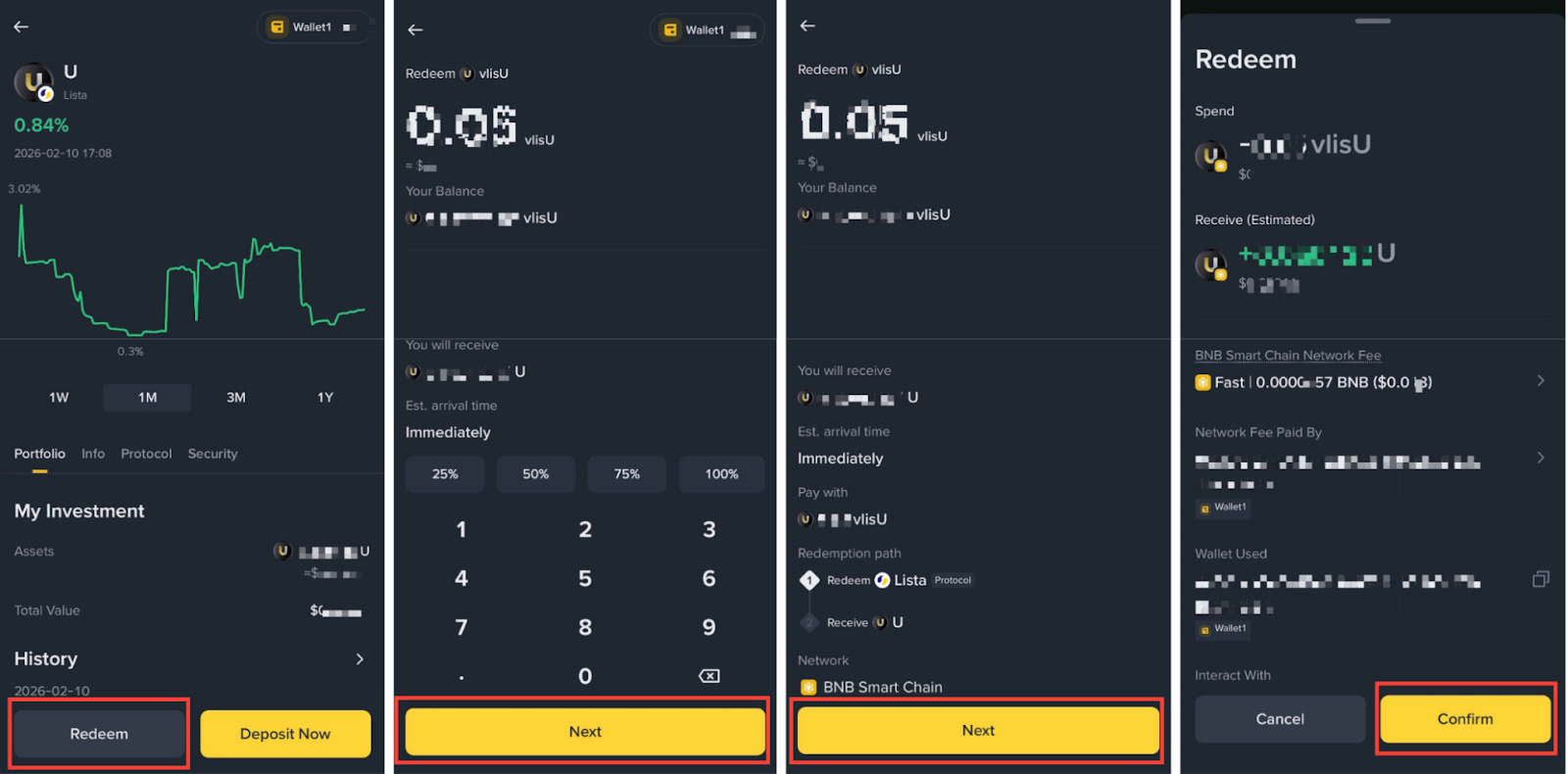
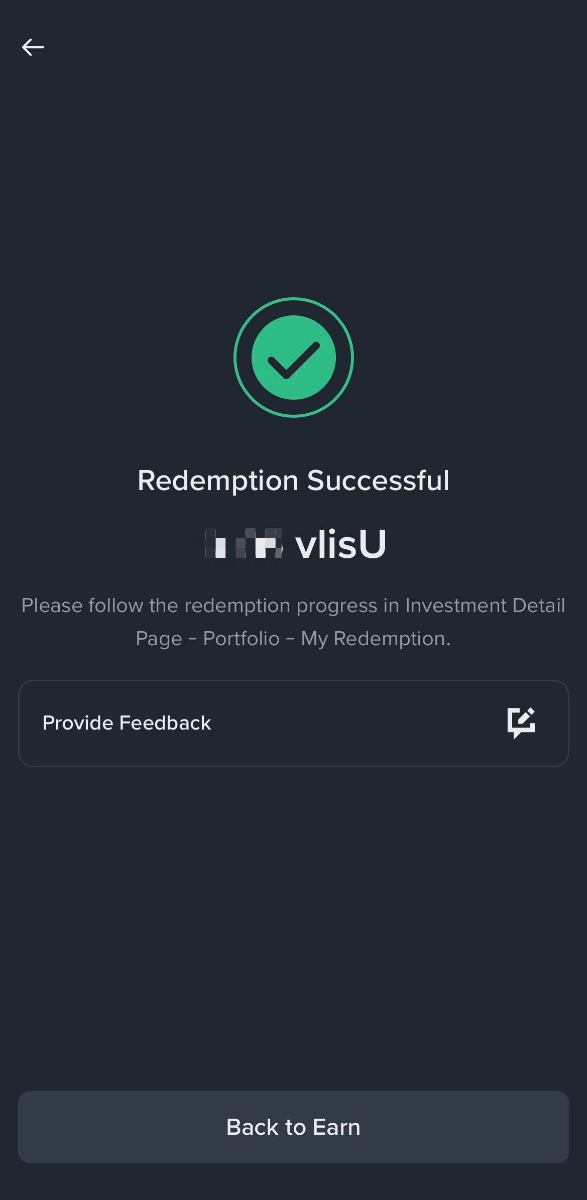
3. Once the withdrawal has been processed, a “Redemption Successful” page will be shown and U will be returned to your Binance Wallet instantly.
Please note:
Please note:
1. Go to [Earn] - [Loans] - [U]. Tap [Supply] and choose your desired assets to supply as collateral. In this example, we’ll collateralize USDT.
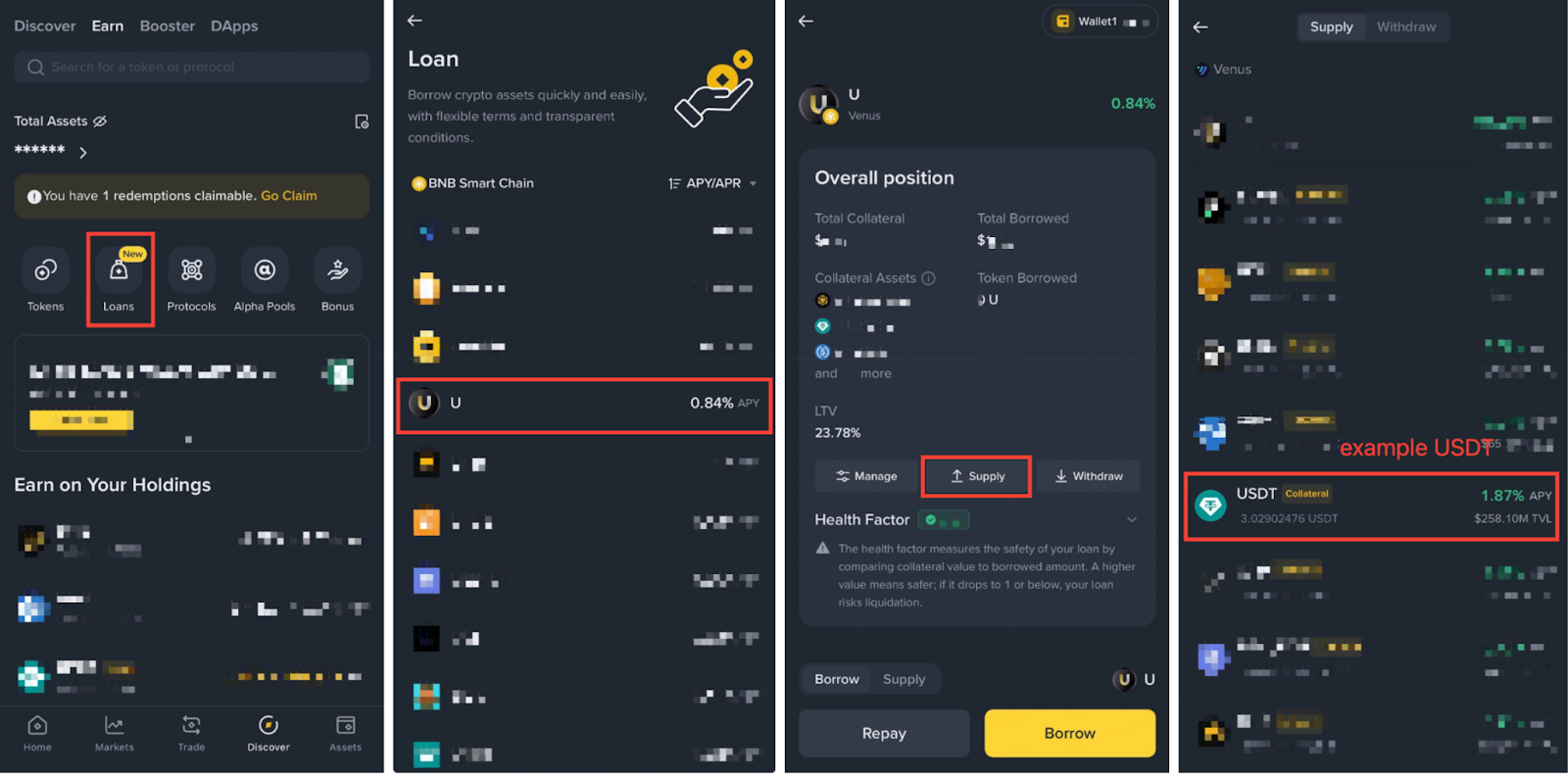
2. Enter the amount of collateral to supply. Then, tap [Next] - [Approve] - [Confirm] - [Supply].
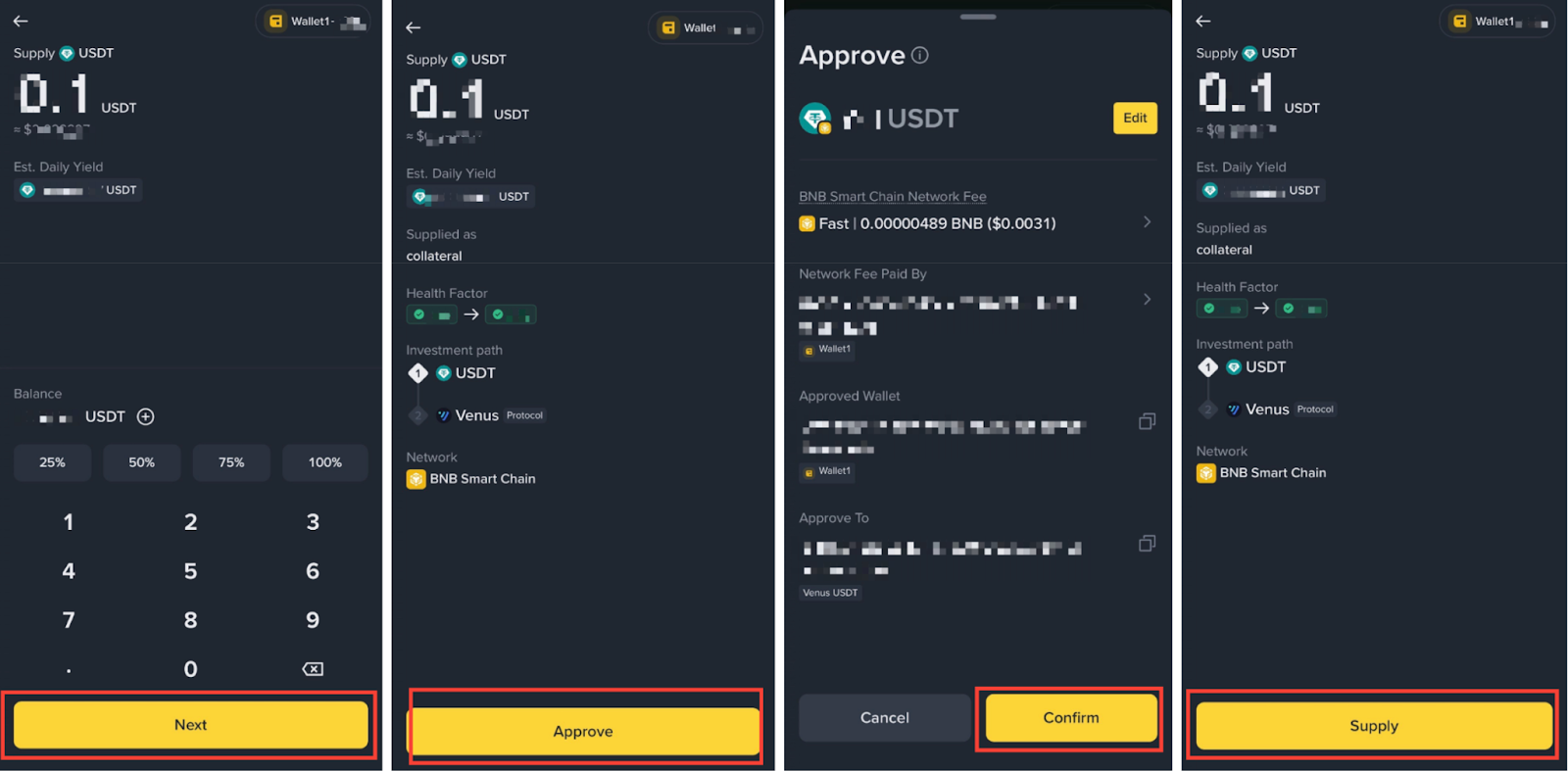
3. Tap [Approve] on the Supply Contract Call page, and [Confirm]. Once completed, you’ll see a “Transaction Submitted” page and receive the supplied tokens in your Wallet. To resume borrowing U tokens, tap [Proceed to Borrow].
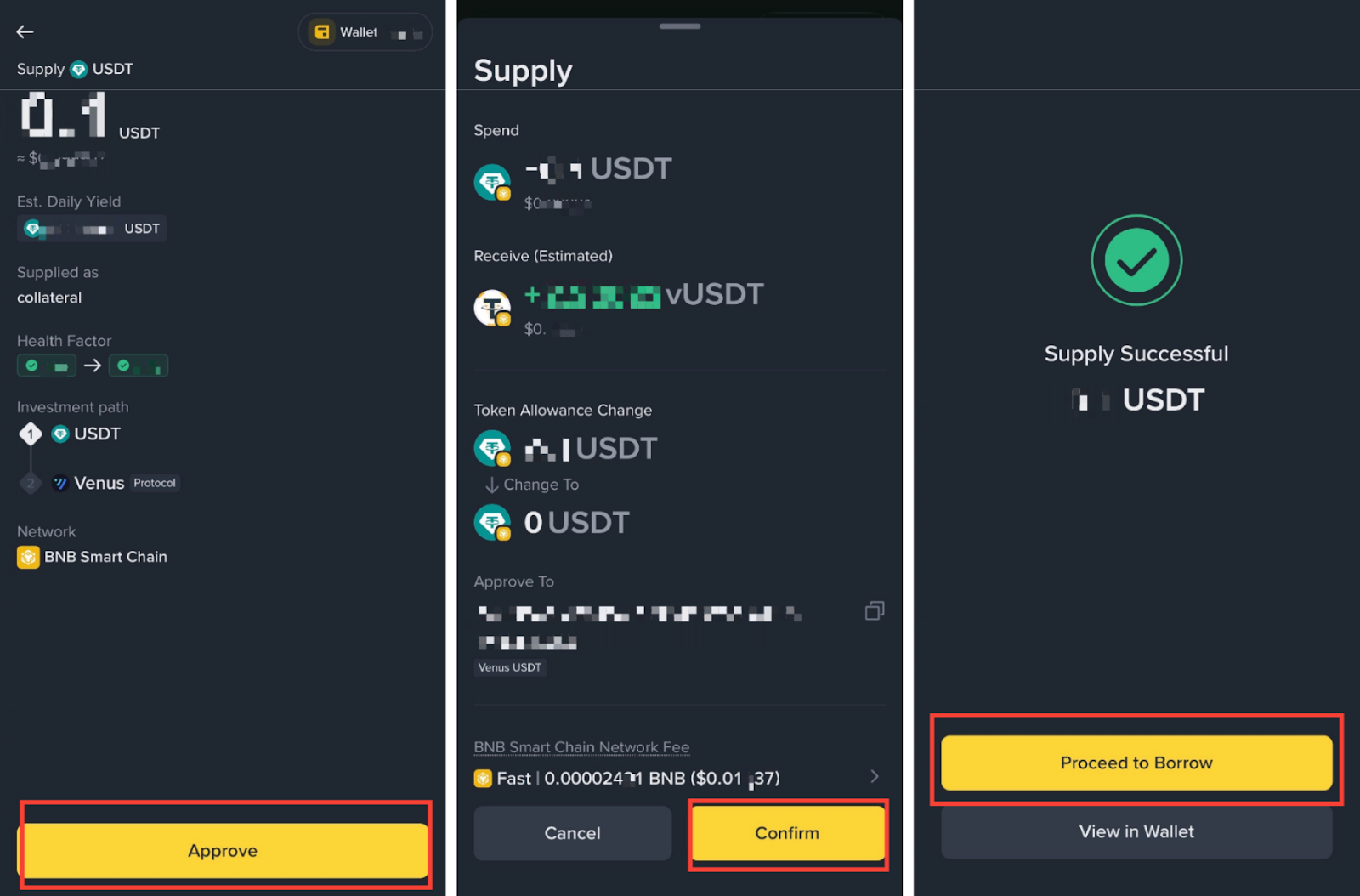
After supplying assets to Venus, you are able to borrow assets based on your collateral position.
1. To borrow assets, go to [Loans] - [U] on Binance Wallet Earn, then select [Borrow] on the U Venus borrowing page. Enter the amount of U you would like to borrow, select [Next].
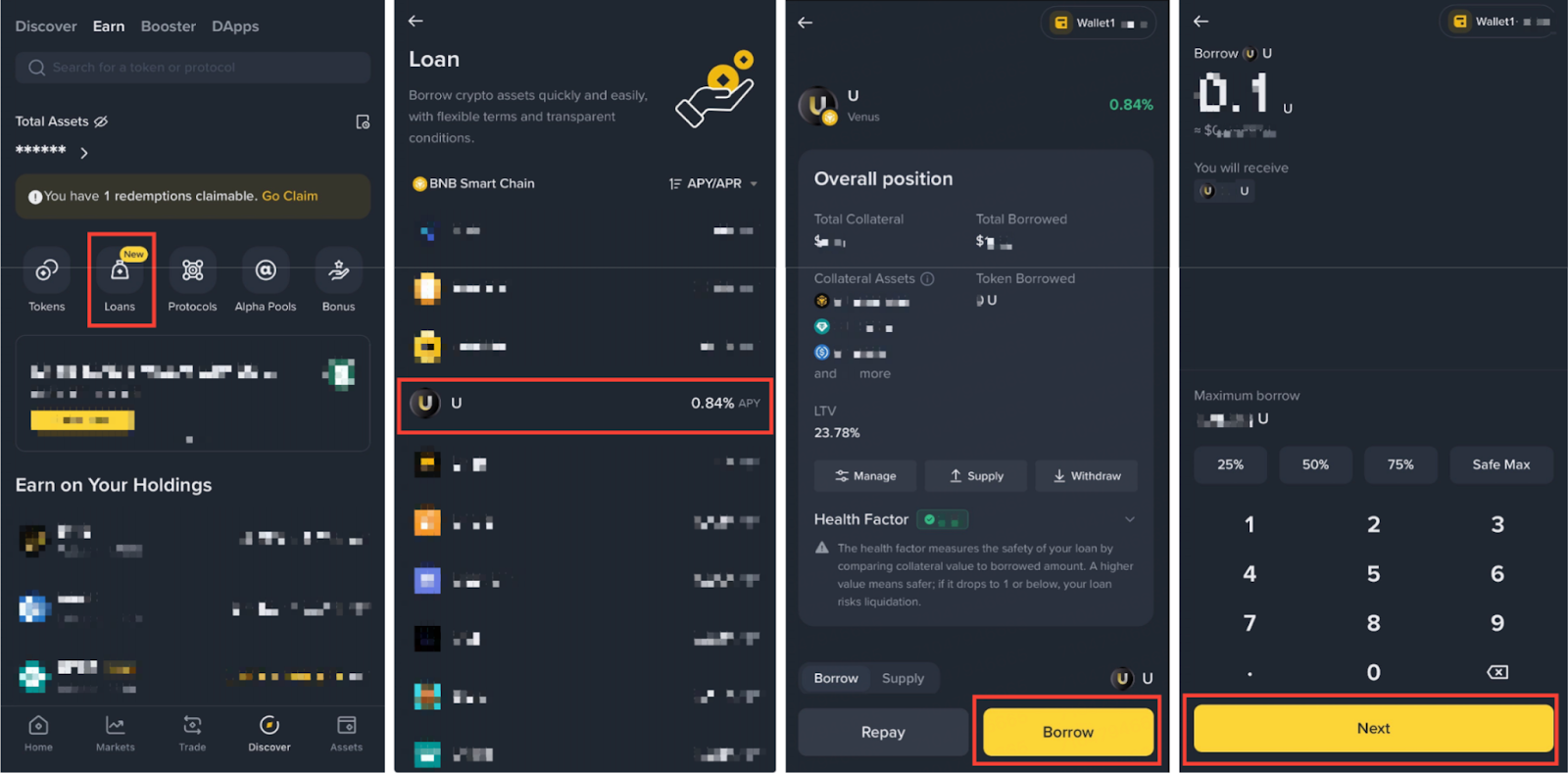
2. Tap on [Borrow] - [Confirm]. Once the borrow has been processed, a “Successfully Borrowed” page will be shown.
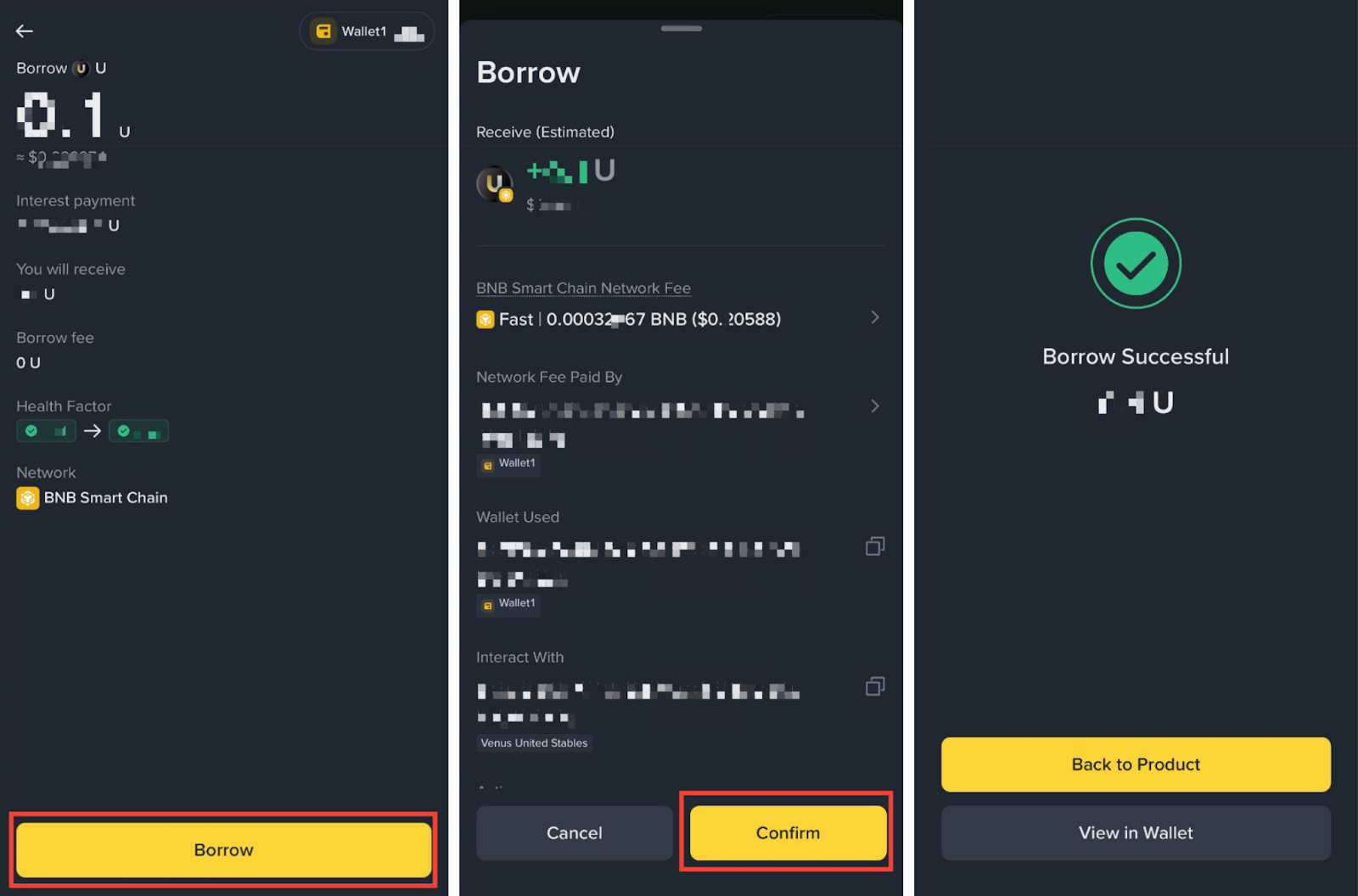
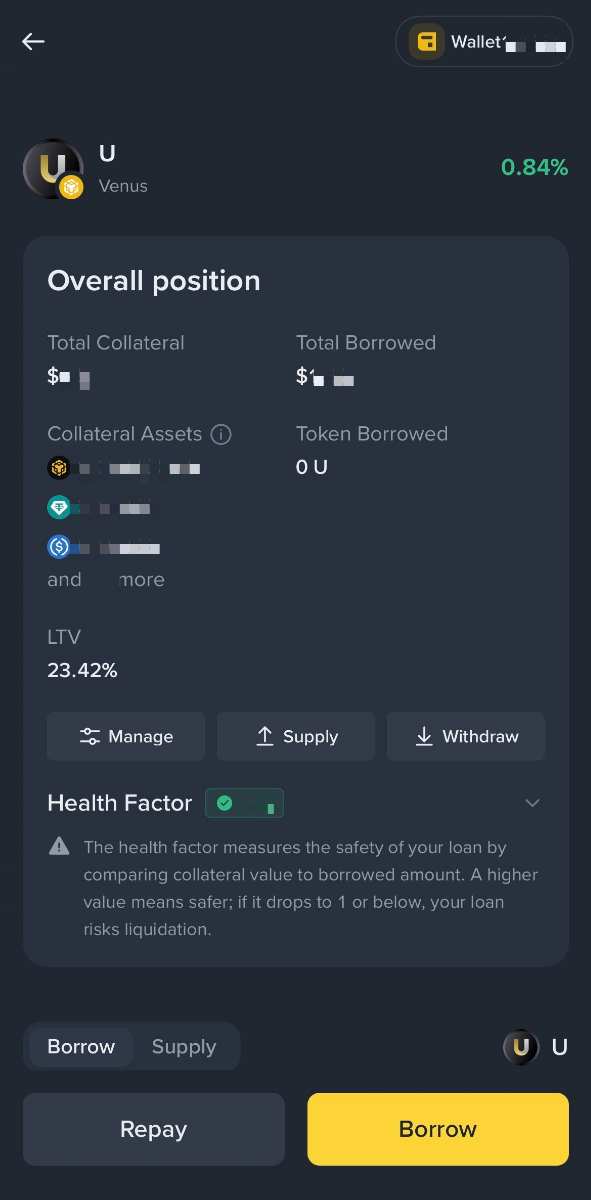
3. You will be able to see your overall position, total collateral, total borrowed, as well as the health factor.
Disclaimer:
The Binance Wallet Services are offered by Binance Barbados Limited, and involve the provision of unregulated, third-party services, which are not supervised by the Financial Services Regulatory Authority of the Abu Dhabi Global Market, or any other regulatory authority. Binance Wallet is not responsible for your access or use of third-party applications (including functionality embedded within the Binance Wallet) and shall have no liability whatsoever in connection with your use of such third-party applications, including, without limitation, any transactions you dispute. You should only invest in products you are familiar with and where you understand the risks. You should carefully consider your investment experience, financial situation, investment objectives and risk tolerance and consult an independent financial adviser prior to making any investment. This material should not be construed as financial advice. Please carefully review the Terms of Use and Risk Warning and always do your own research.
There may be discrepancies in the translated version of this original article in English. Please reference this original English version for the latest or most accurate information where any discrepancies may arise.
In compliance with MiCA requirements, unauthorized stablecoins are subject to certain restrictions for EEA users. For more information, please click here.
