


What is Tip to Chat?
Tip to Chat is a feature that allows users to open private 1-on-1 conversations with creators by sending a tip that meets a minimum amount set by the creator.
It creates a direct monetization channel for creators while giving users a faster way to connect.
Why It Matters
For Creators
Earn beyond content performance
Generate income directly from your profile without relying on post engagement.
Set your own value
Define your own tipping threshold. Whether it's market insights, trade ideas, or private Q&A — you decide what your time is worth.
Higher signal, lower noise
Only users who meet your requirement can message you, reducing spam and improving conversation quality.
For Users
Support creators directly
Show appreciation by tipping straight from a creator’s profile — no need to engage with a specific post.
Unlock instant access
A single tip opens the door to direct communication. Get insights, strategies, or answers without delay.
How It Works
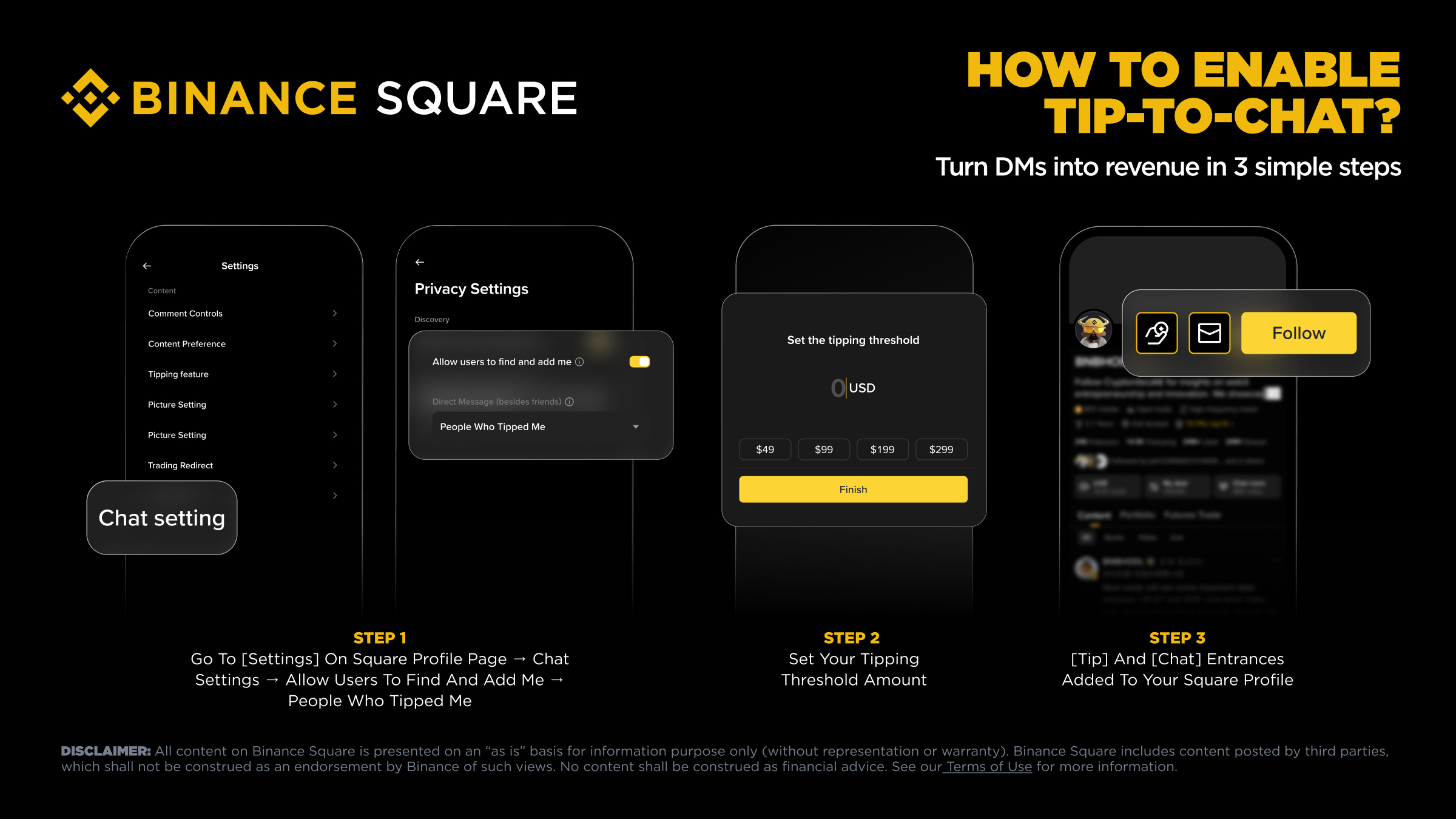
For Creators (3 Steps)
Step 1
Go to Settings on your Square profile → Chat Settings → Enable: Allow users to find and add me (People who tipped me)
Step 2
Set your preferred tipping threshold.
Step 3
The Tip and Chat buttons will appear on your profile.
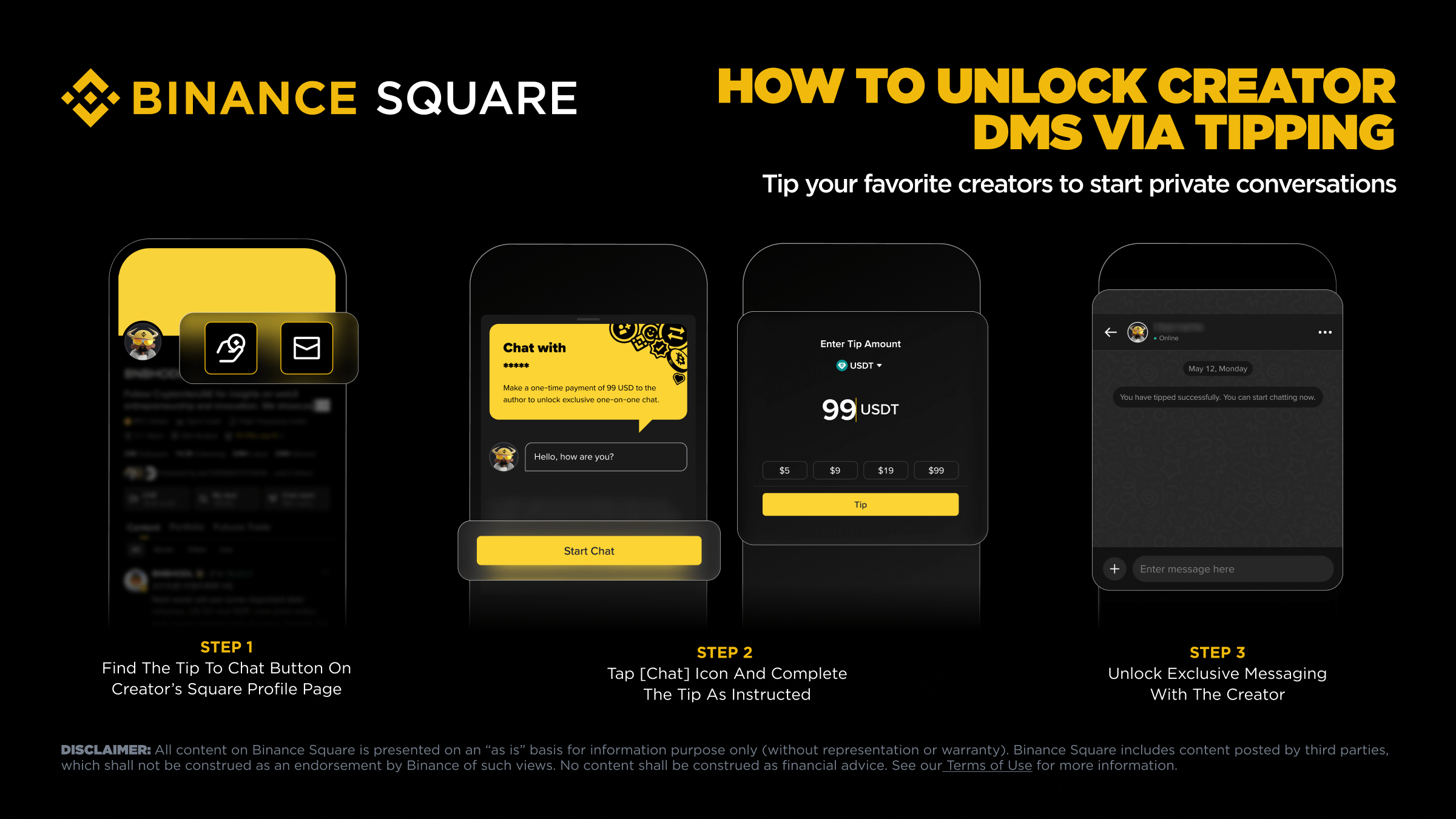
For Users (3 Steps)
Step 1
Go to a creator’s Square profile and find the Tip to Chat option.
Step 2
Choose your entry:
• Tap Tip → send support → once threshold is met, tap Chat
• Tap Chat → system shows required amount → complete the tip
Step 3
Start your private conversation.
Where to Find Your Messages
On App
• Tap your avatar (top-left) → enter User Center
• Tap Chat in the bottom bar to access your conversations
On Web
• Click Chat in the top-right navigation bar

FAQ
Is Tip to Chat enabled by default?
No. Creators must manually enable it and set a threshold.
What’s the minimum tip amount?
The minimum starts at 1 USD, but creators choose their own pricing.
Which tokens can be used?
You can tip using supported crypto assets from your Funding, Spot, or Earn wallets.
Do creators receive the full amount?
Yes. Creators keep 100% of the tips.
Are tips refundable?
No. All tips are final once completed.
If the threshold increases, do I lose access?
No. Once you’ve unlocked chat, access remains unchanged.
Will creators always reply?
Not guaranteed. Creators control their responses and can manage chats at their discretion.
Is my privacy protected?
Yes. Messaging follows Binance Square’s privacy and moderation rules.
Where can I check my tipping history?
Go to Wallet → Funding Wallet → History → Pay to view sent or received tips.
What if a tip fails?
The funds will be returned to your wallet. You can retry later.
Source: Binance Square