
Meteora is one of the most popular liquidity protocols in the Solana ecosystem, and DAMM V2 (Dynamic Automated Market Maker V2) is its latest generation of dynamic market-making pools, specifically designed for new token issuances and optimized for LPs (liquidity providers). It features core characteristics such as dynamic fee rates + NFT positions + flexible locking + stablecoin commissions, effectively preventing sniping, stabilizing openings, and significantly enhancing the LP experience.
Using the GTokenTool platform, you can create a DAMM V2 liquidity pool on the Solana mainnet in just a few minutes without writing complex code.
Preparation work (must be done in advance)
A computer or phone (a computer is recommended for more stable operation)
Solana wallet (Phantom wallet is recommended; you can refer to the official installation tutorial)
At least prepare 0.11 SOL in the wallet (for transaction fees and gas)
You need to create a liquidity token (which has been minted and is in the wallet)
Detailed creation steps
Step 1: Enter the page and connect the wallet
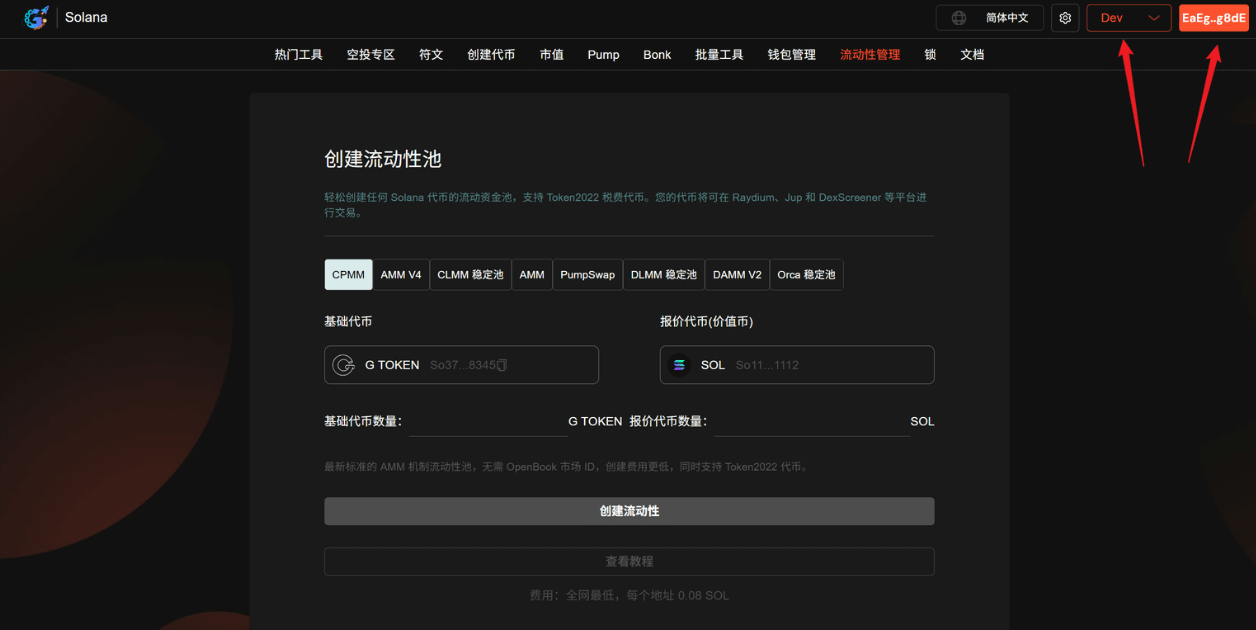
Open GTokenTool to create a liquidity page:
Switch to the Mainnet at the top right (you can use the testnet during the demo), click to connect the Phantom wallet and authorize.
Step 2: Select the pool type
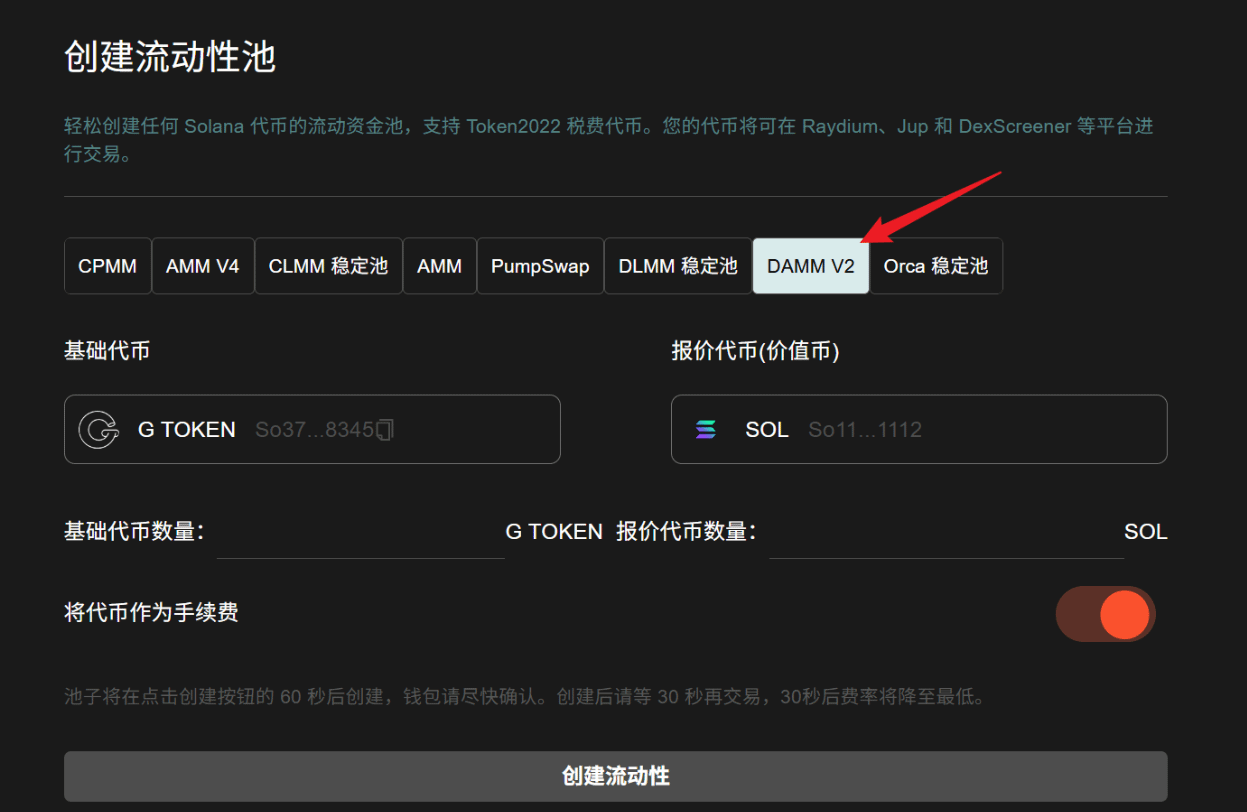
GTokenTool supports various pool types: AMM, AMM V4, CPMM, CLMM, PumpSwap, DLMM, DAMM V2, Orca, etc.
Simply select the DAMM V2 pool.
Step 3: Set up trading pairs
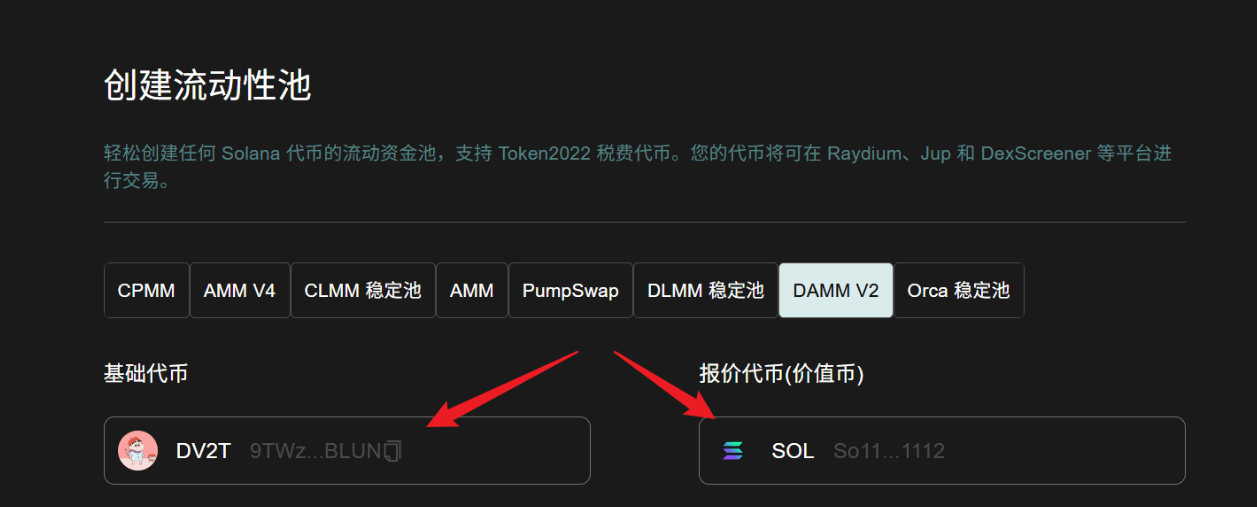
Base token: Enter the address of the token you just created, which has no value yet.
Quote token: Select a token with market value, usually SOL, USDC, USDT, or USD1.
Step 4: Fill in specific parameters
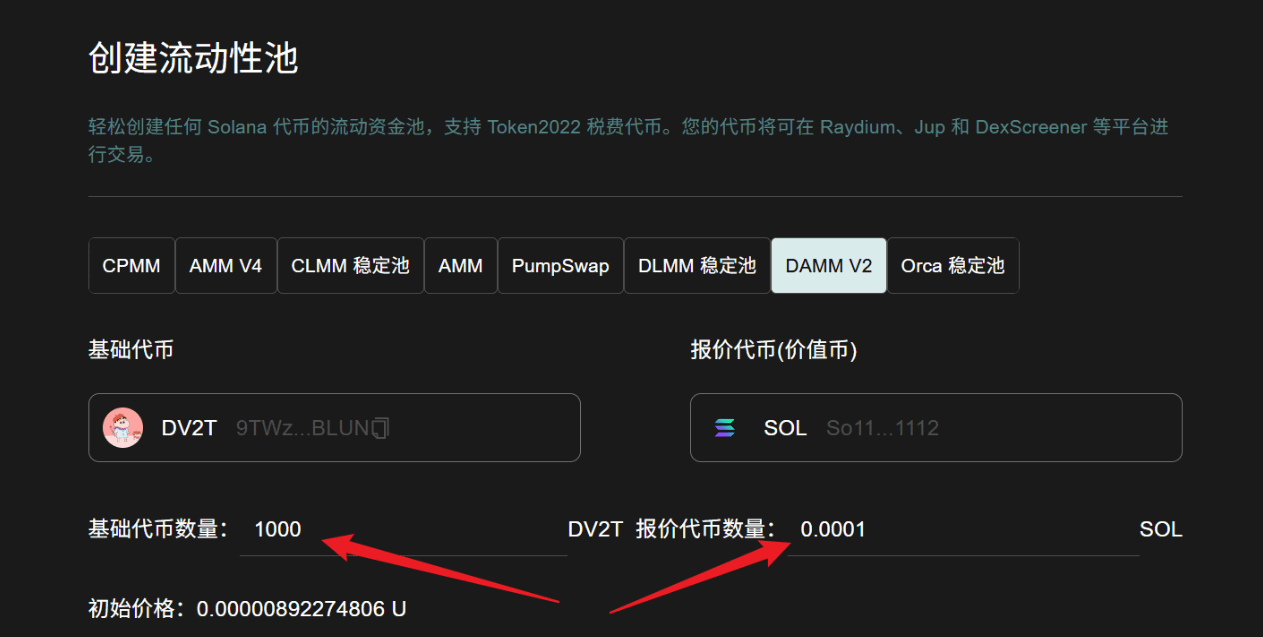
Base token quantity: Enter the number of tokens you want to put into the pool (do not exceed the actual balance in the wallet).
Quote token quantity: Enter the corresponding quantity of SOL/USDC, etc. (also do not exceed).
The system will automatically calculate the initial price, and you can preview whether the price curve is reasonable in real time.
Step 5: Optional settings - use tokens as fees
If you wish to pay part of the fees with your issued tokens, you can check this option to enable it (flexibly choose according to project needs).
Step 6: Click to create liquidity
After confirming that all parameters are correct, click the 'Create Liquidity' button.
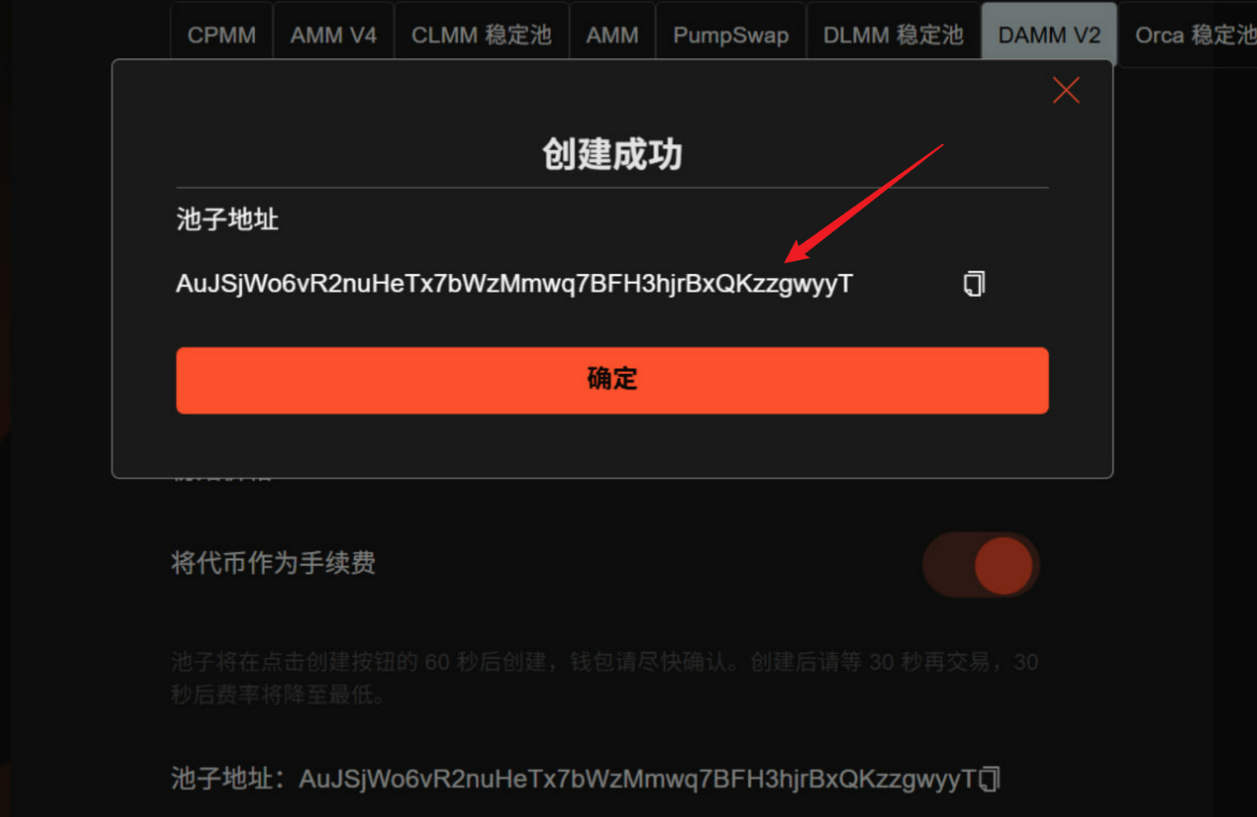
The wallet will pop up a confirmation window; please confirm the transaction as soon as possible within 60 seconds. After successful creation:
The system will pop up the pool address (be sure to copy and save it).
It is recommended to wait 30 seconds before proceeding with the transaction, as the fee rate will drop to the lowest and liquidity will be most stable.
Notes and tips
Please keep the wallet and network stable during the creation process to avoid failures due to network interruptions.
After the pool is created, DAMM V2's dynamic fee rate mechanism will automatically adjust based on market fluctuations, which is more favorable for anti-sniping and protecting LP.
It is recommended to immediately add more liquidity on the Meteora official interface or DEX like Raydium after creation, or set up a lock-up to enhance project credibility.
If you encounter confirmation issues with the Phantom wallet, you can try refreshing the page or switching networks and retrying.
Summary
Create a Meteora DAMM V2 liquidity pool through GTokenTool, the whole process takes only 2-3 minutes, which is much simpler and more efficient than manual deployment. Whether for new project teams or individual developers, it enables easy implementation of 'launch token and open pool', allowing tokens to quickly gain real trading depth.