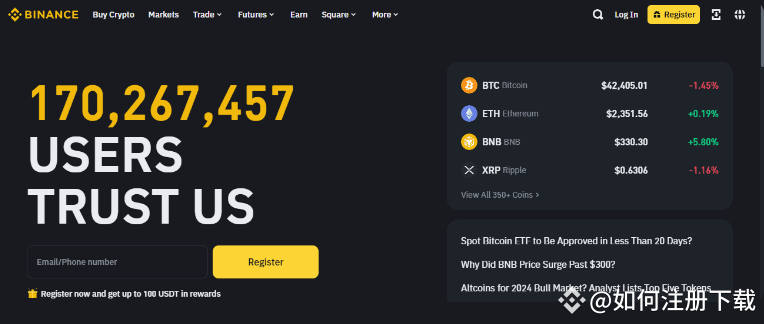
Complete guide for Binance (Binance) users in mainland China for registration and usage
Binance, as a globally renowned cryptocurrency trading platform, has always attracted the attention of many investors. Although users in mainland China face certain regulatory restrictions, they can still register and use the Binance platform for cryptocurrency trading through legal channels. The following is a detailed tutorial on how to register a Binance account, verify identity, set up Google Authenticator, and buy and sell cryptocurrencies and C2C transactions.
1. Register a Binance account
1. Visit the official website:
By clickingBinance registration linkor entering the invitation code RFHBT7IA during registration, you can enjoy a trading rebate of up to 20%.
2. Choose registration method:
After entering the Binance official website, click the 'Register' button. You can choose the following methods to register:
Email registration (recommended)
Phone number registration
Third-party social media account registration (e.g., Apple ID, Google account, note that some accounts may be restricted in mainland China)
3. Fill in registration information:
Enter your email address.
Set a strong password (must include uppercase and lowercase letters, numbers, and special symbols).
Read and check (Terms of Service) and (Privacy Policy).
Click 'Register' to create an account.
4. Email verification:
After completing registration, you will receive an email containing a verification code. Open your email and enter the verification code to complete the verification.
Two, Identity Verification
1. Log in to your account:
Log in to Binance using your registered email and password.
2. Enter the identity verification page:
In 'Account Settings', select 'Identity Verification', then fill in the following information:
Real name
ID card number
Upload photos of the front and back of your ID card and a photo of you holding the ID card.
3. Submit for review:
After submission, Binance will review the information. Once approved, you will receive a higher withdrawal limit and more feature permissions.
Three, Setting up Google Authenticator
1. Download Google Authenticator:
Go to the app store (App Store or Google Play), search and download Google Authenticator.
2. Bind your Binance account:
Log in to Binance and enter 'Account Security' settings.
Select the 'Google Authenticator' option.
Scan the QR code on the page or manually enter the key to bind the account.
3. Complete binding:
After successful binding, Google Authenticator will generate a 6-digit dynamic verification code. You will need to enter this code each time you log in or perform important operations to enhance account security.
Four, Buying and Selling Cryptocurrency Tutorial
1. Deposit funds
Due to policy restrictions in mainland China, some fiat deposit methods may not be available, it is recommended to use cryptocurrency for deposits.
Go to 'Wallet' and select 'Deposit'.
Choose the cryptocurrency you want to deposit and get the deposit address.
Transfer cryptocurrency from other wallets or exchanges to Binance.
2. Purchase cryptocurrency
Enter the 'Spot Market' or 'Professional Trading' page.
Select a trading pair (e.g., BTC/USDT).
Buy operations based on market prices or set limit orders.
3. Sell cryptocurrency
Also choose the trading pair you want to sell in the trading market.
Set the selling price and quantity, confirm and wait for the transaction.
Five, C2C (Peer-to-Peer) Trading Guide
Binance's C2C trading feature allows users to trade cryptocurrencies and fiat directly with each other, suitable for users in mainland China.
1. Enter the C2C market:
On the Binance homepage, click 'C2C Trading' to enter the market.
2. Choose trading pairs:
Select the cryptocurrency and fiat currency pair you want to trade (e.g., BTC/CNY or USDT/CNY).
Browse buy and sell advertisements in the market.
3. Choose trading partners:
Filter buyers/sellers with good reputation based on user reviews, transaction volume, and other indicators.
Click on the advertisement to view detailed information.
4. Place orders and complete transactions:
Choose a suitable trading method (e.g., bank transfer, Alipay, etc.).
After completing payment, confirm the release or receipt of funds on the Binance platform.
Ensure that the funds are safely received before confirming the payment to avoid disputes.
Six, Registration and Trading Precautions
1. Abide by laws and regulations:
Be sure to comply with relevant policies in mainland China and Binance’s terms of use.
2. Enhance account security:
Enable Google Authenticator, SMS verification, and anti-phishing code.
Set a strong password and change it regularly.
3. Carefully choose trading partners:
In C2C trading, prioritize trading with highly rated users.
Avoid large transactions with newly registered users to reduce risk.
4. Follow market trends:
The cryptocurrency market is highly volatile, please closely monitor market conditions and make investment decisions based on your personal risk tolerance.
Through the detailed steps above, users in mainland China can achieve secure trading of cryptocurrencies on the Binance platform. During the trading process, always pay attention to compliance and account security, invest rationally, and avoid potential risks from over-trading.
Register a Binance account and start your cryptocurrency investment journey now!
Registration link:https://www.binance.com/join?ref=RFHBT7IA(Invitation code: RFHBT7IA)