
Have you ever wondered how some content creators earn money every day on Binance Square without investing a single penny? 🤔
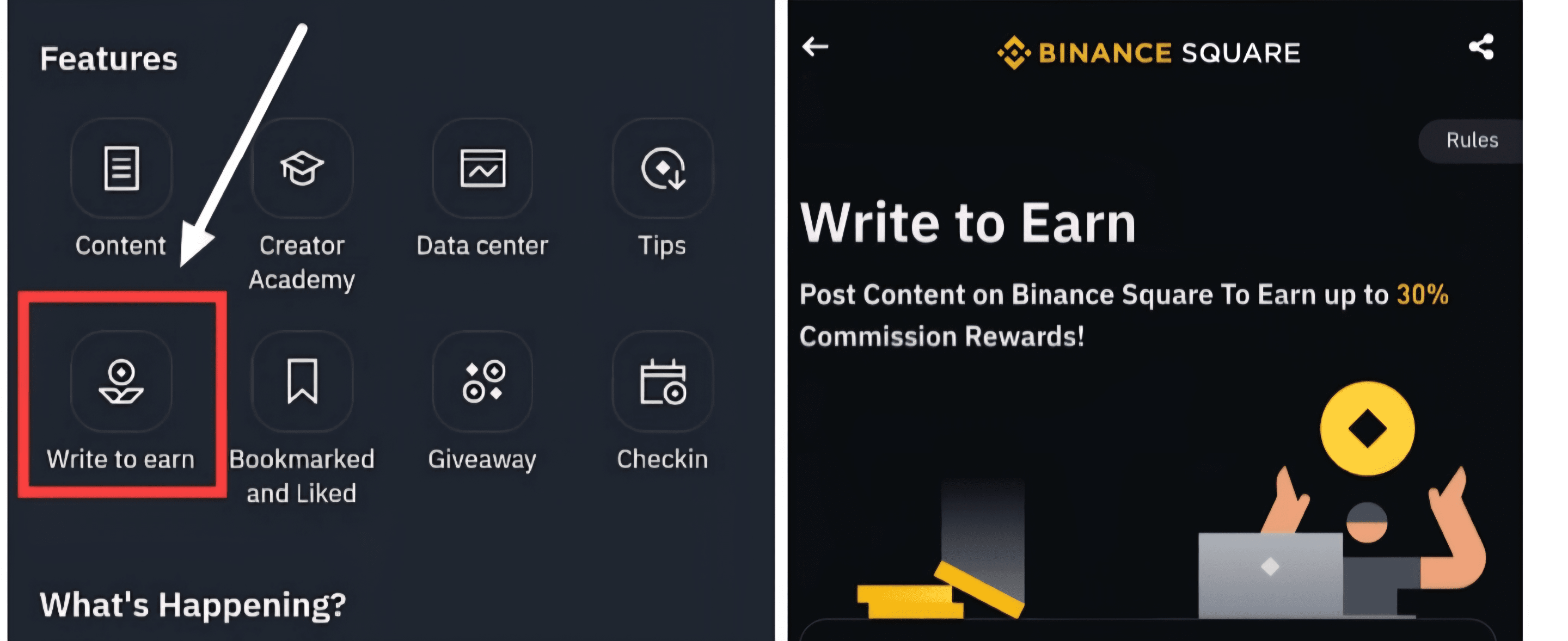
Today I am revealing this secret completely 🔐 — How to join the Binance Write-to-Earn program from scratch. I will show you the steps one by one:
Creating a Binance account
Identity verification (KYC)
Setting up profile, biography, and username
Creating your first post or article
How to earn weekly income
Let's get started! 💪
---
🟢 STEP 1: Create a Binance Account (Completely Free)
1. Go to www.binance.com
2. Click on the 'Sign Up' option
3. Sign up with your email address or phone number
4. Choose a strong password
5. ✅ Confirm your email
🎯 Congratulations! You have created your Binance account.
---
🟢 STEP 2: Verify Your Identity (KYC)
KYC is required for access to Write-to-Earn rewards and security.
1. Log in to your Binance account
2. Go to the Identity Verification section
3. Click on the 'Verify' option
4. Upload your documents:
Official identification document (Passport, ID Card, Driver's License)
Facial recognition (via camera or app)
📍 This process takes 5–10 minutes. Approval is usually completed within a few hours or within 2 days.
---
🟢 STEP 3: Set Up Your Binance Square Profile
This will be your public content creator identity. Here's how to do it:
1. Go to the Binance app
2. Tap on the Square tab at the bottom (📢 icon)
3. Click on your profile picture in the top right corner
4. Tap on the 'Edit Profile' option
🟢 STEP 4: Apply for the Binance Content Creator Program
...
If your profile looks neat enough:
1. Tap your profile again
2. Scroll down and click on 'Apply to Become a Content Creator'
3. Fill in the information below:
What topics will you create content on? (Signals, Memes, Market News, etc.)
Experience (even basic knowledge is sufficient)
Which language will you use? (English, Hindi, etc.)
✅ Wait for your application to be approved — usually takes 3–5 days, but can sometimes be faster.
---
🟢 STEP 5: How to Create a Post or Article? 📝
Once you are approved as a content creator, you will have access to the 'Create Post' button.
Here are the steps to share posts professionally:
👉 For a Short Post:
1. Tap the '+ Create' button on Binance Square
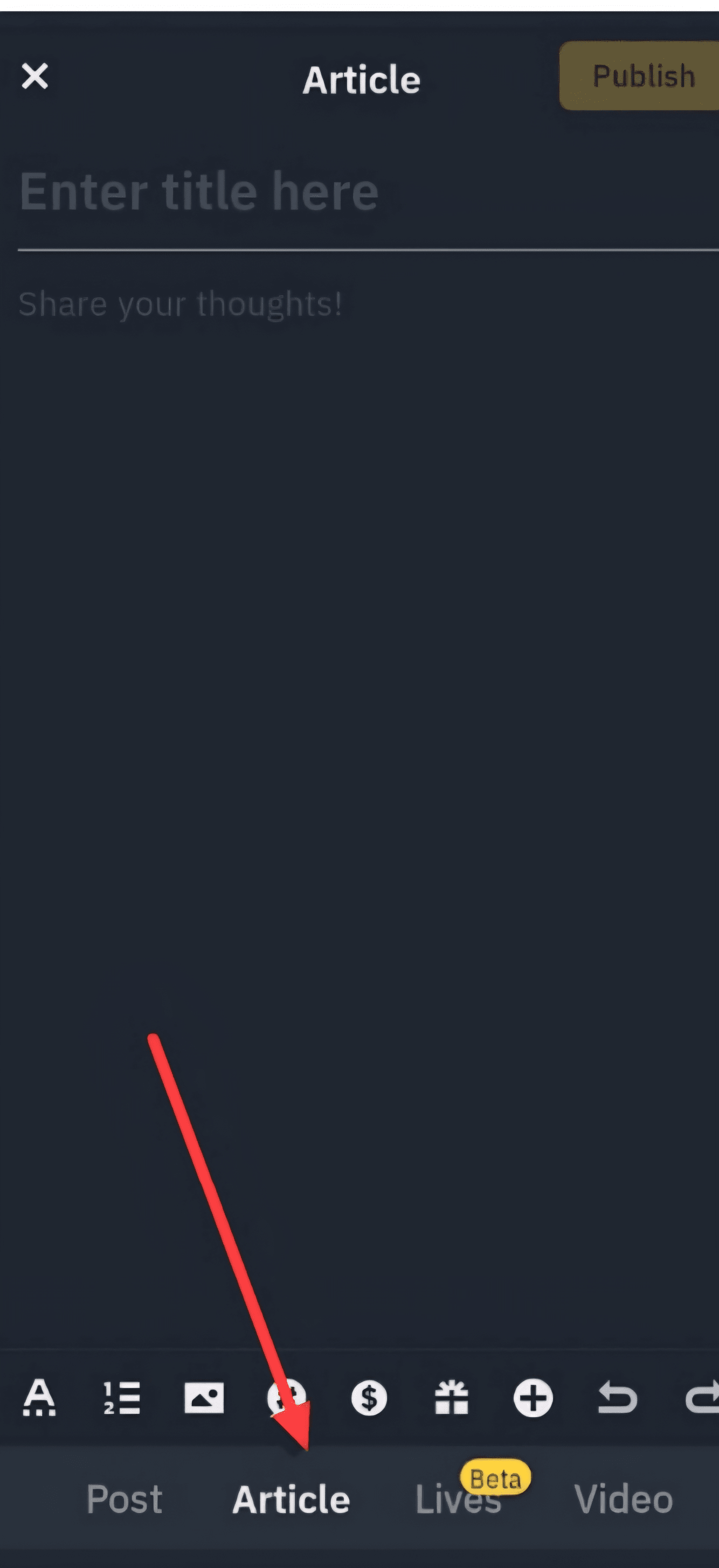
👉 To Create an Article:
2. Select the 'Article' option
3. Add an engaging title:
"How to Earn $10 a Day on Binance Without Trading?"
"Top 3 Airdrops You Can Claim This Week"
4. Write your content using titles, emojis, and short paragraphs
5. Add images or graphics to make your post visually appealing
6. Tap the 'Publish' button
📈 The more likes, comments, and shares your post receives, the more earnings you will generate.
🟢 STEP 6: Start Earning Weekly
Binance evaluates based on these criteria:
Post Quality
Engagement (likes, comments, shares)
Follower Growth
Regular Posting
🎁 Rewards are sent weekly in USDT or other tokens.
📌 Expert Tip: You can start with small earnings even if each post gets 100–300 views. As your follower count increases, so do your rewards.
---
🧠 Bonus Tips for Quick Growth
🔥 Post 3–5 times a week
🧠 Focus on a single niche (Signals, Altcoins, News, etc.)
💬 Engage with your followers — respond to every comment
📤 Share your Binance Square link on platforms like Twitter, Telegram
📅 Be consistent for 30 days — success is inevitable!
---
✅ Final Words
Now you know how to join the Binance Write-to-Earn program and start your content creator career without investment.
💰 Earnings can range from $5 to $500 weekly — it completely depends on the value you provide.
---
💬 Would you like to join?
If you're starting today, write 'W2E Ready'!
💥 Follow me for daily writing ideas, growth tips, and weekly earnings reports
📩 If you want a personal guide to grow quickly on Binance Square, send me a message
#BinanceAlphaAlert #BinanceSquareFamily #freeboxgiveaway #Write2Earn #Binance