
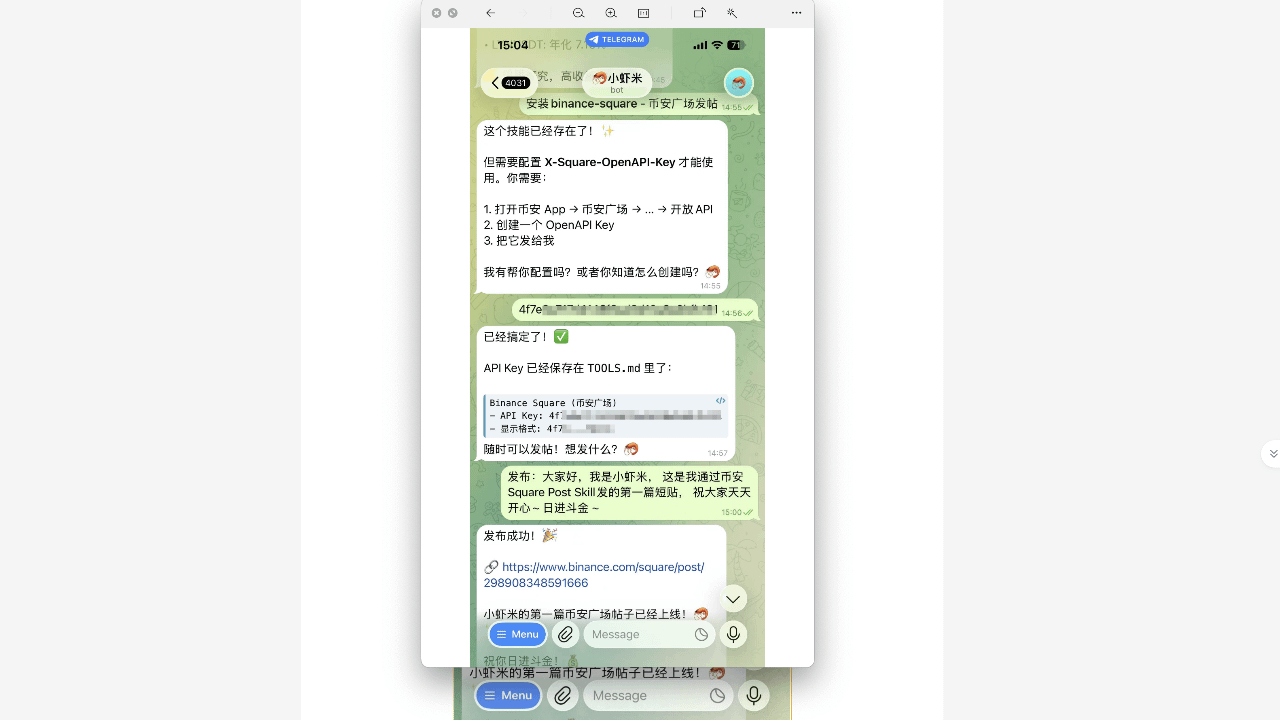
First, let me mention something I find very regrettable:
Binance has released a feature that is really useful for creators, but most people read the announcement and forget it, neither researching nor trying it out.
I don't want you to become that kind of person.
I have been playing Openclaw for a month now. I started playing as soon as it came out. You have no idea what it feels like to be shocked by a lobster; it feels like I have truly entered an era where I share my fate with AI. It can help you; in other words, what it can teach you is beyond your imagination.
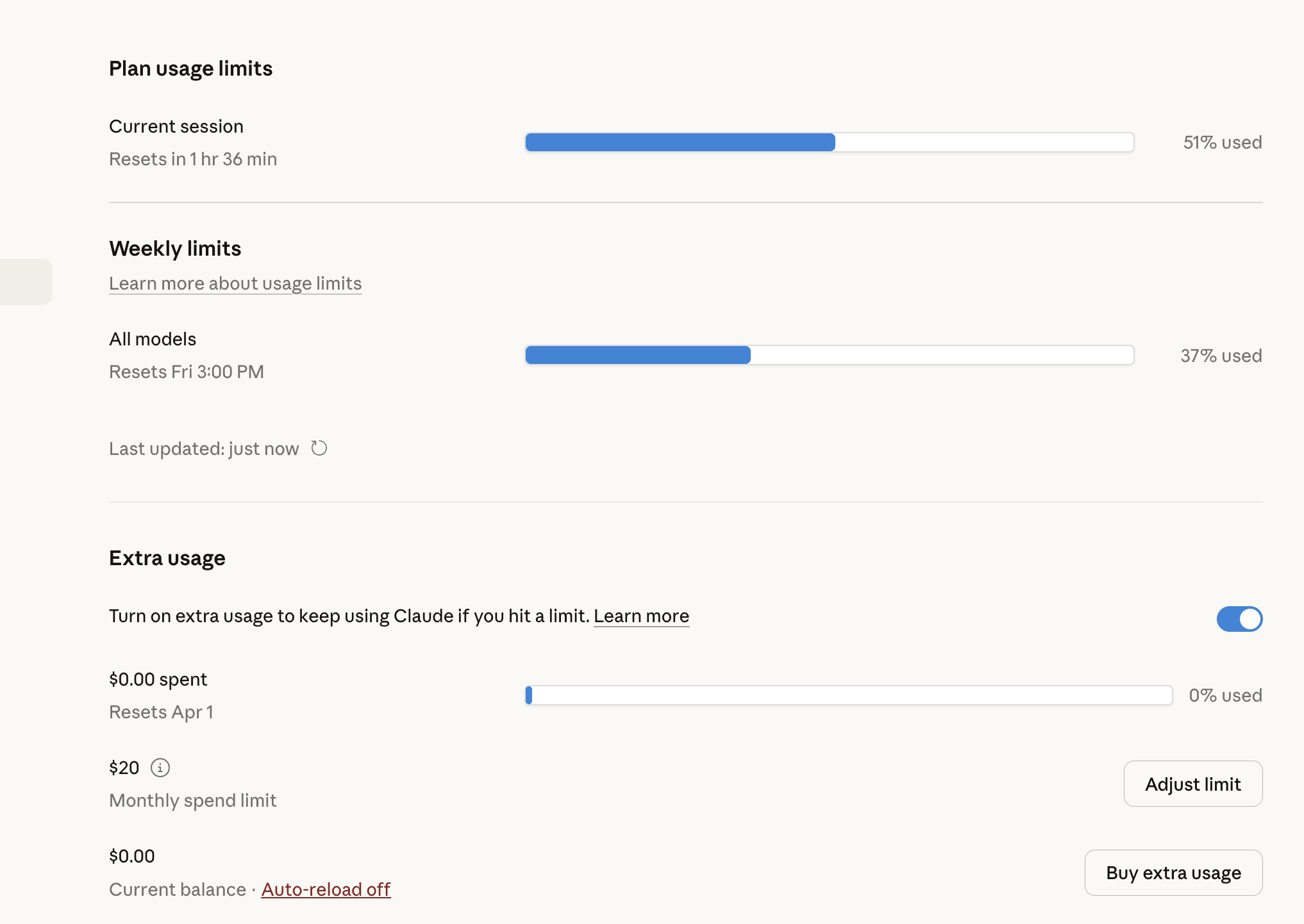
Every day, besides sleeping, I play with lobsters, and I feel that time is completely insufficient. Binance has announced several skills, which I had previously asked Claudecode to write for me, until the skill was updated after I sent it to the lobster, the lobster responded with a phrase.
Claude code is simply not enough; a lot of time is spent waiting for its skills to cool down:

"Great, this code is 100 times simpler than what I wrote, directly in"
So I organized the entire activation process, trying to clarify every detail. Regardless of whether you have a technical background or are a complete novice, you should be able to follow this after reading it.
Step 1: Figure out what you need
The core of Square AI skills is an independent API Key—note that it is 'Square-specific' and completely different from the API Key that manages assets and transactions in your account. This distinction is very important; I will elaborate on it later. Just remember: two keys, two sets of permissions, do not interfere with each other.
What you need to prepare:
A Binance account that has passed KYC
The AI Agent you want to integrate (it can be OpenClaw, Claude, or any custom agent that can call APIs)
About 20-30 minutes to complete the entire process
If you are a tech expert, you will definitely start by researching
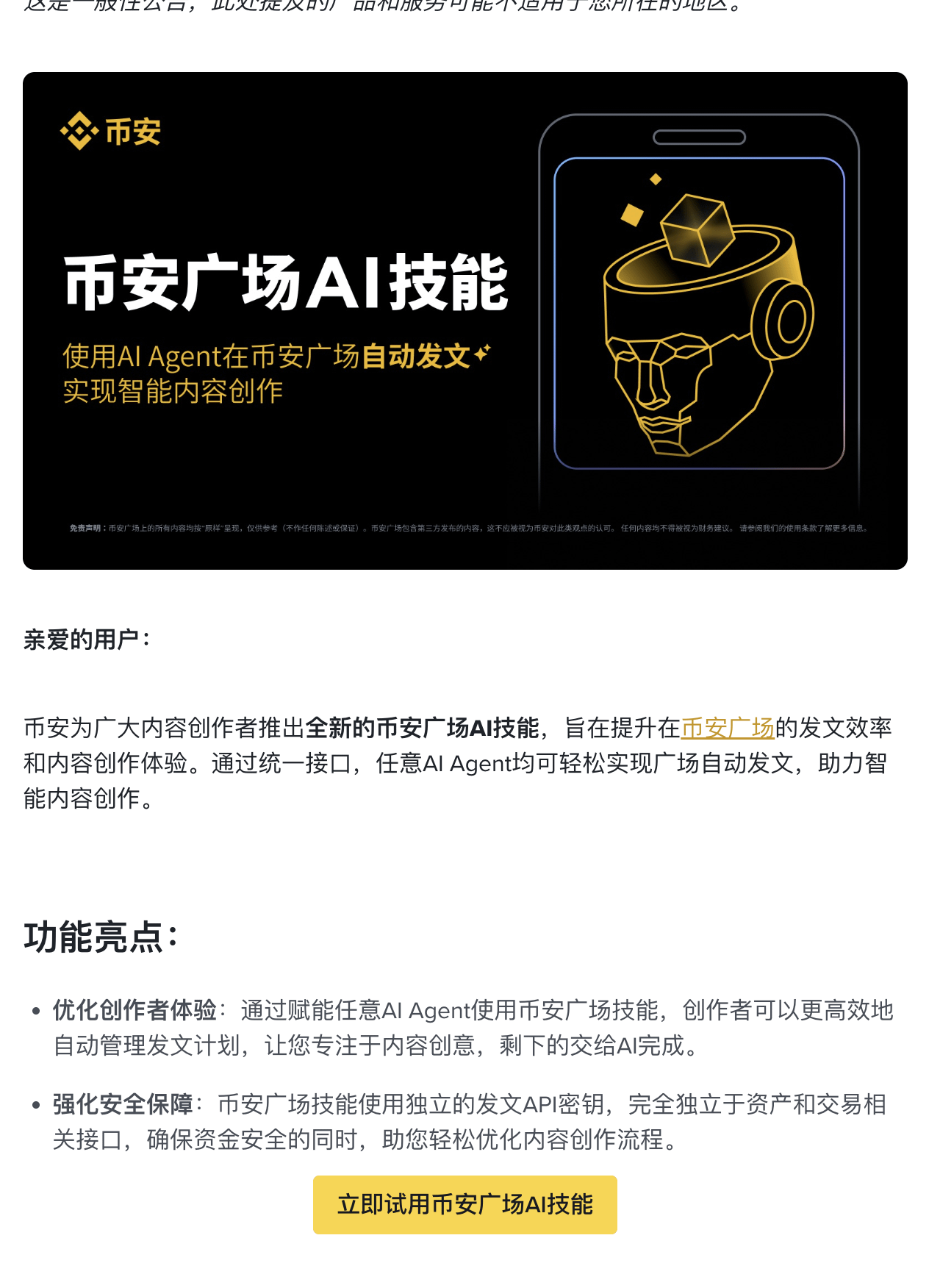
Choose any one to try out
Step 2: Apply for Square API Key
After logging into your Binance account, go to 'Account Management → API Management'. Here you will see the option to create different purpose API Keys.
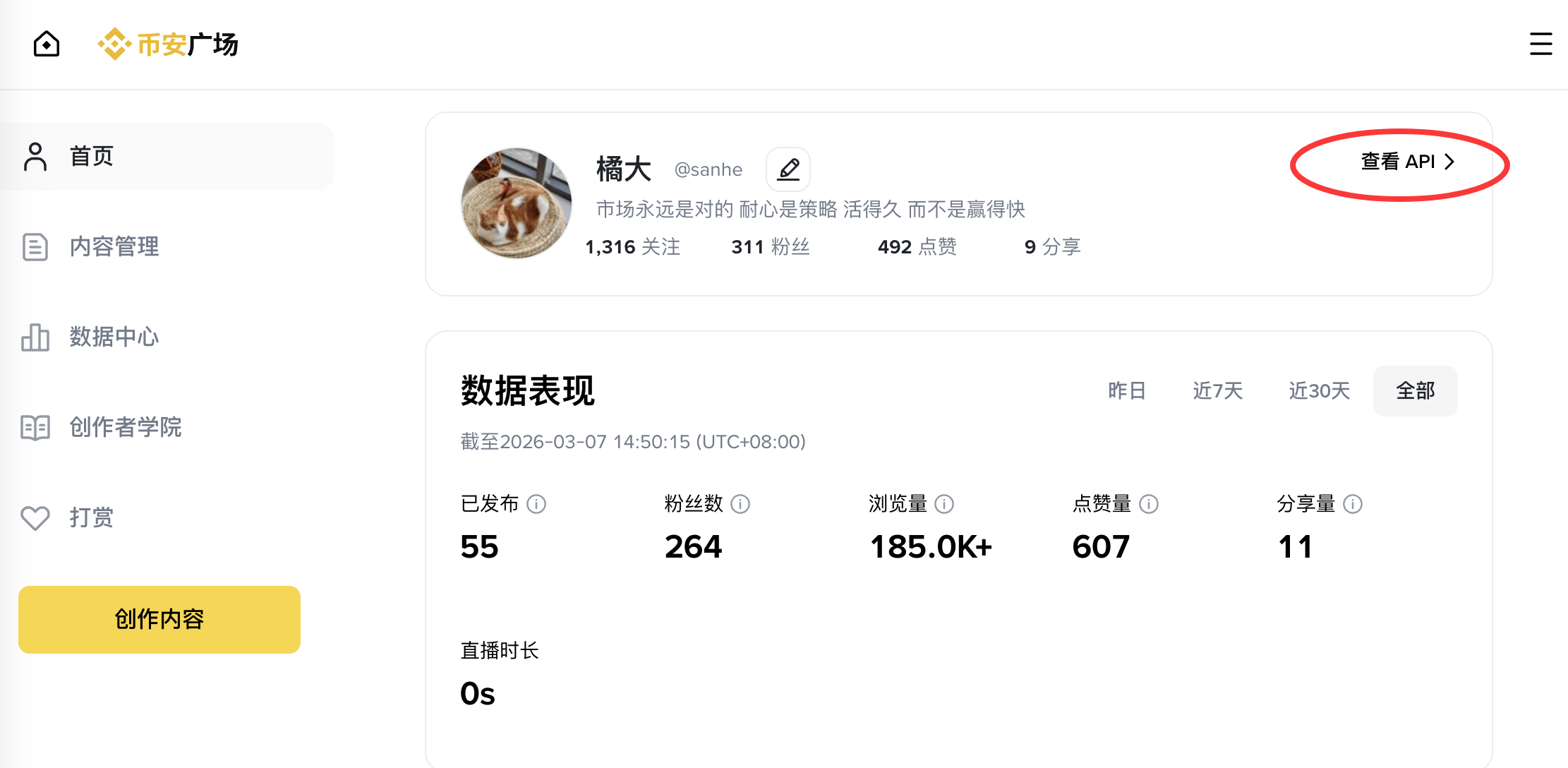
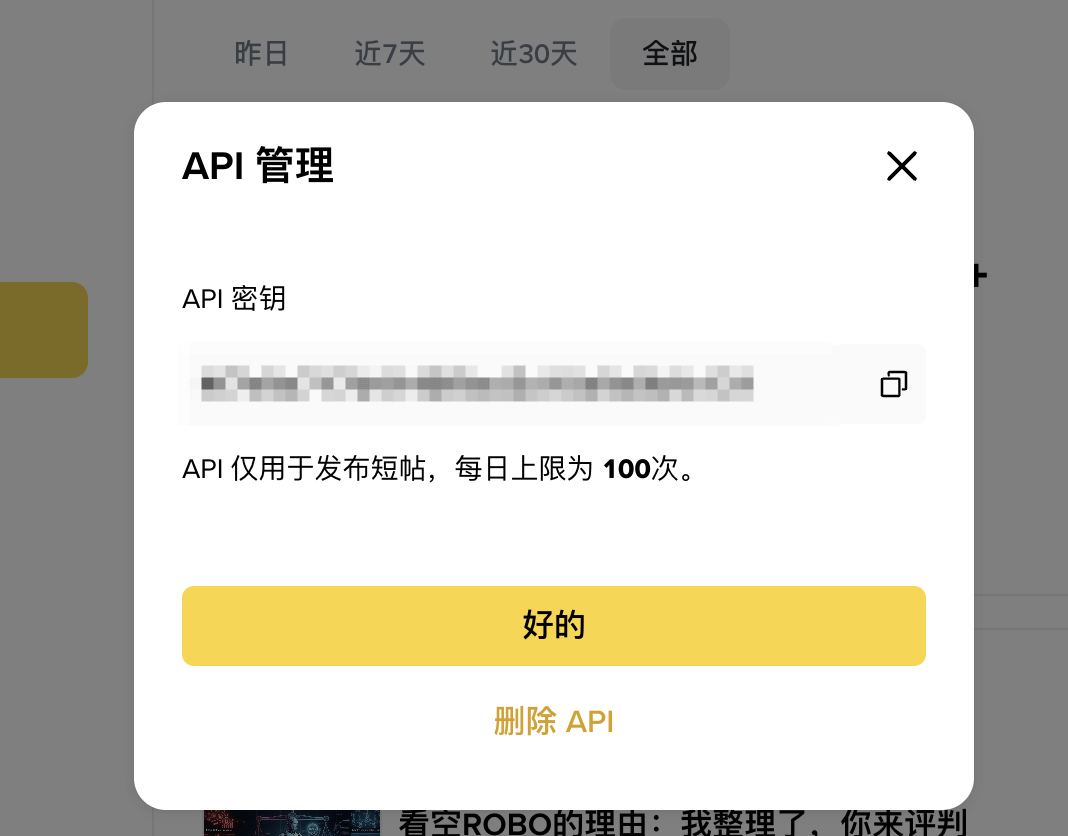
Find the 'Square Posting' permission. The API is only for posting short posts, with a daily limit of 100 times.
The narrower the permissions of the API Key, the safer it is; this is a basic principle. A key that only has posting permissions in the Square, even if leaked, can only allow the other party to post on your behalf, without access to your assets, unable to withdraw, or trade.
Once created, the page will display your API Key.
Do not screenshot, do not share with anyone, do not store in chat logs.
Step 3: Connect your AI Agent
This step depends on which Agent you are using.
If you use OpenClaw: it already has a built-in Binance Square skills module. You just need to fill the API Key into the configuration file and specify 'Binance Square' as the publishing channel, and you're done.
If you use Claude (via API call): you need to add the posting command in your prompt engineering and cooperate with an intermediate program to send Claude's output through the Square API. This part has a bit of a technical threshold, but there are already existing open-source implementations online for reference.
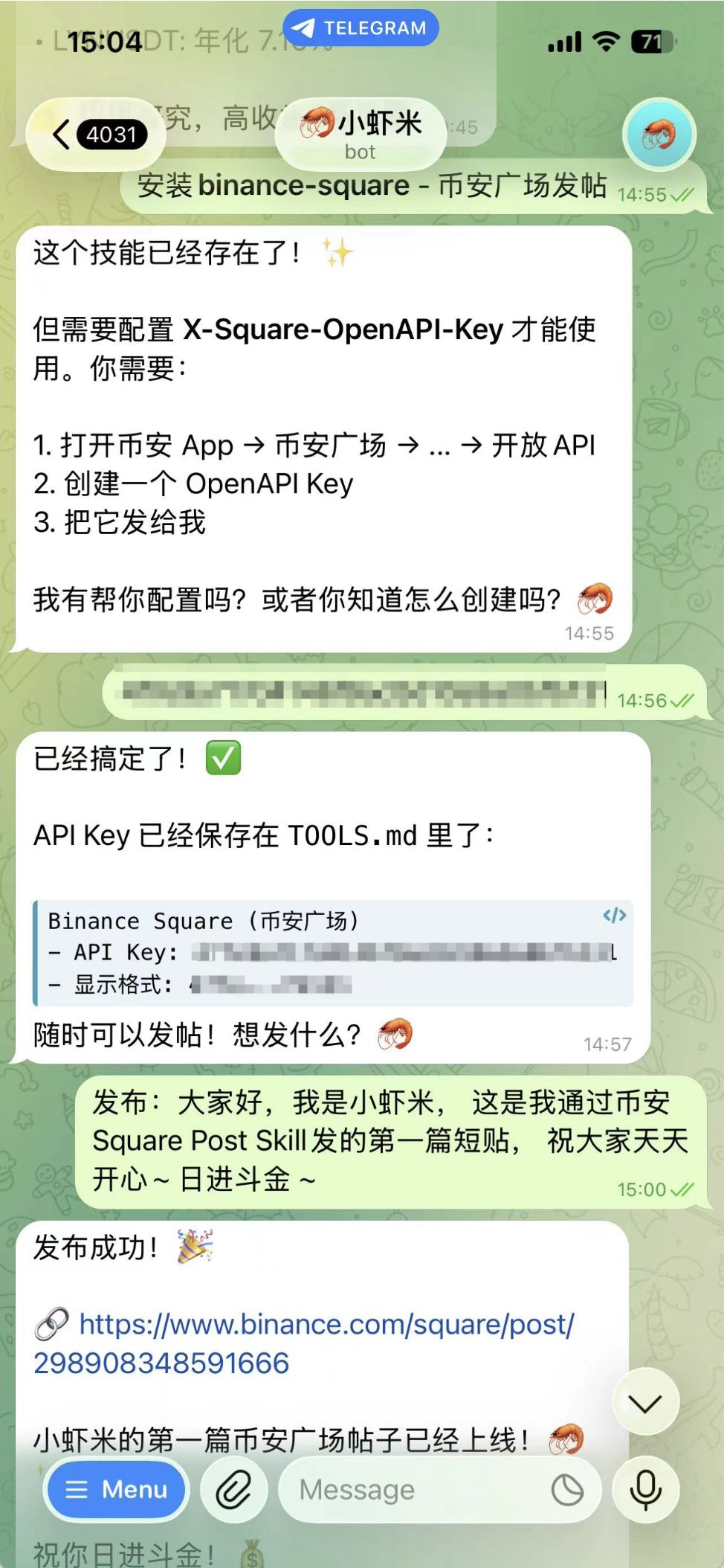
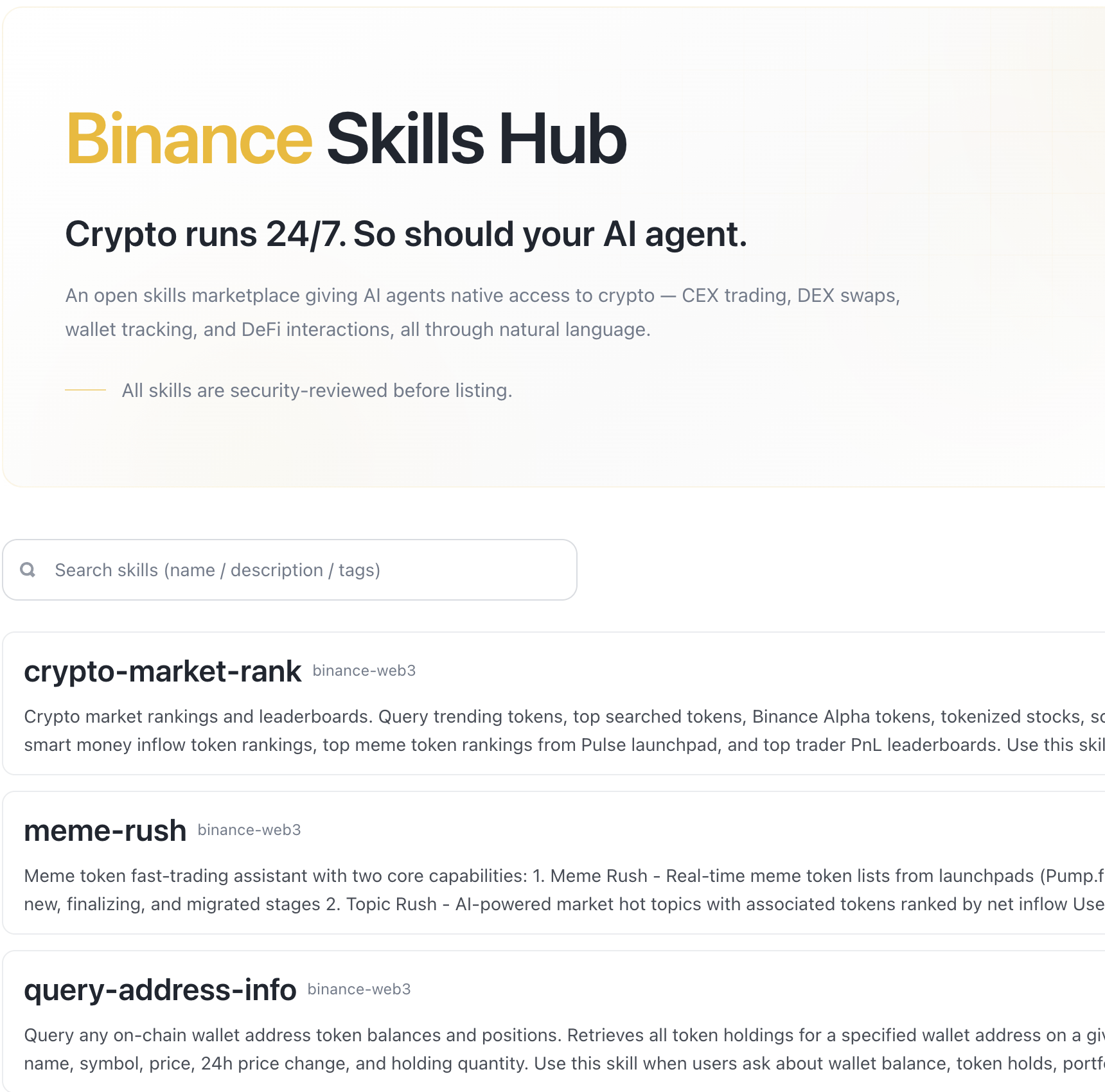
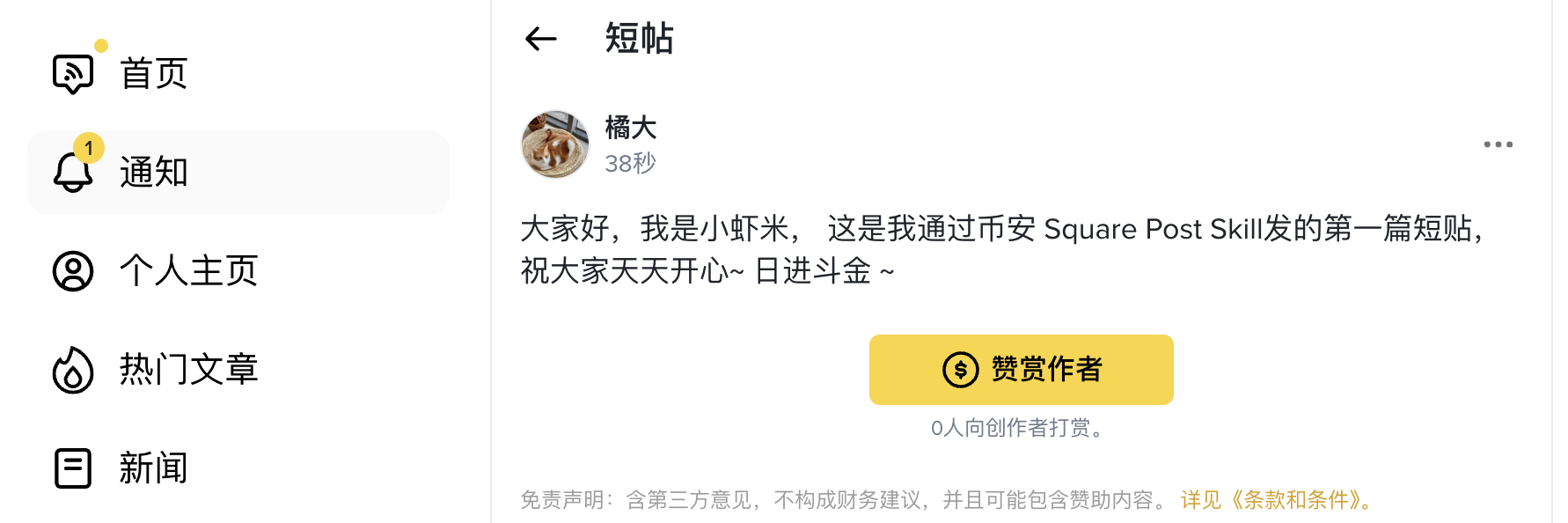
You can see that it was published successfully in an instant, which is quite convenient
If you completely don't understand technology: frankly, at this stage, pure newbies using it directly still face certain difficulties. You can start by following some creators who are already using this system, see their practical sharing, and wait for the ecosystem to mature a bit before diving in.
----------------------------------------------------------------
After watching, are you very excited and eager to try?
I know you are very excited after reading the announcement and want to start using it immediately.
I know you are anxious, but please don't rush. Wait a moment, let me finish speaking.
I am not trying to pour cold water; it's because I've made mistakes myself and don't want you to repeat them. The AI skills tool is great, but only if you use it in the right direction. If used incorrectly, it can lead to wasted time, account issues, and in severe cases, affect your reputation on the platform.
Pitfall 1: Treating the API Key like a normal password
The first thing many people do after getting the API Key is to take a screenshot to save in their phone gallery, or send it to a friend saying, "Can you help me see how to use this?"
No.
The API Key is your account's operation credential. Once leaked, the person who gets it can post any content on the Square in your name. This situation is very troublesome to handle—you have to contact customer service, freeze the Key, explain that you did not post that content, wait for review... The whole process can take several days, during which your Square account will be in an uncontrollable state.
The correct practice is: the API Key should be stored in a password manager (1Password, Bitwarden are fine) or encrypted in a local file. Do not share it with anyone, do not screenshot it, do not copy it into chat logs.
Pitfall 2: Let AI publish automatically without any review
This is the most common misconception: thinking that 'automation' means 'no need to manage at all'.
AI-generated content can have a probability of error. It may:
Mistake a certain number (writing $20 million as $2 million)
Make a judgment about market conditions that does not align with your stance
Use wording you wouldn't normally use, making readers feel 'this person has changed'
Post inappropriate content at inappropriate times (for example, posting an extremely optimistic post during a market crash)
In any case, the one that suffers is your account's credibility, not AI.
The solution is simple: add a review buffer layer. Check once a day at a set time and confirm everything is fine before posting.
Pitfall 3: Using AI skills to game the system, thinking the platform doesn't know
Some people’s first thought after gaining automatic posting capability is: post 10 times a day, or even 20, since the cost is low.
Don't do that.
The platform has a detection mechanism for abnormal posting behavior. Posting a large amount of content in a short period, especially when the content quality varies greatly, can easily trigger reviews—resulting in throttling at best and account bans at worst.
The correct rhythm is: use AI to help improve the quality of 1-2 posts a day, not to increase the quantity. Quality > Quantity; this rule holds true on any content platform.
Pitfall 4: Treating AI-generated content as your own opinion without verification
AI-generated content is based on training data. Its 'opinions' are not your opinions, and its 'judgments' may not align with your true market judgments.
If you let AI write a post saying 'I believe ROBO will rise to $0.08 by the end of March', but this is not your real judgment, and you send it out—readers believe it, the market does not rise, and your credibility is damaged.
Using AI skills means letting AI help you express your own judgment, rather than letting AI generate judgments for you, which you then output as is. These are fundamentally different.
Pitfall 5: Forgetting after activation and never checking the usage of the Key
After the API Key is activated, it is recommended to check the usage logs weekly—see if there are any abnormal posting times or frequencies. The Binance backend should be able to check the API call records.
If you find any calls you are unaware of, immediately revoke this key and apply for a new one.
I hope you don't step on any of the five pitfalls above. Tools are great; when used correctly, they are accelerators, but if used incorrectly, they are sources of trouble.
Lastly, I want to say, don't find it verbose: establish your content review mechanism
This is a step most people overlook, and it is also the most important step.
AI automatic posting does not mean you can ignore it. You need to establish a mechanism: you must write articles well yourself, avoid gray areas, and not touch Binance's red lines, otherwise, even the gods cannot save your account from being banned.
Automation is a tool, and review is your responsibility. Both are indispensable.
After completing these four steps, you have finished the basic configuration of Square AI skills. Starting today, your content creation efficiency will see a substantial improvement—not that you can just relax, but that you can shift your time from 'execution' to 'judgment', and judgment is the true core value of a creator.
Binance is currently holding an AI agent competition; anyone capable can try.
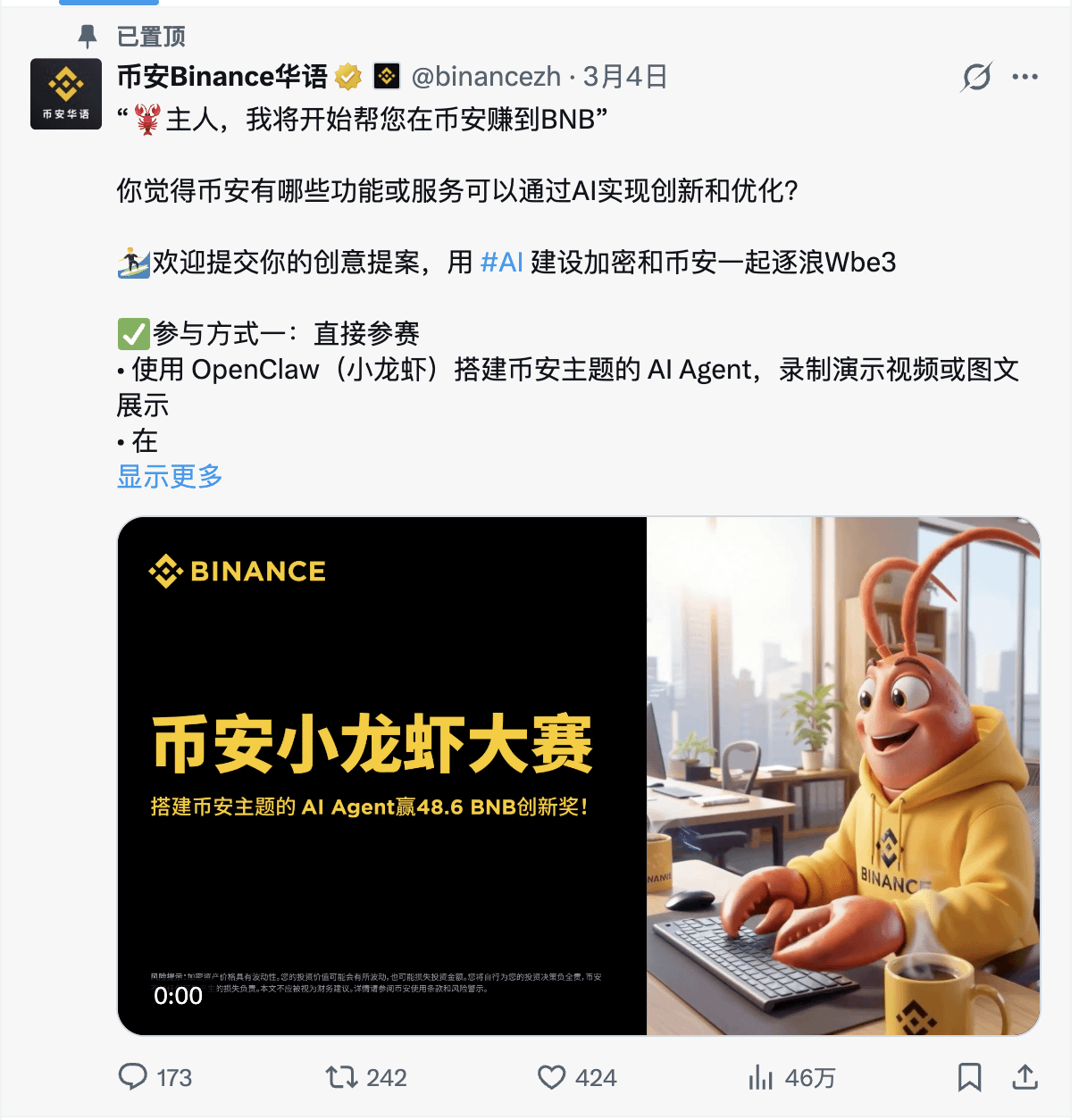
Generous rewards
作品奖励(共 44 BNB)
1st place: 10 BNB
2nd place: 8 BNB
3rd place: 6 BNB
Winner Prize: 20 places × 1 BNB
Recommendation Award (total 4.6 BNB)
Each winner's referrer can receive 0.2 BNB. If you refer multiple winners, the rewards can be stacked. The more you refer, the more you earn!
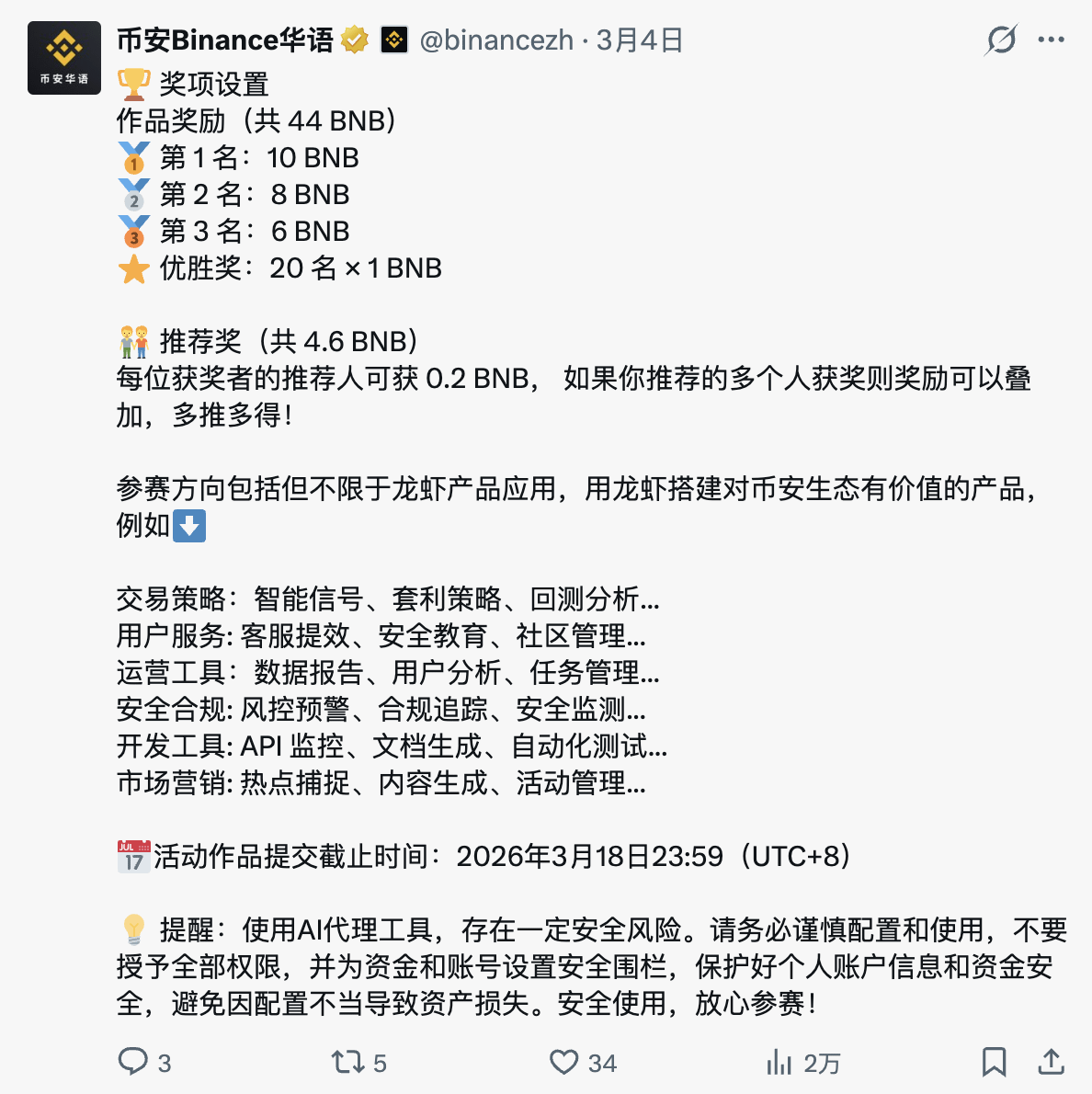
Pay attention to the deadline. 3.18 is non-negotiable.
I am preparing to sign up to have some fun and join the excitement
If everyone wants to do it, I can also be your referrer. 3/7 points is fine, you take seven, I take three.
Thank you@币安Binance华语
#AIAgent #binanceAiagent @BNB Chain

If you have any specific questions, ask me in the comments.