
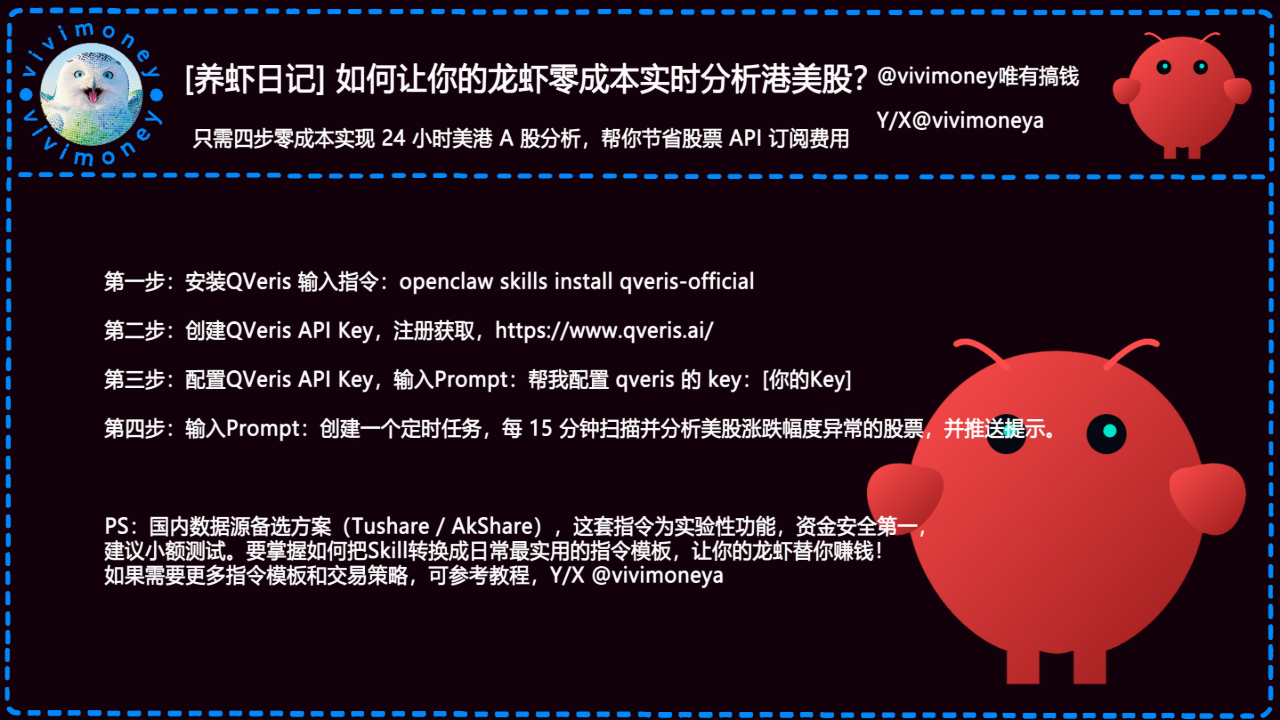

🚀 Four simple steps to get real-time analysis of price fluctuations for free, saving on expensive stock API subscription fees. The lobster becomes a 'free market monitoring assistant,' covering all US and Hong Kong A-shares. Brothers, this wave is too fragrant!
Still worried about the subscription fees for TradingView, Xueqiu, or Wind? Or not enough API call quotas? Now directly use OpenClaw + QVeris official Skill to access real-time market data, anomaly scanning, and abnormal price fluctuation alerts at zero cost!
The lobster automatically scans the US and Hong Kong stocks every minute, catching the guys that soar or plummet, and pushes them to you, allowing you to seize opportunities while lying down!

Super simple four-step zero-cost access, let’s go (completely free, experimental but super stable):
1️⃣ Install QVeris official Skill Terminal or directly throw the OpenClaw command: openclaw skills install qveris-official After installation, restart the lobster, and the QVeris capability will be unlocked in seconds!
2️⃣ Register and create QVeris API Key (the free quota is enough for daily use) Open the official website: https://qveris.ai
Email/phone number registration → Developer Center → Create API Key to get your Key (a long string of characters), copy it well!
3️⃣ Configure Key for the lobster Directly @lobster sending Prompt: “Help me configure qveris's key: paste your API_Key_here” The lobster will automatically save it in .env or configuration, replying "QVeris has been successfully configured and can start using it!"
4️⃣ Start the timed monitoring mission! Here’s another Prompt template: “Create a scheduled task to scan and analyze stocks with abnormal price fluctuations in US/Hong Kong stocks every 15 minutes (a rise of >8% or a drop of >6% is considered abnormal), list the stock codes, current price, percentage change, volume change, and sector, and push the top 5 most worthy stocks to me.
Supports switching A-share data sources.” The lobster will immediately start running in the background, and regularly push notifications to you (Telegram/Discord/Feishu all support push notifications)!
Domestic alternative data sources (if QVeris quota is insufficient or if you want purely local):
Tushare: Free registration for Pro version, daily points are enough
AkShare: Completely open-source and free, run locally. Just add a line in the Prompt saying "Prioritize using AkShare as the A-share data source" to switch, the lobster is super smart!
PS: This set of QVeris + OpenClaw combination is an experimental play, market data delay/accuracy depends on the source, fund security is the priority! It is recommended to observe the push notifications first, not to rush into actual trading orders, and to test strategies with small amounts before proceeding.
Want to change this Skill into a cooler daily instruction template? For example, "Daily morning push of undervalued blue-chip stocks' movement rankings" "Monitor the movement of Tesla concept stocks" "Combine with X hot topics to capture leading stocks" and so on? I’ll guide you step by step on how to train the lobster to be a "Hong Kong and US stock printing assistant"! For more instructions and trading strategies, you can refer to the tutorial, Y/X
@vivimoneya
I have already got the lobster running, this morning I caught a small Hong Kong stock with a +12% push, earned a cup of Starbucks 😂 You guys should also raise a "free monitoring lobster" at zero cost~
vivimoney lobster OpenClaw community application form (link in the comments section)
Comment area report: Which type of movement do you plan to let the lobster monitor first? Tech stocks? Pharmaceuticals? Or thematic speculative stocks? Share your monitoring plan, whoever catches the big profit first treats the milk tea!
#养虾日记 #QVeris #OpenClaw #ZeroCostMonitoring #港美股分析 #AIStockTrading #龙虾赚钱 #ClawHub #AIAgent #StockMovement #FreeAPI #ShenzhenOpenClaw #HongKongOpenClaw #Web3AI