

Have you ever missed a huge opportunity in the crypto market just because you were sleeping or hesitated when it was time to place an order? The market doesn't stop, but we do. Recently, I discovered a way to turn manual trading into something automated and intelligent using the power of AI.
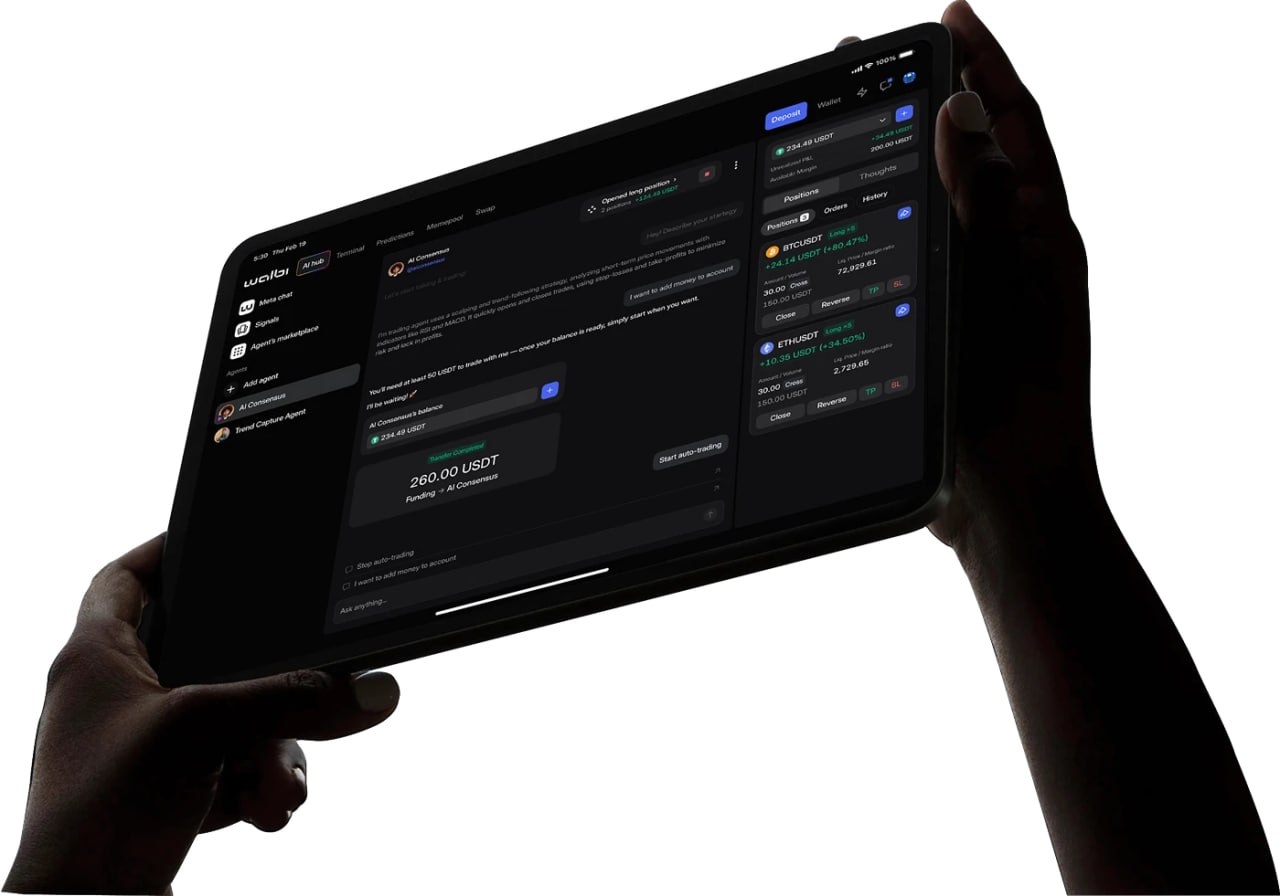
In this article, I show how the Walbi platform uses AI agents (like GPT-4o) to analyze the market and execute orders 24/7, without bureaucracy and without the need for initial KYC.
💰 Welcome Bonus
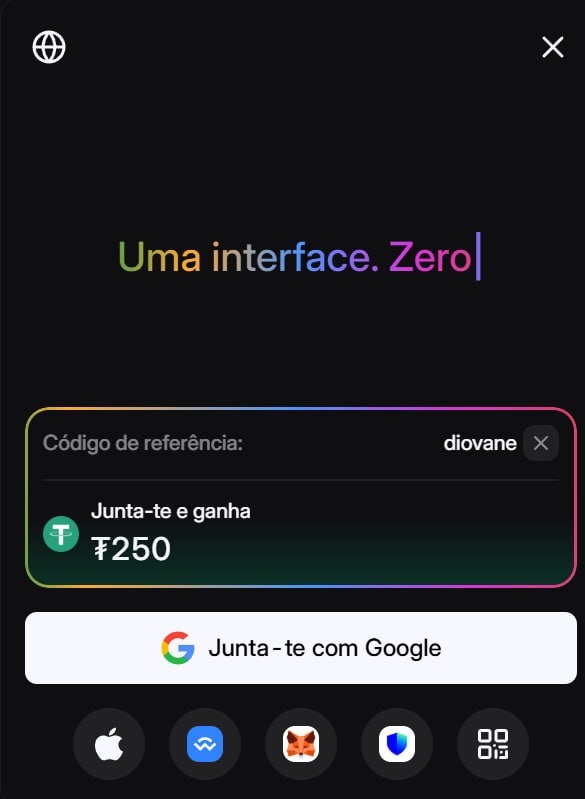
For those who are just starting, there is a bonus of $250 in fee discount coupons. This allows you to trade practically with "zero fee" while the coupon is active, receiving refunds for the fees paid.
🛠️ Step by Step: How to Set Up Your AI Agent
1. Account Opening and Deposit
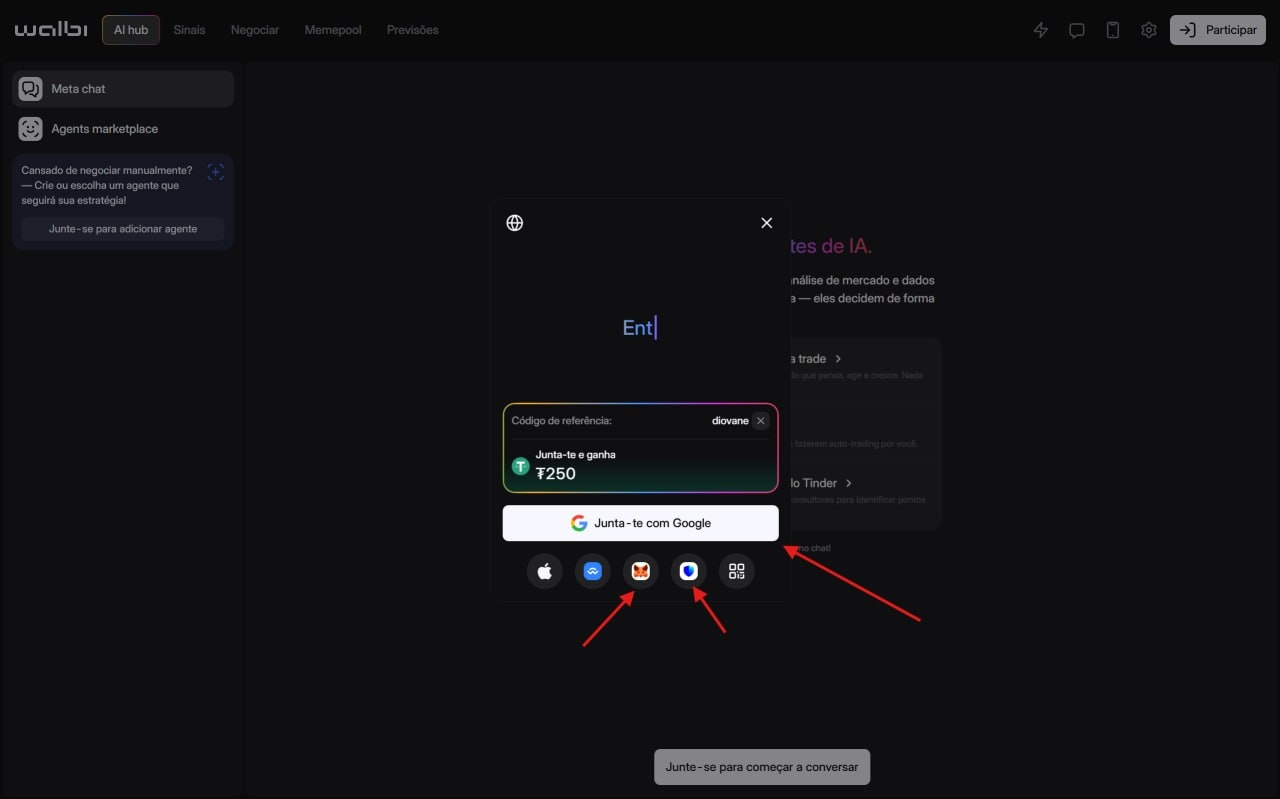
Walbi works as a Web3 platform. You can quickly connect using your Google account or wallets like MetaMask and Trust Wallet.
Tip: After registration, the first step is to deposit balance ($USDT , $USDC , etc.).
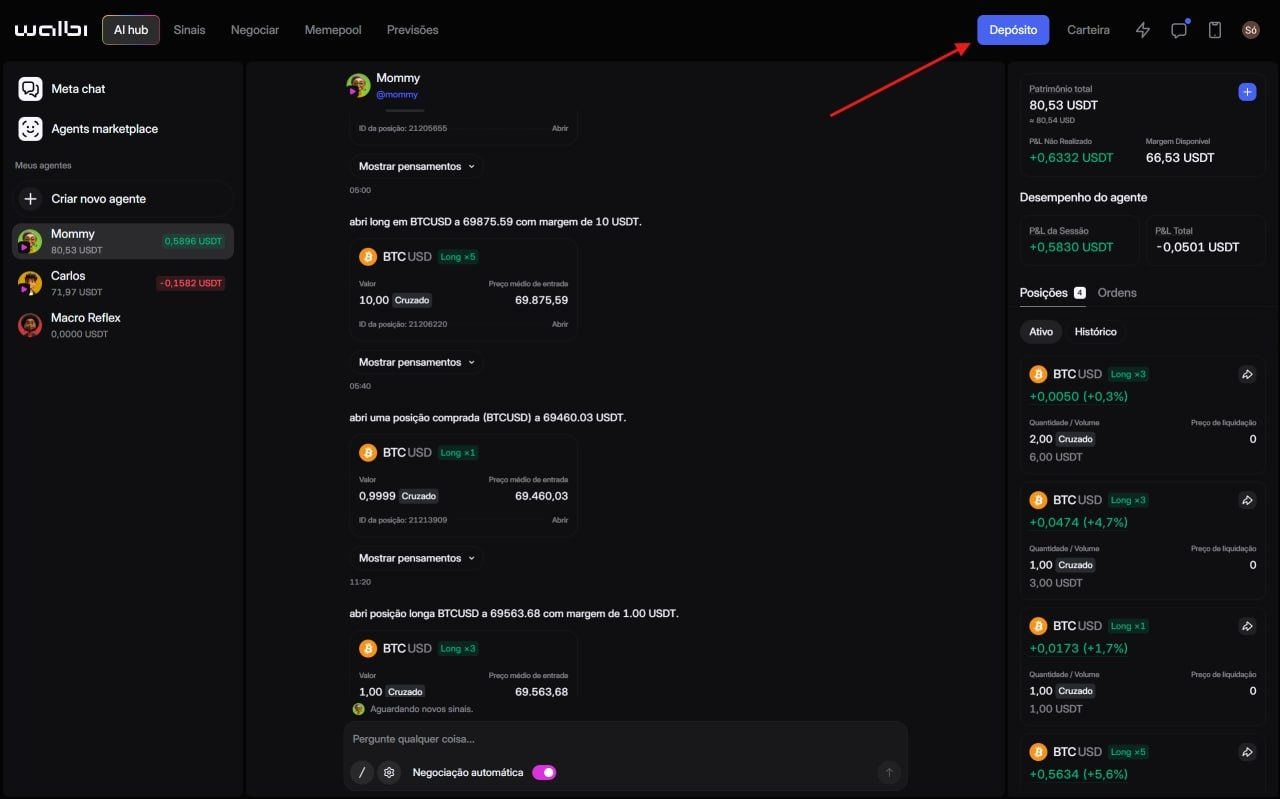
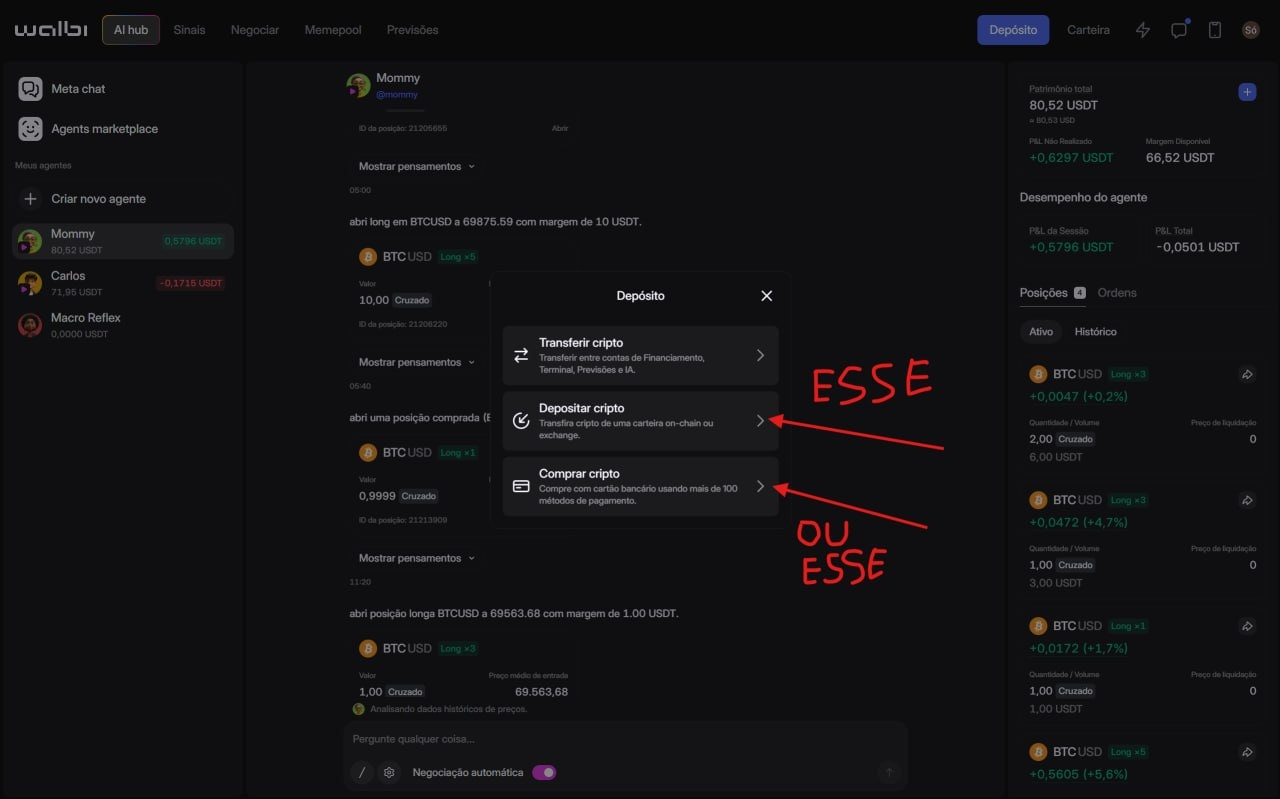
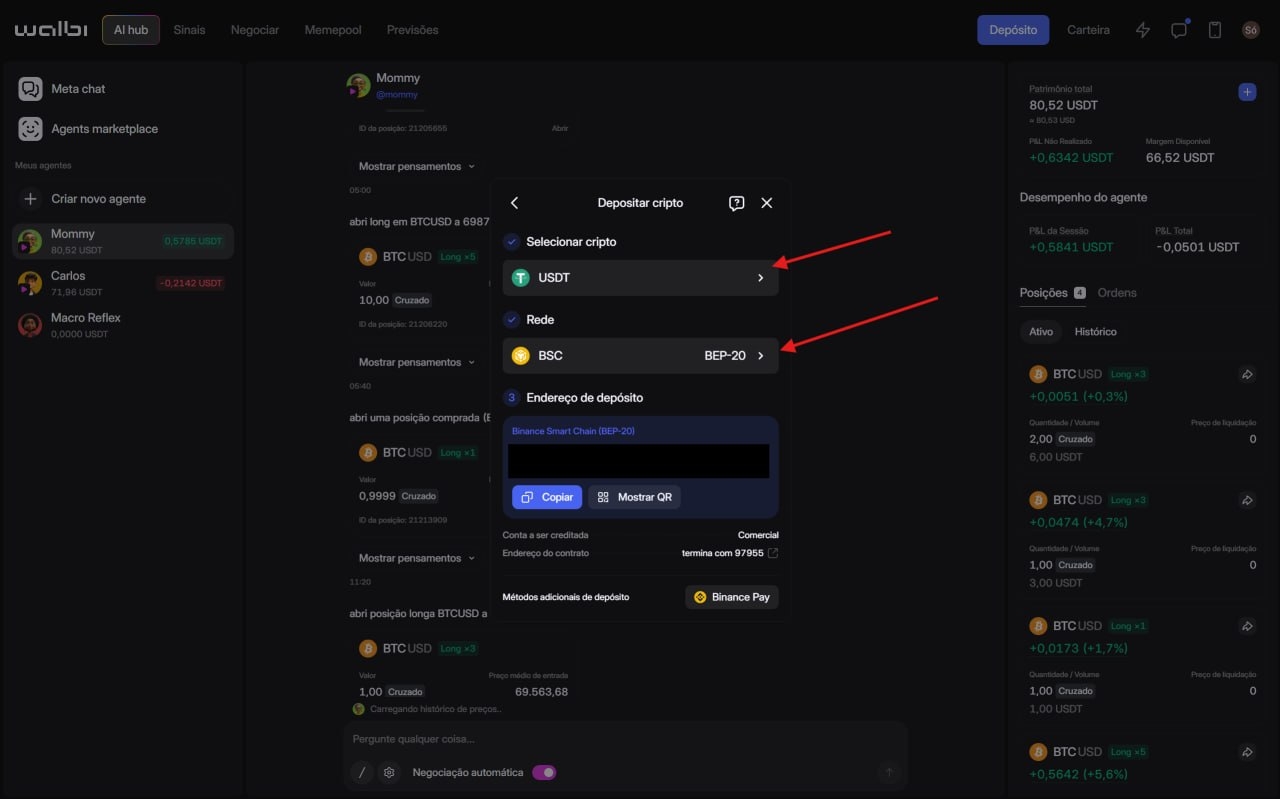
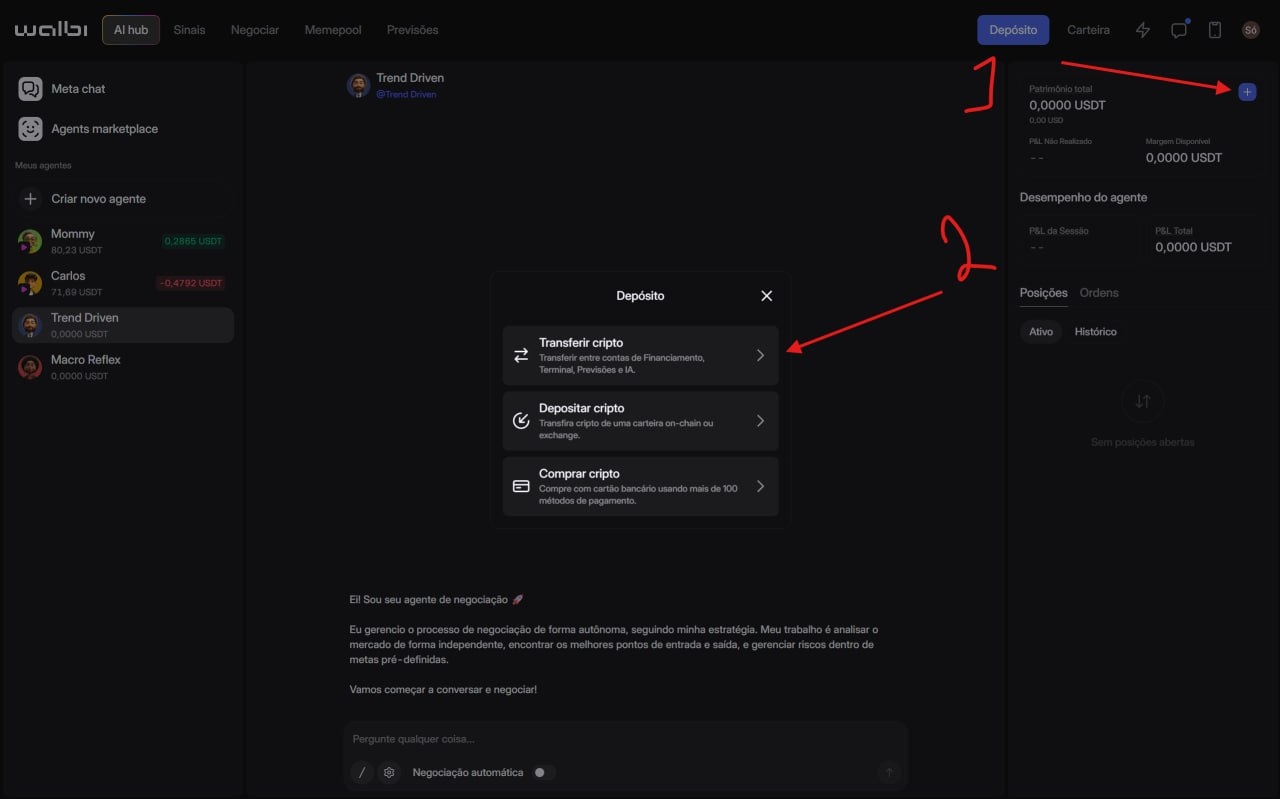
Balance Movement: The deposited balance goes into the "Financial" account. To trade with the AI, you must transfer it to the "Commercial/Trading" account within the platform.
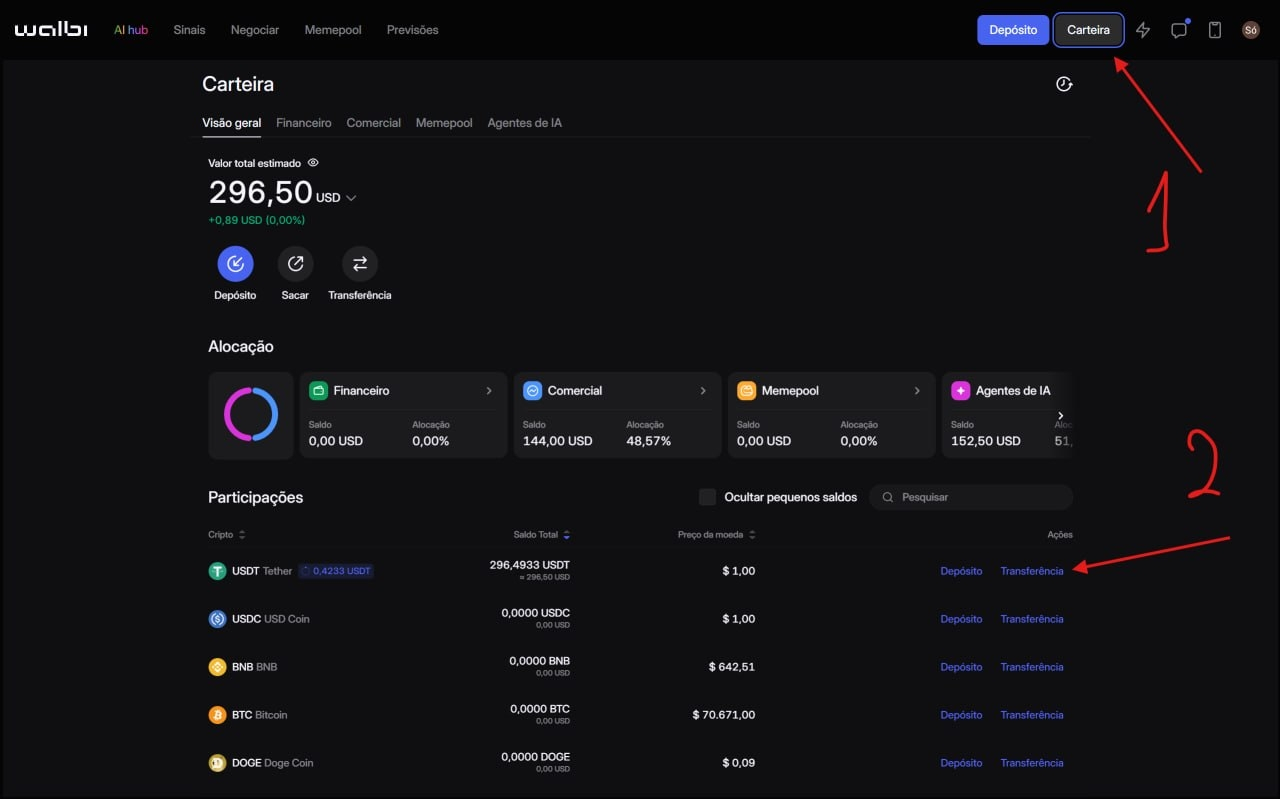
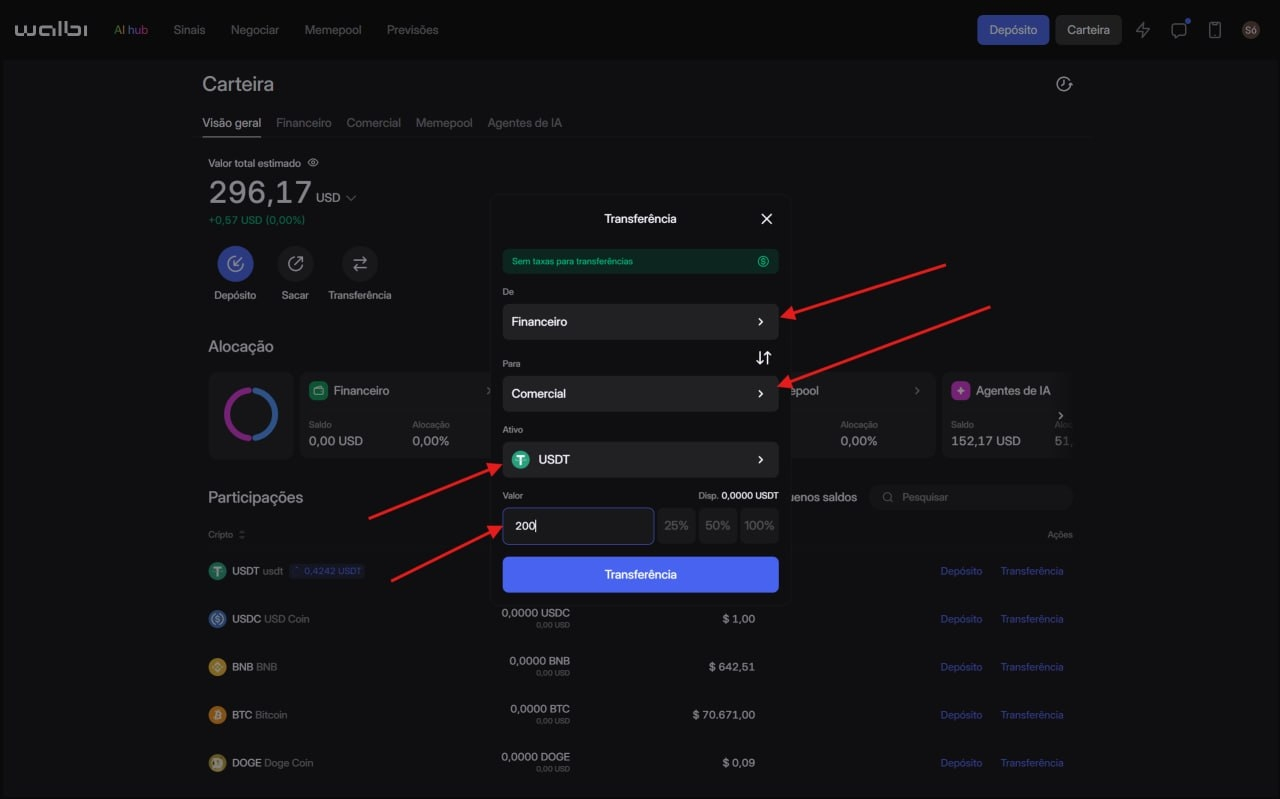
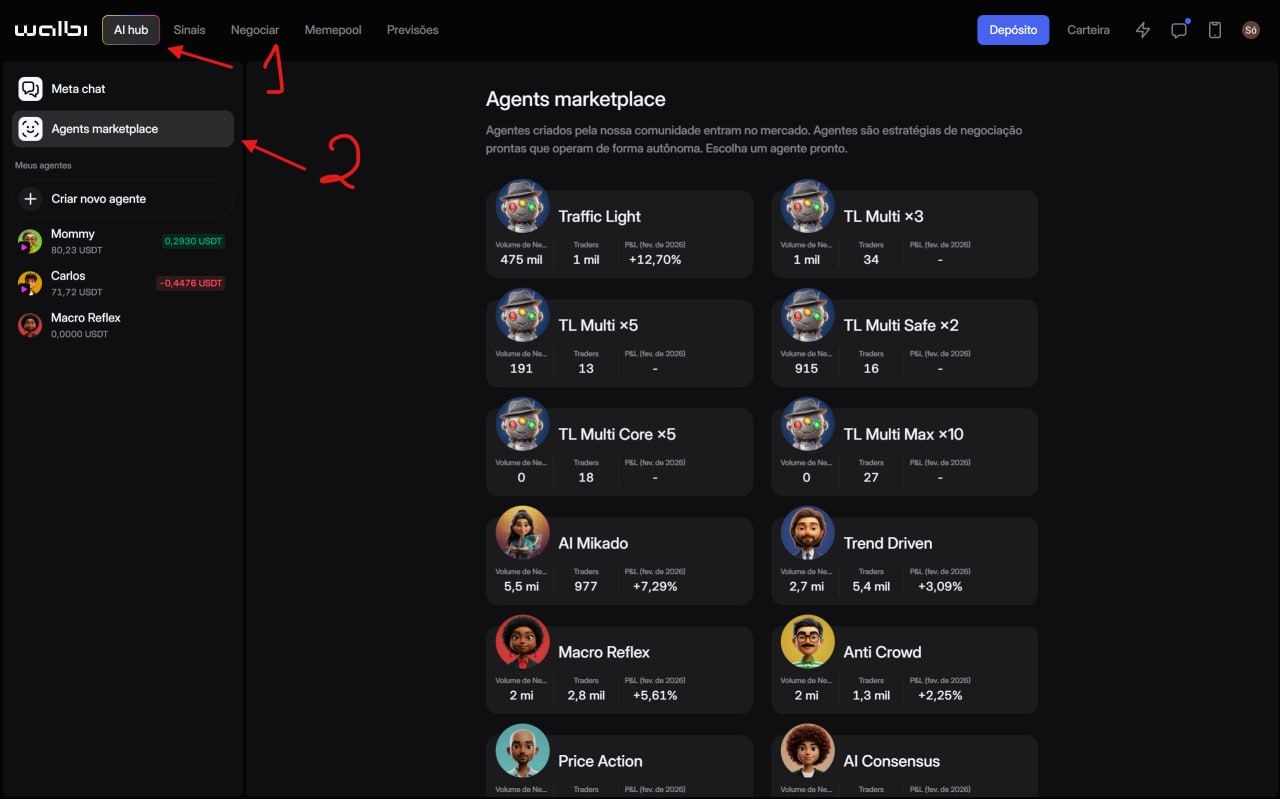
2. Choosing the AI Agent (AI Hub) and Activate Automatic Trading
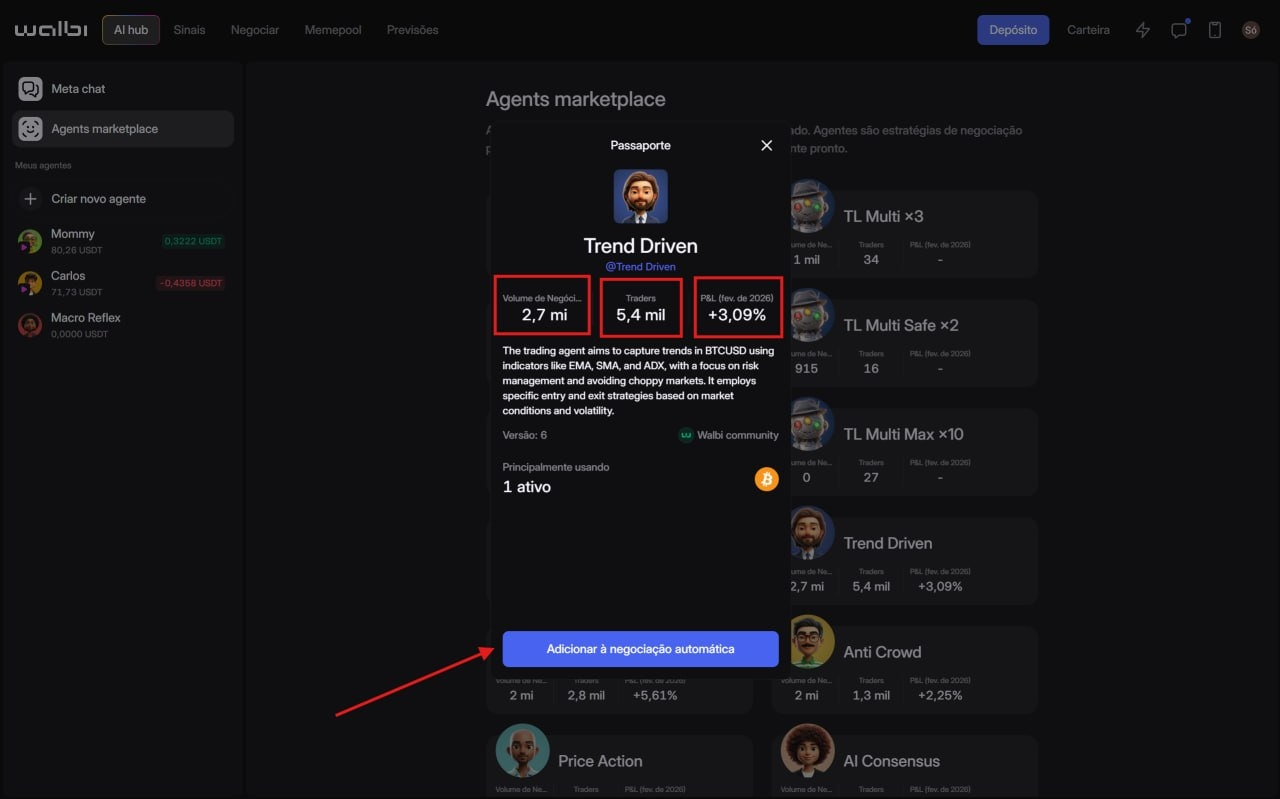
In the "AI Hub", you find the Agents Marketplace. Here’s the secret: don’t choose just anyone. Analyze the metrics:
• Trading Volume: Indicates how much the AI has already moved.
• Number of Traders: How many people are following this agent.
• PnL (Accumulated Profit): See the historical performance (e.g., agents with +12% in the month).
After choosing the agent (such as the "Trend Driven" or other BTC/ETH specialists), you must:
Click on Add Automatic Trading.
3. Transfer balance to the agent
After choosing the agent (such as the "Trend Driven" or other BTC/ETH specialists), you must:
Transfer the specific amount you want that agent to manage (great for bankroll management).
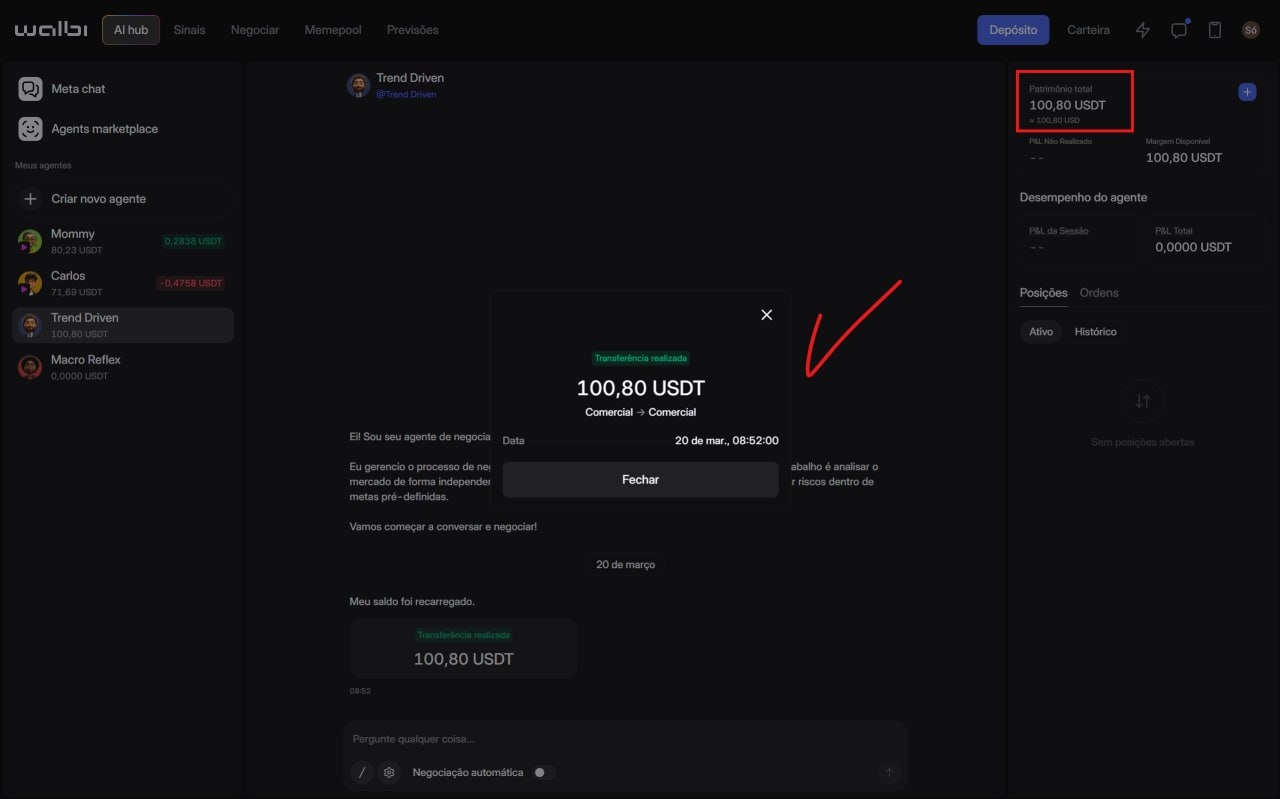
Click on Automatic Trading to Start.
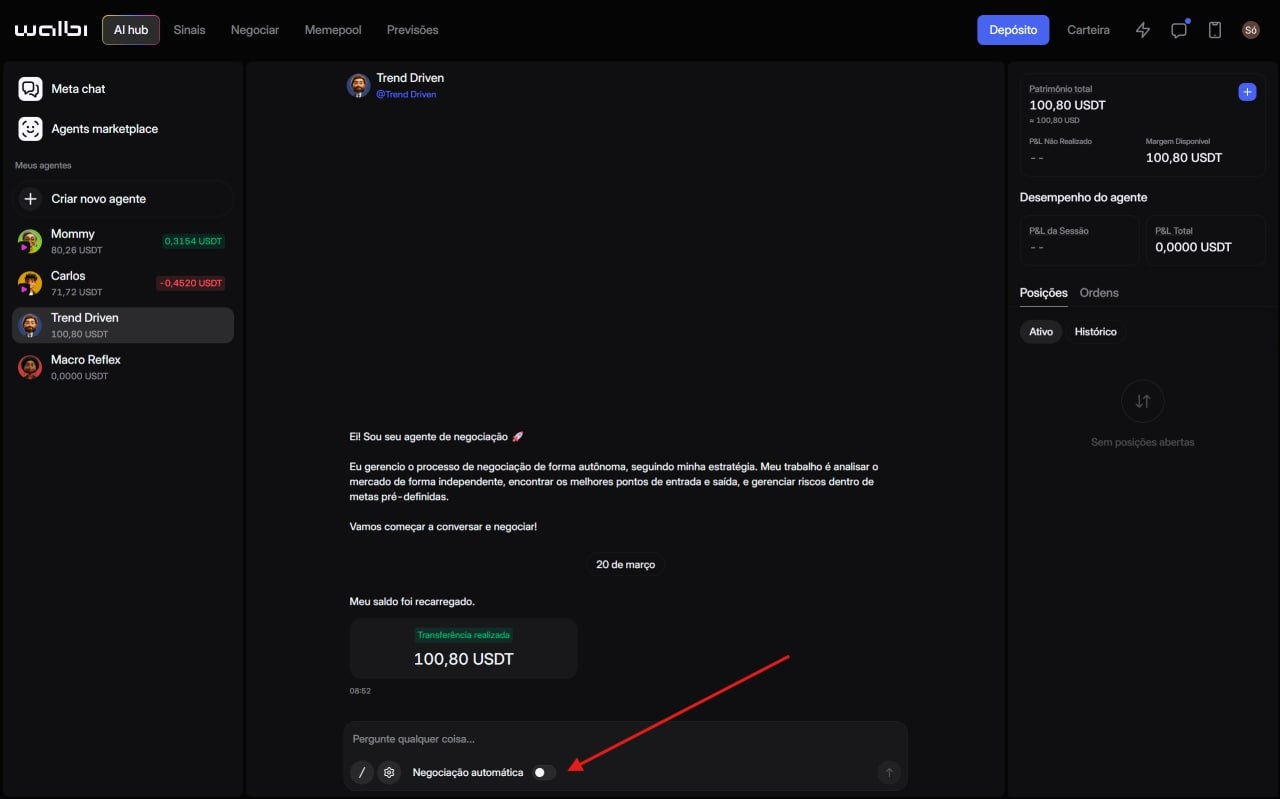
The AI will start analyzing news, chart trends, and candles in real-time, etc., and soon after, it will start trading.
4. Interacting with Intelligence
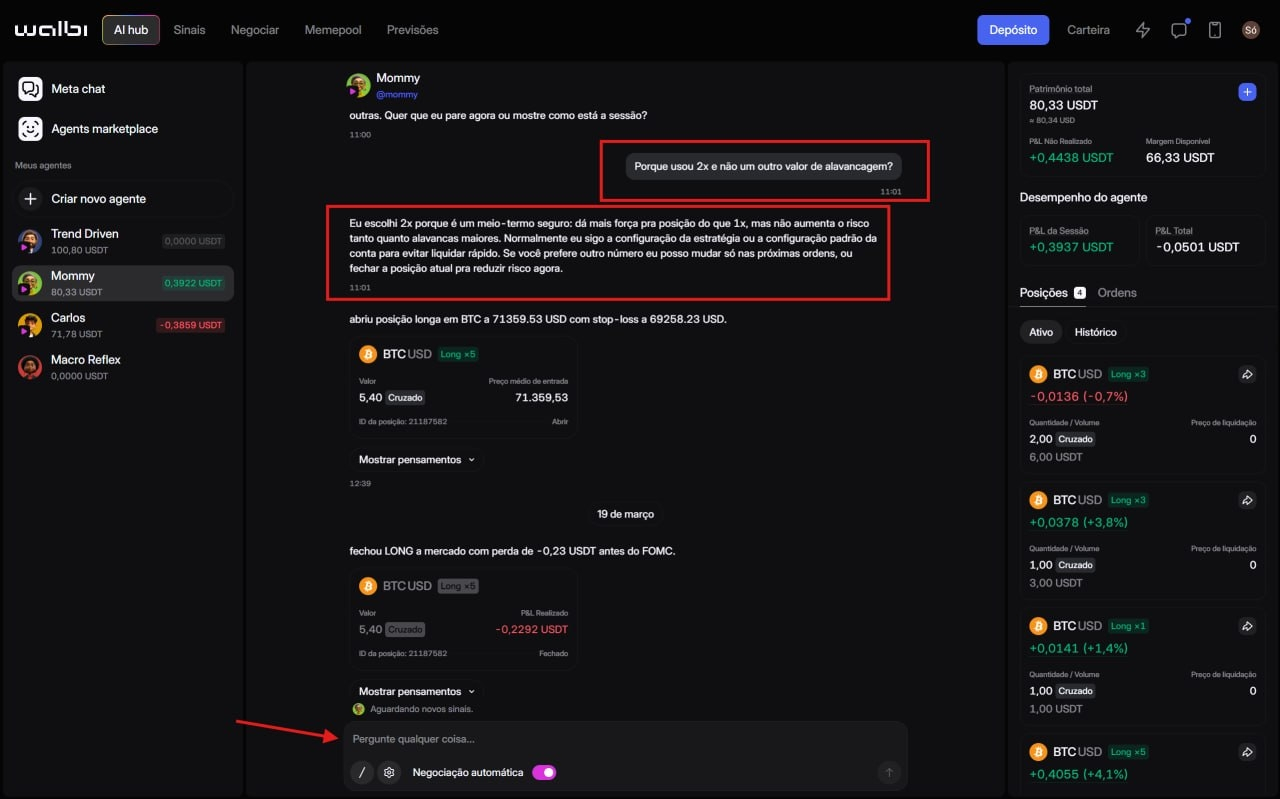
The difference with Walbi is that you can talk to the agent. If it opens a Long in Bitcoin with 2x leverage, you can ask: "Why did you open this operation?". It will respond explaining the strategy, such as the search for a balance between position strength and low liquidation risk.
📉 Conclusion and Risk Management
Automating trading does not mean ignoring risk. The AI uses automatic Stop Loss and Take Profit, but it is essential that you define how much of your capital will be allocated to each strategy.
The platform's fluidity and the processing capacity of GPT-4 applied to the chart are impressive. It is literally like having a "second brain" operating while you focus on other activities.
And you, do you already trust AIs to manage your operations or do you prefer manual click? Comment down below! 🚀
🚀 WANT THE COMPLETE STEP BY STEP?
On my YouTube channel "Diovane Lopes", I just released the video: I stopped doing Manual Trading! Meet the AI that trades Crypto for me (Walbi AI). There I show how to set up your Web3 wallet and activate your first agent in practice!
Remember: This article is educational and based on the content of the Diovane Lopes channel. Investments in cryptocurrencies involve risks. Do your own research (DYOR).