

Last week, Anthropic accidentally leaked the source code of Claude Code, and the whole internet is discussing how unfortunate this company is.
But I followed the clues and found a project with 16.3k stars. After watching it, I felt a chill down my spine—I've been using the 'beggar version' all along.
1. Most people are using the 'beggar version'
Most people use Claude Code, which means opening the dialog box, and then:
“Help me write a login feature”
“What is wrong with this code?”
“Optimize this function”
AI gives you the code, you copy and paste it, find a bug, and ask again. After five or six rounds, half an hour has passed.
Do you think this is all of Claude Code's capabilities?
Wrong.
Second, those who really know how to use it have another way of playing.
Those who really know how to use it don't operate like this at all. They use a completely different way of working:
They don't always write complete sentences; instead, they can call functions with a slash and a few letters. For example, enter /fix, and the AI automatically fixes all errors in the current file; enter /test, and it automatically generates complete unit tests; enter /review, and the code review report is generated instantly.
They don’t let the AI start every conversation from scratch but allow the AI to remember their coding style, project architecture, commonly used libraries and frameworks, and even remember the pitfalls they’ve encountered before. Just like a true team member, the more they collaborate, the more tacit understanding they develop.
They won't repeat the same requirements, but instead encapsulate commonly used workflows into 'skill packages'. Need to develop a complete API interface? One command does it all: front-end components, back-end logic, database design, unit testing, all generated automatically.
They aren't even using 'one AI'; instead, they are letting multiple AIs automatically divide and collaborate. The front-end Agent writes UI, the back-end Agent writes interfaces, and the testing Agent ensures quality. They coordinate automatically, and you only need to give a general command.
These features are all available in Claude Code. You just don't know it.

Third, why don't we know?
It's not that Anthropic is hiding things, but the official documentation is written too much from an 'engineer mindset'—concepts are abstract, lacking visual examples, and there’s no step-by-step learning path.
Ordinary developers still don't know how to use it after reading the official documentation.
What’s more critical is that we have become accustomed to the simple 'input-output' mode. Treating AI as an advanced search engine rather than an intelligent collaborative partner. Never thought about establishing a method for 'systematic usage'.
Until I saw that project with 16.3k stars.
Fourth, a 'real user manual' written by a French engineer
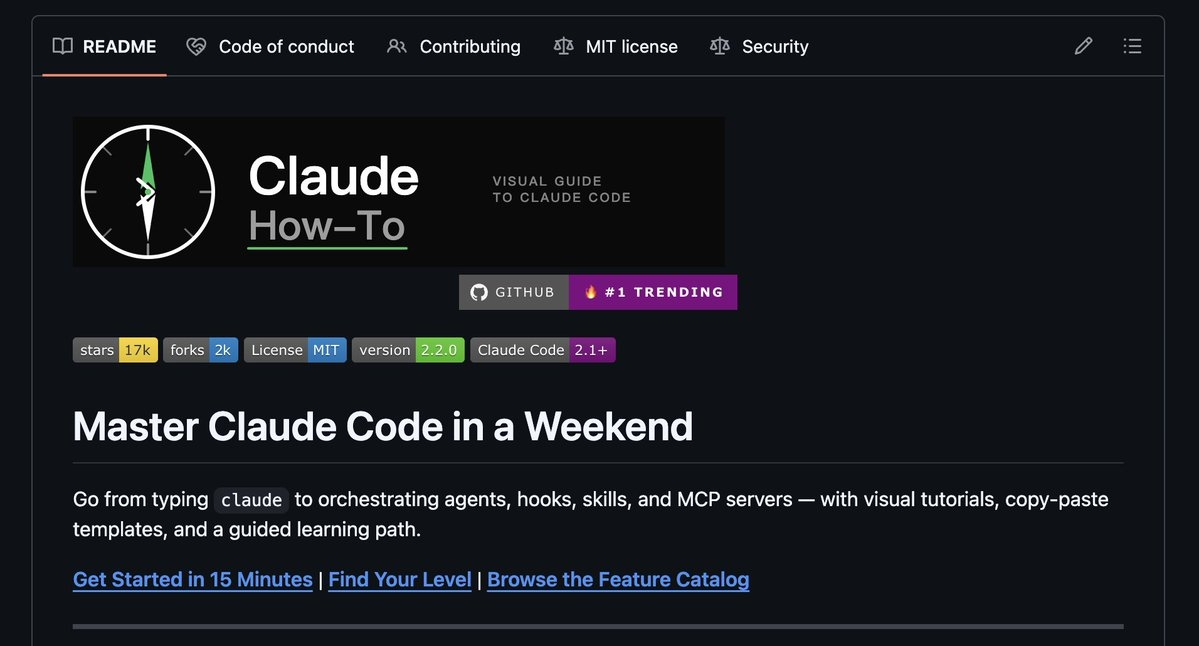
This project is called claude-howto, and the author is a senior engineer working in Paris @luongnv89, who has over 10 years of back-end development experience, focusing on AI and cybersecurity.
He did one thing: taught you all of Claude Code's 'hidden features' in the most straightforward way.
It's not boring official documentation, but every concept comes with flowcharts, and every function gives you templates you can copy and paste directly. From the most basic shortcut commands to advanced multi-AI collaboration, to letting the AI directly operate databases and Git repositories, everything is explained thoroughly.
The entire project is divided into 10 modules, with the official learning time marked as 11 to 13 hours. But in reality, you only need to learn the 3 core modules first, spending 2 to 3 hours, to increase your efficiency by 3 times.
The most crucial part is that this project is continuously updated. Every time Anthropic releases a new version, he almost always updates the tutorial simultaneously. The latest has already followed up to the v2.2.0 version released on March 26 of this year.
Fifth, what is the experience like after completing it?
I followed the tutorial in the project and spent a weekend learning the core modules, then tried it out in a real project.
In the past, to develop a new feature, I had to do this: first ask the AI to write the front-end component, copy and paste the code, find style issues, and then adjust; then ask the AI to write the back-end interface, and it would be another round of copy and paste; finally, I would remember to write tests and ask again. The whole process took at least half an hour, and the code quality was uneven.
Now, I just need to enter a command telling the AI 'develop the user login function', and it will automatically call the 'full-stack development skill package' I configured earlier. The front-end Agent writes the UI components, the back-end Agent writes the API interface, the testing Agent generates unit tests, and it will also automatically check for security vulnerabilities. Done in 5 minutes, and the code quality is better than what I wrote myself.
Code reviews are the same. In the past, I had to paste the code to the AI, and it would give me a bunch of suggestions. I would then manually modify the code and paste it back for confirmation. Now, I can directly input /review --auto-fix, and the AI automatically finds problems, directly modifies the code, and generates a change description. Done in 2 minutes.
It feels like you’ve been driving a manual car for ten years and suddenly switched to an automatic with smart driving.
Sixth, where to start? (The 3 most important steps)
The project address is searchable on GitHub as claude-howto, or you can directly search the author's name luongnv89; the first result is it.
Open the project's README, which contains a complete directory of the 10 modules. Each module has flowcharts, detailed documentation, copyable templates, and self-assessment questions to verify learning outcomes.
My suggestion is not to think about learning it all at once. First, learn these 3 core modules:
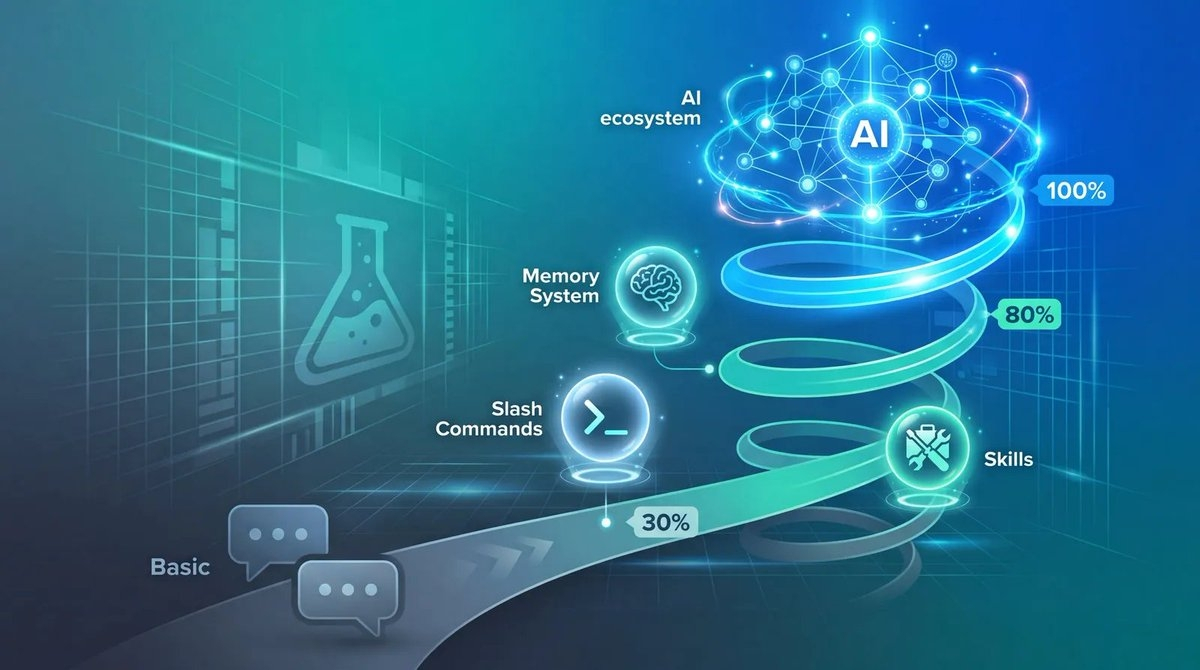
Step one: Slash Commands (half an hour to get started)
Learn to use slash shortcut commands. This is the simplest but can increase your operational efficiency by 3 times.
Step two: Memory System (1 hour configuration)
Let the AI remember your preferences. After configuration, you won't need to explain the project background in every conversation.
Step three: Skills (1-2 hours to master)
Encapsulate workflows into skill packages. After learning it, you can automate all repetitive tasks.
After learning these 3, you can surpass 80% of Claude Code users.
Then practice in a real project. Don't just read the documentation; immediately try it out in your project. Configure a Memory file to record the project architecture, create a Skill like 'generate API interface', and use Slash Commands instead of complete sentences. The more you use it, the more proficient you become.
Once you get these 3 modules down, then go learn the remaining advanced features. For example, Subagents for multi-AI collaboration, MCP for external connections, and Planning Mode. These features are more powerful but also more complex and require some practical experience to use well.
Seventh, what did that 'leak' expose?
Back to the initial topic. In the 510,000 lines of source code leaked by Anthropic, developers discovered many features that had not been officially released yet:
The pet assistant in the terminal will accompany you while coding, providing emotional interaction. The AI process that runs in the background doesn’t need to be awakened every time. The 'undercover mode' that automatically hides the AI's identity when submitting code. A 'dream processing' system that automatically organizes conversation memories every day. Plus 44 feature switches covering a complete workflow from code review to project management.
What do these features indicate? The potential of Claude Code far exceeds our imagination. And the features we can use now are already powerful enough; we just don’t know how to use them.
Eighth, the watershed moment of the AI era
By 2026, AI programming tools have become standard. But what really makes the difference is not 'whether to use AI', but 'how to use AI'.

Just like Naval's tweet says: This isn't a difference between beginner and advanced, but rather a matter of 'understanding AI' versus 'not understanding AI'.
With the same tool, some people will only say 'help me write a function', while others have already established a complete AI collaborative workflow. The efficiency gap can be 5 times or 10 times.
Tools will not betray effort.
Spend 2 hours learning the core modules of claude-howto, and your programming efficiency can increase by 3 to 5 times. Spend 10 hours learning the entire project, and you can establish a complete AI collaborative workflow.
It's not too late to start now.