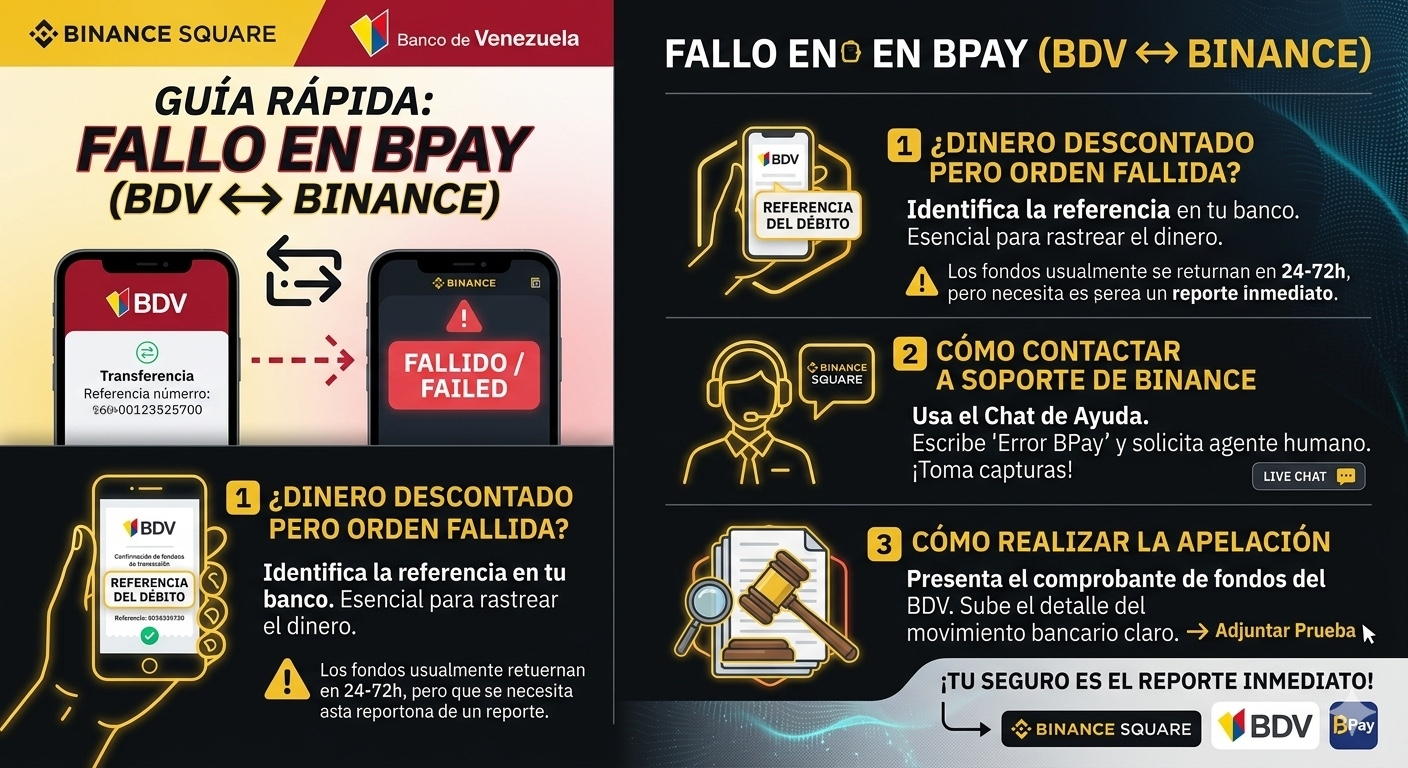
Many users in Venezuela are using the BPay gateway to top up their balance directly. However, sometimes the system throws a "failed transaction" error, and the money disappears from your Banco de Venezuela account without reflecting in your Binance wallet.
If this happened to you, follow these steps to secure your funds:
1. Why does this happen?
The error is usually a sync issue between the bank's API and the Binance platform. The bank debits the amount, but the confirmation doesn't reach Binance in time, and the order is marked as failed.
2. How to contact Binance Support (BPay Route) 🎧
Don't seek support from the bank yet; first exhaust the route with Binance:
1. Go to the Binance Help Center (headphones icon).
2. Type in the chat: "Error in BPay deposit" or "BPay failed transaction."
3. Request to speak with a human agent.
4. Provide the Binance transaction ID (if generated) and, most importantly, the debit reference number from your BDV account.
3. How to file a formal appeal or claim ⚖️
For Binance to trace the funds that "got lost in the air," you need to present clear proof of funds:
• Transaction History Screenshot: Go to BDV online banking and look for the details of the transaction. The concept of the transfer to the gateway should appear.
• Failed Recharge Form: Sometimes, Binance will ask you to fill out a specific form for uncredited fiat deposits. Attach the proof there.
• Time is key: Report it immediately. Generally, these funds are released or returned automatically within 24 to 72 hours, but having the support ticket open is your lifeline.
💡 Important note: If after 72 hours and a response from Binance the funds still haven't shown up, you need to visit a Banco de Venezuela branch with the reference number to file a claim for an unprocessed transaction at the point of sale/internet.
#BinanceP2P #BPay #Venezuela #BDV #CryptoTips #BinanceSquare #BinanceP2P #BPay #Venezuela #BDV #CryptoTips #BinanceSquare #SoporteBinance