
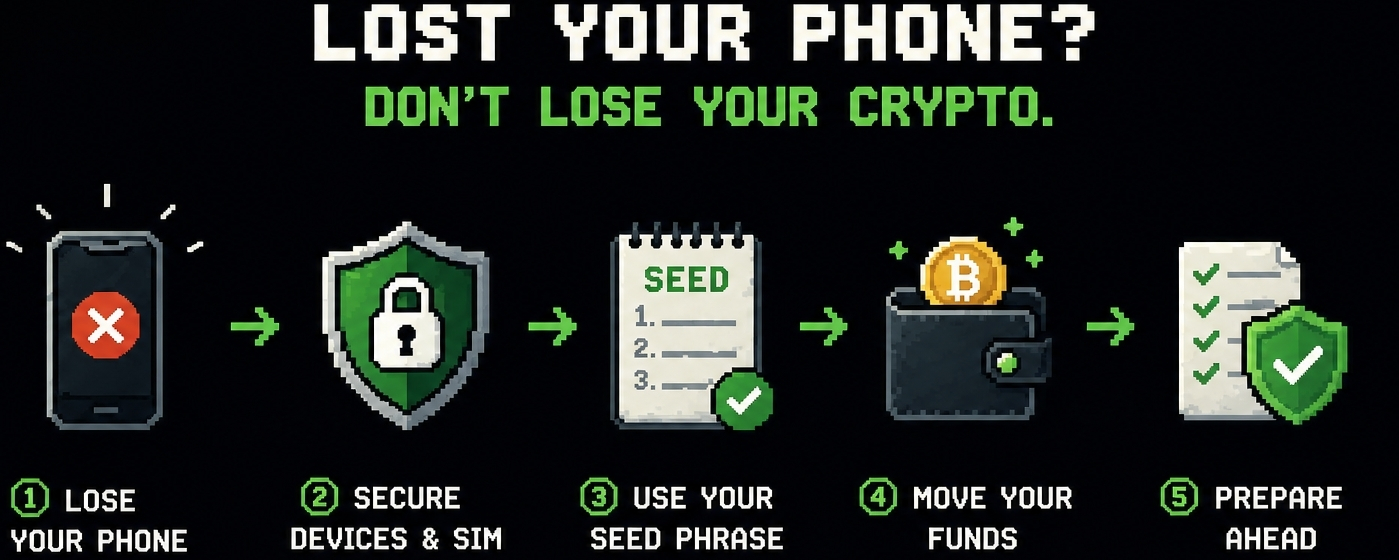
Losing your phone is already stressful. But if you've got a crypto wallet on it, that stress can quickly turn into full-blown panic. The good news is that in most cases, you can recover your funds if you act fast and smart. The key thing to understand is that your assets are stored on the blockchain, not on the phone itself; the device just gives you access to them.
⏱ What to do in the first 10 minutes
The first and most important thing is to remotely lock the device.
If it’s Android, use the Find My Device feature; if it’s iPhone, use Find My iPhone. Immediately enable screen lock, and if you realize that getting the phone back is unlikely, perform a remote data wipe.
The second step is to lock the SIM card through your carrier. This is critical because attackers often try to use SMS codes to access emails, exchanges, and other apps.
🔑 How to quickly secure your assets
If you have the seed phrase, don’t delay.
Grab a new device and immediately restore your wallet. After recovery, create a new wallet with a fresh seed phrase and transfer all your funds there.
This is crucial: even if your old phone was password-protected, consider that access to it is potentially compromised.
📱 Transitioning to a new device
Only install the official wallet app. Check the project’s website and the developer name in the app store—scammers often create clones.
After recovery, it’s best to immediately:
1️⃣ enable PIN / biometrics
2️⃣ disable cloud auto-saving of the seed
3️⃣ update the app
🛡 How to prepare in advance
📵 The biggest mistake is storing the seed phrase in your phone notes.
If your phone gets stolen, access to your funds goes with it.
Best option:
✅ write down the seed on paper
✅ store in a safe place
✅ make 2 backup copies
✅ do not take a photo of it
Main takeaway: losing your phone isn’t losing your crypto if you have the seed and a clear action plan. In crypto, it’s not the one who buys fastest that wins, but the one who thinks ahead about security.