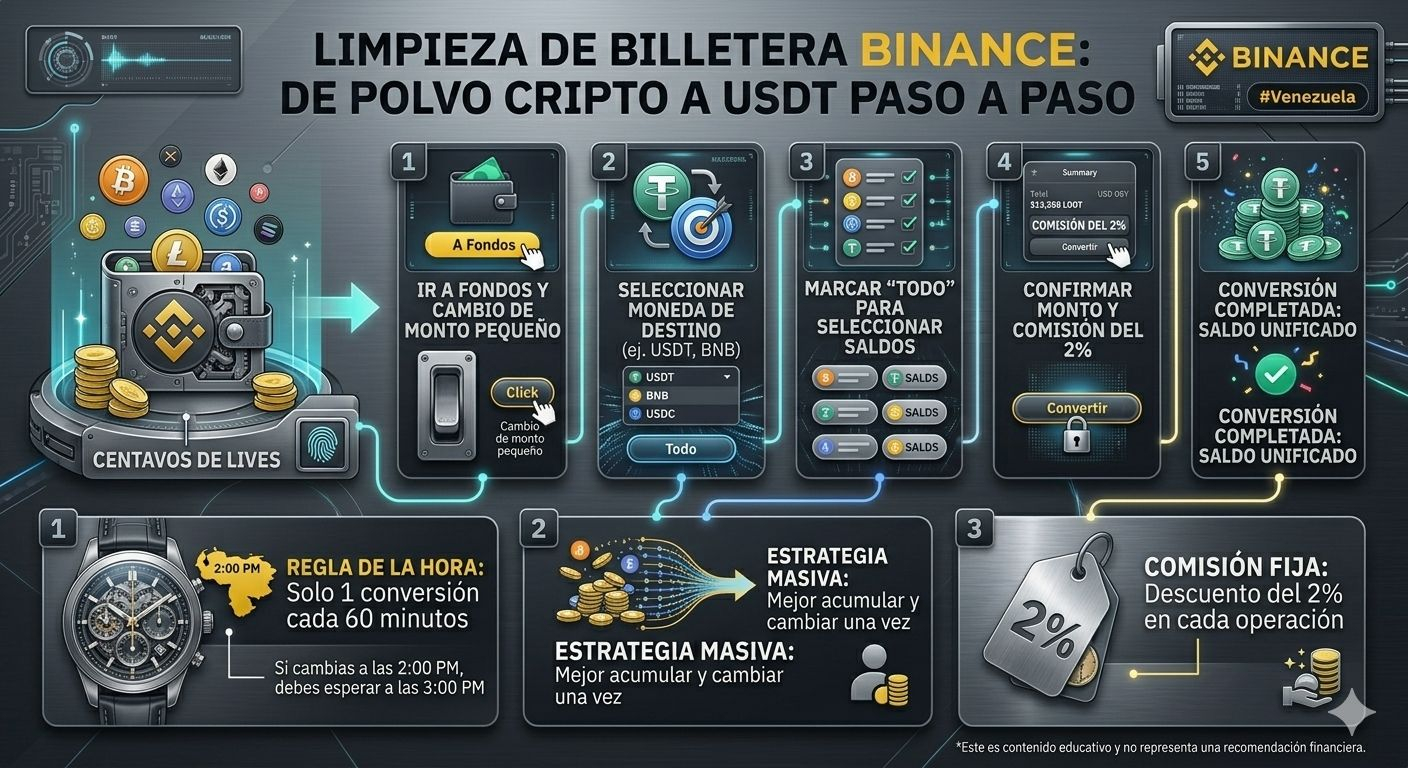
If you often participate in Lives or receive small rewards, your Funds wallet is probably filled with "crypto dust" (small coin balances you don't use). Don't let them pile up! Here’s how to "clean" your wallet and consolidate everything into your favorite coin.
🛠️ Quick guide to converting small amounts
Follow these simple steps with reference screenshots:
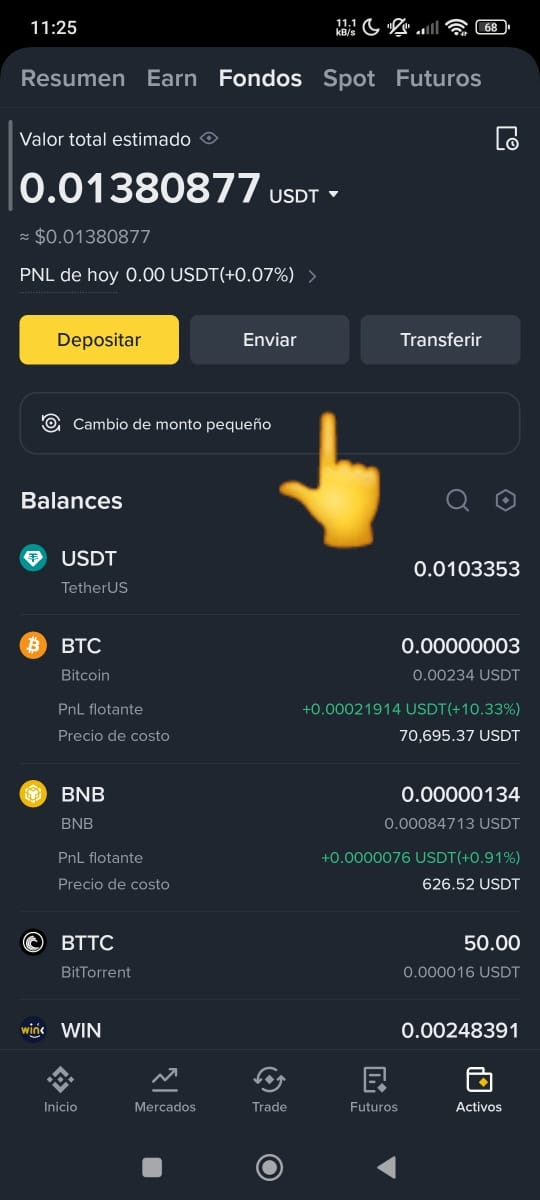
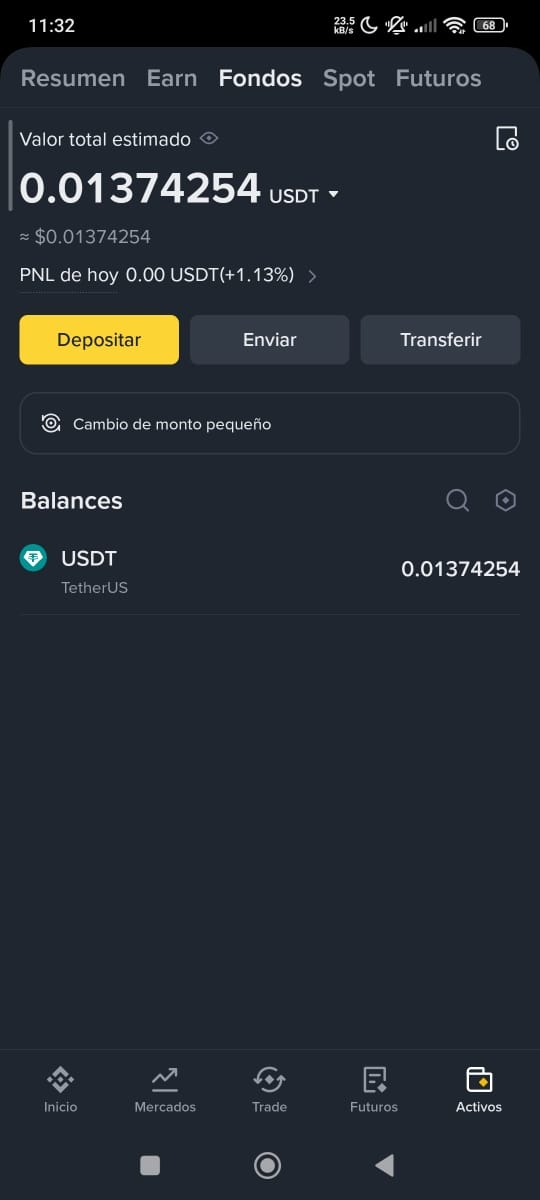
Access your Wallet: Go to the Funds tab and look for the button that says "Convert small amount". It's the shortcut for managing those pennies (See image 1).
Choose your target coin: By default, it usually shows $BNB , but you can tap the arrow and select your preferred one, like USDT or USDC (See images 2 and 3).
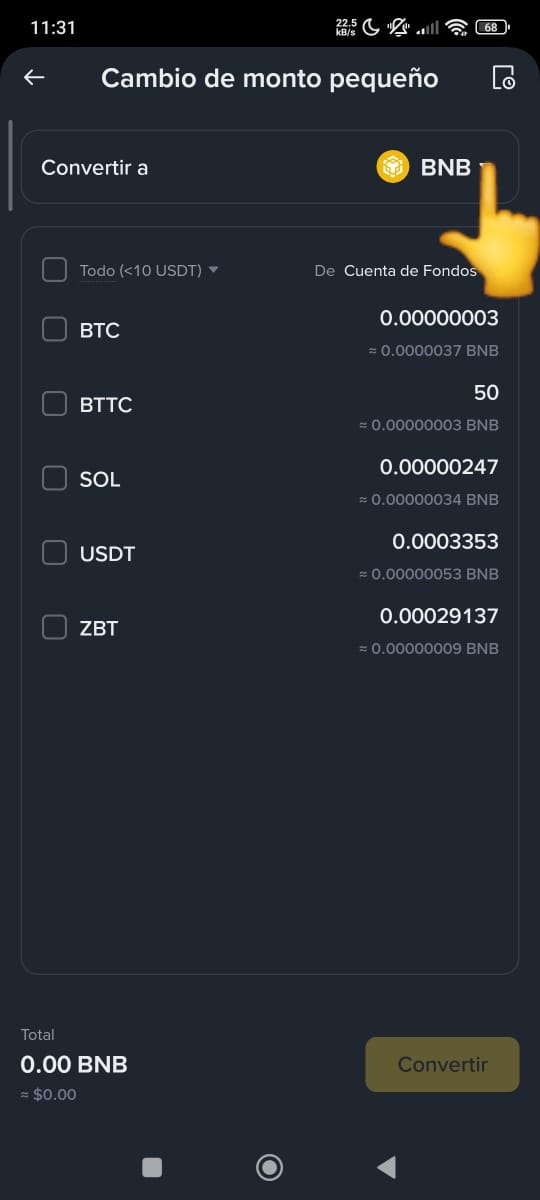
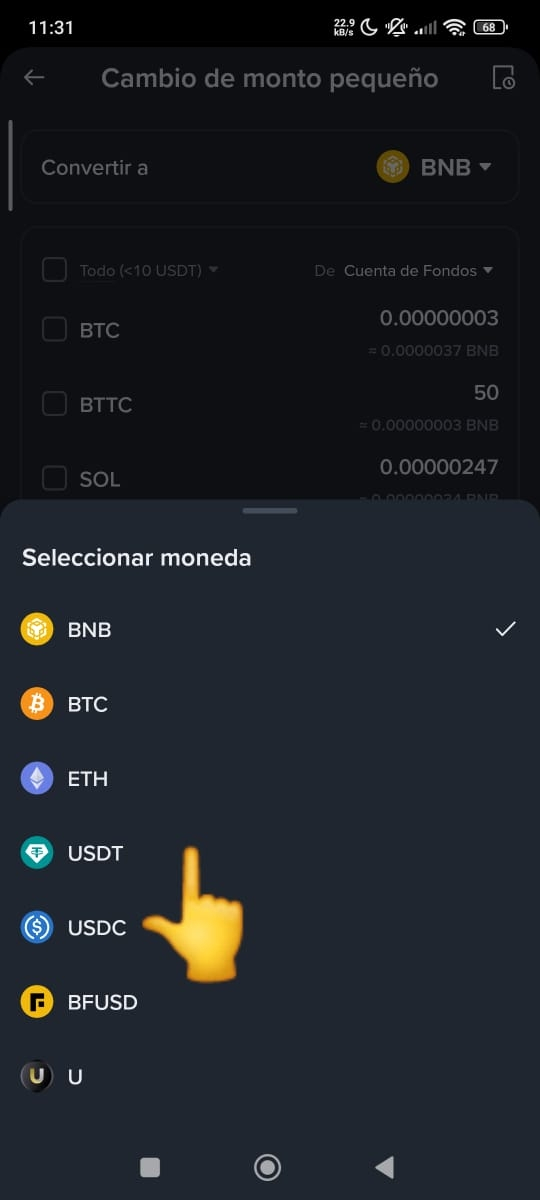
Select all: To save time, check the 'All' box. This will automatically select all the small coins you have available (See image 4).
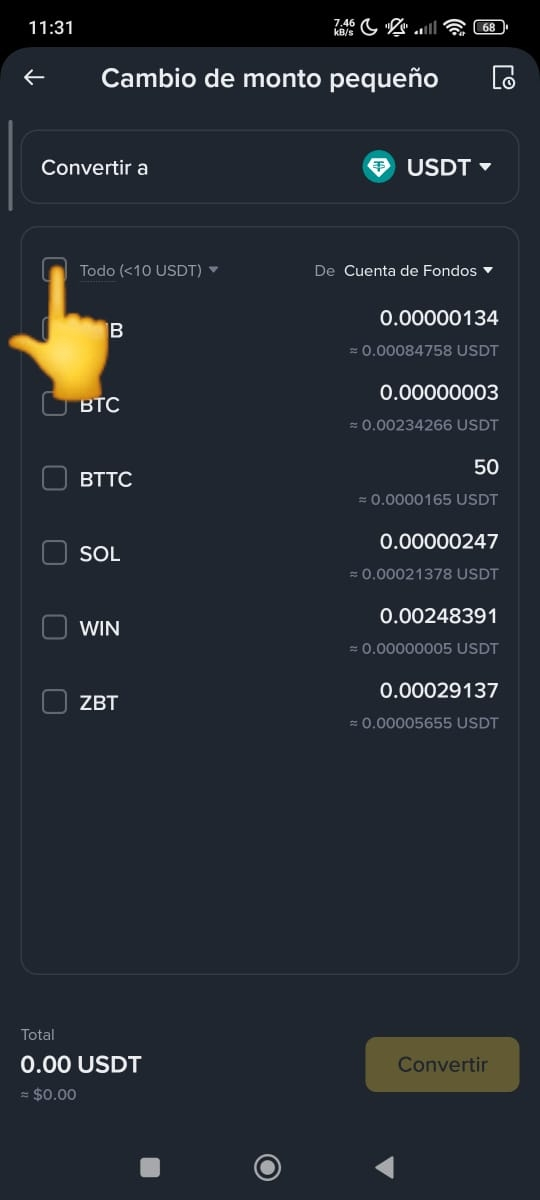
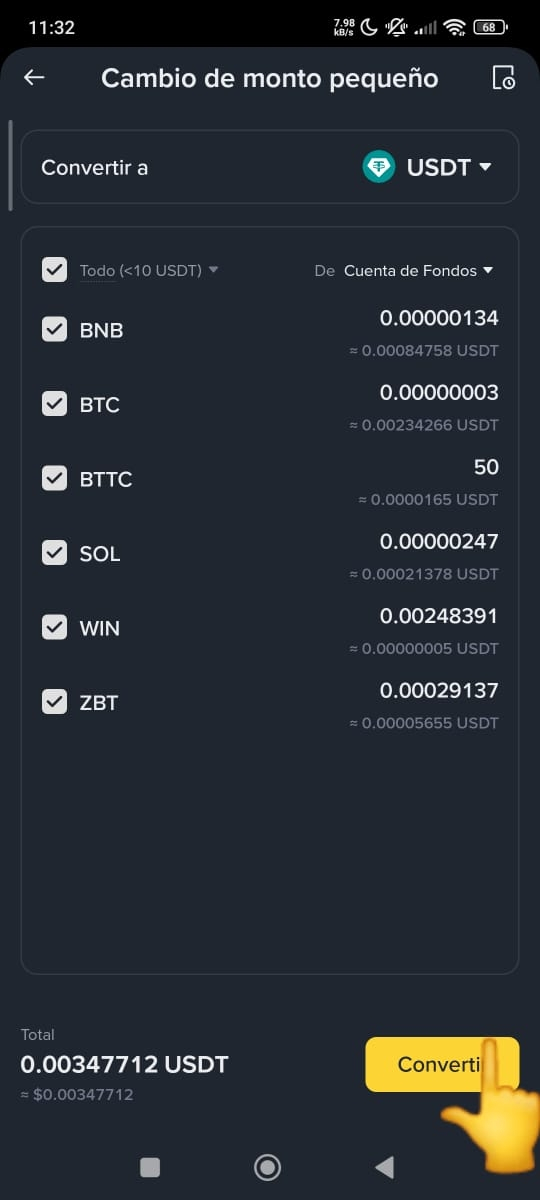
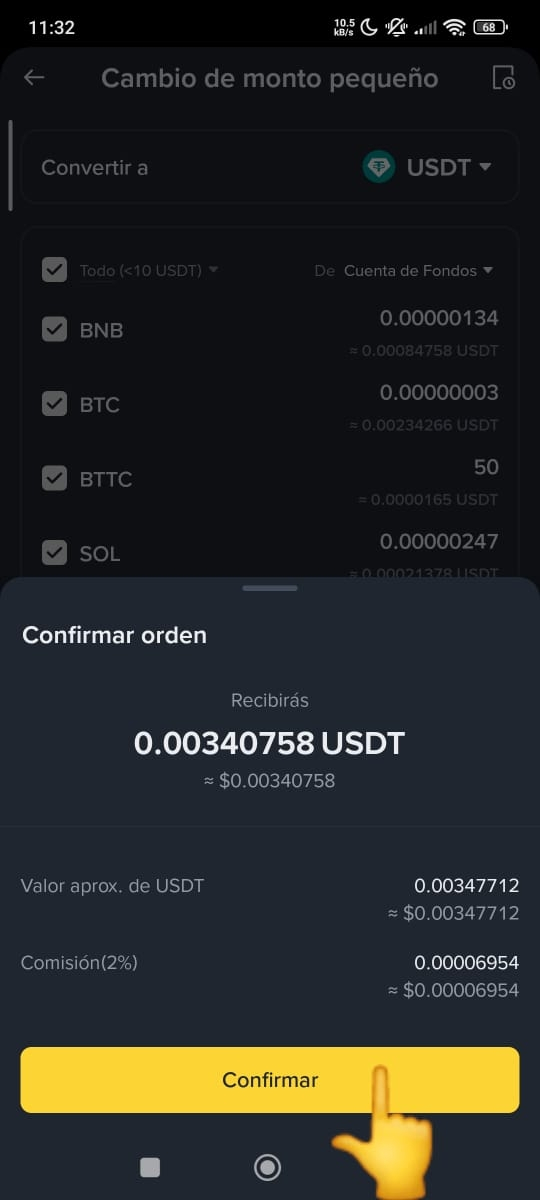
Convert and Confirm: Tap the yellow 'Convert' button (See image 5). A confirmation box will pop up showing you the exact amount you'll receive and the 2% fee that the system charges for the service (See image 6).
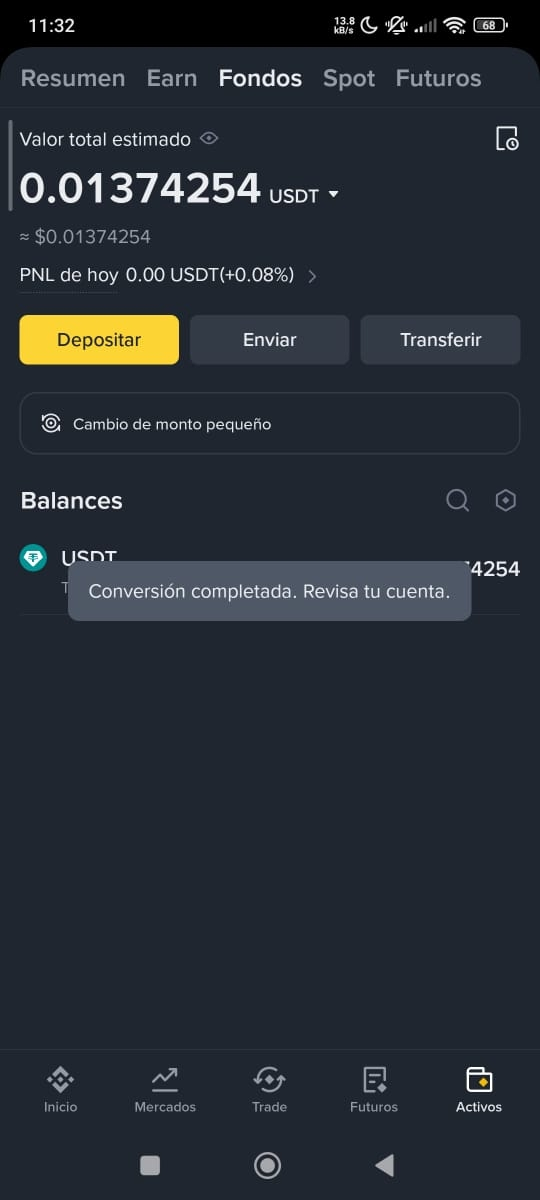
Done!: Once you confirm, you'll see the message 'Conversion completed' and your balance will now be unified (See images 7 and 8).
💡 Tips to maximize your swaps:
⏳ Hour rule: Keep in mind that Binance only allows you to perform this process once every 60 minutes. If you make a swap at 2:00 PM (Venezuela Time 🇻🇪), you'll have to wait until 3:00 PM to process new cents you've received.
🎯 Savings strategy: It's much better to wait until you have several cents from different Lives and make one big conversion instead of trying to swap one by one every time you earn something.
💰 Fixed fee: Always remember the 2% cut on the transaction; it's the standard cost for the convenience of unifying tiny balances into a single liquid asset like USDT.
Did you already know this trick or do you have your wallet stuffed with unknown coins? 👇
📝 Note: This is educational content and does not constitute financial advice