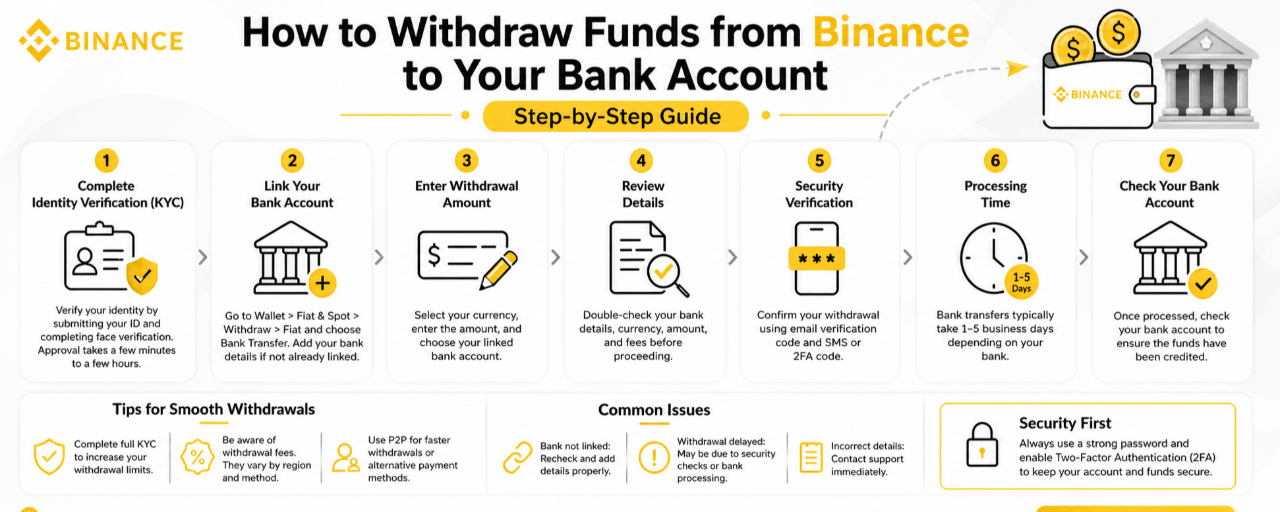
Turning your crypto profits into real cash is important—but doing it securely and correctly matters just as much. This guide walks you through the withdrawal process in a clear, reliable way.
Step 1: Complete Identity Verification (KYC)
Before withdrawing, you must verify your identity.
What to do:
Log in to your Binance account
Go to Profile → Identity Verification
Upload your ID (Passport / CNIC / Driver’s License)
Complete face verification
Approval usually takes a few minutes to a few hours.
Step 2: Link Your Bank Account
You need to connect your bank account before withdrawing.
Steps:
Go to Wallet → Fiat & Spot
Click Withdraw → Fiat
Select your currency (USD, EUR, PKR, etc.)
Choose Bank Transfer
Enter your bank details if not already added:
Account number
Bank name
Routing/IBAN
Step 3: Enter Withdrawal Amount
Select currency
Enter the amount
Choose your bank account
Make sure you meet the minimum withdrawal requirement.
Step 4: Review Details
Check carefully:
Bank details
Currency
Amount
Fees
Fees vary based on region and method.
Step 5: Security Verification
Confirm your withdrawal using:
Email verification code
SMS or 2FA code
Step 6: Processing Time
Bank transfers typically take 1–5 business days depending on your bank.
Step 7: Check Your Bank Account
Once processed, verify that funds have arrived. If delayed, check your Binance transaction status or contact support.
Tips for Smooth Withdrawals
Complete full KYC to increase limits
Be aware of withdrawal fees
Consider P2P if bank transfers are slow
Common Issues
Bank not linked: Recheck and add details properly
Withdrawal delayed: May be due to security checks or bank processing
Incorrect details: Contact support immediately
Final Thoughts
Withdrawing funds from Binance is straightforward if done carefully. Double-check your details, follow security steps, and plan for processing time.