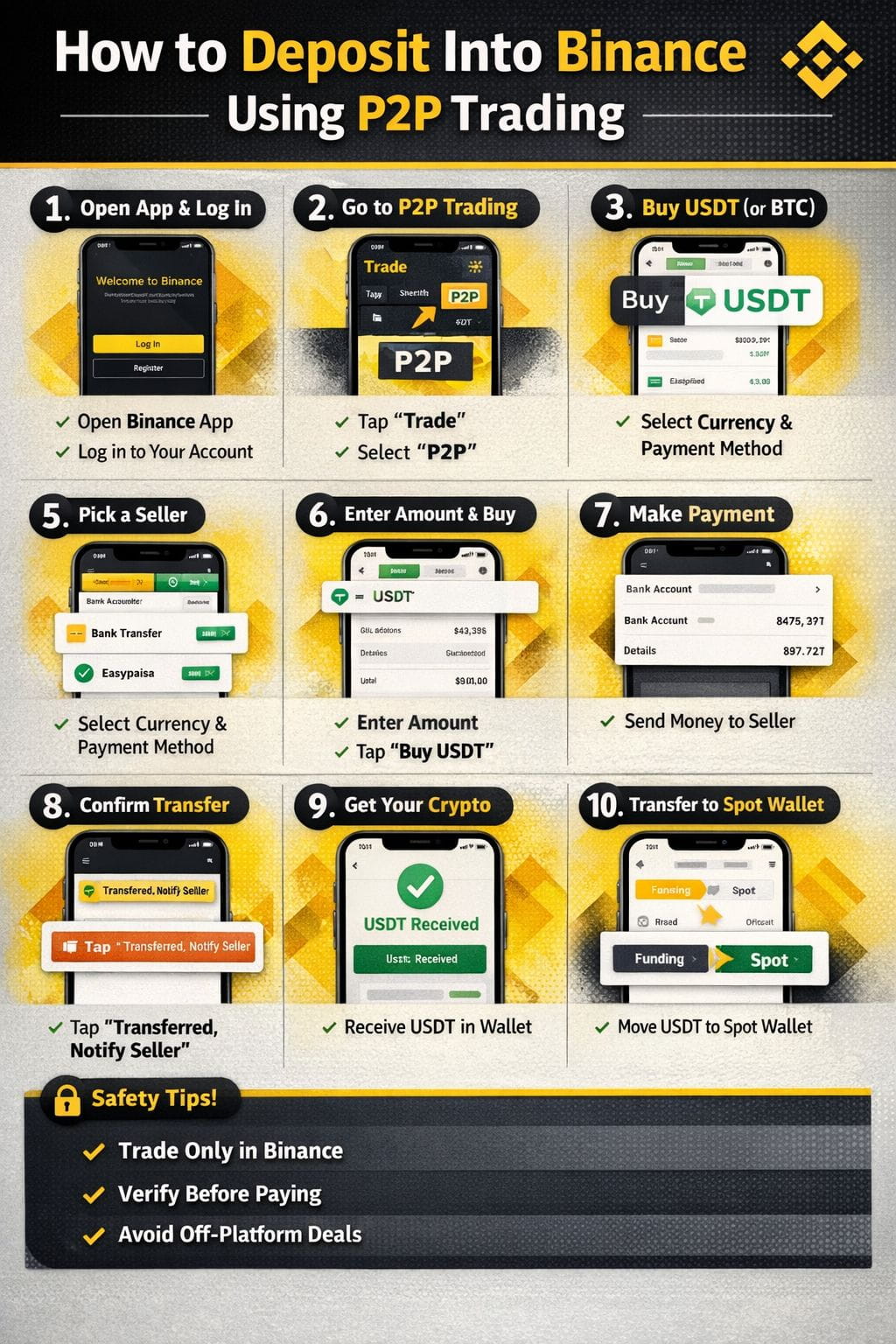
✅ STEP 1: Open Binance App & Log In
Open the Binance app
Log in to your account
Make sure Binance P2P is available in your country.
✅ STEP 2: Go to P2P Trading
Tap Trade
Select P2P
✅ STEP 3: Choose BUY
Tap BUY
Select the crypto you want:
USDT (recommended)
BTC / BUSD (optional)
✅ STEP 4: Select Your Currency & Payment Method
Choose your local currency:
PKR / AED / INR etc.
Select payment method:
Bank Transfer
JazzCash / Easypaisa
UPI / Paytm
Cash App / Wise (depends on country)
✅ STEP 5: Choose a Seller
Check carefully:
✅ 95%+ completion rate
✅ High number of orders
✅ Online status
✅ STEP 6: Enter Amount & Click Buy
Enter the amount you want to deposit
Tap Buy USDT;
✅ STEP 7: Transfer Money to Seller
Binance will show seller’s bank / wallet details
Send exact amount
Use your own account only
Don’t write crypto words in bank remarks ❌
✅ STEP 8: Click Transferred, Notify Seller
⚠️ IMPORTANT
Only click this after sending money
Upload payment proof if asked
✅ STEP 9: Seller Releases Crypto 🎉
Seller confirms payment
USDT is released automatically
Funds appear in Funding Wallet.
✅ STEP 10: Move USDT to Spot Wallet (Optional)
To trade:
Go to Wallet
Transfer Funding → Spot
🔐 Important Safety Tips
✅ Always trade inside Binance chat
❌ Never send money outside Binance
❌ Don’t cancel order after payment
✅ Screenshot everything
🧠 Best Choice for Beginners
✔ Buy USDT
✔ Use Top-rated sellers
✔ Start with small amount first
If you want, I can also give:
📌 Pakistan-specific P2P method
📌 UAE P2P method
📌 How to avoid P2P scams
📌 How to withdraw using P2P
#P2PTrading #P2PScam #StrategyBTCPurchase #MarketRebound #WriteToUpgrade