

Welcome to the master class 'Write and Earn'. This is a short series of practical guides that will help you get the most out of the program Binance Square 'Write and Earn'— up to 50% commission on eligible trades brought in by your content.
Lesson 2 is dedicated to trading widgets. This is one of the fastest ways to show real examples, provide the necessary context, and simplify the user's path to action.
It's important to remember: commission is credited only if the user first clicked on your trading widget and then made a suitable deal.
3 tips for working with trading widgets:
Show real deals.
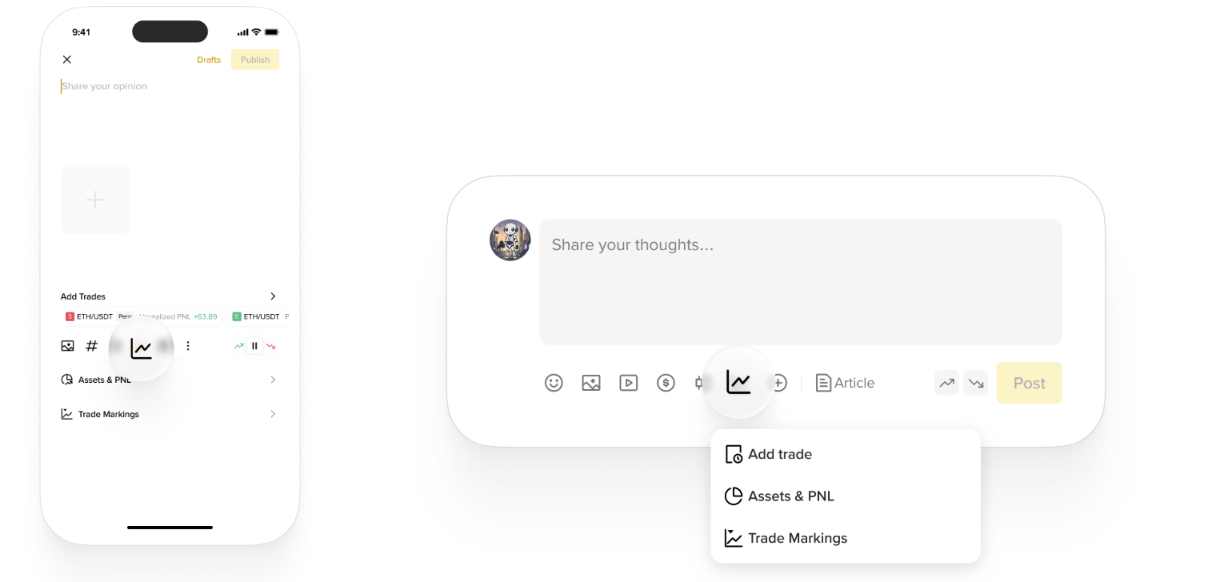
Share your latest deals in the spot market, futures, strategies, or asset exchanges. This builds trust and encourages clicks on the widget to replicate the deal.Share assets and PnL: Show your portfolio and your account's profit/loss. Striking statistics attract attention.
Use charts with deal markers: Display your trading history for individual assets on candlestick charts. Clear visualization helps better understand the strategy and simplifies the decision-making process for trading through the widget.
Application Web
Take a look at examples from other creators:
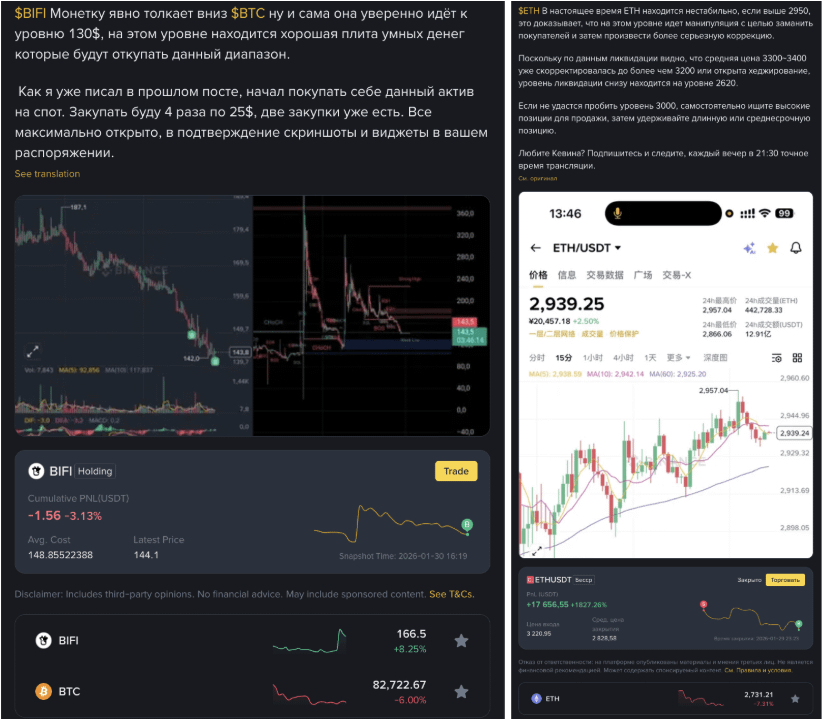
Here are common mistakes to avoid:
Old or irrelevant deals that are not related to the publication topic
Inconsistent charts that confuse
Use these tips in your next post and track the results: clicks → deals → commission.
What topic should we discuss next — (attention-grabbing, design, publication time, content ideas)? Let us know in the comments.