
Solana Rent Recovery refers to closing idle on-chain SPL Token accounts or NFT accounts to reclaim the SOL previously locked as 'rent'.
Why is rent recovery necessary?
On the Solana network:
Each token (SPL Token) or NFT account requires about 0.00203928 SOL as a rent deposit (for storage space).
When you sell, transfer, or claim tokens via airdrop, if your account balance is 0 but the account remains open, that SOL will stay locked forever.
Frequent trading (like flipping meme coins or claiming airdrops) can create a lot of empty accounts, potentially locking up several SOL or even more.
After closing these empty accounts, the rent SOL will be credited back to your main wallet balance (a small transaction gas fee applies).
Note: Before closing an account, ensure there are no tokens or NFTs remaining; otherwise, it cannot be closed (or you need to transfer/burn them first).
Recommended recovery methods
Most users utilize the following tools or built-in wallet features to scan and recover in bulk with one click:
1. Built-in wallet features:
OKX Web3 Wallet: Go to the 'Solana Token Account Recovery' page, connect your wallet, and input the address or scan directly for one-click recovery.
Bitget Wallet: More → Solana Rent Recovery → Query → Claim.
Mainstream wallets like Phantom and Solflare also often have similar 'Close Account' or 'Rent Claim' features.
2. Online tools (support bulk operations):
GTokenTool: (supports individual/multiple wallets, queries for empty accounts, token accounts, NFTs).
General operation steps:
Open GTokenTool Rent Recovery page and connect your Solana wallet.
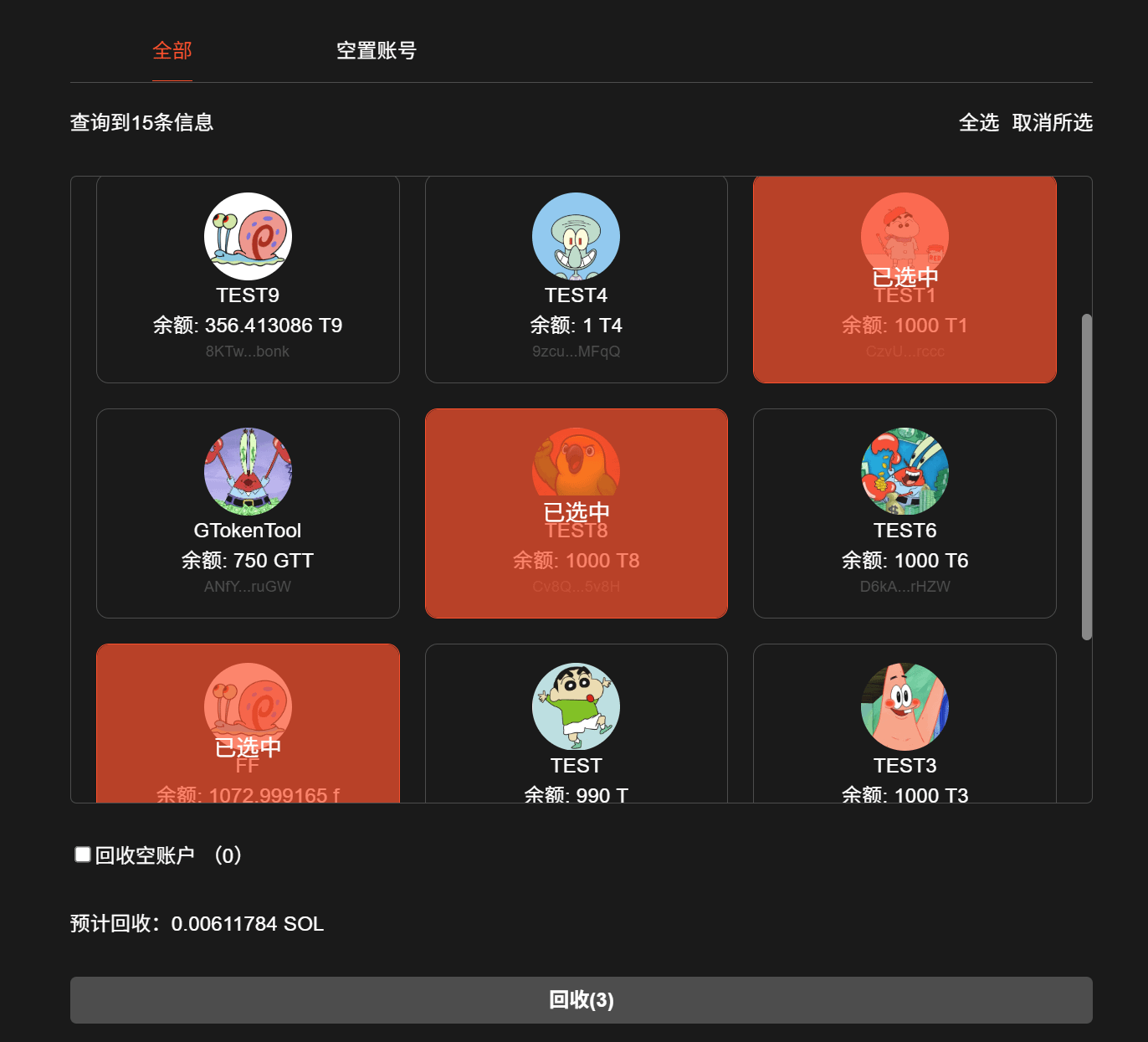
Click 'Query' or auto-scan; the tool will list the number of recoverable accounts and the estimated SOL to be claimed.
Select the accounts to close (preferably empty accounts; be cautious with accounts holding tokens, especially NFTs or valuable tokens).
Confirm and sign the transaction in your wallet (multiple signatures may be required if there are many accounts).
After transaction confirmation, SOL will be instantly returned to your main wallet.
Each account can recover approximately 0.002 SOL; bulk operations (like 50 accounts) can recover over 0.1 SOL, varying slightly based on account sizes.
Important notes
Gas fees: The recovery process requires a small amount of SOL as a transaction fee, ensure your wallet has enough SOL (usually just a few milla SOL will do).
Risk: If you choose an account with a balance during recovery, the tool will typically **burn** the tokens. Only recover worthless or junk assets to avoid accidentally burning valuable NFTs/tokens.
Multi-wallet: Some tools support importing private keys for bulk operations, but be cautious about security; only use trusted tools.
What happens if I don't recover? SOL will remain locked and won't disappear automatically, but it also cannot be used. Solana has a rent exemption mechanism, but you still need to close regular token accounts manually.
Want to try it quickly? It's recommended to first use the Chinese interface of GTokenTool; connect and you can see the recoverable amount within seconds.