
In today's wave of AI Agents sweeping Web3, how can you give your AI assistant a keen 'on-chain sense'?
As the core ecosystem empowering AI Agents, Ave Cloud has officially launched ClawHub, allowing you to inject your OpenClaw with Ave Cloud Skill in one click! With just a few simple configuration steps, you can transform your robot into an all-powerful 'on-chain operator.'
Here is the 'nanny-level' integration tutorial we prepared for you 👇
This tutorial is mainly divided into three steps:
Preparation work (account and API application)
Configure the core environment of OpenClaw
Connect Ave Cloud Skill
Step 1: Preparation (Account and API Application)
Before formal configuration, please ensure you have prepared accounts for the following four platforms:
1️⃣ Tencent Cloud (Tencent Cloud)
Open Tencent Cloud's official website and click to register for free: https://cloud.tencent.com/act/pro/lighthouse-moltbot?from=29437&Is=home
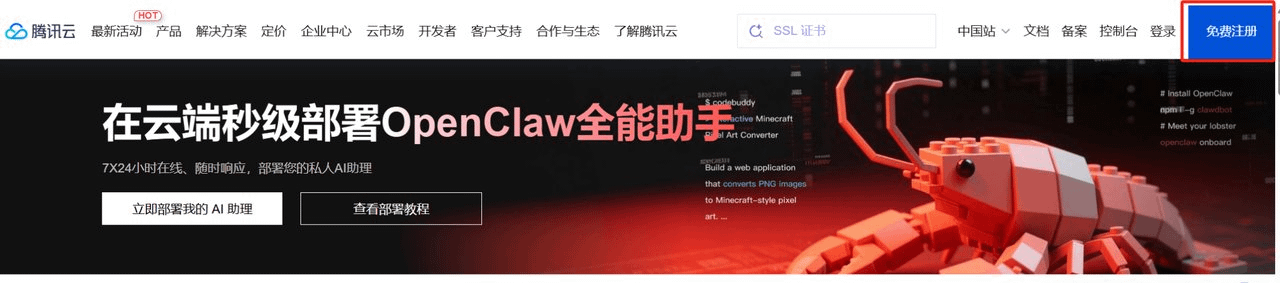
After successful registration, select the homepage OpenClaw cloud one-click millisecond deployment: Experience now ---> Deploy my AI assistant now ---> Purchase lightweight application server
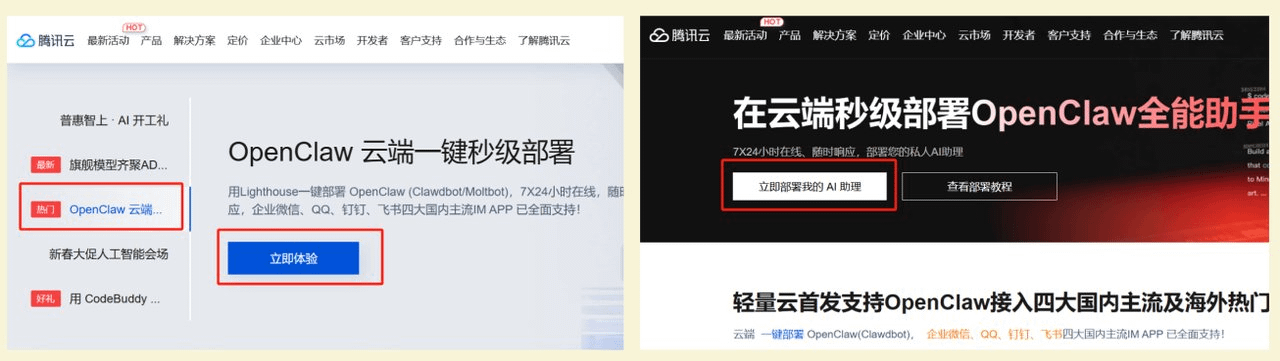
2️⃣ Kimi (Moonshot AI)
Log in to the kimi open platform: https://platform.moonshot.cn/
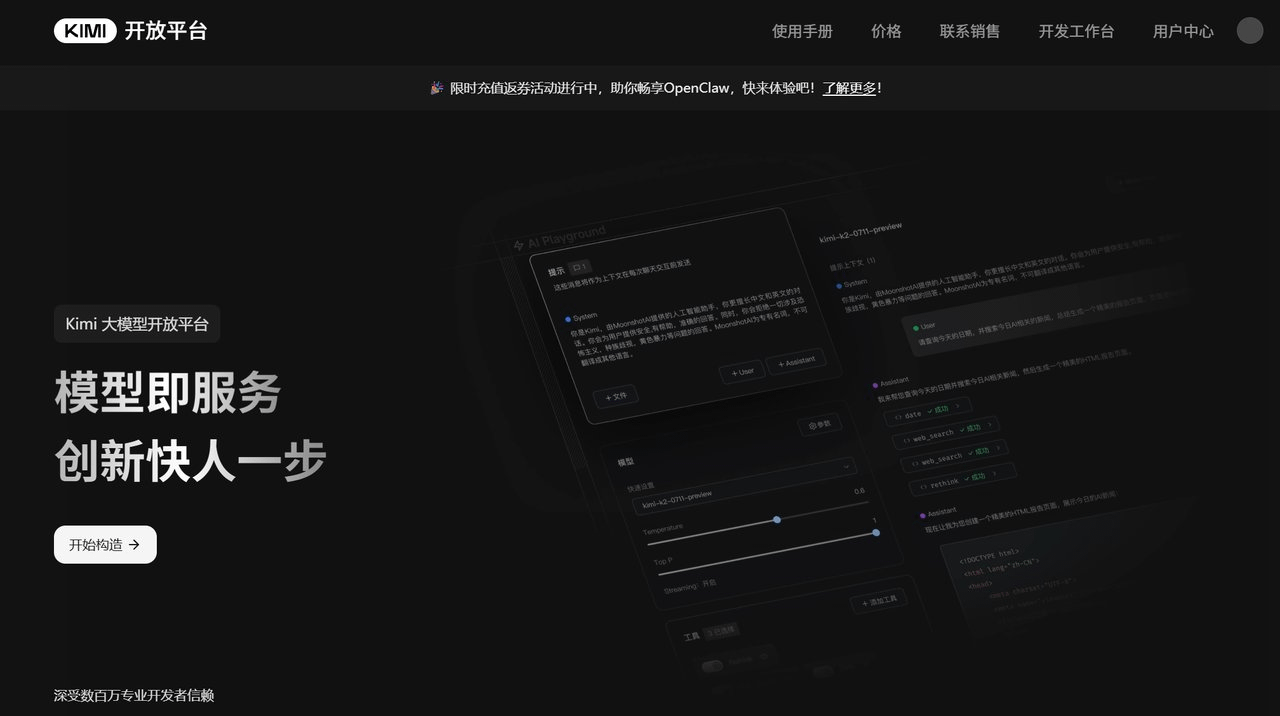
Click on account overview to recharge
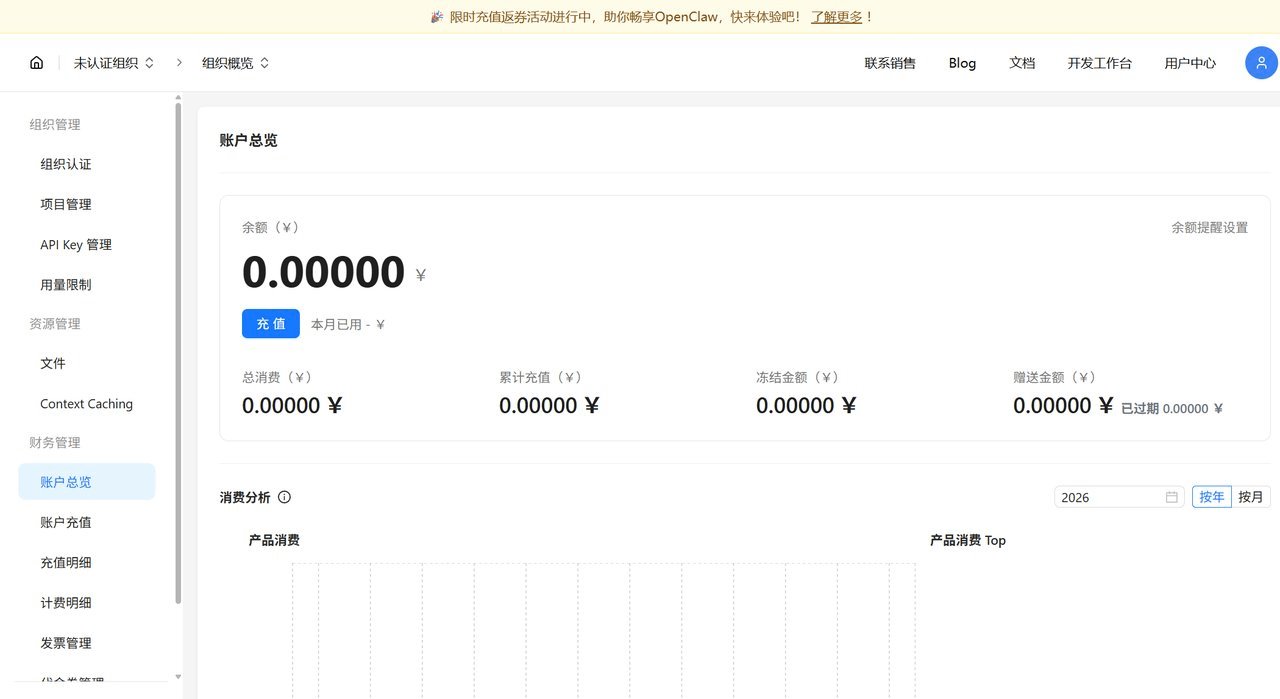
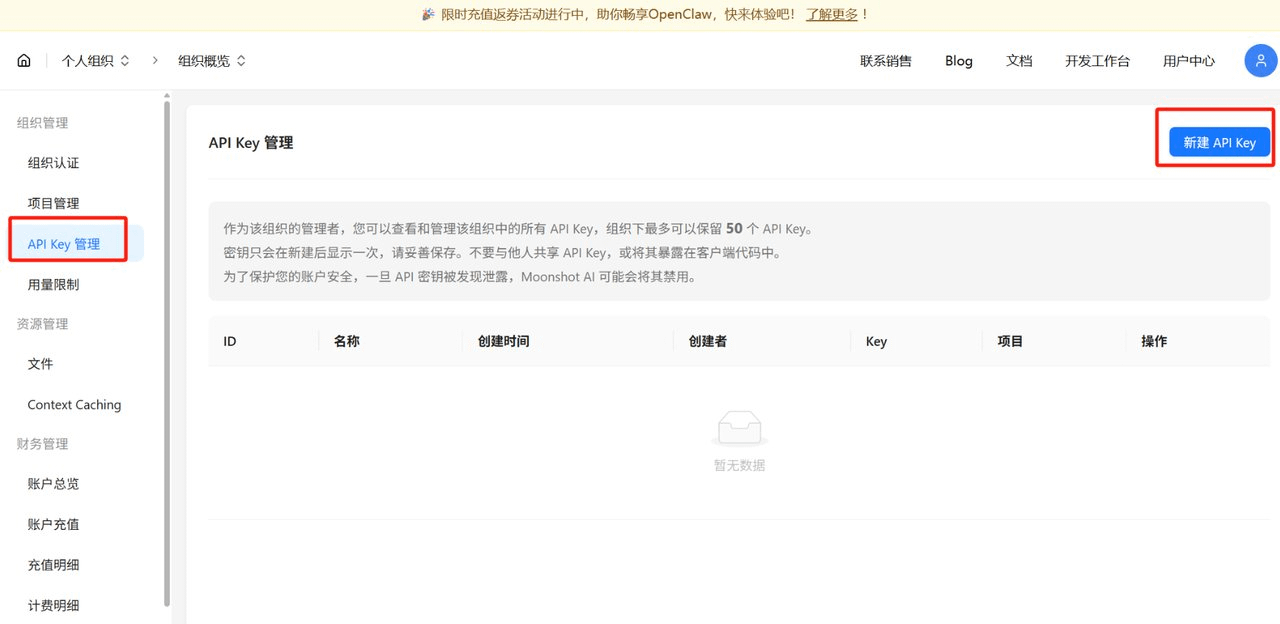
After recharging, click 【API Key Management】 to create a new API Key
Note: Please keep your API Key safe and do not disclose it.
3️⃣ Telegram Bot
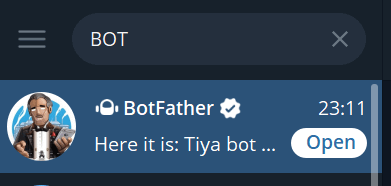
In Telegram, search for @BotFather, send /newbot and follow the prompts to create your exclusive Bot, and get your API Token
4️⃣ Ave Cloud
Click to enter the official website: cloud.ave.ai
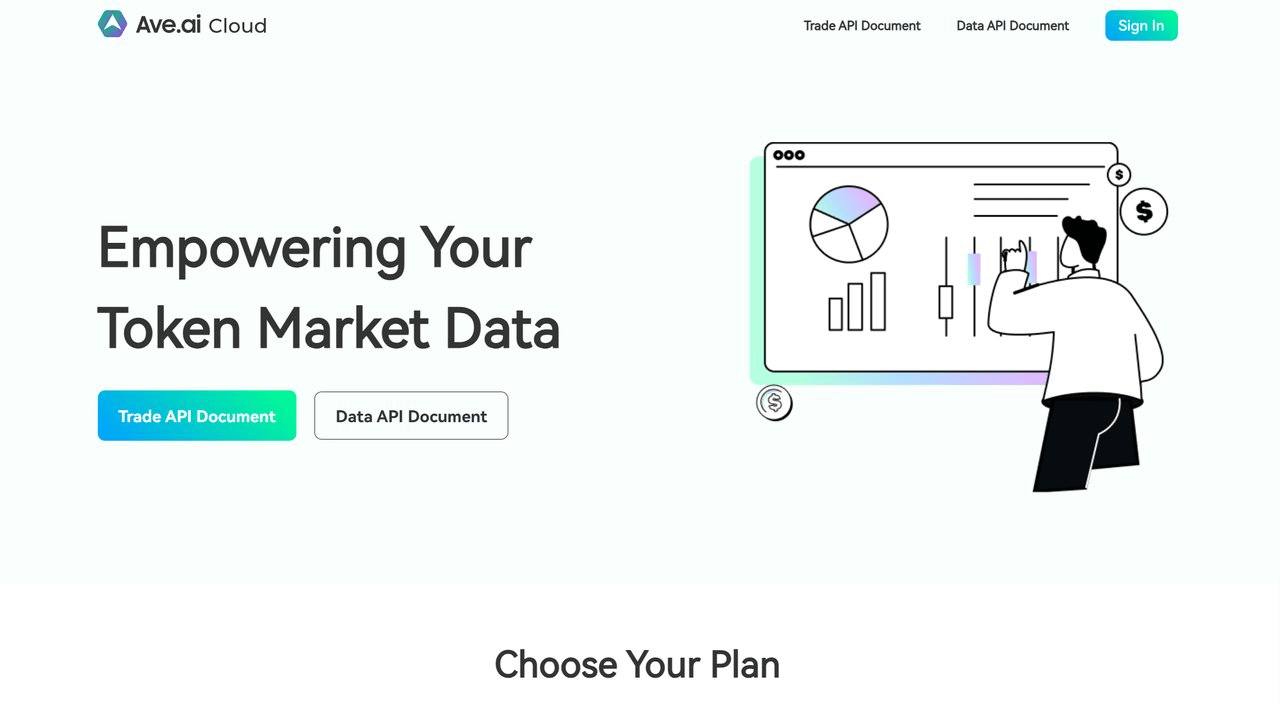
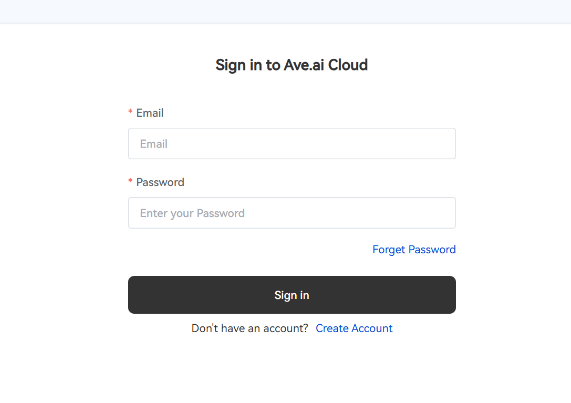
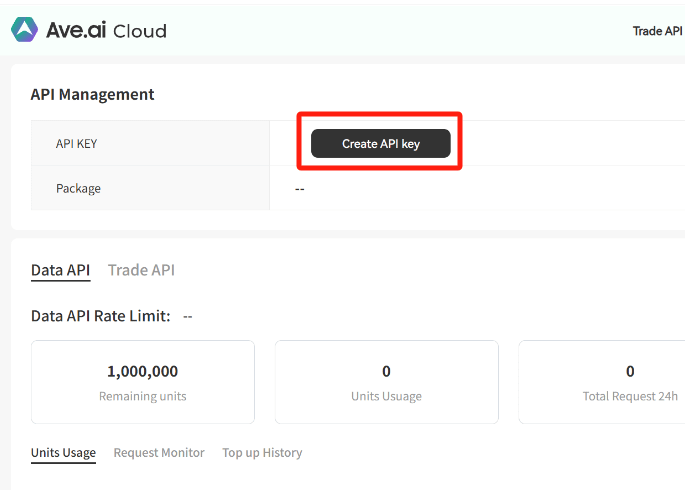
Click 【Sign in】 to register and log in, then select 【Create API Key】 to generate your API Key
Step 2: Configure OpenClaw core environment
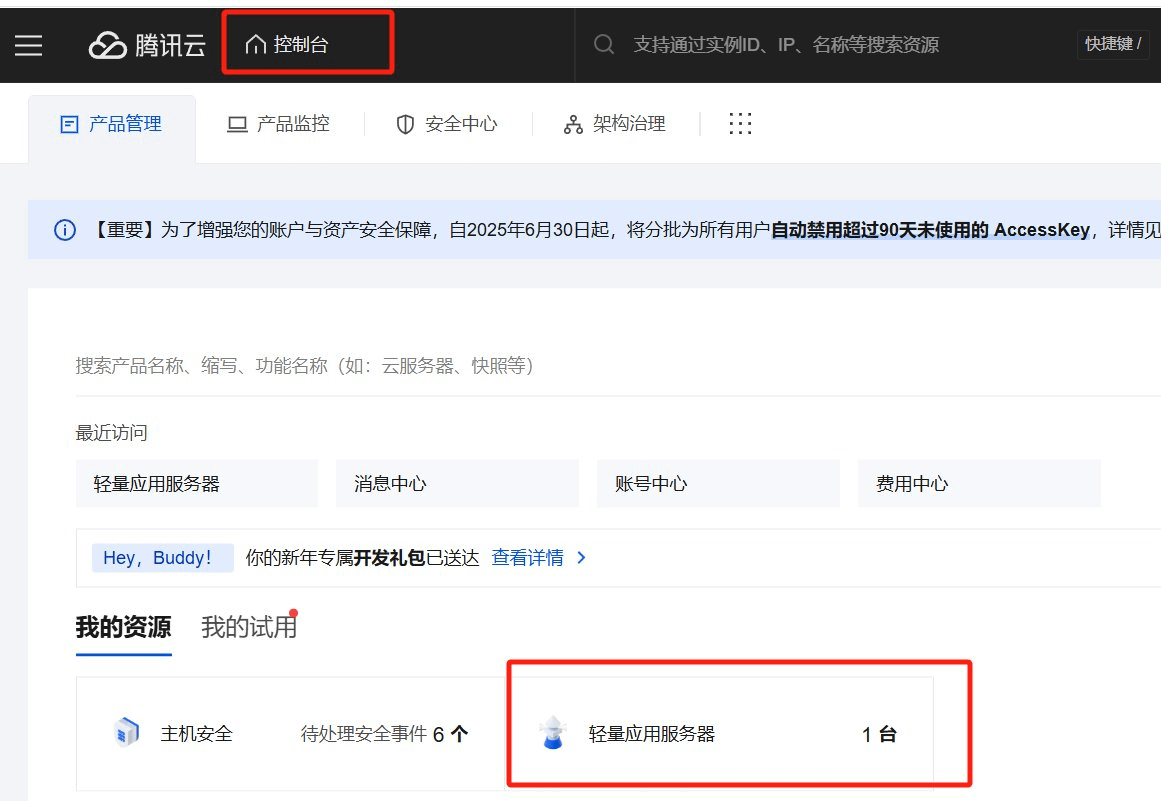
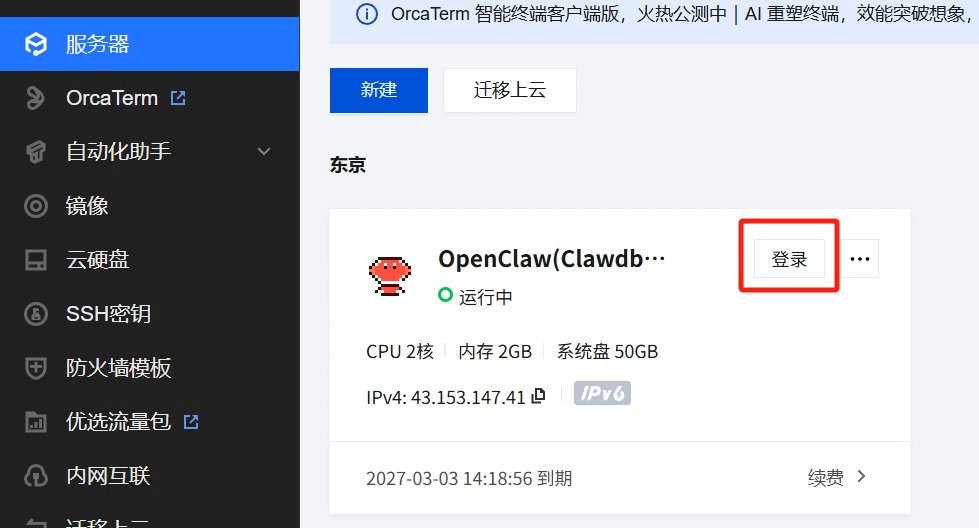
Return to your Tencent Cloud console, click 'Log in' to enter the lightweight application server terminal
Install OpenClaw
In a mac or linux environment, choose a computer without valuable data and enter the following command: curl -fsSL https://openclaw.ai/install.sh | bash
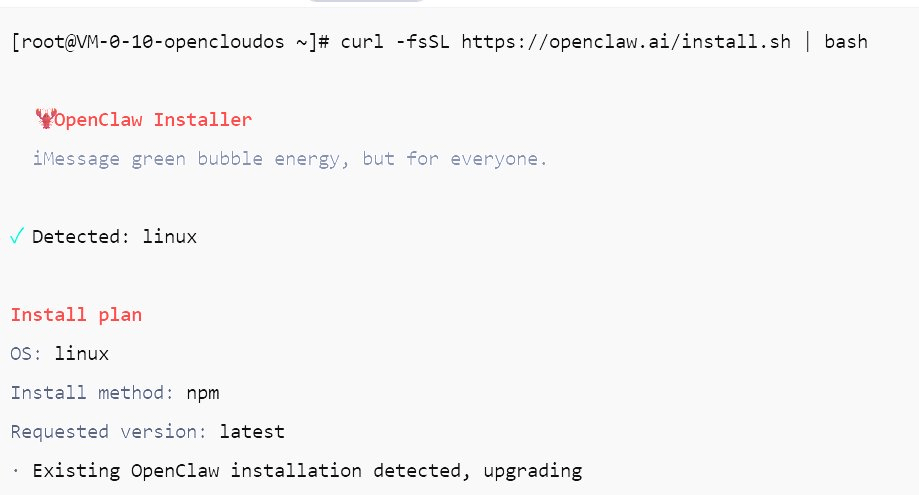
Please wait patiently for the installation to complete, then configure openclaw
Enter command: openclaw onboard
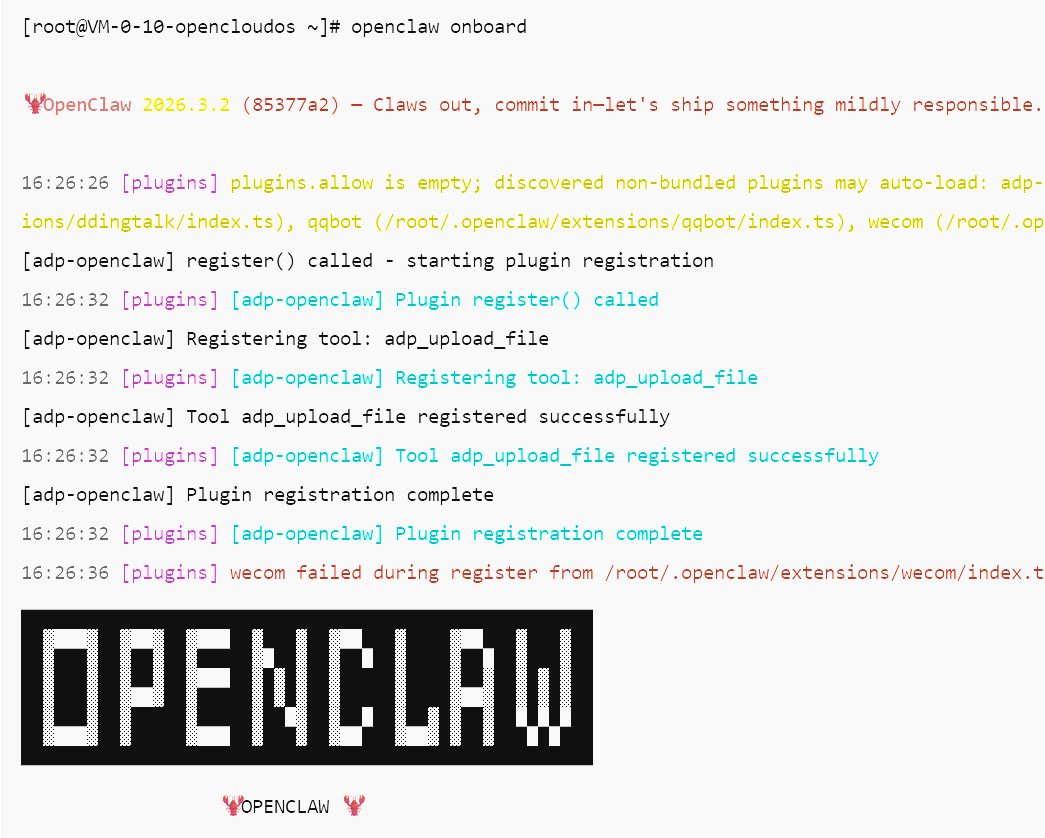
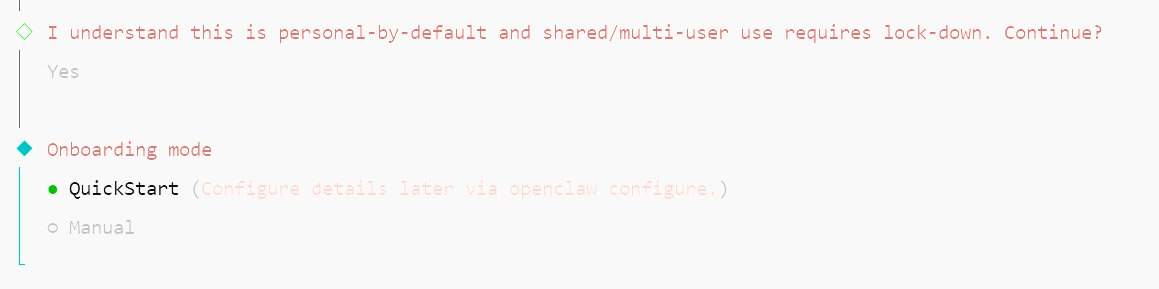
Start quick setup mode
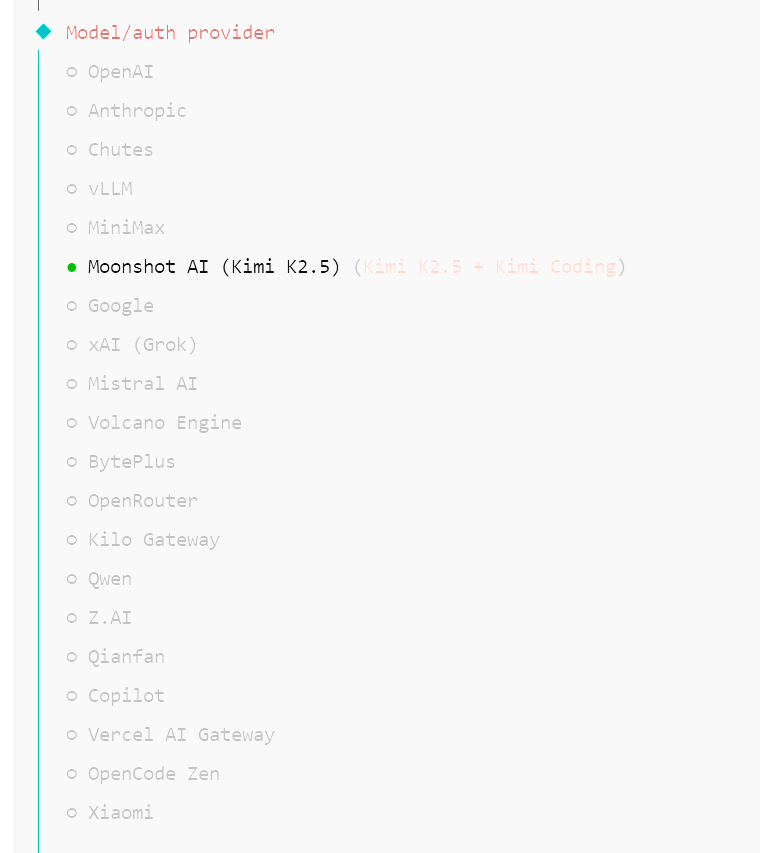
Select model 【Moonshot AI】
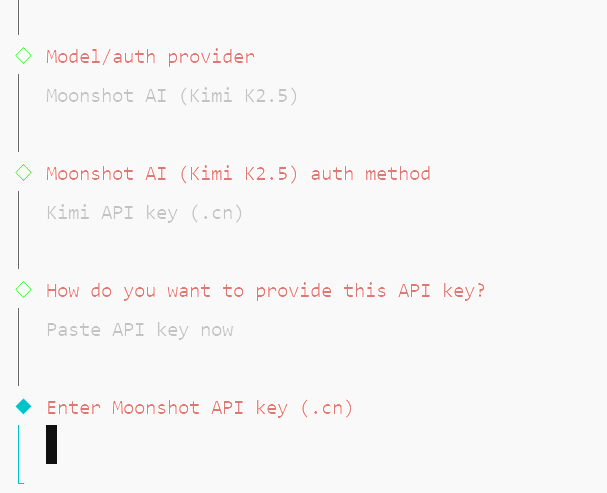
Enter your API Key, model deployment successful
Next, select the access channel 【Telegram】
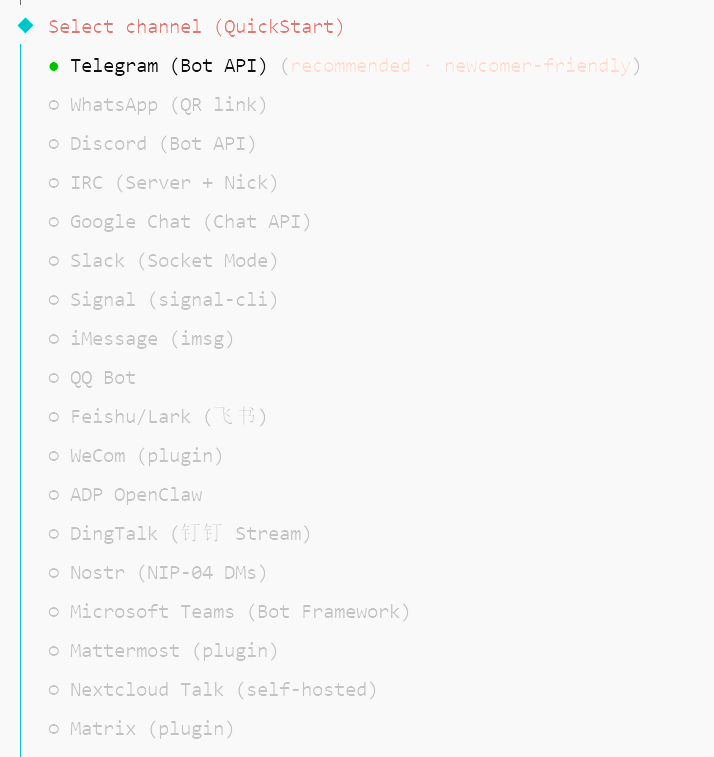
Enter your bot account token, Channels deployment successful
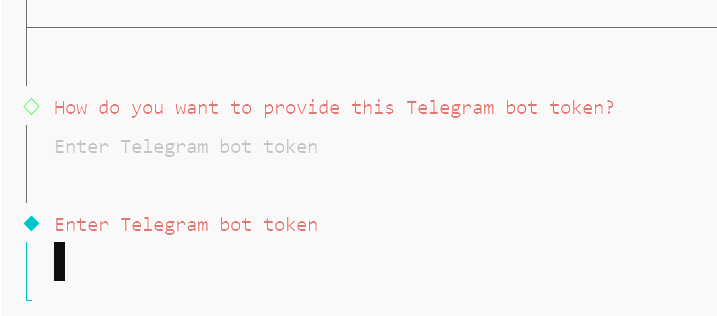
Step 3: Connect Ave Cloud Skill
This is the last step, and also the most critical step:
1️⃣ Identity pairing Open Telegram, search for the Bot you created and click START to get the pairing code.
Enter the command on the server terminal: /root/.local/share/pnpm/openclaw pairing approve telegram <+ code>
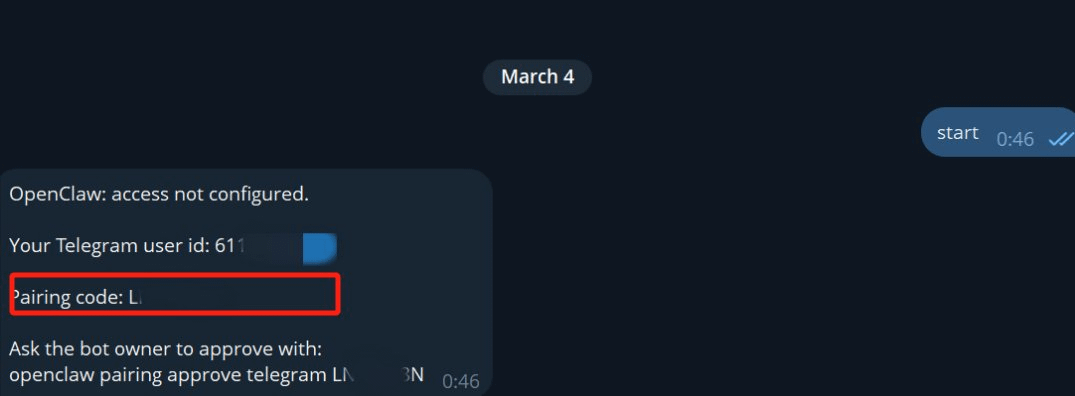
After completion, return to Telegram and send your bot a message saying 'Hello', it will directly reply to you in Kimi's tone, which means activation is successful!
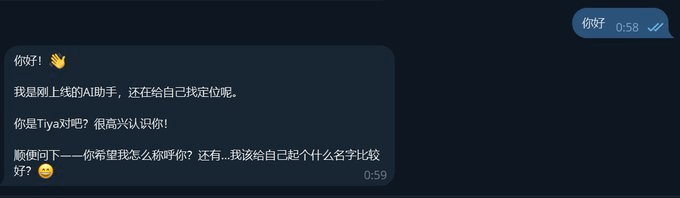
2️⃣ Next, just let your bot help you install AveCloud Skill in the chat window, and enter the API Key as prompted to use it.
Link: https://clawhub.ai/Hope-Ave/ave-cloud
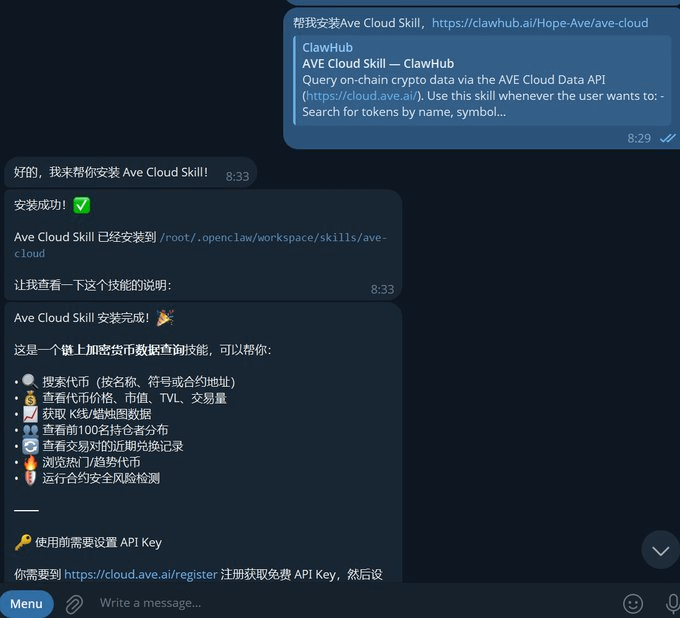
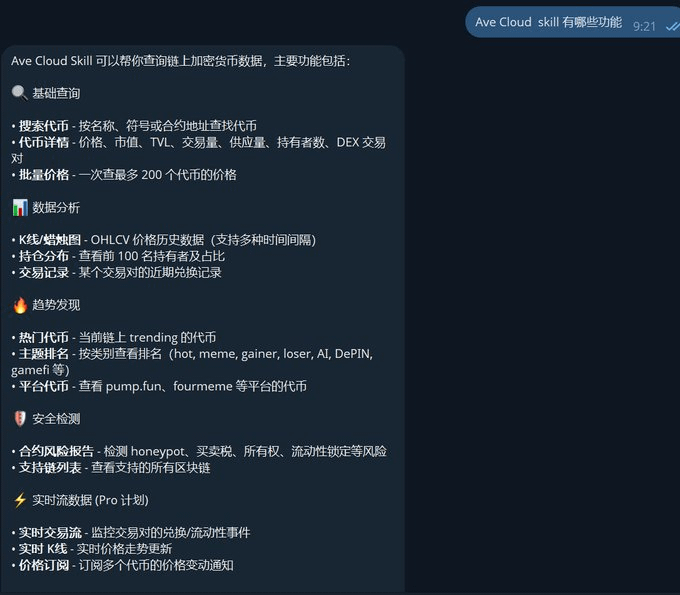
Practical demonstration: What can Ave Cloud Skill do?
📍 Core capabilities:
Market — Comprehensive multi-chain and on-chain real-time data, covering token search, price details, K-line history, and batch pricing.
Analysis — In-depth insights into position distribution and trading records, supporting the ratio of the top 100 holders and recent exchange flow queries.
Trend — Real-time tracking of popular tokens and track rankings, covering popular platforms such as Meme, AI, DePIN, and pump.fun.
Security — Automated contract risk reports, accurately detecting Honeypots, buy/sell taxes, ownership, and liquidity lock conditions.
Real-time stream (Pro) — Millisecond-level monitoring of trading pair events and K-line trends, supporting multi-token price change subscriptions and real-time notifications.
🌟 ConclusionAVE always adheres to the concept of an open platform, dedicated to empowering every partner with powerful on-chain capabilities. In the era of AI Agent disrupting interactions, we hope to provide every developer and trader with a smarter and more efficient Web3 experience through deep integration with OpenClaw.