
The GTokenTool platform has recently welcomed a highly practical new feature upgrade—the Binance Smart Chain (BSC) token snapshot function is officially online! Now, users can easily achieve 'one-click mapping of holding addresses', significantly simplifying address management and bulk transfer operations in scenarios such as airdrops, dividends, and marketing rewards.
This feature is particularly suitable for project parties, community operators, and teams that need to accurately reach holding users. Previously, if one wanted to conduct airdrops or reward distributions on the BSC chain, it often required writing scripts, calling node APIs, and processing massive amounts of data, which was time-consuming, labor-intensive, and prone to errors. Now, through GTokenTool, the entire process from holding snapshot → address screening → bulk transfer can be completed in just a few steps.
Below is a detailed breakdown of the specific operation process; follow along with basically zero threshold.
Step one: enter the token snapshot tool
Open GTokenTool official website, connect your wallet (recommended MetaMask or Trust Wallet), and make sure to switch to BNB Smart Chain (Binance Smart Chain) network.
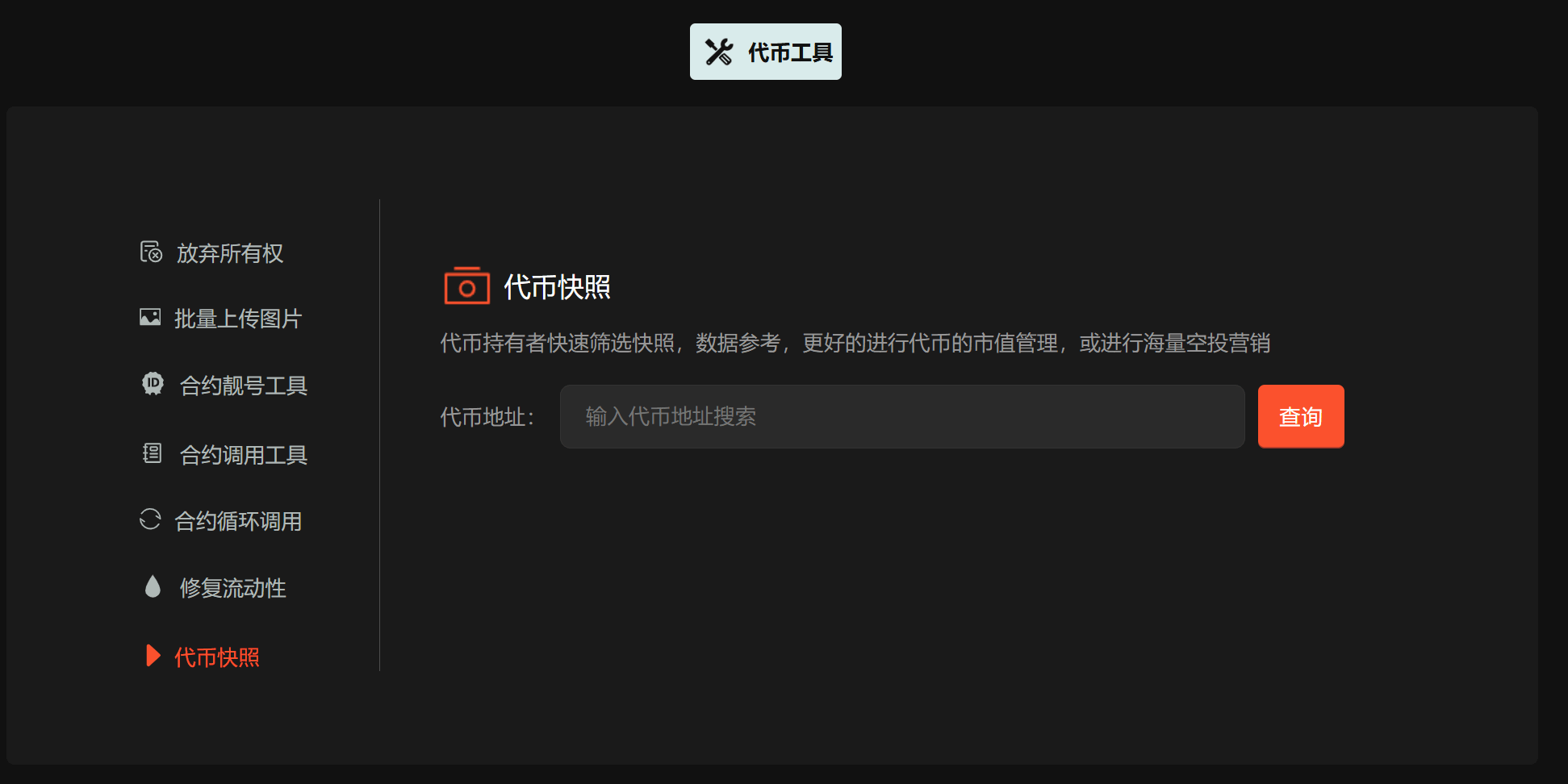
Enter the 'Token Snapshot' module through the tool navigation or directly access the link (current = 6 corresponds to this tool page).
Enter the token contract address you want to snapshot (Token Contract Address), the platform will automatically recognize and pull the holding data of that token on the BSC chain. The system supports real-time/historical snapshots (specific parameters can choose a certain block height or latest status), suitable for scenarios like airdrops, holding dividends, snapshot rewards, etc.
Step two: exclude unnecessary addresses (refined filtering of holders)
After obtaining the full list of holding addresses, most projects do not want to send rewards to all addresses (such as exchange addresses, contract addresses, blacklists, small holders with too few tokens, etc.). GTokenTool provides flexible exclusion and filtering functions:
Supports manual exclusion: directly paste or add addresses you do not want to include one by one.
Supports batch exclusion: upload txt/CSV files to import blacklist address lists at once.
Example of filtering criteria (the platform usually supports the following filters):
Minimum holding quantity (for example, rewards are only given to users holding ≥ 1000 tokens)
Exclude specific address prefixes (like those starting with 0x000, exchange hot wallet addresses)
Exclude contract addresses, known burn addresses, etc.
After filtering is complete, click 'Generate final list' or 'One-click mapping', the system will automatically output a clean target holding address + corresponding holding quantity mapping table. This step is the core value of 'one-click mapping holding addresses', greatly reducing the workload of manual sorting.
Step three: directly import batch transfer
On the snapshot result page, there will usually be 'Export' or 'Directly transfer to batch transfer' buttons.
After clicking, it will automatically jump to GTokenTool's batch transfer tool (or directly carry the filtered address list).
Confirm transfer parameters:
Transfer token (can be the token just snapshot or other tokens like BNB, USDT, etc.)
Transfer mode: equal airdrop / distribution by holding proportion / custom amount
Gas fee settings (it is recommended to use priority Gas to accelerate large batch transfers)
Preview transfer list → confirm correctness → one-click execution, the system will automatically send transactions in batches (to avoid exceeding single Gas Limit), the entire process only requires the wallet to confirm successively. Airdrops to hundreds or thousands of addresses can usually be completed in a few minutes to over ten minutes.
Feature highlights summary
No code: fully visual operation, no need to understand Solidity or write scripts
Efficient and cost-saving: batch processing + intelligent packaging, Gas consumption is more reasonable
Safe and reliable: data is read directly from the chain, without going through centralized custody
Applicable in multiple scenarios: airdrop marketing, holding dividends, community rewards, snapshot activities, on-chain DAO distribution, etc.
If you are a BSC project party, or preparing for the next round of community incentives, this new Binance Smart Chain token snapshot + one-click mapping + batch transfer combination will definitely save you a lot of time and effort.