

Now, you can directly associate various on-chain tokens in posts and live broadcasts on Binance Square—even if these tokens have not yet been listed on Binance Spot, Futures, or Alpha platforms. Simply search for the contract address (CA) of the token to add it to your content, and click to easily jump to the token detail page. This helps you effortlessly connect with the relevant token community without frequently switching between content and Web3 wallet pages.
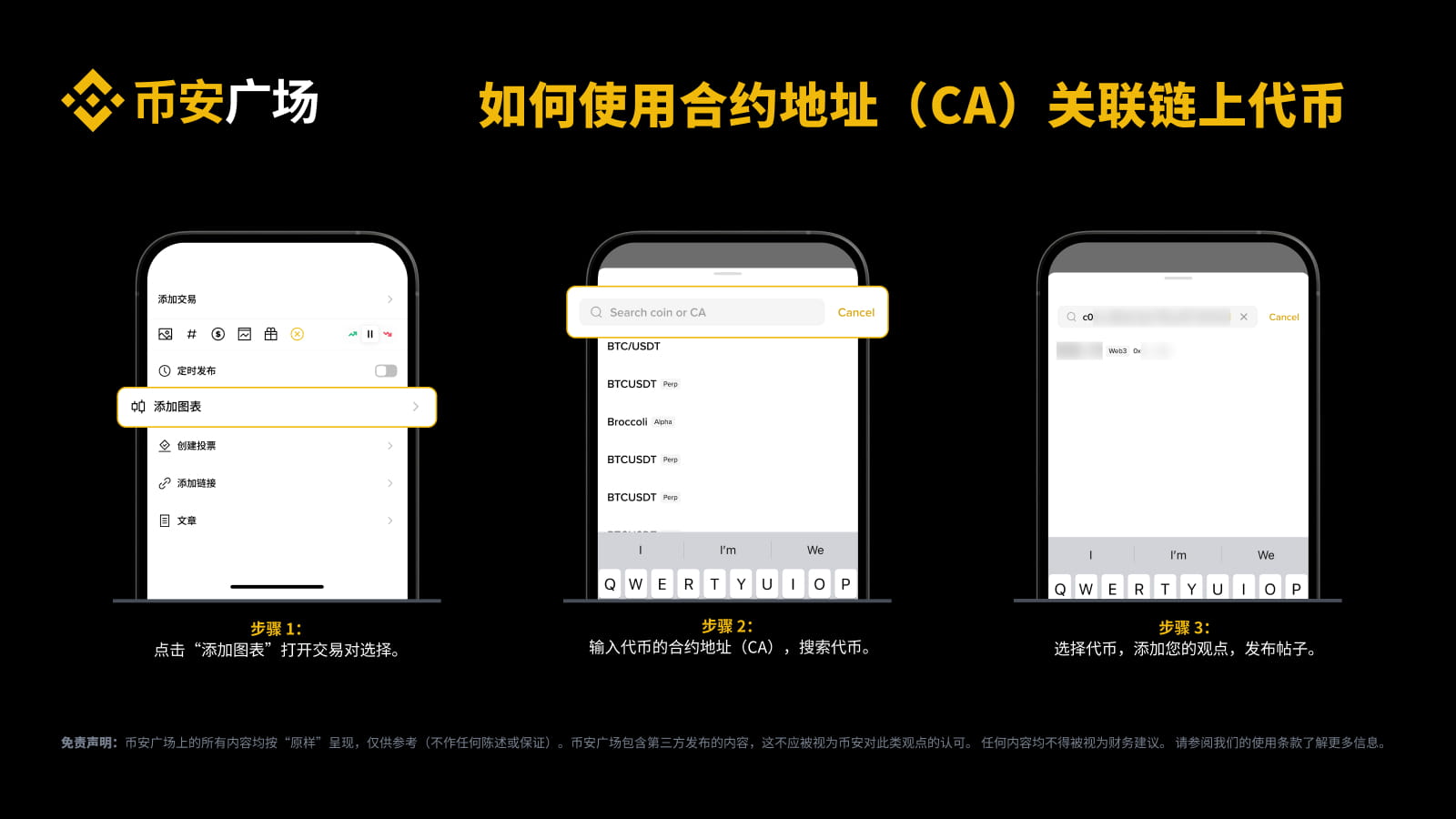
How to search for and associate on-chain tokens using the contract address (CA)?
Open the editor and click 'Add Chart'.
Enter the contract address (CA) of the token in the search bar to accurately find the target token.
Select the token, add your insights, and easily publish posts with on-chain tokens.
 **Note: Currently, this feature supports tokens on the Binance Smart Chain (BSC) and Solana (SOL) chains. We are actively expanding support for more chains. Investing carries risks; please be sure to do thorough research before making any investment decisions.
Immediately link your favorite on-chain tokens and share your unique insights on Binance Square!

