
The Binance mobile app is designed for everyone, from total beginners to pro traders. It offers two main modes:
Lite - simple & clean!
Pro - powerful & detailed!
You can switch anytime!
Lite Mode vs Pro Mode: Quick Comparison
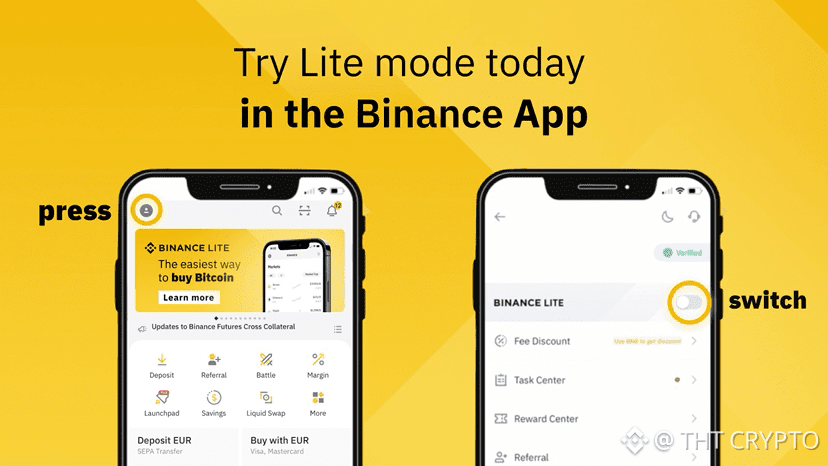
• Lite Mode (default for most new users)
Perfect if you’re just starting out. It hides complex tools so you focus on the basics: checking prices, quick buys/sells, and your portfolio. Clean dashboard, less clutter — great for casual users or learning crypto.
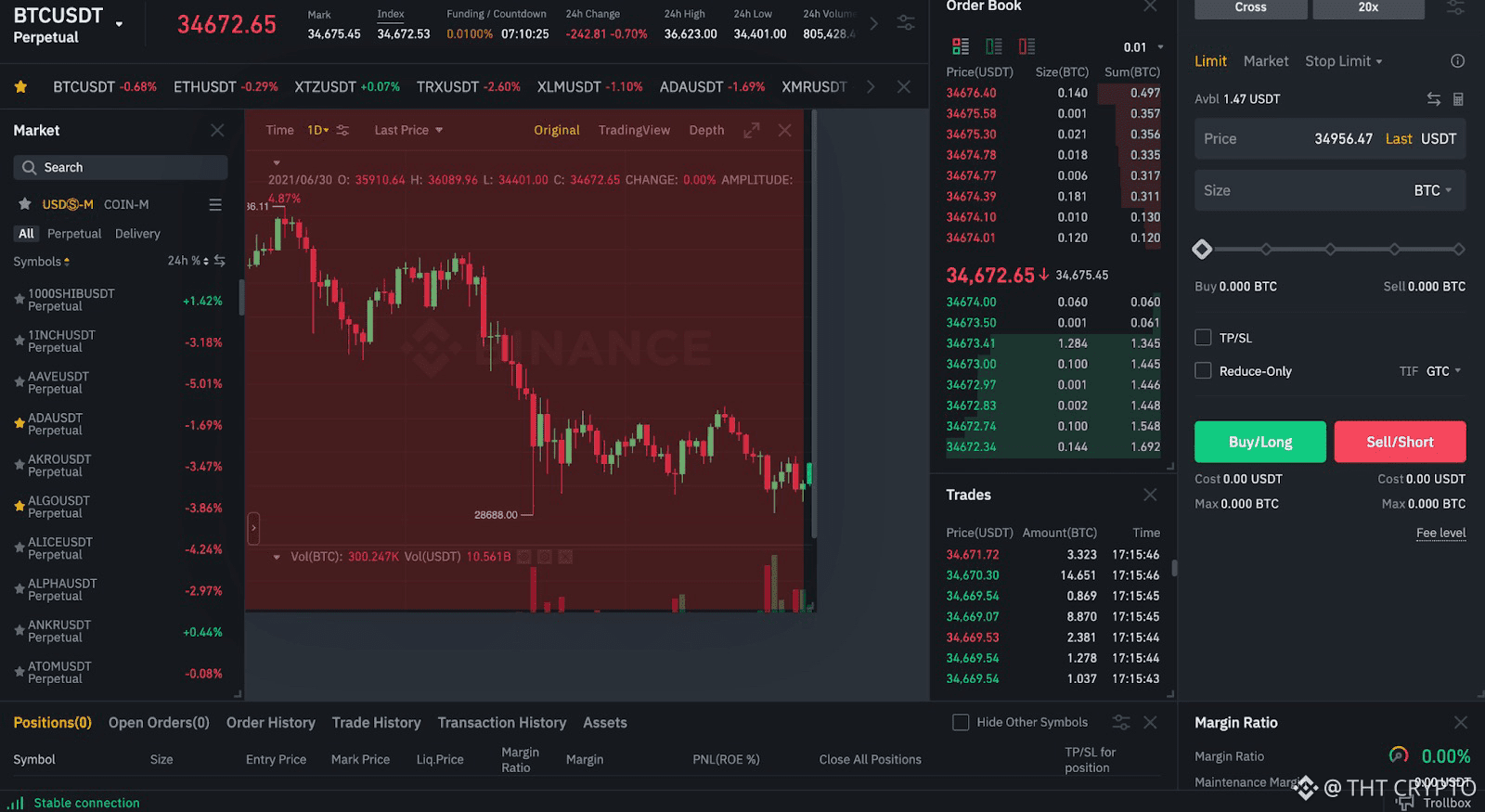
Pro Mode (also called Professional/Advanced)
Unlocks everything: advanced charts, order books, futures, margin trading, full market data, and more tools. Ideal for active traders who want deep analysis and control.
How to Switch Between Lite and Pro
1. Open the app and go to your Profile (bottom right icon).
2. Tap Settings or look for Mode / Interface option.
3. Toggle Lite Mode on (for simple) or off (for Pro).
→ It changes instantly — try both to see what feels best!
Exploring the Homepage & Bottom Navigation
Once logged in, the homepage is your main hub. In Lite mode it’s super simple; in Pro it’s more customizable (with widgets, drag-and-drop layout in recent updates).
Key sections at the bottom (usually 5 icons):
1. Home / Markets → Live prices, top coins, watchlist, search bar for any crypto.
2. Trades or Buy/Sell → Quick convert, spot trading, or advanced orders (Pro only).
3. Earn → Staking, savings, yield farming to grow your crypto passively.
4. Wallet → See your balances, deposit/withdraw, transaction history.
5. Profile → Settings, security, KYC, support, and mode switch.
Quick Homepage Tips
• Top area: Profile icon (left), search bar (center), notifications/quick actions (right).
• Scroll down: See market overview, hot tokens, shortcuts to popular features.
• In newer versions (2025+ updates): Customize with smart widgets — add price trackers, news, or portfolio summaries by long-pressing the screen.
You’re now navigating like a pro (or keeping it lite & easy)! Play around in both modes for a few minutes — it only takes seconds to switch.
In the next article (#3), we’ll dive into the fun part: How to Buy and Sell Crypto Easily using Convert and Spot Trading.