
#芊问指南 This tutorial is made from the perspectives of both new and old users, but due to material reasons, some processes and cloud backups could not be displayed. I will find materials later.
1. Click on Wallet - new users click to create a wallet without a private key - old users click on the existing wallet name - add wallet.
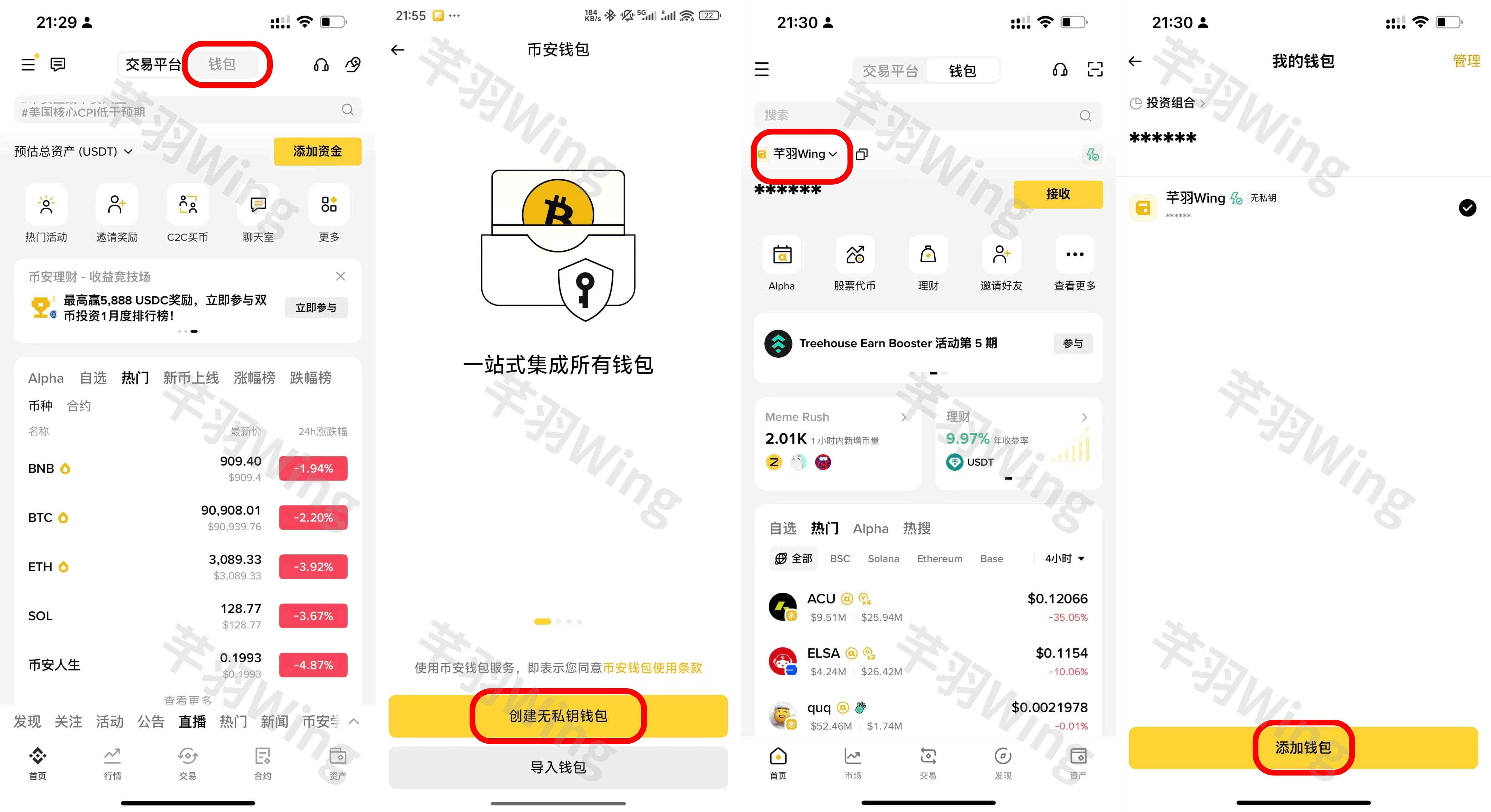
2. Old users click on Create - the next steps are the same for both new and old users.
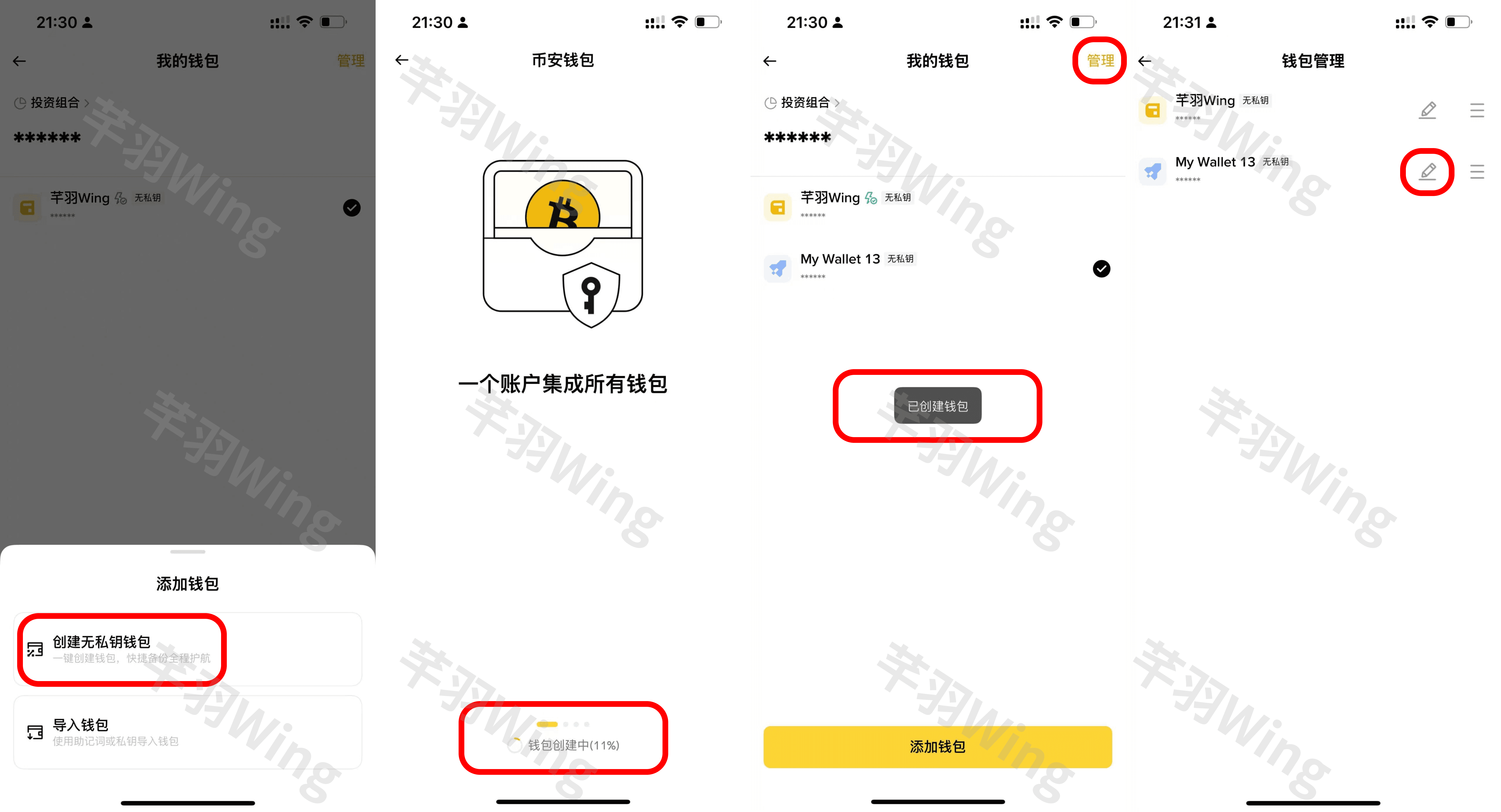
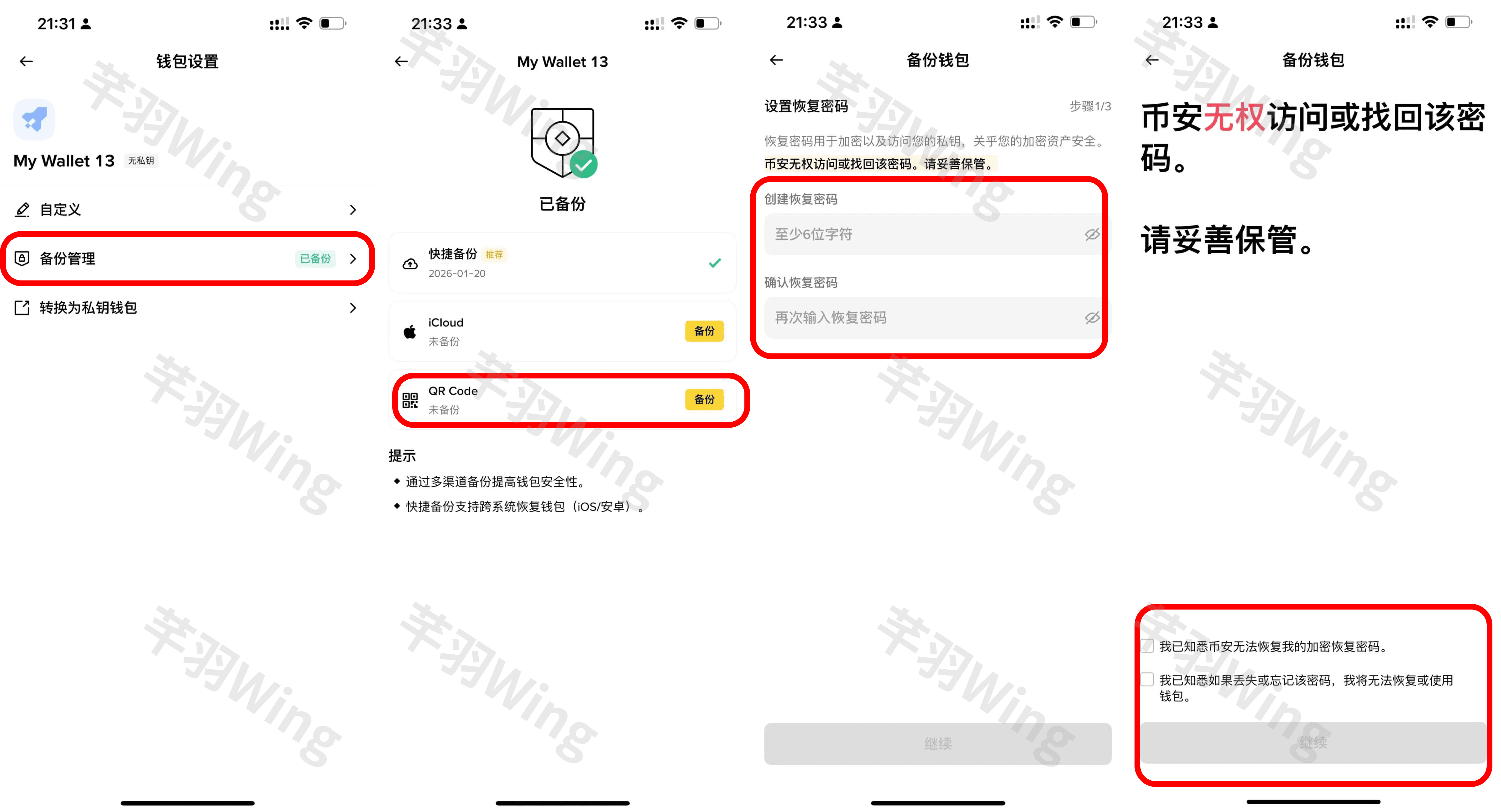
3. Here, as an old user, the quick backup has been completed, so it will show as backed up.
4. This step must ensure a stable network environment; otherwise, saving the QR code may not prompt the next step's pop-up.
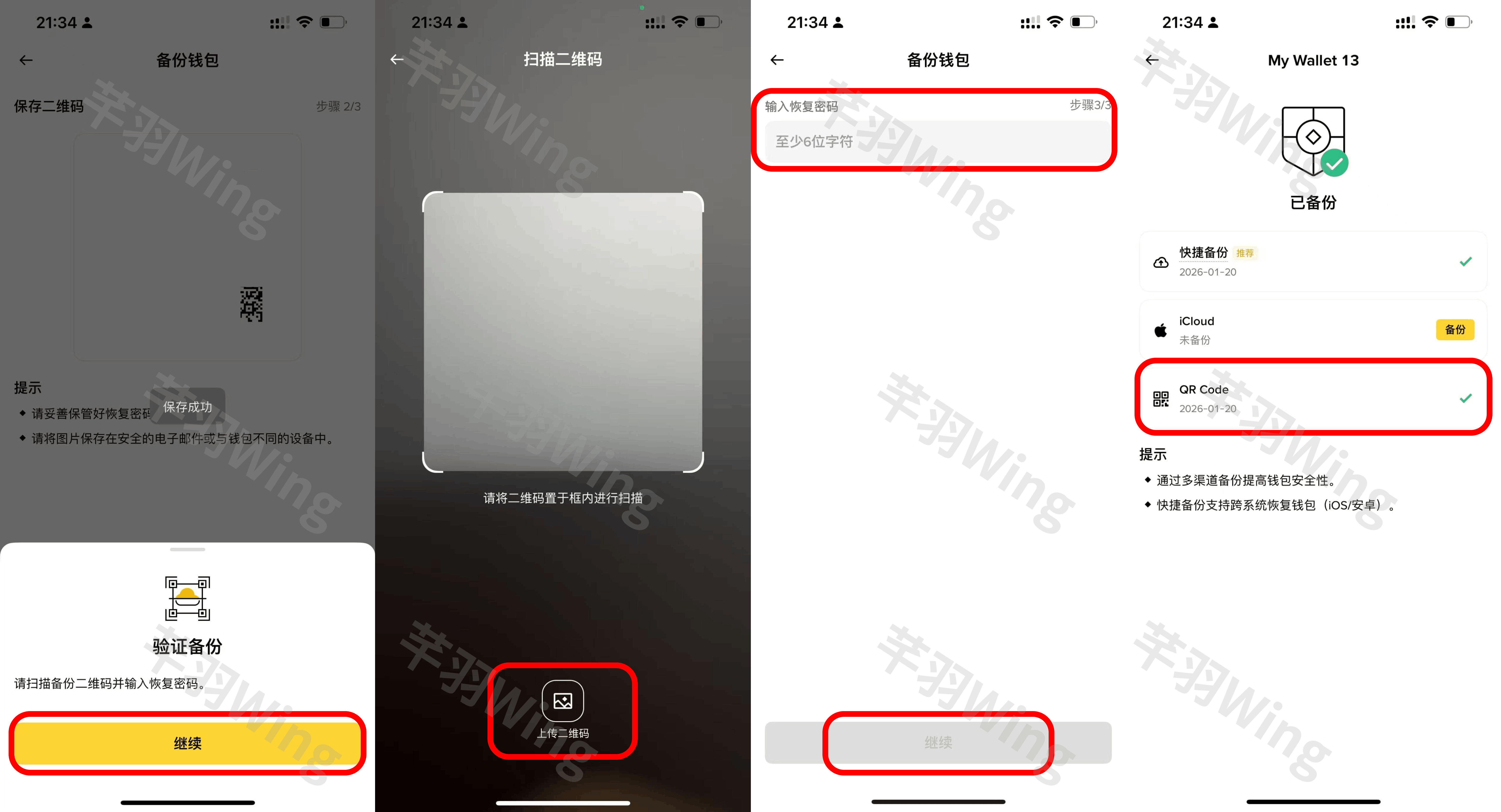
Work completed!!! Thank you for your support. If you have any questions, please feel free to point them out and suggest!


