
When taking the first step into the cryptocurrency world - registering a Binance (Binance) account, users in mainland China need to pay special attention to compliance and technical details. Due to access restrictions in this area, appropriate measures must be taken to register and use Binance to ensure a smooth start to the trading journey.
This article will provide a detailed analysis of the registration process for the Binance exchange, necessary preparations, key points for identity verification, and a guide for beginners on how to buy cryptocurrency, helping you safely and efficiently take the first step.
Why choose Binance?
As a leading global cryptocurrency trading platform, Binance not only offers a wide variety of trading options but also boasts high liquidity, strong security, and comprehensive services. Whether you are a novice user or an experienced player, Binance provides a one-stop experience for cryptocurrency trading and management.
Notes for registering Binance in mainland China
In the current environment, mainland Chinese users registering for a Binance account need to meet the following two conditions:
Access Binance using an IP address that is not in mainland China, the USA, or Singapore (using scientific internet tools).
Use a mainland China passport or ID card for real-name authentication (KYC) and pass facial recognition.
By following the steps above, you can unlock all features of your Binance account and freely conduct deposits, trades, and asset management.
Preparations before registering for a Binance account
To ensure a smooth registration process, it is recommended to complete the following preparations in advance:
1. Configuration of scientific internet tools
Since the Binance official website cannot be directly accessed in mainland China, you must use a scientific internet tool (commonly known as a 'ladder') and connect to a server node that is not in the USA or Singapore. It is recommended to choose IPs from regions such as Japan, Hong Kong, or Europe.
2. Preparation of identification documents
You need to submit valid documents for real-name authentication, usually you can choose:
Mainland China ID card
Mainland China passport
Ensure that the document information is real, clear, and completely consistent with the filled personal information.
3. Basic information required for registration
Valid email address
Set a login password (compliant with security specifications)
Prepare tools related to verification code verification (such as mobile phone or email to receive verification code)
Binance account registration process (detailed version with images)
After completing the above preparations, you can officially start the registration process:
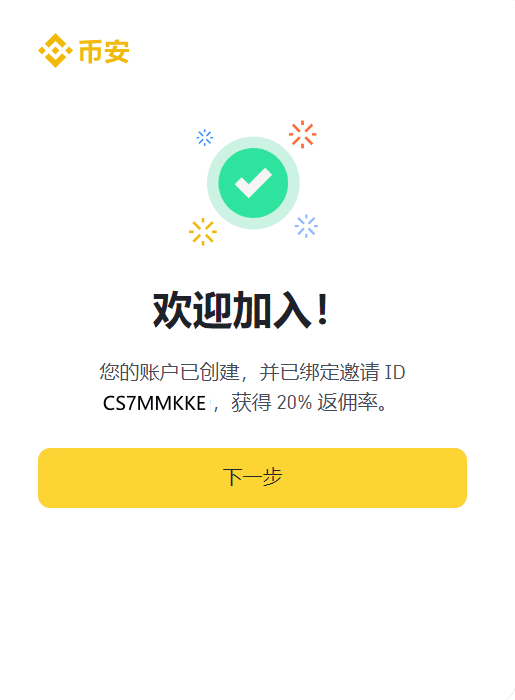
Step 1: Register through the exclusive invitation link
Click the exclusive Binance registration link: Click to register on Binance, enjoy a 20% fee discount with invitation code: CS7MMKKE
Step 2: Fill in registration information
Enter your email address
Set a password that meets the requirements (including uppercase letters, lowercase letters, numbers, special characters, length of 8-20 characters)
Click 'Next' to continue.
Step 3: Verification code verification
Enter the verification code prompted on the screen
After verification, the system will send a confirmation email to your inbox.
Step 4: Activate account via email
Log into your email, click the confirmation link sent by Binance, and complete the account activation.
Step 5: Real-name authentication (KYC certification)
After logging in, enter the identity verification process
Select country/region: 'China'
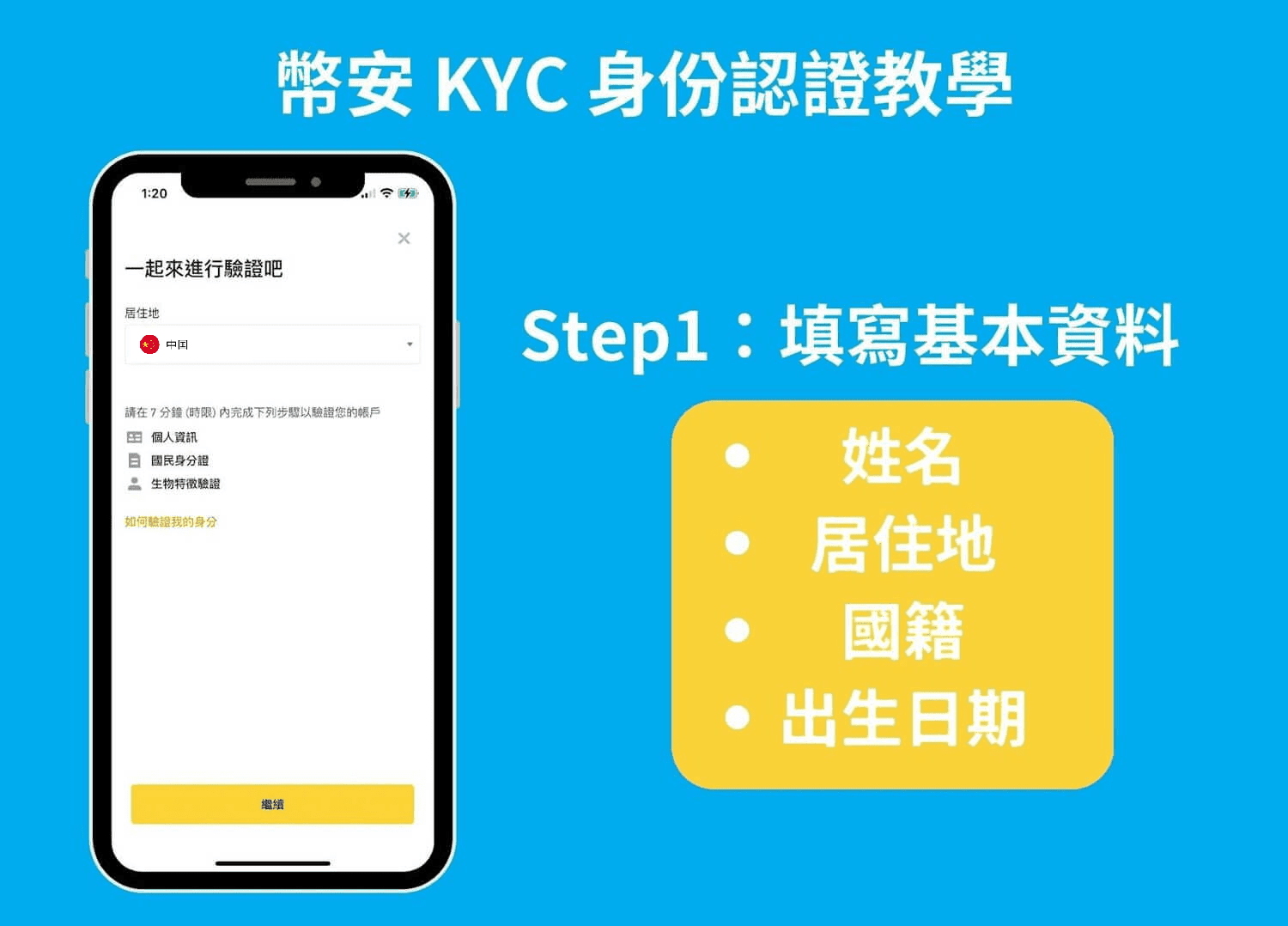
Follow the prompts to upload your ID card or passport and complete the facial recognition step.
(Notes: Take clear photos, ensure the corners of the document are complete, and ensure the information is recognizable.)
Step 6: Account security settings
Binance supports multiple 2FA (Two-Factor Authentication) methods, and it is recommended to enable the following first:
Binance Authenticator
or Google Authenticator
Enabling 2FA can greatly enhance account security.
Binance buying cryptocurrency guide
After completing registration and verification, you can purchase digital currencies on the Binance platform. The specific process is as follows:
1. Adjust payment currency settings
After entering the Binance App, first switch the currency unit from USD to CNY (Renminbi), otherwise domestic payment methods cannot be used for C2C transactions.
2. C2C Trading (Peer-to-Peer Cryptocurrency Purchase)
Open the Binance homepage and select 'C2C Trading'.
Select the cryptocurrency you wish to purchase (such as USDT, BTC, etc.) and enter the purchase amount.
Filter suitable sellers, confirm the price and payment method (supports Alipay, WeChat, bank card).
When transferring, remember not to note any information to avoid transaction failure.
After payment, click 'Paid' and wait for the seller to release the currency to your account.
3. Quick Buy feature
Enter the 'Quick Buy' page.
Select the cryptocurrency and purchase amount, and choose the payment method.
Fill in the payment information, confirm and complete the transaction.
The digital currency will be automatically credited to your account.
Tip: Protect your assets and privacy
Always use a secure network environment, and do not operate easily on public Wi-Fi.
Back up your 2FA key to prevent account loss and inability to recover.
Regularly update your password to enhance account security.
Through the guide provided in this article, I believe you can successfully complete the registration and verification of your Binance account and start your cryptocurrency investment journey. If you have not yet registered, feel free to use the exclusive invitation link register on Binance now (invitation code: CS7MMKKE) to enjoy a 20% trading fee discount!
#注册币安 #币安注册教程 #Binance注册 #加密货币入门

