

This tutorial will guide you through the entire process from switching the Binance unified account mode to completing API binding on AiCoin.
Step 1: Switch Binance to 'Unified Account' mode
Before creating the API, please ensure that your Binance account has enabled the unified account mode to support multi-asset collateral trading.
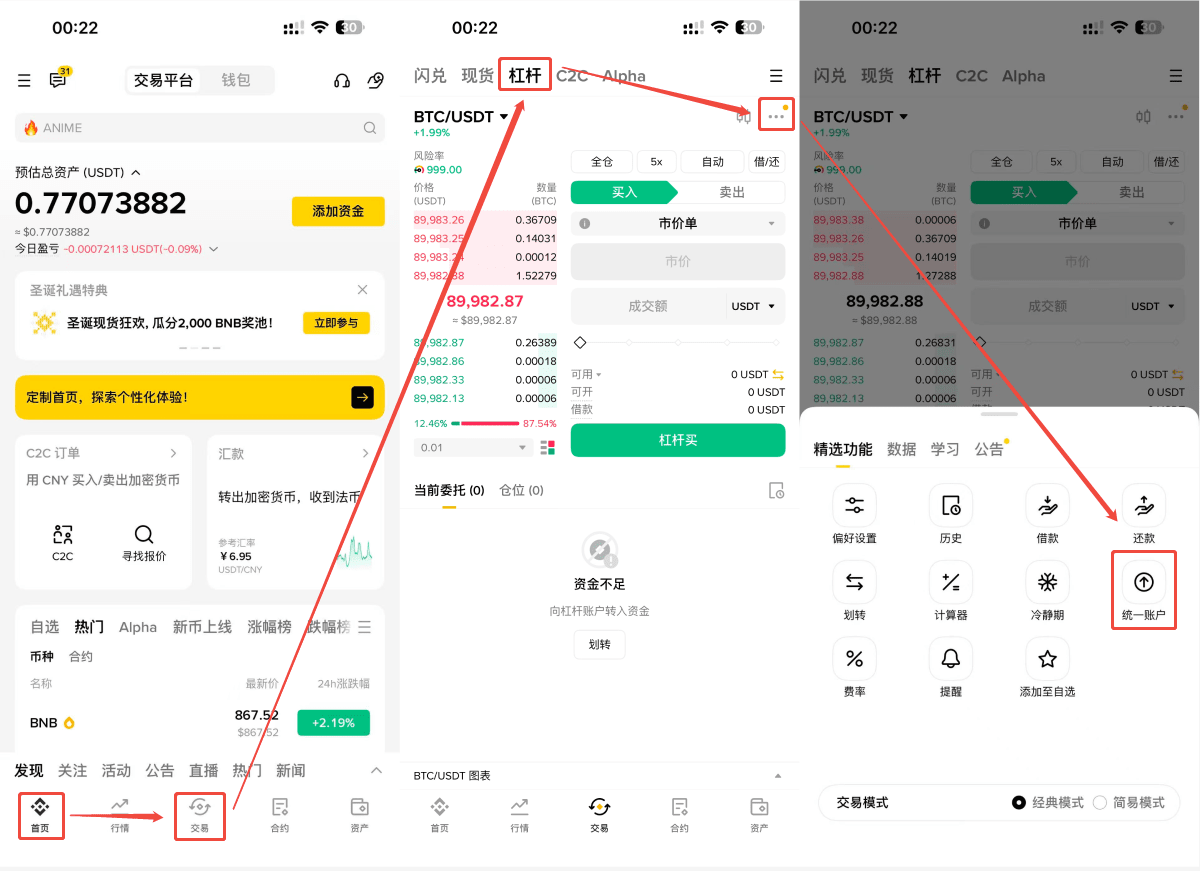
1. Open the Binance APP and click on 【Trade】 in the bottom menu bar.
2. Switch to 【Leverage】 in the top tabs.
3. Click the 【...】 in the upper right corner, and select 【Unified Account】.
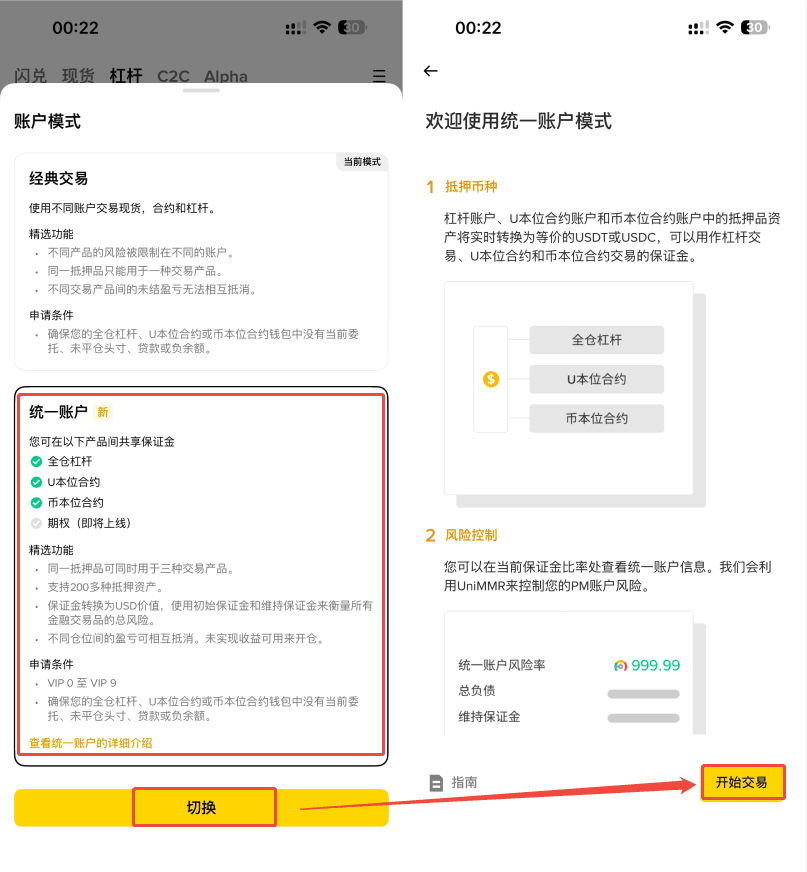
4. Click 【Account Mode】 — Select 【Unified Account】 — Click 【Start Trading】 to complete activation.
Step 2: Create API Key.
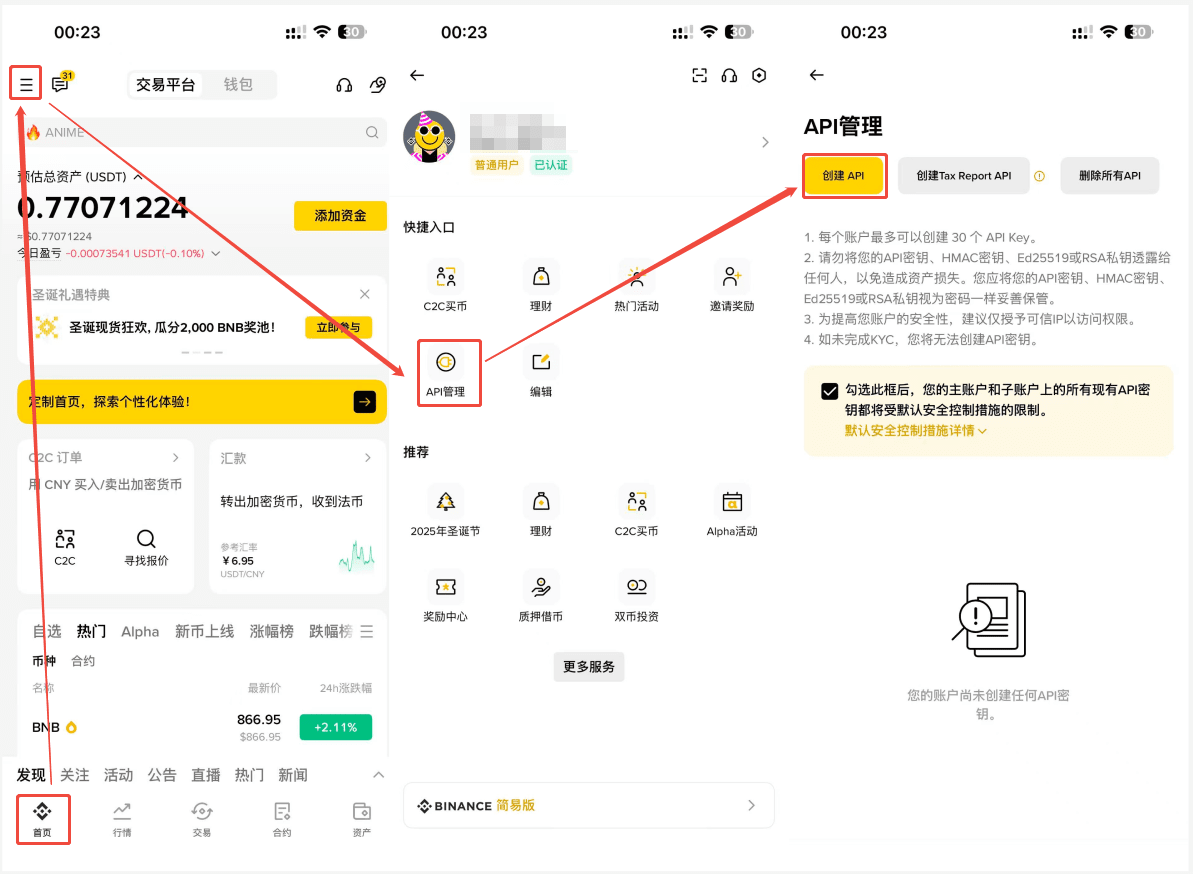
1. On the homepage of the Binance APP, click the [More Icon] in the upper left corner and find [API Management].
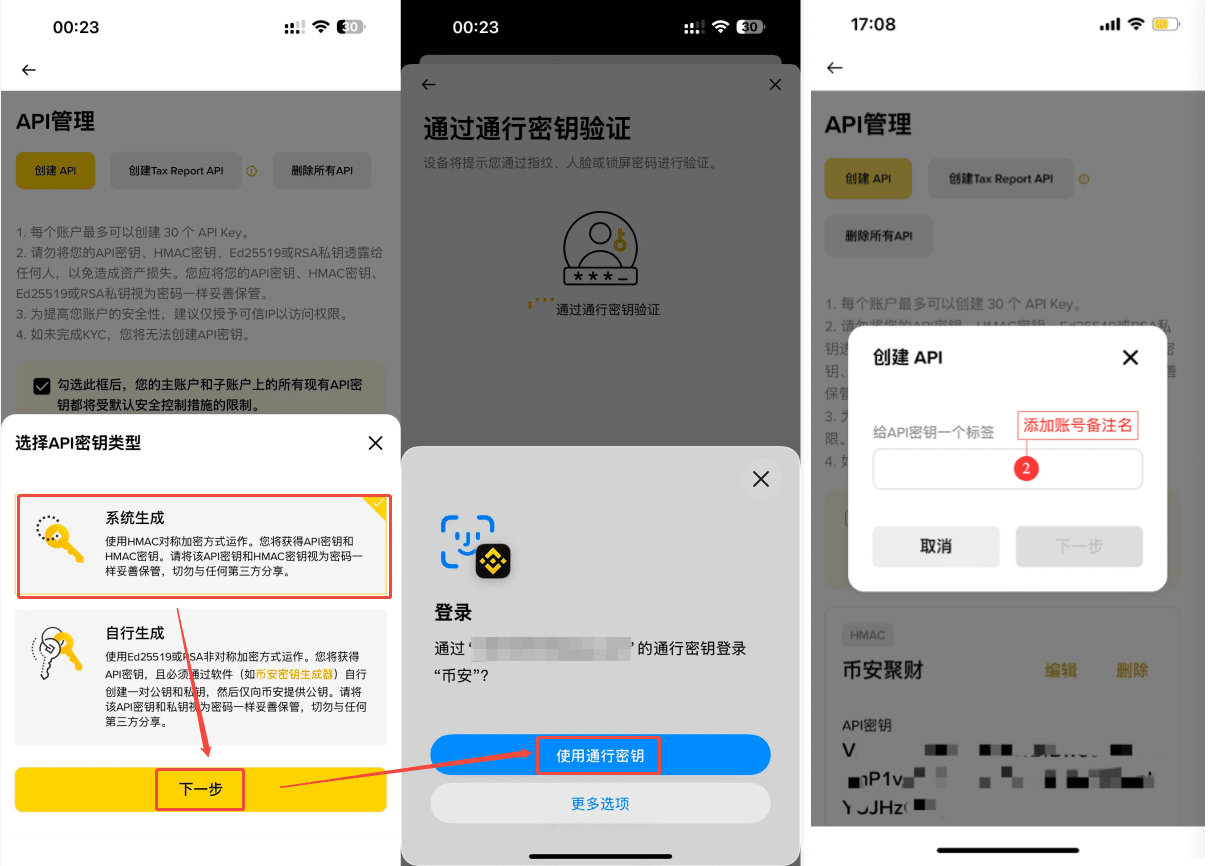
2. Click [Create API], select [System Generated], and click [Next].
3. Enter the remark name as prompted - complete the security verification to create the API.
Step 3: Configure API permissions.
1. Find the API you just created on the API management page and click [Edit].
2. Check the permissions for [Allow Spot and Margin Trading], [Allow Contracts], [Allow Cross Transfer], etc.
3. Click [Save] at the top of the page and complete the security verification.
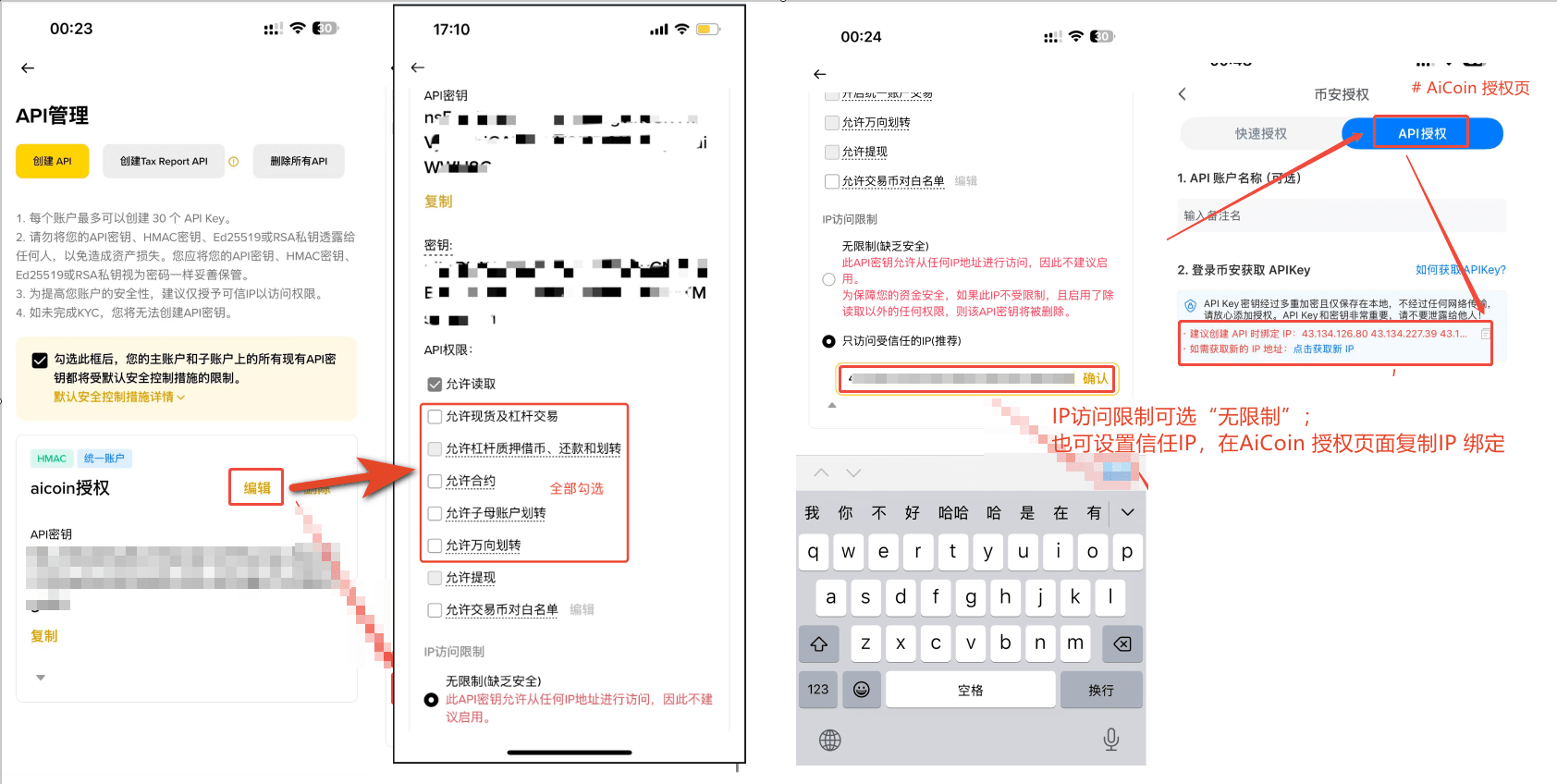
Step 4: Enter the API Key and add authorization.
1. Open the API authorization page of AiCoin.
2. Enter the obtained API Key and Secret Key in order.
3. Click the [Authorize] button.
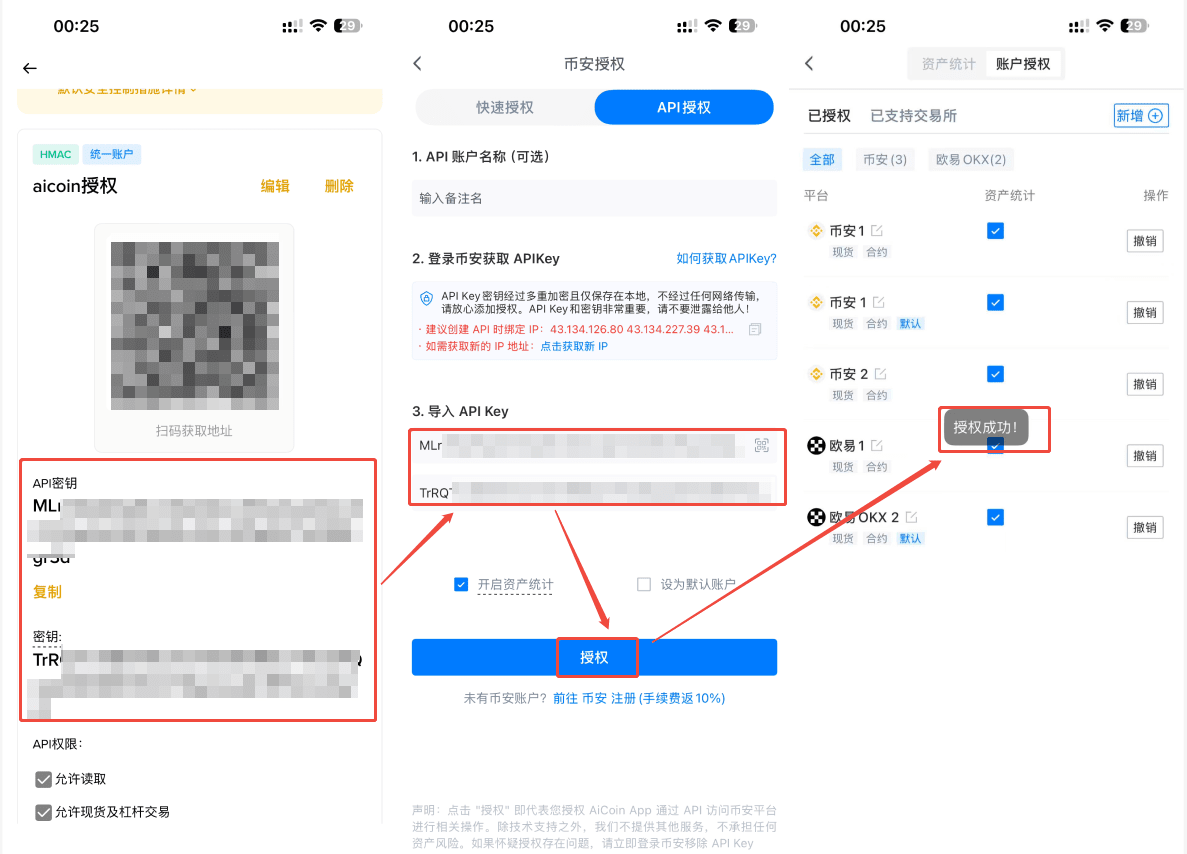
💡 Security Reminder: Please do not disclose your Secret Key to anyone or save it online.

