

Main Takeaways
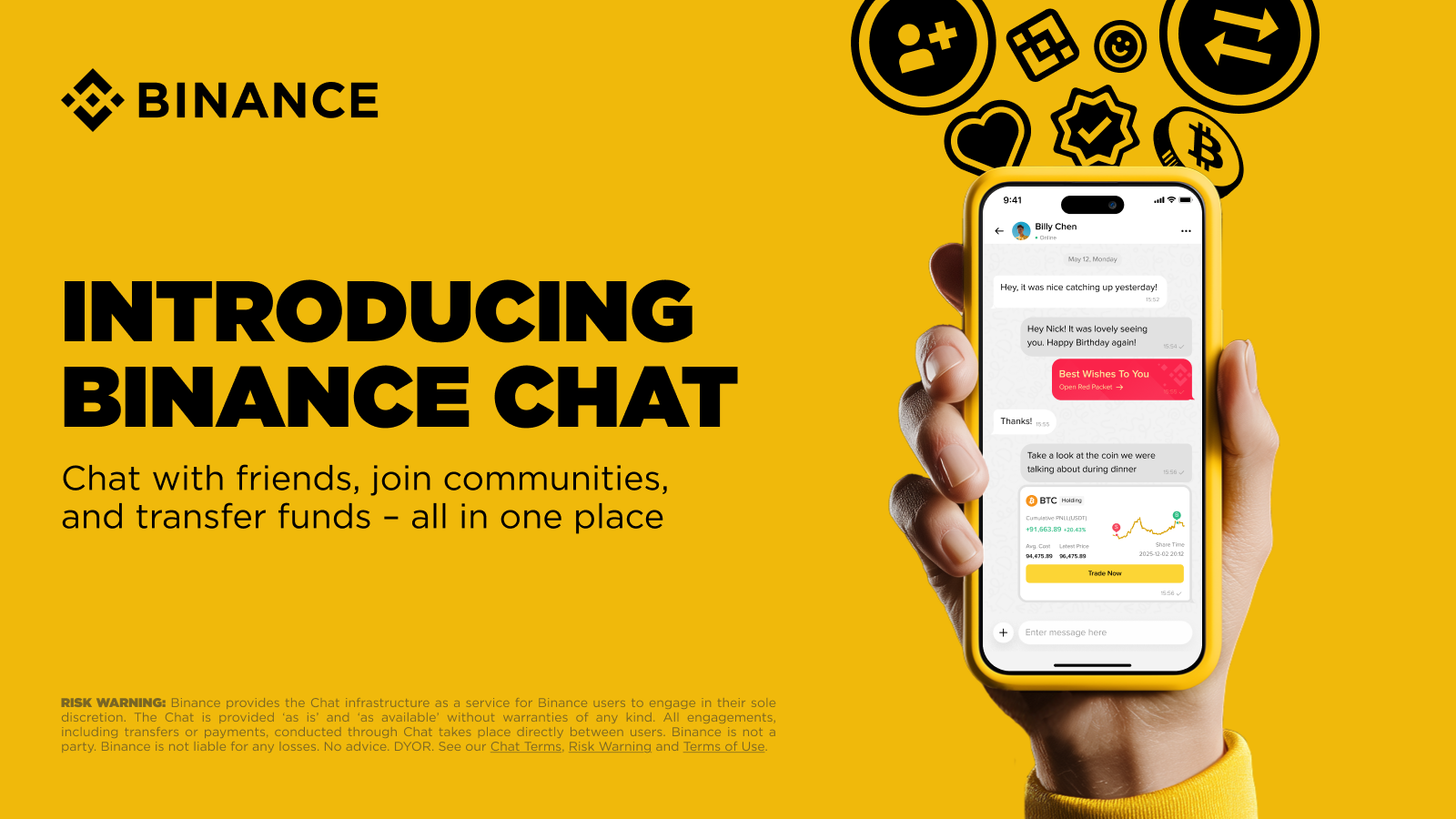
Binance Chat, built into the Binance App, lets you message, trade, and send crypto with zero fees, all in one place.
Key features include adding friends securely, sending crypto directly in conversations, group chats, and interactive tools like Red Packets and Trade Cards.
All users must complete identity verification to use Chat and its transfer features, adding an extra layer of security to every conversation.
This is a general announcement. Products and services referred to here may not be available in your region.
Switching between apps to talk, trade, and send crypto can slow you down. Copying wallet addresses, juggling multiple tools, and jumping between platforms is inconvenient as it makes simple tasks more complicated than they need to be.
Binance Chat brings messaging and crypto transfers together inside the Binance App. Talk one-to-one or in groups created by your favorite creators, share ideas in real time, and send crypto instantly to your contacts with zero fees.
In this guide, we’ll walk you through what Binance Chat is, how it works, and the features you can start using today to connect, trade, and interact more efficiently.
What is Binance Chat?
Binance Chat is a social and messaging feature built into the Binance App. It supports one-to-one and group conversations and lets you send digital assets directly inside any chat with zero fees, powered by Binance Pay.
Each user has a unique Chat ID. Search someone's Chat ID or UID, or scan their QR code to add them as a friend. Once they accept, you can message them and transfer funds immediately. Both sides must complete identity verification before using Chat, adding an extra layer of security to conversations.
Binance Chat also connects to Binance Square, a social content platform within the Binance ecosystem. When a creator you follow creates a chatroom, you can easily access their group chat from their Square profile.
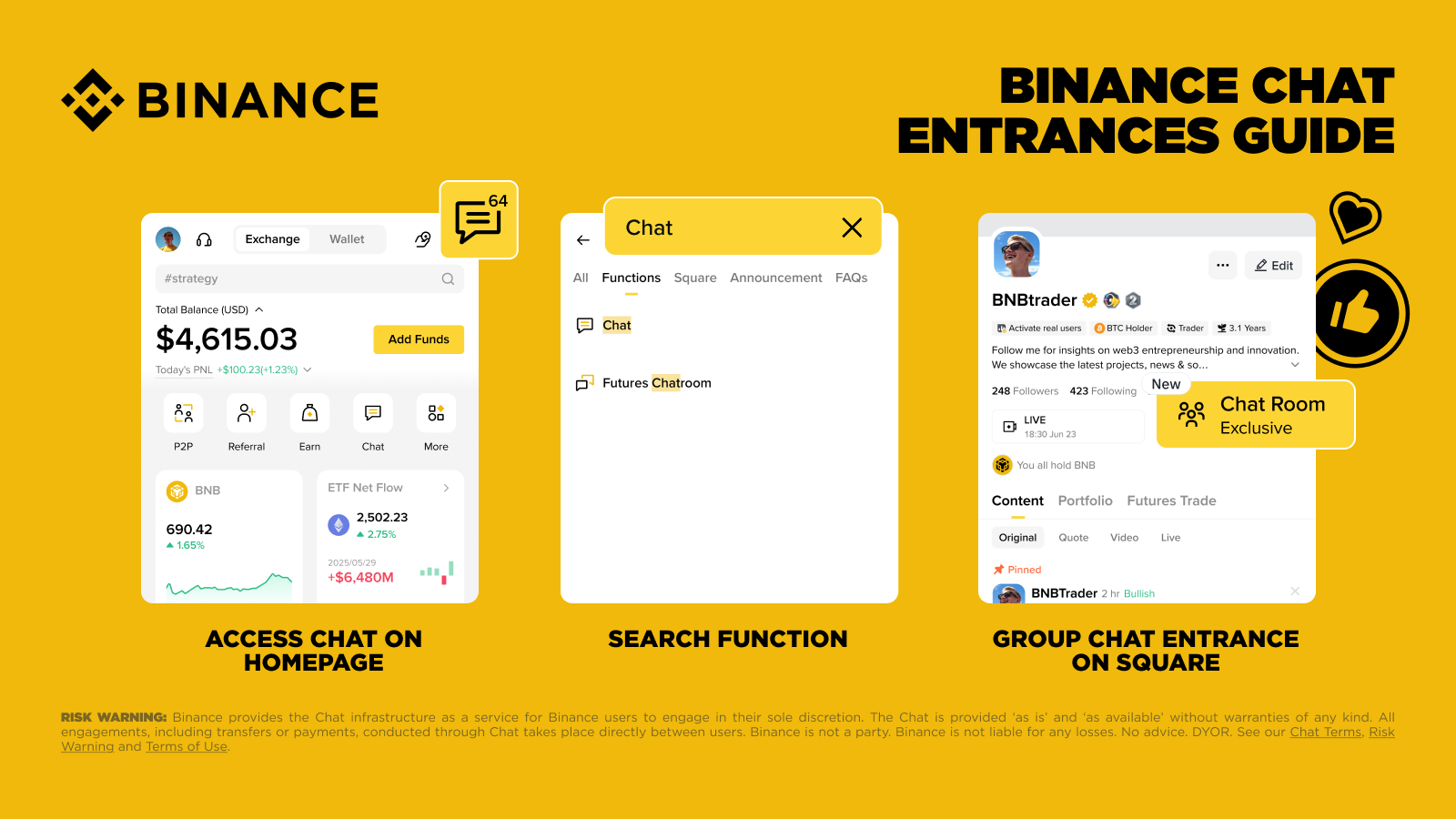
To get started, tap the message icon in the top corner of the Binance homepage, use the Chat widget in the middle of the homepage, or search "Chat" in the search bar. If a creator you follow has enabled group chat, you can also join directly from their Square profile.
Add Friends and Send Crypto with Zero Fees
Adding someone on Binance Chat is simple, fast, and built with security in mind. Every user has a unique Chat ID, so you can easily find the right person and send them a friend request. Once it is accepted, you can chat instantly.
From there, you can send crypto or stablecoins directly in the conversation with zero fees, powered by Binance Pay. Both sides must be identity-verified before any transfer goes through, so every transaction has an extra layer of security.
Join Groups and Build Communities
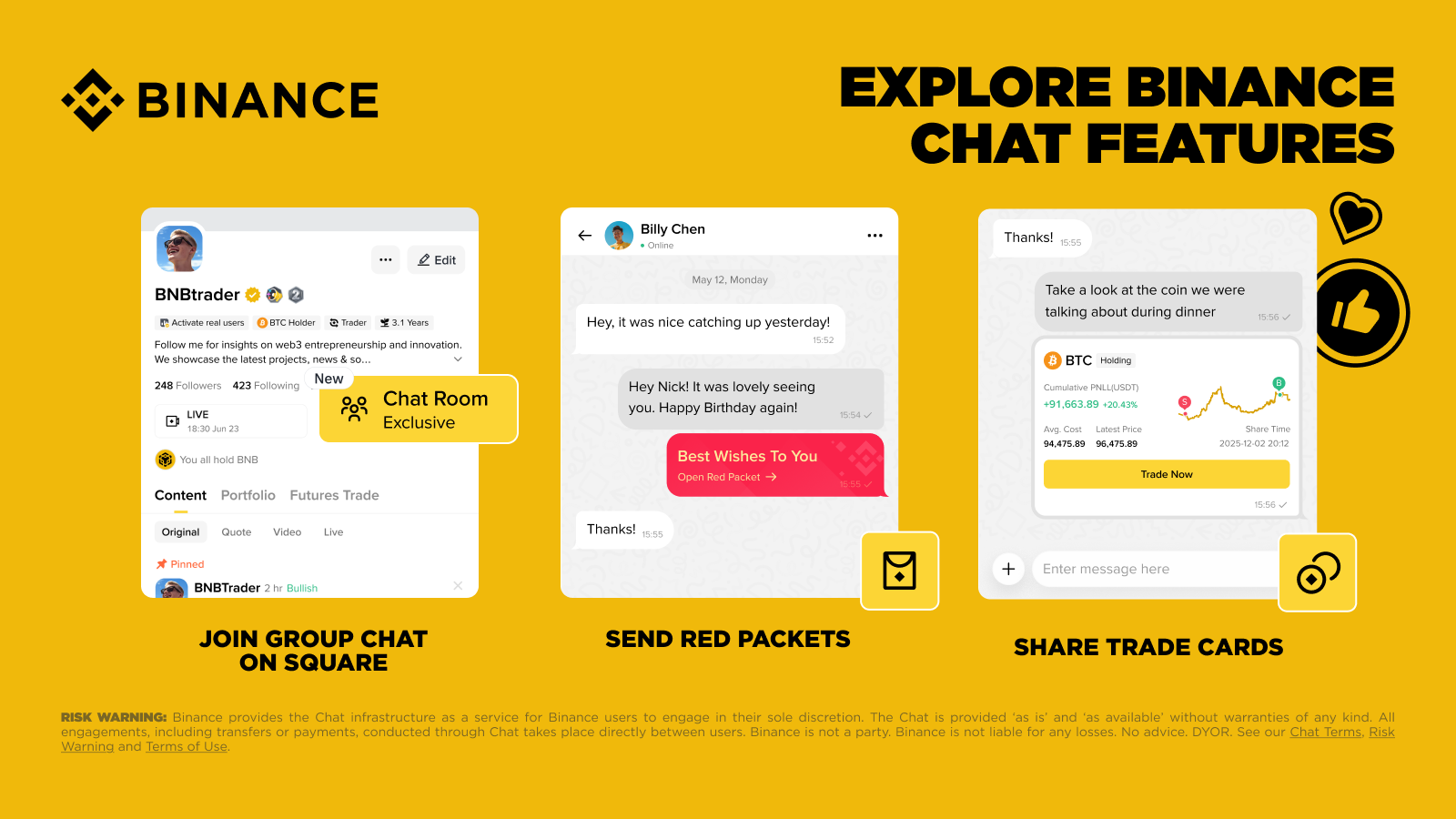
See a post on your Square feed that catches your eye? Tap through to the creator's profile and join group chat to follow the discussion live. Ask questions, compare viewpoints, and get additional context from your favorite market experts — all without leaving the Binance.
If a creator you follow has a public group chat, you'll see it on their Binance Square profile page. Tap to join and start participating.
Group chat creation is currently in closed beta, available to Square creators with 1,000 or more followers. Eligible creators can start groups by tapping the [+] icon in the top-right corner of the Chat list. Groups can be invite-only, and creators can assign admin roles to trusted members. Creators can also offer paid Subscription Groups — all subscription revenue goes directly to the group owner, with no platform fees.
Share Red Packets and Earn Rewards From Trade Cards
Binance users can share a Trade Card in a one-on-one or group conversation on Binance Chat. Trade Cards pull data directly from your Binance account, so recipients know the information is real and not a fabricated screenshot. When someone trades through your shared Trade Card, you earn up to 50% referral commission.
In group chats, creators can send community Red Packets that allow multiple members to claim a share. They can be used to celebrate milestones or just to keep things interesting for the community. If you see one appear in a group chat, tap to claim your portion before it runs out. It's one more reason to stay active in the groups you join.
How to Access Binance Chat
Getting started with Binance Chat takes just a few taps.
Access Chat in Binance : Tap the Message icon or Chat widget on the top of the homepage.
Add Friends: Tap the [+] icon at the top-right corner to add contacts via Chat ID, UID, or QR code.
Join Groups: Visit a creator's profile on Binance Square and tap Chatroom to join.
Interact: Inside a chat, tap the [+] button to send Red Packets or Trade Cards.
Final Thoughts: A Faster Way to Connect and Transact
Having both social features and financial tools in one place means you can share ideas, ask questions, and act on opportunities without switching between different platforms and contexts. Everyday tasks like sending a quick payment to a friend or following up on a trade are even more straightforward.
Binance Chat reinforces our commitment to building one space that provides everything users need. By combining communication, trading, and community building, Binance Chat makes it easier to stay connected and get things done without leaving the platform. It’s another practical step forward toward making crypto simpler and more connected for everyone, whether you’re a trader, a content creator or just getting started.
Further Reading
Disclaimer: Binance provides the Chat infrastructure as a service for Binance users to engage in their sole discretion. Binance Chat is a communication and content-sharing feature and does not constitute, or form part of, any financial, investment, or intermediary service. The content shared within Binance Chat does not amount to any advice, nor an offer, solicitation, or recommendation to deal in any digital asset. All payments and transfers conducted through Binance Chat take place directly between verified users’ Binance accounts. Binance is not a party to any group Chat but reserves the right to monitor, edit, remove, or block any User Content or restrict access to the Chat at its sole discretion, without prior notice. Chat groups are managed by independent chat/group leaders, not Binance. Binance does not endorse, or assume responsibility for content shared by the hosts. The Chat is provided “as is” and “as available” without warranties of any kind. You are solely responsible for your investment decisions. DYOR. Binance is not liable for any losses. For more information, please see our Binance Chat Terms, Risk Warning and Terms of Use.