
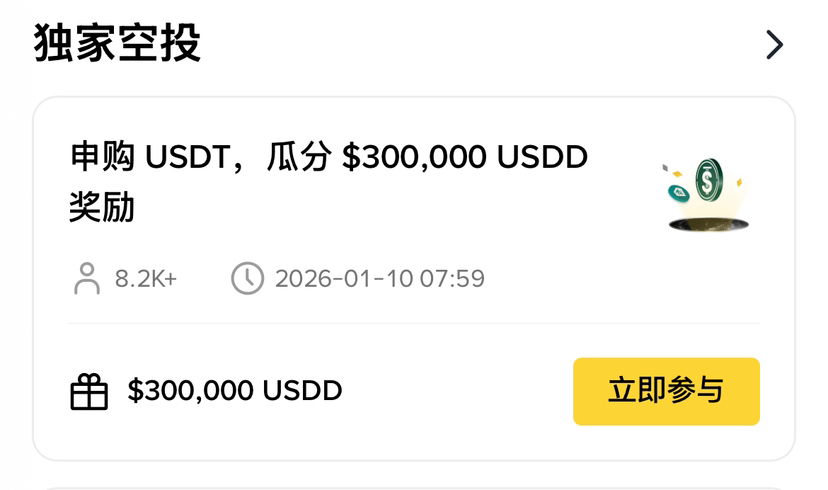
Binance Wallet heavily launches the Yield+ USDD USDT financial activity, with a total reward of 300,000 USDD to be distributed within 30 days! For beginners, this is a great opportunity to participate in cryptocurrency finance with a low threshold. You only need to invest at least 100 USDT to enjoy dual benefits: a benchmark annualized return rate of 12% on sUSDD, plus an activity reward annualized return rate of up to 25.82% currently. In simple terms, if you invest 1000 USDT, based on the current reward ratio, you can expect to earn approximately (12%+25.82%)÷12≈3.15% in returns within 30 days, which is about 31.5 USDD in additional income.
Preparation: You need these items
Before you begin, please ensure you are prepared with the following:
A verified Binance account
Create a Binance Wallet
At least 100 USDT in your account (can be topped up via fiat trading or other methods)
Make sure your Binance APP is up to date
step by step: Participation tutorial
Step 1: Go to the Binance Wallet Yield+ page
Open the Binance APP, click the 'Wallet' icon on the homepage, and then find the 'Yield+' option or airdrop on the wallet page and click to enter.
Step 2: Find the USDD USDT strategy
On the Yield+ page, you will see various financial strategies. Find the 'USDD USDT' strategy and click to enter the details page. Here you will see the current benchmark APY (12%) and the active reward APY (currently 25.82%).
Step 3: Convert USDT to USDD
On the strategy details page, click the 'Participate' button. The system will prompt you to first convert USDT to USDD. Click the 'Convert' button, enter the amount you wish to participate with (minimum 100 USDT), and confirm the conversion. This process usually takes only a few seconds.
Step 4: Stake USDD as sUSDD
After the conversion is complete, the system will automatically redirect to the staking page. Here, you can see the amount of USDD you just converted. Click the 'Stake' button, confirm the staking amount, and then click 'Confirm'. At this point, your USDD will be staked as sUSDD, and earnings will start to be calculated.
Step 5: Wait for the earnings to be credited
After successful staking, you can check your sUSDD balance on the 'My Assets' page. Earnings will be calculated daily, and a corresponding proportion from the daily distribution of the 10,000 USDD reward pool will be credited to your account. You can check your earnings at any time, and you can convert sUSDD back to USDT after the event ends. #USDD以稳见信 @USDD - Decentralized USD